
KAYAK Ask AI just got a lot more useful for anyone who pays for flights. KAYAK announced today, November 17, 2026, that it is rolling out 28 new and enhanced AI features across its travel search experience, and the headline upgrade is simple: you can now ask for the cheapest time to fly — without fixed dates — and get an answer backed by live, bookable prices, not averages.
Ask a question like “Find me the cheapest weekend to fly to Miami in January,” and Ask AI uses the technology behind KAYAK’s Buy vs. Wait recommendations to find promising dates, then checks those dates against live prices for flights you can actually book. KAYAK says it is the first travel tool to answer that kind of question with real-time prices and bookable results.
That matters because the old failure mode of travel AI was confident, stale advice. KAYAK’s own CEO puts it bluntly: “AI is great at suggesting where to go, but it can sound confident even when it’s out of date.” The fix here is structural — the chat sits on top of live search results, so the price you see is the price you can book.
And travelers are already voting with their bookings. KAYAK reports that people who engage with Ask AI are about 2.5 times as likely to book as those who do not, and 30% of sampled Ask AI conversations since the tool launched included flexible or open-ended requests like the Miami example above.
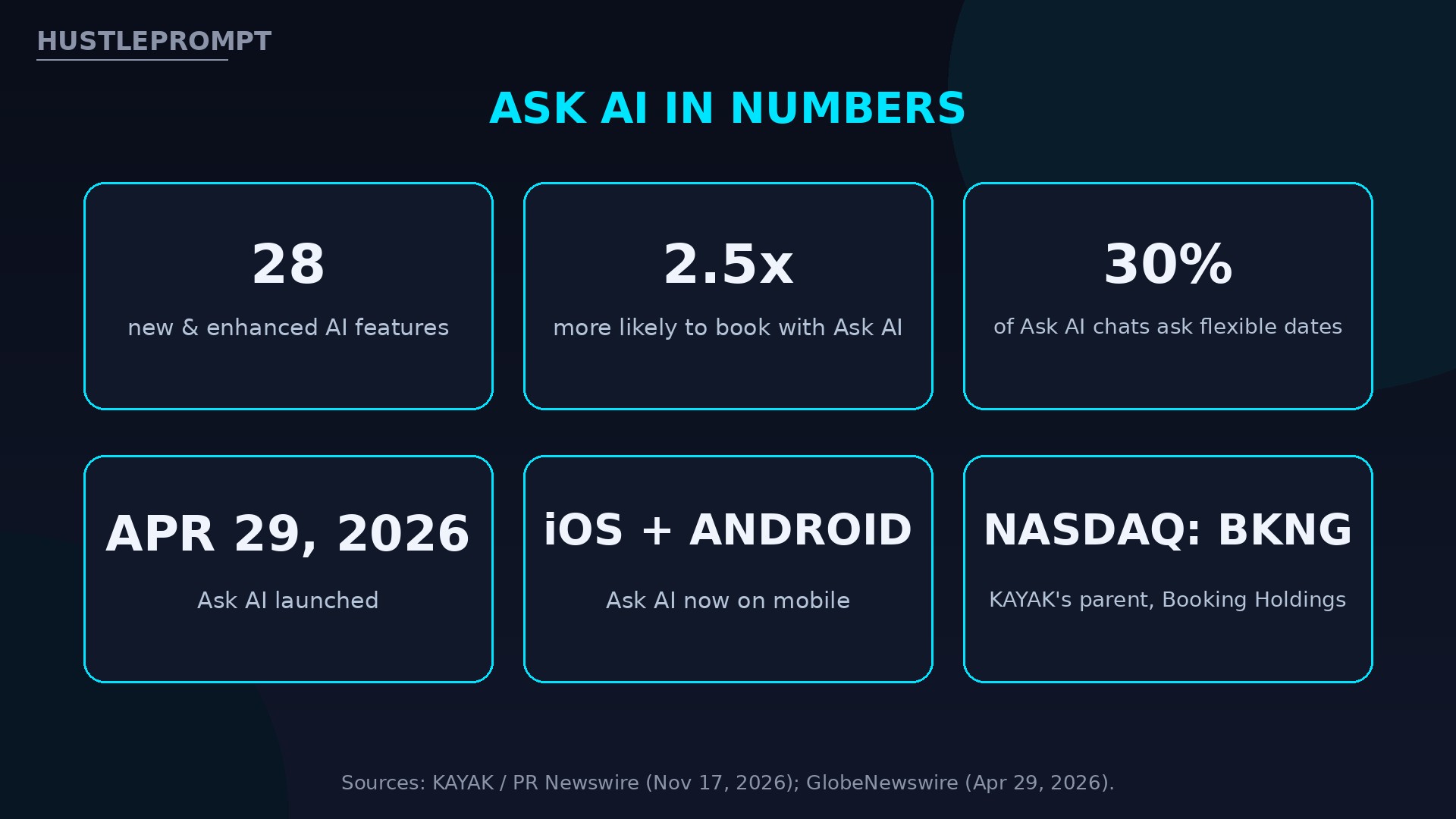
The update in numbers
| Figure | What it means | Source |
|---|---|---|
| 28 | New and enhanced AI features rolling out today across KAYAK’s site | KAYAK announcement |
| 2.5x | How much more likely Ask AI users are to book, vs. travelers who don’t use it | KAYAK data |
| 30% | Share of sampled Ask AI conversations with flexible or open-ended requests since launch | KAYAK data |
| 74% / 60% / 45% | U.S. travelers who prefer traditional search / trust it over AI / want real-time prices, not averages | KAYAK-commissioned YouGov survey |
| April 29, 2026 | Ask AI launch date | GlobeNewswire launch release |
| iOS + Android | Ask AI now available in the KAYAK mobile apps, not just on the web | KAYAK announcement |
What’s new in the 28 features
The rollout is not one feature — it is a bundle that covers dates, itineraries, fares, hotels and the phone in your pocket. Here is what KAYAK actually shipped today:
- Budget-based date search. Ask for the cheapest time to fly without fixed dates. KAYAK uses its Buy vs. Wait data to find promising dates, then checks live prices so you see what is available and what it actually costs.
- One prompt into a full trip. Turn a single prompt into a personalized, day-by-day itinerary, then refine it through conversation while live flight, hotel and rental-car results update alongside it.
- Price Alerts inside the chat. Set price tracking alerts directly through Ask AI while your plans take shape, instead of setting them up separately.
- Ask AI on mobile. Conversational planning and live results are now in the KAYAK app on iOS and Android.
- Fare comparison beyond the price. Clickable prompts compare basic economy and main cabin, check baggage and cancellation policies, and explain details about the aircraft — for the specific flights and fares you are viewing.
- Starlink Wi-Fi filter. A new ultra-high-speed Wi-Fi filter, or ask Ask AI directly, to find flights with Starlink connectivity.
- Hotel search beyond standard filters. Describe what matters — a rooftop pool, reviews mentioning quiet rooms — and KAYAK finds matching hotels even when no filter exists for it.
- Neighborhood summaries. Updated images and AI-powered summaries help you get a feel for an area before you choose where to stay.
Two more items are marked as coming soon, not live today: asking how often flights on a route depart on time, and Ask AI remembering preferences you have shared, such as nonstop flights or morning departures, to personalize future recommendations.
How it works: from a question to a bookable trip
The idea is a hybrid workflow. You talk through the plan in Ask AI while flight, hotel and rental-car results and prices update beside the conversation, then you use KAYAK’s familiar filters and sorting tools to compare options. No jumping between an AI chat and three travel sites to check whether the suggestion is real.
ASK AI → CHECK → COMPARE → BOOK
1. ASK
Ask in plain English, with flexible dates if you have them — no filters, no fixed itinerary.
2. CHECK
Buy vs. Wait data finds promising dates, then live prices verify what is actually bookable.
3. COMPARE
Weigh fares, baggage, cancellation rules, aircraft, Wi-Fi and neighborhoods side by side.
4. BOOK
The price shown is live and bookable — refine the plan in the same chat if it changes.
Ask AI vs. a generic AI chatbot
Most AI chatbots can suggest where to go. The difference here is what happens after the suggestion. KAYAK’s pitch is that its AI is tied to the same live pricing data as its search engine, so the answer is checkable before you spend anything.
| KAYAK Ask AI | A generic AI chatbot | |
|---|---|---|
| Prices shown | Live and bookable for the flights, hotels and cars listed | Often averages or estimates; may be out of date |
| Flexible dates | Finds the cheapest dates using Buy vs. Wait data, then verifies live | Suggests dates from averages, without checking availability |
| Fare details | Explains baggage, cancellation and cabin for the exact fare shown | General advice, not tied to a specific fare |
| Price tracking | Price Alerts set inside the chat | No live tracking; you must check again yourself |
| Booking | Results update live alongside the conversation; book from the same flow | Conversation and booking live on separate sites |
That comparison is the point of the survey KAYAK commissioned. In a YouGov panel of U.S. travelers, 74% said they prefer traditional search when planning a trip, 60% trust it over AI, and 45% want real-time prices rather than averages. Ask AI is KAYAK’s answer to all three numbers at once: keep the chat, keep the search, and show the real price.

“AI is great at suggesting where to go, but it can sound confident even when it’s out of date. That’s why our AI is tied to live prices, so you can verify what it suggests before you book. When you’re spending money on a trip, getting it right matters.”
— Peer Bueller, CEO, KAYAK
How to save money with KAYAK Ask AI
The update is free to use as part of KAYAK’s search experience, and the money angle is in how you ask. Five concrete moves:
- Start with flexible dates, not fixed ones. Ask “cheapest weekend to fly to Miami in January” and let Buy vs. Wait surface the cheap dates first, instead of locking in a weekend and then checking the price.
- Set a Price Alert inside the chat. Once Ask AI has a plan you like, set the alert right there. You get notified if the fare drops while you decide, instead of re-running the search.
- Compare the fare, not just the price. Use the fare prompts to check baggage and cancellation rules before you book. A cheaper basic-economy fare can cost more once bags and changes are added.
- Ask for the hotel details that actually matter to you. “Rooftop pool” and “reviews mentioning quiet rooms” are the kind of requests standard filters miss. Describe them in plain English and let Ask AI match them.
- Use the Starlink filter when Wi-Fi is work time. If you plan to work on the plane, filter for Starlink Wi-Fi before you compare fares — a cheap flight with no usable Wi-Fi is not cheap if it costs you a workday.

What it costs
KAYAK did not announce a price for the new features. Ask AI ships as part of the regular KAYAK search experience on the web and in the KAYAK app on iOS and Android — there is no separate Ask AI subscription in the announcement. KAYAK is a travel search engine, part of Booking Holdings (NASDAQ: BKNG), that compares hundreds of options at once across airlines, hotels and online travel agencies.
What to watch
Two things are worth keeping in mind before you plan your next trip around this.
- Two features are not live yet. Route on-time records and saved preferences are both marked “coming soon” in the announcement. Judge the update on what shipped today, not on the roadmap.
- Trust is the real product here. The survey numbers — 60% of U.S. travelers trust traditional search over AI — explain why KAYAK built the hybrid the way it did. If Ask AI’s live prices stay accurate, that trust gap is the opening. If they drift, the chat is just another suggestion box.
A note on video: KAYAK announced this update in writing, and there is no KAYAK-channel YouTube video for the 28 features, so this article embeds none rather than a third-party clip.
Frequently asked questions
What did KAYAK announce on November 17, 2026?
KAYAK is rolling out 28 new and enhanced AI-powered features across its site, building on its Ask AI conversational travel planner. The update pairs chat-based trip planning with real-time flight, hotel and rental-car results and live, bookable prices.
Can KAYAK’s Ask AI find the cheapest time to fly without fixed dates?
Yes. Ask a question like “Find me the cheapest weekend to fly to Miami in January.” KAYAK uses the technology and data behind its Buy vs. Wait recommendations to identify promising dates, then checks those dates for live prices to show available, bookable flights.
Does Ask AI show live prices or estimates?
Live prices only. Both KAYAK and KAYAK’s AI show live and bookable flight, hotel and rental-car prices, according to the announcement — not averages.
Is Ask AI free to use?
KAYAK did not announce a price for the new features. Ask AI is part of the regular KAYAK search experience on the web and in the KAYAK app on iOS and Android.
Can I use KAYAK’s Ask AI on my phone?
Yes. Ask AI is available in the KAYAK app on iOS and Android, with conversational planning and live results updating alongside your chat.
Can Ask AI compare fares and baggage rules?
Yes. Clickable prompts compare basic economy and main cabin, check baggage and cancellation policies, and explain details about the aircraft for the specific flights and fares you are viewing.
What is coming soon to Ask AI?
Two features are marked as coming soon: asking how often flights on a route depart on time, and Ask AI remembering preferences you have shared — such as nonstop flights or morning departures — to personalize future recommendations.
Keep Reading
Sources: KAYAK official announcement on PR Newswire (Nov 17, 2026); KAYAK Ask AI; KAYAK launches Ask AI, GlobeNewswire (Apr 29, 2026).