
Every freelance designer knows the moment. The client approves the mockups, the developer builds something else, and three rounds of revisions eat the profit margin. Figma Specs, launched on October 15, 2026, attacks that exact gap: it puts the build plan on the canvas, next to the design, in a format a coding agent can read.
A spec is a multiplayer Markdown document that lives on the Figma canvas or as its own file. It holds requirements, decisions, annotated frames, diagrams, and code, so the design intent and the technical detail sit in one place. When the plan changes, the spec changes with it, and the agent reads the new version.
What Figma Specs actually is
Figma describes Specs as a container for context. Markdown files usually live alone on a laptop, disconnected from the project they describe. Specs fixes that by letting you embed a FigJam board, a frame, or any node from the canvas right inside the document.
You can start in three ways. Press D or click the Specs icon in the toolbar, create a standalone Spec file from the file browser or at figma.com/spec/new, or drag an existing .md file onto the canvas and watch it become a spec. The Figma agent can also draft one for you, from a PRD or from the designs themselves.
Collaboration works the way Figma users expect. Teammates comment on the spec, the Figma agent can read and reply to those comments, and you can duplicate a spec so each person drafts a version before the team aligns on a direction.
How a spec reaches your coding agent
The handoff is a link. Once the team agrees on a direction, copy the spec link and paste it into your coding agent’s prompt. Through the Figma MCP server, agents such as Codex read the spec and everything it links to: the Markdown, frame references, diagrams, code layers, and Code Connect snippets.
Coding agents connected to Figma MCP can also work with specs directly through the figma-spec skill. They can read, create, and update standalone specs and specs inside Design files and FigJam boards, with targeted edits and comments kept attached to the right text.
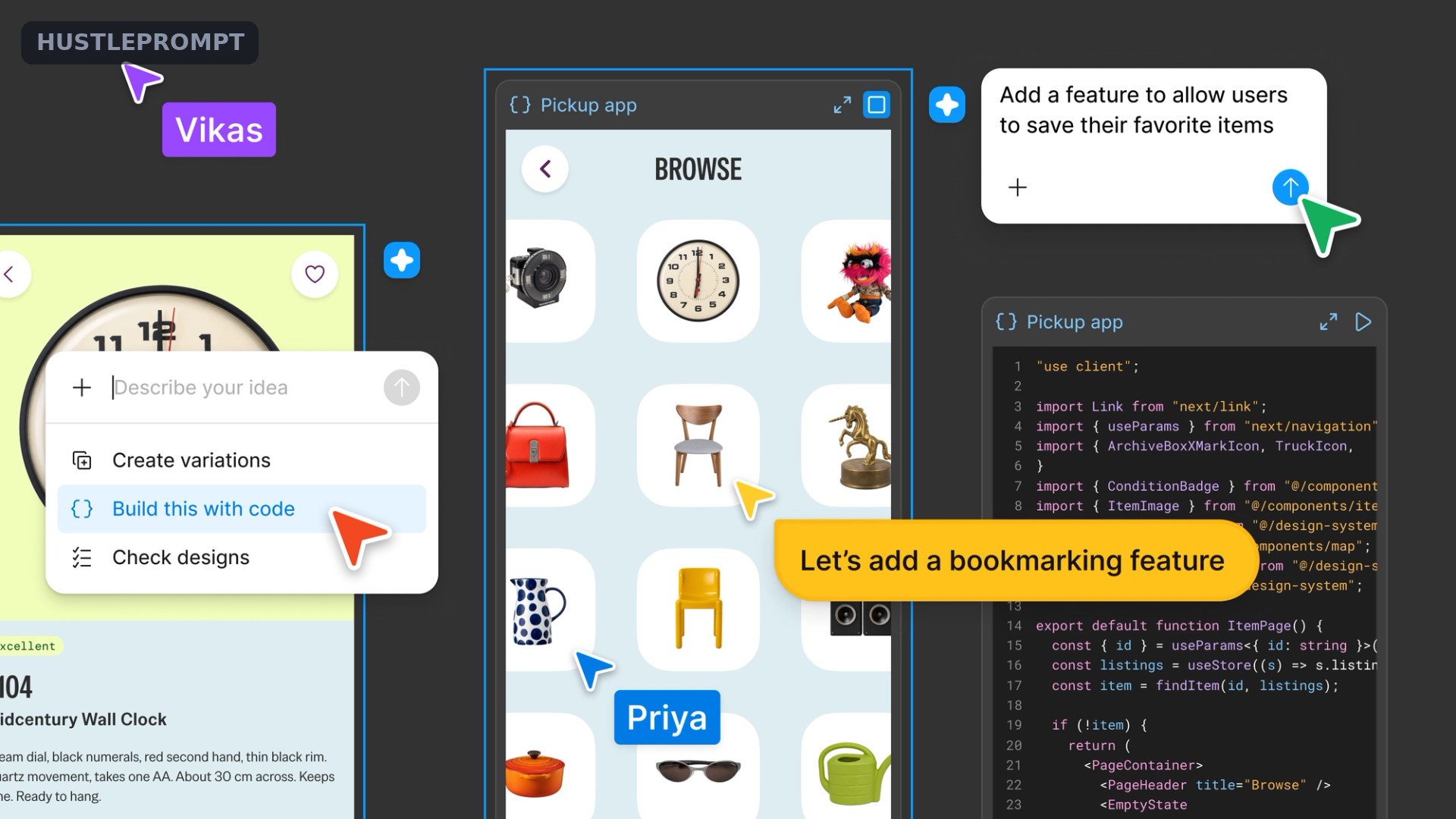
Outside context flows in, too. The GitHub connector drafts a technical spec from your codebase, and the Hex connector can run an analysis on product usage data and leave the findings as a comment next to the question it answers. The spec becomes the one place where design, code, and data meet.
Figma Specs at a glance
| Status | Open beta, rolling out gradually |
| Launched | October 15, 2026, at Config India |
| Create a spec | Press D, toolbar icon, figma.com/spec/new, or drag a .md file onto the canvas |
| Platforms | Web, desktop, and mobile |
| Plans | Starter, Professional, Education, Organization, Enterprise |
| Agent handoff | Spec link in the prompt, or the figma-spec skill over the Figma MCP server |
Source: Figma Blog: Introducing Specs and Figma Help Center: Guide to Specs
From design to working code in five steps
Design
Build the screens in Figma Design
Specify
Write the plan in a spec beside the frames
Enrich
Embed frames, diagrams, and code layers
Hand off
Paste the spec link into your coding agent
Build
The agent reads the spec over MCP and builds
The spec travels with its context: Markdown, frame references, diagrams, code layers, and Code Connect snippets.
What it costs
Writing and editing a spec by hand is free and uses no AI credits. That matters for freelancers: the core workflow costs nothing beyond the Figma plan you already pay for. Using the Figma agent with a spec is what consumes credits, and the amount varies with task complexity and the context the agent consumes.
Figma’s pricing FAQ puts Specs free for Collab, Dev, and Full seats on Starter, Professional, Organization, and Enterprise plans while it is in beta. Your monthly AI credit allotment depends on your seat and plan, so check your balance before running a big agent job.

AI credits included per month, by seat and plan
| Seat / plan | AI credits per month |
|---|---|
| Full seat, Professional | 3,000 |
| Full seat, Organization | 3,500 |
| Full seat, Enterprise | 4,250 |
| All other seats and Starter plan users | 500 |
Manual writing and editing in Specs uses none of these credits. Agent work with Specs does. Source: Figma Pricing FAQs
How to profit: sell the design-to-code handoff
For a freelancer, Specs turns a familiar pain into a product. Clients already pay for designs, and many will pay extra for a build-ready handoff that their developer, or their own coding agent, can execute without another meeting. Package it as a fixed-scope service: design plus a spec plus a first-pass build.
- Design the screens in Figma as usual, and mark the frames that are ready for development.
- Write the spec beside the frames: requirements, edge cases, empty and error states, and the decisions behind them.
- Embed what the agent needs: the frames, a flow diagram from FigJam, and any code layers you already built.
- Let the Figma agent draft the technical detail from the codebase with the GitHub connector, then review every line.
- Hand the client the spec link and the first build the agent produced from it, and price the package as one fixed-scope service.
The spec is also your quality shield. When the agent’s output drifts, the fix is a line in the spec, not a new meeting. And because the spec lives on the canvas, the next freelancer or developer who opens the file finds the reasoning, not just the pixels.
Start with one client project. Deliver the spec alongside the design, show the client the agent building from it, and let the result sell the next engagement.

The catch: it is still a beta
Specs is in open beta and rolling out gradually, so a teammate may see it before you do. If it is missing from your account, Figma’s help center suggests refreshing the tab or restarting the desktop app.
A spec is only as good as its author. An out-of-date spec will mislead an agent exactly the way it misleads a developer. Budget time to keep it current, and review agent output before it ships.
Access is broad but not universal. The open beta covers Starter, Professional, Education, Organization, and Enterprise plans, and editing a spec requires edit access to the file.
Figma keeps building on the same canvas
Specs did not arrive alone. Code layers entered open beta the same day, putting running code on the canvas next to the designs. And on November 12, 2026, Figma shipped 3D transforms in open beta for all Full seat users, with the exact CSS available in Dev Mode and MCP access for coding agents.
The pattern is clear: the canvas is becoming the place where design, code, and the plan for both live together. Freelancers who learn to write specs now will be selling that workflow while others are still exporting screenshots.
Figma’s official introduction to Specs: how shared context moves from the canvas to your coding agent. Watch it on Figma’s YouTube channel.
Frequently asked questions
What is Figma Specs?
Figma Specs is a multiplayer Markdown document that lives on the Figma canvas or as its own file. It holds requirements, decisions, annotated frames, diagrams, and code, so teams and coding agents share one source of context instead of scattered docs and screenshots.
When did Figma launch Specs?
Figma launched Specs on October 15, 2026, at Config India, its first Config event in India. The launch post, “Introducing Specs: Markdown As a Medium,” was published the same day on the Figma blog.
Which Figma plans include Specs?
Specs is in open beta on Starter, Professional, Education, Organization, and Enterprise plans. Figma’s pricing FAQ says it is free for Collab, Dev, and Full seats on those plans while it is in beta.
Does using Specs cost AI credits?
Writing and editing a spec by hand costs nothing and uses no AI credits. Using the Figma agent with a spec does consume credits, and the amount varies with the task and the context the agent consumes.
How do I send a spec to a coding agent?
Copy the spec link and paste it into your coding agent’s prompt. Through the Figma MCP server, agents such as Codex read the spec and everything it links to. Agents can also work with specs directly through the figma-spec skill, reading, creating, and updating them.
Can I turn an existing Markdown file into a spec?
Yes. Drag any .md file onto the canvas and Figma turns it into a spec. You can also press D, click the Specs icon in the toolbar, or create a standalone Spec file from the file browser or at figma.com/spec/new.
What is the difference between Specs and code layers?
Specs is the plan: a Markdown document that captures intent, decisions, and context. Code layers are the working code: an interactive prototype backed by running code that sits on the canvas. They launched together, and you can build a code layer from a spec or turn designs and code back into a spec.
Keep Reading
- Cline SDK v0.2.1: Ship Client Apps Faster With AI Agents
- Cursor Projects Goes Multiplayer: Team Agents That Coordinate
- Canva Review 2026: Worth $18/Month for Creators?
Sources
- Figma Blog: Introducing Specs: Markdown As a Medium (published October 15, 2026)
- Figma Help Center: Guide to Specs in Figma
- Figma Pricing FAQs (seat access and AI credit allotments)
- Figma Blog: How 3D Transforms and Figma’s Agent Brought a Launch Video to Life (published November 12, 2026)
- Figma on YouTube: Shared context with Figma Specs