
AI bookkeeping is the fastest-growing upgrade in small-business finance, and the numbers explain why. U.S. small business owners spend an average of 22 hours a month on financial management. Modern accounting tools now use AI to scan receipts, categorize expenses, chase unpaid invoices, and build tax-ready reports automatically. This tutorial shows you how to set up a complete automated bookkeeping system in one afternoon — then how to sell it as a monthly service.
Video: How to Automate Bill Pay for Accounting Firms (Using Claude AI) — a step-by-step walkthrough of automating accounts-payable for firms with Claude AI.
Why AI Bookkeeping Pays for Itself
Manual bookkeeping has a measurable price. Surveys suggest founders spend 8–12 hours a month on bookkeeping alone — over 20 hours for complex businesses. If you bill clients $75 an hour, 10 hours of bookkeeping “costs” you $750 a month in lost billable time.
AI flips that equation. Receipt apps extract vendor, amount, and date from a photo in seconds. Bank feeds import transactions daily. Machine learning then categorizes each expense — one published workflow reports 90%+ accuracy after training on just 20–30 transactions. You stop doing data entry and start a 15-minute weekly review.
The professional market confirms the demand. Freelance bookkeepers on Upwork charge a median of about $15 an hour, and Upwork’s guide notes owners who outsource save five to 10 hours a week. Automate the delivery with AI, and you serve those same clients at a healthy margin.
Real 2026 Pricing: What the Top Tools Cost
Here is what the leading platforms charge as of October 2026 — real numbers, not marketing copy.
| Tool | Starting price (Oct 2026) | Best for | AI automation highlights |
|---|---|---|---|
| QuickBooks Online | $38/mo Simple Start · $85/mo Essentials · $140/mo Plus · $340/mo Advanced | Most U.S. small businesses | Receipt capture, bank-rule auto-categorization, recurring invoices |
| Xero | $27/mo Early · $59/mo Growing · $97/mo Established (raised Oct 1, 2026) | Teams — unlimited users on every plan | Bank-feed auto-matching, Hubdoc receipt capture, bulk reconciliation |
| Wave | $0 Starter · $19/mo Pro | Freelancers on a budget | Pro adds auto bank imports, receipt scanning, multi-user access |
| Dext | ~$25–$30/mo Business plan | Add-on for any accounting tool | AI OCR extraction; publishes to QuickBooks/Xero |
Sources: QuickBooks list prices (checked against Intuit’s official page Oct 8, 2026) · Xero U.S. prices after the Oct 1, 2026 increase · Wave Starter vs Pro · Dext Business pricing. Prices change often — confirm at checkout.
The Evidence: What Bookkeeping Really Costs Owners
The 4-Step Pipeline: What AI Automates
Every automated bookkeeping system runs the same four stages. Set them up once; they run every day.
Your only recurring job is the review: skim what the AI flags, approve the rest. Fifteen minutes a week replaces a weekend of spreadsheet dread.
How It Works: Build Your System in One Afternoon
Follow these steps in order — budget about two hours.
- Pick your accounting backbone. Start with Wave (free; Pro is $19/mo when auto bank feeds pay for themselves). Growing businesses choose QuickBooks Online Simple Start ($38/mo) or Xero Early ($27/mo) if several people need access.
- Connect your money sources. Link your business checking account, business credit card, and payment processors like Stripe or PayPal. Connect everything so nothing is tracked manually.
- Turn on AI receipt capture. Snap photos of paper receipts the moment you get them; forward emailed receipts to your capture inbox. Dext and similar tools extract line items with AI OCR and push them into your books.

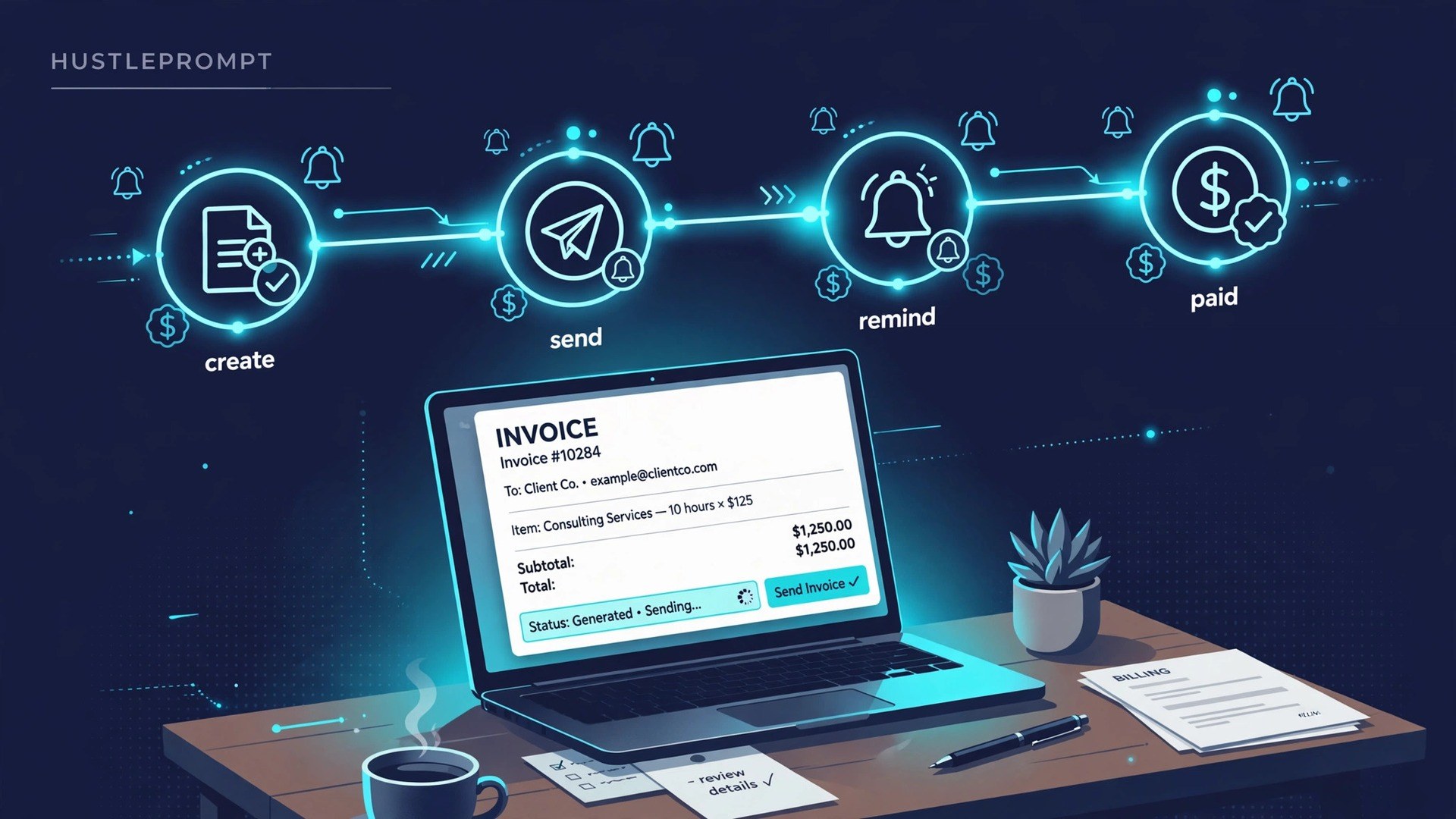
- Automate invoicing end to end. Build one invoice template with your logo and payment terms. Set recurring invoices for retainer clients and turn on automatic payment reminders at 7, 14, and 30 days overdue — unpaid invoices are where freelancers silently lose thousands.
- Train the AI categorization. For 2–3 weeks, review and correct every suggestion, and set rules for recurring merchants. Once accuracy passes ~90%, switch to exception-only review.
- Run a monthly close. On the first of each month, reconcile bank feeds and review uncategorized items.
- Switch on tax-season mode. Tag deductible categories all year. In April, export your categorized P&L for your CPA — clean books cut their cleanup time.

How to Profit: Sell AI Bookkeeping as a Monthly Service
Small businesses desperately need bookkeeping, freelancers charge $200–$500 a month for basic monthly work — and AI lets one person serve many clients with a fraction of the manual effort. You sell a system, not hours.
- Niche down first. Specialists charge more: pick one lane — e-commerce sellers, coaches, agencies, or local service businesses.
- Package the service. Offer tiers: Essential ($250/mo — categorization, reconciliation, monthly P&L), Growth ($450/mo — plus invoicing and quarterly tax estimates), Done-for-you ($750/mo — plus payroll coordination and CPA handoff). Fixed pricing beats hourly billing.
- Clone your stack per client. Build the system above for yourself first, then replicate it: same chart of accounts, same receipt workflow, same monthly checklist. Each new client setup takes an afternoon.
- Write a one-page onboarding template. Clients give you view-only bank access, a list of recurring vendors, and last year’s tax return. You handle the rest — frictionless onboarding turns a maybe into a yes.
- Do the margin math. Ten clients at $300/mo is $3,000 in monthly recurring revenue. With AI handling capture, categorization, and reminders, each client needs roughly 1–2 hours a month of your review. That leverage makes this a business, not a job.
One honest caution: you are a bookkeeper, not a CPA. Handle records, reconciliations, and reports — leave tax filing and tax strategy to licensed accountants. Saying so upfront builds trust.
FAQ
What is AI bookkeeping, exactly?
It means using software with machine learning to automate the repetitive parts of keeping financial records: reading receipts with OCR, suggesting expense categories, matching bank transactions to invoices, and generating reports. You review and approve — the AI does the data entry.
How much does AI bookkeeping software cost?
From free to a few hundred dollars a month. Wave’s Starter plan is $0 with unlimited invoicing and bookkeeping; Pro is $19/mo. Xero runs $27–$97/mo, QuickBooks Online $38–$340/mo, and receipt-capture add-ons like Dext start around $25–$30/mo. Most freelancers fully automate for under $50 a month.
Can AI bookkeeping replace my bookkeeper?
It replaces the data entry a bookkeeper does, not the judgment. AI categorizes and reconciles; humans review exceptions and handle edge cases. Many owners combine AI tools with a part-time bookkeeper for review — or sell that combined service themselves, as this tutorial explains.
Is AI bookkeeping accurate enough for tax filing?
Yes, with review. AI categorization commonly reaches 90%+ accuracy after a few weeks of corrections, and bank feeds create a clean audit trail. Always do a monthly review and let a CPA sign off before filing — clean, AI-maintained books also tend to lower your CPA bill.
Do I need an accounting degree to sell bookkeeping services?
No — bookkeeping is record-keeping, not accounting. You need a reliable system (this tutorial), familiarity with one platform like QuickBooks or Xero, and clear boundaries: you handle records and reports, a CPA handles tax strategy. Many freelance bookkeepers learned on the job and through vendor certifications.