
A professionally shot presenter video costs $5,000–$10,000 at a studio. HeyGen sells you the same deliverable — a photorealistic avatar reading your script, lip-synced, translated into 175 languages — for $29 a month. That is why course creators and agencies made it the default AI video tool of 2026, rated 4.8/5 across 1,000+ G2 reviews. But credit-based pricing means your “video” budget is really a credits budget: Pro can cost $49 or $4,300 a month, and Free caps you at 3 videos. This review breaks down what HeyGen actually costs, what each plan buys, how it compares to Synthesia and Colossyan, and whether it deserves your money.
What Is HeyGen?
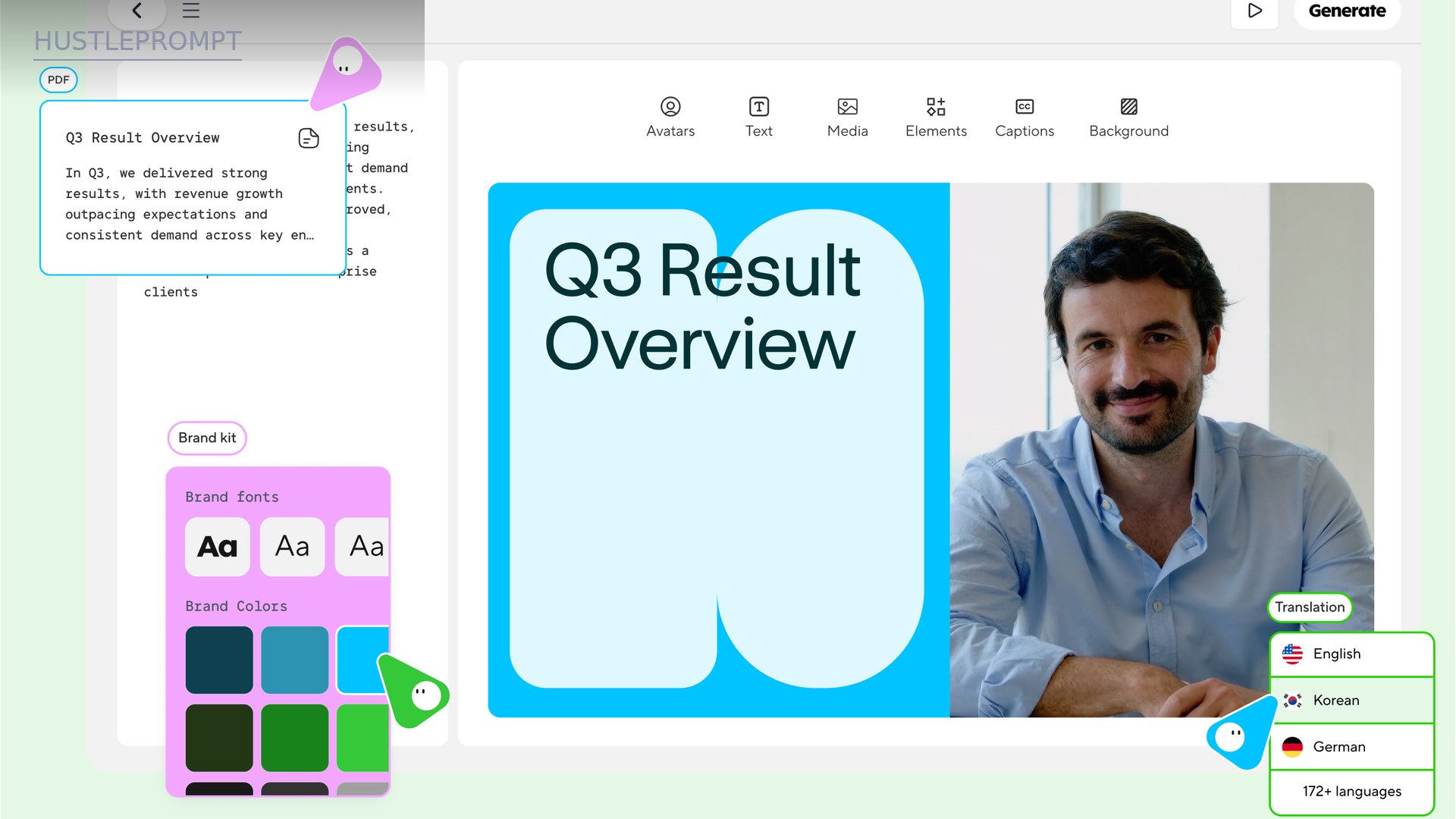
HeyGen is an AI video generation platform built around photorealistic avatars — digital presenters that deliver your script as if filmed on camera. Pick a stock avatar (700+ to choose from), clone yourself from a short video, or generate a look from a prompt; paste your script, pick a voice, and HeyGen renders a finished talking-head video in minutes.
It is two products in one: a creator studio for courses, ads, and YouTube without a camera, and video infrastructure with APIs, translation pipelines, and team workspaces for businesses at scale.
Key Features
Avatar V: The Lifelike Avatar Engine
The current flagship avatar model is Avatar V, built on a five-stage training pipeline that captures how you look, move, gesture, and express yourself — not just your face. The G2 community ranks HeyGen #1 for “most realistic avatars.”
700+ Stock Avatars
Professional, lifestyle, and UGC-style avatars ready to use on paid plans (500+ on Free). The full 700+ library on Creator and up means two creators rarely pick the same face.
Custom Avatars (Your Digital Twin)
Record a short clip and get your own avatar: 1 custom avatar on Free and Creator, 5+ on Business, 10+ on Enterprise. Every custom avatar requires on-camera identity verification — no verification, no avatar — which is HeyGen’s answer to deepfake abuse.
1,000+ AI Voices and Cloning
A huge voice library plus voice cloning (1 clone on Free, expanded/maximum usage on paid tiers, unlimited on Enterprise).
Video Translation in 175 Languages
Upload a video, get it back in up to 175 languages and dialects with your voice and lip-sync preserved — one recording, dozens of markets.
AI Studio Editor
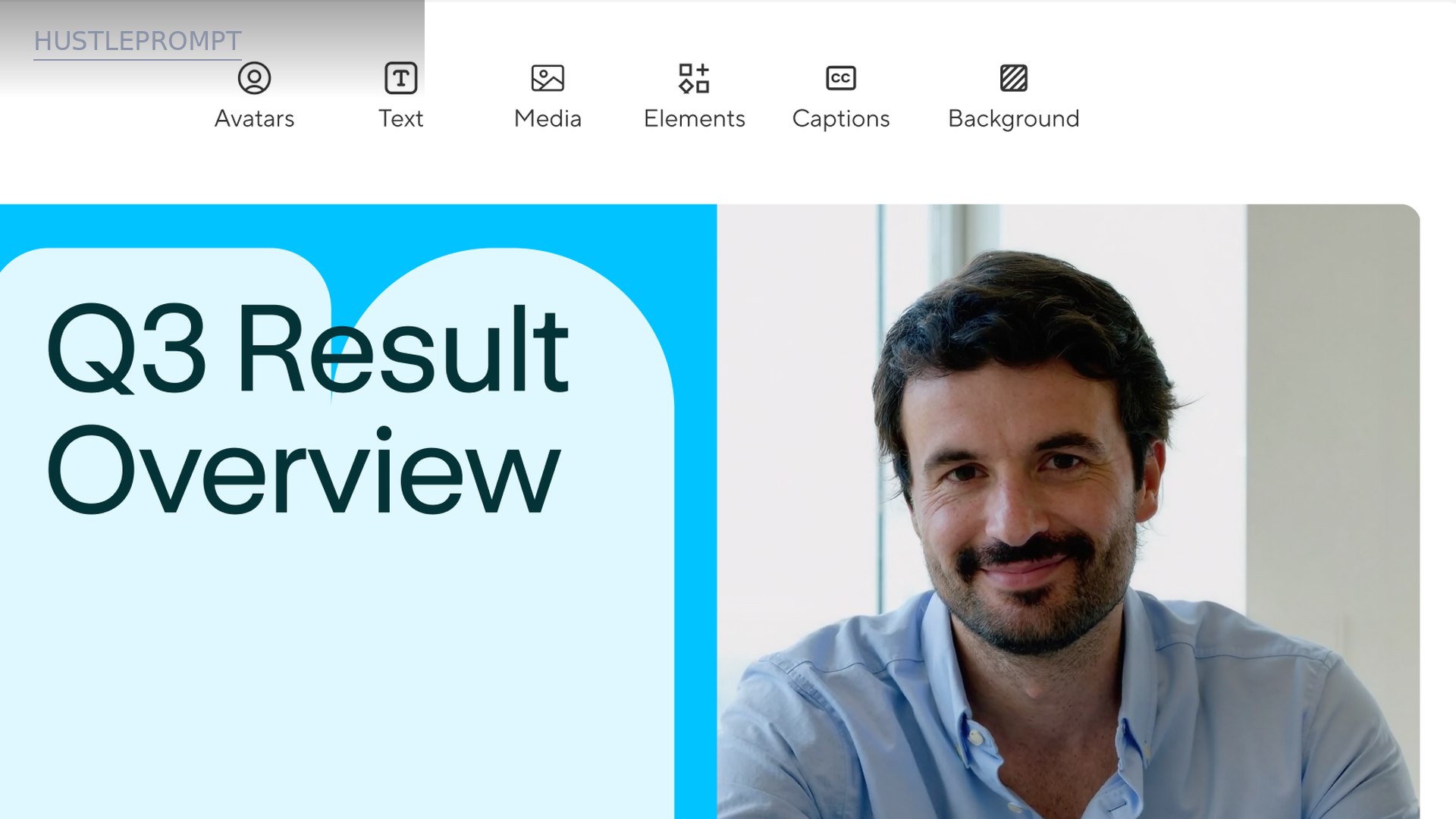
A text-based editor that treats video like a document: script, scenes, captions, backgrounds, and branding in one workspace. PPT/PDF import turns decks into avatar-led videos.
Interactive Video
Quizzes, video branching, and SCORM export for training teams — turning videos into interactive lessons inside an LMS.
HeyGen Pricing (October 2026)
HeyGen bills by credits — a single currency you spend across every feature (avatar videos, translations, assets). Cost per video varies with the AI model used, duration, and complexity. Unused credits on monthly plans roll over for one more month; on annual plans they accumulate until your renewal date. Cancel, and leftover credits expire. Verified from HeyGen’s official pricing page, October 16, 2026 (USD, taxes excluded).
| Plan | Monthly | Credits / mo | Key unlocks |
|---|---|---|---|
| Free | $0 | Limited (up to 3 videos/mo) | No card required, 500+ stock avatars, 1 custom avatar, 30+ languages |
| Creator | $29 ($24/mo annual) | Monthly allocation | 700+ stock avatars, 1080p export, 175 languages, 30-min max videos |
| Pro | $49 → $4,300 | 1,000 → 100,000 | 4K export, fastest processing, same features across all Pro tiers |
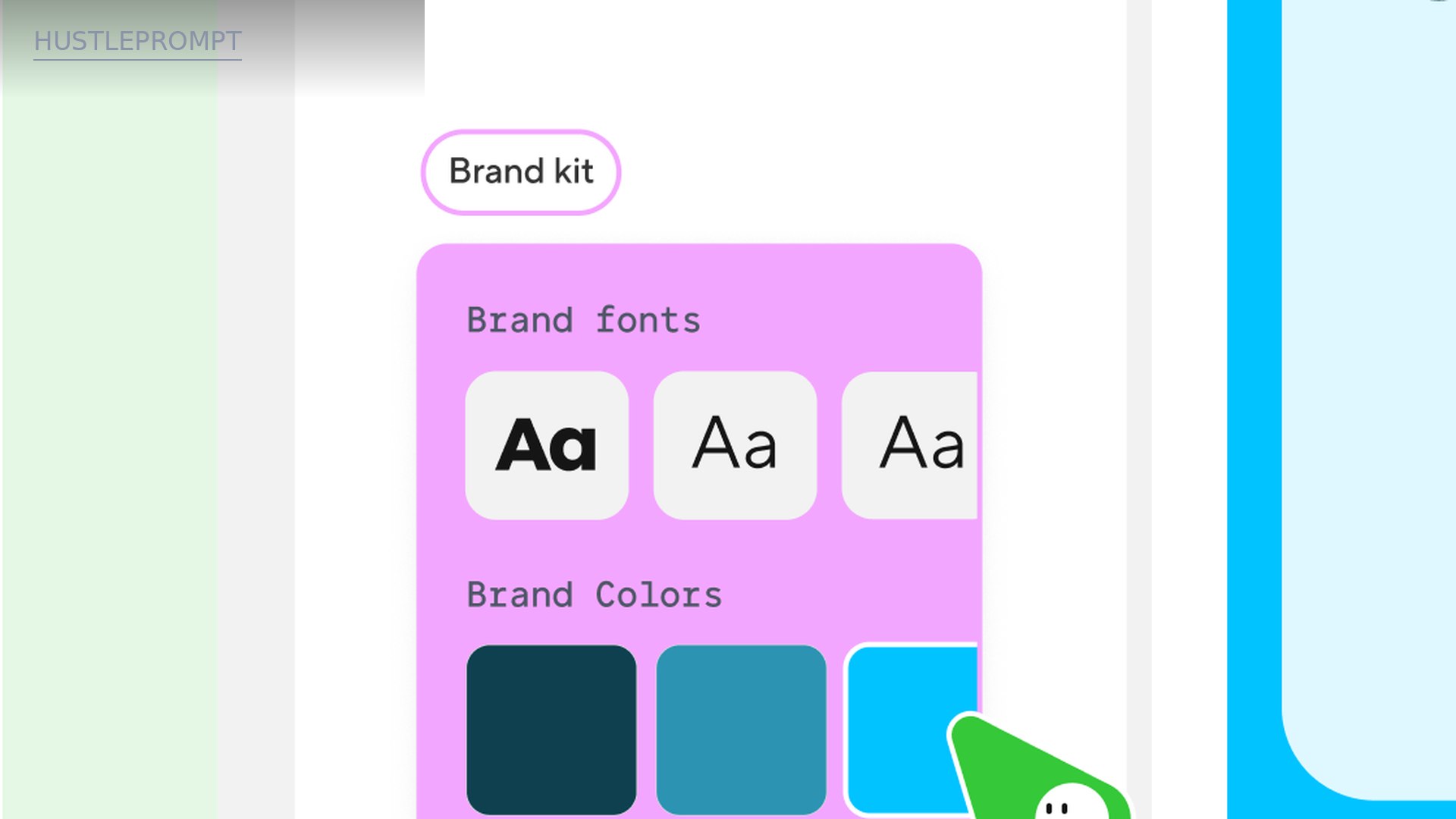
| Business | $149 + $20/seat | Team allocation | 60-min videos, 5+ custom avatars, brand kit, collaboration workspace |
| Enterprise | Custom | Custom | 10+ custom avatars, fastest processing, SSO/SAML, dedicated support |
The Pro plan deserves a closer look: all Pro tiers include the same features — you pay purely for credit volume, from 1,000 credits at $49 to 100,000 at $4,300.
The Numbers: What Your Money Actually Buys
The headline number is not the price — it is the cost per finished minute. Studio videography runs $1,000–$2,000 per finished minute. A Creator plan at $29/month covering even 20 finished minutes of avatar video works out near $1.45 per minute — roughly 99% cheaper than hiring a crew.
| Plan | Monthly cost | Max video length | Export quality |
|---|---|---|---|
| Free | $0 | 1 minute | — |
| Creator | $29 | 30 minutes | Up to 1080p |
| Pro (base tier) | $49 | 30 minutes | Up to 4K |
| Business | $149 + $20/seat | 60 minutes | Up to 4K |
Three catches before you subscribe:
- Credits are the real budget. Avatar videos, translations, and AI assets all draw from one pool — a month of heavy translation work can starve your video production.
- Free is a demo, not a workflow. Three videos a month, 1-minute maximum length: enough to test quality, not enough to publish seriously.
- Unused credits mostly expire. Monthly rollover covers one extra month; after cancellation they are gone. Size your tier to steady volume, not peaks.
Should You Pay for HeyGen?
The 60-second decision
How It Works
Script to finished video in about fifteen minutes:
- Sign up and pick a plan. Test avatar quality on Free; upgrade to Creator ($29) the moment anything goes public — paid plans remove the length and feature caps.
- Choose or create your avatar. Browse 700+ stock avatars, or record a short clip for your personal digital twin (identity verification required).
- Paste your script. Write for the ear: short sentences, conversational phrasing, natural pauses.
- Pick a voice and language. Choose from 1,000+ AI voices or clone your own; translate into any of 175 languages with lip-sync.
- Generate and export. Preview, hit generate (most videos finish in minutes), export up to 1080p on Creator or 4K on Pro and up.
HeyGen vs the Competition
| HeyGen | Synthesia | Colossyan | |
|---|---|---|---|
| Entry paid plan | $29/mo | $29/mo | $89/mo (annual ~$59) |
| Avatar realism | Avatar V, G2 #1 most realistic | Very good, 240+ avatars | Very good, 300+ avatars |
| Custom avatar | From Free plan | From Starter (3 personal) | From Starter (15 custom) |
| Languages | 175+ with lip-sync | 160+ (dubbing 70+) | 70+ (auto-translate) |
| Standout extra | Avatar V realism, creator tooling, API for developers | SCORM export, LMS player, enterprise compliance | Best free tier (20 min/mo), training-focused |
| Best for | Creators, agencies, marketers | Corporate training, enterprises | Trainers, teams on a budget |
Competitor figures summarized from third-party pricing roundups verified October 2026; confirm on each vendor’s official pricing page before buying.
Synthesia
Synthesia is the enterprise-training rival: SCORM export, LMS player, and deep compliance tooling. Its Starter plan also runs $29/month — but video minutes are tighter (~10 minutes) and unused minutes do not roll over. Pick Synthesia for regulated corporate training; pick HeyGen when avatar realism, creator features, or developer APIs matter more.
Colossyan
Colossyan wins the free-tier game: a permanent free plan with 20 minutes a month. Its paid Professional plan runs about $89/month ($59 on annual billing). A strong pick for trainers who live on the free tier; HeyGen takes the lead the moment you need higher realism, 4K, or heavier volume.
How Freelancers Actually Profit With It
HeyGen is not just a cost-saver — it is a revenue tool. Four concrete playbooks:
1. Faceless YouTube and short-form channels
Script → HeyGen avatar narration → b-roll → upload. A Creator plan ($29) covers a serious weekly cadence — 8–16 shorts plus a long-form video.
2. Client video production services
Charge $300–$1,000+ per finished minute for presenter videos while your cost sits near $1–$2 per minute on Creator. One project can pay for a year of the subscription.
3. Course creation and translation
Record once, translate into Spanish, Portuguese, French, and German — each a new course listing and revenue stream. Customer stories cite a 40% increase in video watch time and 25% higher course completion.
4. Agency UGC-style ad creative
Agencies burn through ad creatives weekly. HeyGen avatars generate dozens of variants per product without booking talent — a retainer-friendly service few small agencies offer yet.
Pros and Cons
| Pros | Cons |
|---|---|
| Best-in-class avatar realism — Avatar V is G2’s #1 for a reason | Credits punish experimentation — every regeneration draws from the same pool |
| Custom avatar from the free plan — cheapest serious digital twin on the market | Free tier caps at 3 videos — 1-minute max, useless for real publishing |
| 175-language translation with lip-sync — a genuine audience multiplier | Pro pricing spans $49–$4,300 — you must size the credit tier carefully |
| Full pipeline in one app — editor, screen recorder, translation, interactivity | Credits expire — one-month rollover only on monthly plans, nothing on cancel |
| Enterprise-grade trust — identity verification, GDPR, SOC 2 Type II, AI Act | 4K locked behind Pro+ — Creator tops out at 1080p |
Who Should Buy It (and Who Shouldn’t)
Buy it if you publish presenter-style video regularly — courses, ads, YouTube, training, client work. Past a few finished minutes a month, the Creator plan beats every alternative: human crews by 99%, and rival AI tools on realism.
Skip it if you need a video once in a blue moon (free tier or a per-project freelancer is cheaper), or if your content needs genuine human performance — premium brand films, comedy, emotionally complex acting. AI avatars are convincing presenters, not actors.
Verdict: Is HeyGen Worth the Money?
Yes — on the right plan. The realism lead is real, custom avatars from the free tier are unmatched,. Creator at $29/month is the sweet spot: full avatar library, 1080p, 175 languages. Choose Pro (from $49) only when you need 4K or burn through Creator’s credits; Business ($149) only for teams.
Rating: 4.5/5 for creators and agencies; 3.5/5 for occasional users (who should stay on Free). If presenter video is part of your income, this is the easiest $29 in your stack.
Pricing last verified October 16, 2026 from HeyGen’s official pricing page (USD, taxes excluded). Prices and plans change — confirm current details before purchasing.
Frequently Asked Questions
Is HeyGen free?
Yes — the free plan needs no credit card and includes up to 3 videos a month, 500+ stock avatars, and 1 custom avatar. But videos max out at 1 minute: it is an evaluation tier, not a production tool.
Can I make an avatar of myself with HeyGen?
Yes. Record a short clip and HeyGen builds your personal digital twin — available even on the Free plan, though with 1 custom avatar (5+ on Business, 10+ on Enterprise). Every custom avatar requires on-camera identity verification.
Is HeyGen better than Synthesia?
For avatar realism, creator features, and developer APIs, yes — G2 ranks HeyGen’s avatars #1. Synthesia wins for regulated corporate training with SCORM export and LMS tooling. Creators should default to HeyGen; compliance-heavy training departments should trial both.
What languages does HeyGen support?
Paid plans support 175 languages and dialects, with video translation that preserves your voice and lip-sync. The Free plan covers 30+ languages.
Does HeyGen offer discounts?
Annual billing drops Creator from $29 to $24/month. Pro tiers scale purely on credit volume, so the real “discount” is picking the right tier for your usage.