
What if your designer, your bookkeeper, and your marketing assistant all moved inside one app you already have? Google just made that real: tens of millions of small business owners already use Gemini to brainstorm products, manage customer feedback, and analyze performance — and on October 20, Google gave them a dedicated business hub. These new gemini business tools bring brand-building, finance analysis, and customer insights into one place, with connections to the apps owners already pay for.
The pitch is simple: give entrepreneurs their time back so they can focus on the passion that started their companies. Google says the business landing page, marketing and finance skills, and connected apps begin rolling out in the coming days, globally, for all Gemini app users.
What’s inside the new Gemini business hub
At the center is a new business landing page: one hub to build the brand, analyze finances, understand customer insights, and streamline daily tasks that currently mean three logins and three subscriptions.
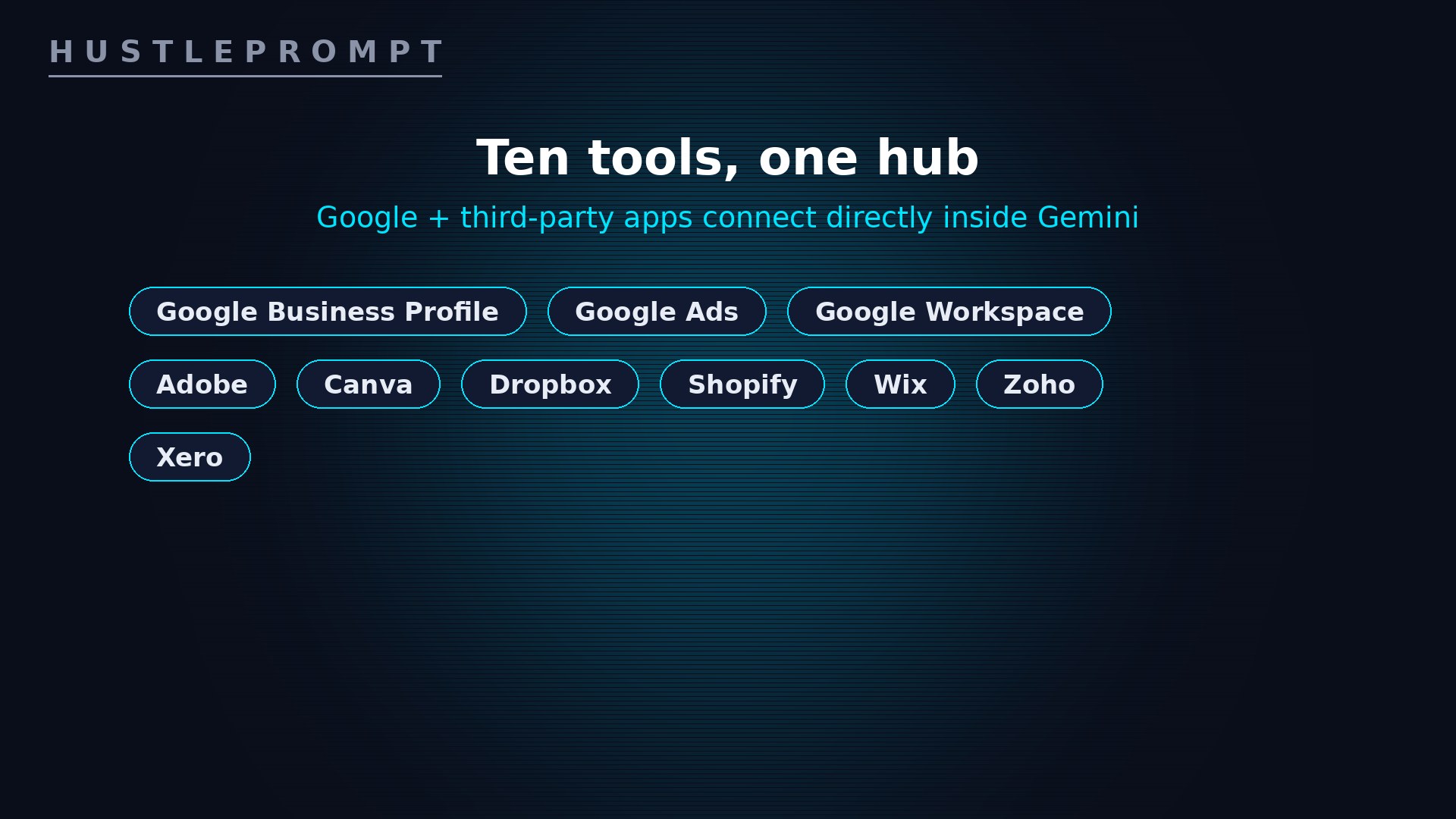
The hub also plugs into tools businesses already use: Google Business Profile, Google Ads, and Google Workspace, plus third-party apps owners already pay for. The complete list, straight from Google’s October 20 announcement:
This matters most for businesses with no dedicated marketing or finance team: one place to work with their information and create business materials.
On-brand visuals without a design team
The standout feature is brand-style memory. Businesses can now define their brand style in Gemini by uploading their website, brand kit, fonts, or color palettes. Pair that with Nano Banana 2.1 — Google’s latest image-generation model — and Gemini delivers end-to-end visual results for new product launches or ongoing marketing campaigns.
The practical win is persistence: Gemini retains the visual style. Define the brand once; every promo post, menu graphic, and launch banner comes out matching — no repeated guideline uploads.
Real-time finance: from shoebox to dashboards
Gemini turns messy spreadsheets, receipts, and purchase records into clear financial graphics and interactive models in seconds. Instead of decoding numbers alone, owners get financial insights in a more natural way — asking questions instead of building pivot tables.
Real owners, real hours saved
Google spotlighted entrepreneurs already using Gemini. In Bordeaux, France, ceramicist Morgane runs a tableware and home-decor business and uses Gemini for product descriptions, newsletters, and social media content. According to Google, it saves her two to three hours a day.

In Maharashtra, farmer and content creator Santosh Jadhav used Gemini to assess soil suitability for ginger cultivation, calculate seed requirements, and prepare an investment budget — with no formal training or local mentors. The pattern is the same everywhere: Gemini replaces the hours, not the expertise.

Watch: manage your Business Profile with Gemini
Google Business Profile is one of the hub’s core connections — see it working inside Gemini in this official walkthrough:
How to profit: sell the “Gemini business setup”
Every small business on your street needs this, and almost none will configure it themselves. Package it as a service:
- Open with a free 15-minute demo. Show the owner what Nano Banana 2.1 can do with their existing logo and colors — the on-brand visuals sell the project by themselves.
- Sell the one-time setup ($150–$300). Connect Business Profile, Ads, and Workspace. Upload their brand kit, fonts, and color palette. Link Shopify, Xero, or Zoho where they operate.
- Build their prompt recipes. Reusable prompts for launches, holiday promos, and social posts — so next month’s promo pack takes them five minutes.
- Set up weekly finance snapshots. Show them how to drop receipts and spreadsheets into Gemini for a plain-English financial picture. Offer a monthly retainer to run it for them.
- Teach the handoff. A one-hour training session makes them self-sufficient — and makes you the first call for their next AI need.
Position it the way Google does: not as software, but as hours returned to the owner. Two to three hours a day pays for your setup fee in the first week.
Frequently asked questions
What are the new Gemini business tools?
A dedicated business landing page inside the Gemini app, on-brand visual generation via Nano Banana 2.1, finance analysis from spreadsheets and receipts, and direct connections to 10 Google and third-party tools.
Which apps can I connect to the Gemini business hub?
Google tools: Google Business Profile, Google Ads, and Google Workspace. Third-party apps: Adobe, Canva, Dropbox, Shopify, Wix, Zoho, and Xero.
What is Nano Banana 2.1?
Google’s latest image-generation model. Paired with a brand kit uploaded to Gemini, it produces end-to-end visuals — launches, campaign assets — matching the business’s defined style.
Do I need to re-upload my brand guidelines every time?
No. Gemini retains the visual style after the first upload, so owners generate cohesive, on-brand assets without repeating their guidelines.
When will the tools be available — and what do they cost?
Google says the hub, marketing and finance skills, and connected apps begin rolling out in the coming days, globally, for all Gemini app users. The announcement mentions no separate price or plan.
How can freelancers make money from this launch?
Sell one-time “Gemini business setup” packages ($150–$300): connect their apps, upload their brand kit, build reusable prompt recipes, and set up weekly finance snapshots — plus a monthly retainer.
Keep Reading
Official sources: Google Blog: New Gemini business landing page and tools launched (October 20, 2026, Vishnu Sivaji, Senior Director, Gemini App) and Google support: Manage your Business Profile on Google with the Gemini web app.