
What if a vacation rental host could earn more bookings without buying new furniture, hiring a photographer, or learning a new platform? AI Airbnb listing optimization makes that possible, and it is a service you can sell today.
Many hosts write their listing once, upload phone photos, and never touch it again. Guests scroll past it. Fix the words, photos, pricing, and messages so the right guests stop, click, and book.
This tutorial shows you how to build that service: the audit, rewrite, photo plan, pricing guidance, guest messages, and packaging.
What an AI Airbnb Listing Service Includes
A clear offer sells better than a vague promise. Sell a package, not hours of mystery work. Name these four outcomes in your offer.
- Listing rewrite: a new title, description, and amenity highlights written for one guest type.
- Photo plan: a reordered gallery plus new captions that sell the stay, room by room.
- Pricing guidance: nightly rate ranges, minimum stays, and discount rules for slow weeks.
- Guest messaging: ready-to-use templates for booking, check-in, stay, and checkout.
Do not promise bookings, income, or ranking. You control listing quality, not search or demand. Say that plainly, and clients will trust you more.
Step 1: Run a 30-Minute Listing Audit
Start every project with an audit. Open the live listing as a guest would, on a phone first, and screenshot the title, cover photo, and description top.
Score each item honestly and share the scorecard with the host. Hosts buy faster when they see specific problems.
- Does the title name the guest, the place, and one standout feature?
- Does the cover photo show the best space in bright, natural light?
- Does the first paragraph answer why this stay beats nearby options?
- Are amenities, house rules, and fees complete and clear before booking?
Log every gap in a short rewrite brief.
Step 2: Rewrite the Listing With AI, Then Edit Like a Human
AI is your drafting assistant, not your publisher. Feed it facts only: bedrooms, beds, location perks, quiet hours, parking, workspace, and the ideal guest. Never let it invent a hot tub, a view, or a walking distance you have not verified.
Ask for three title options and one description draft for a single guest type. Families, remote workers, and weekend couples want different details.
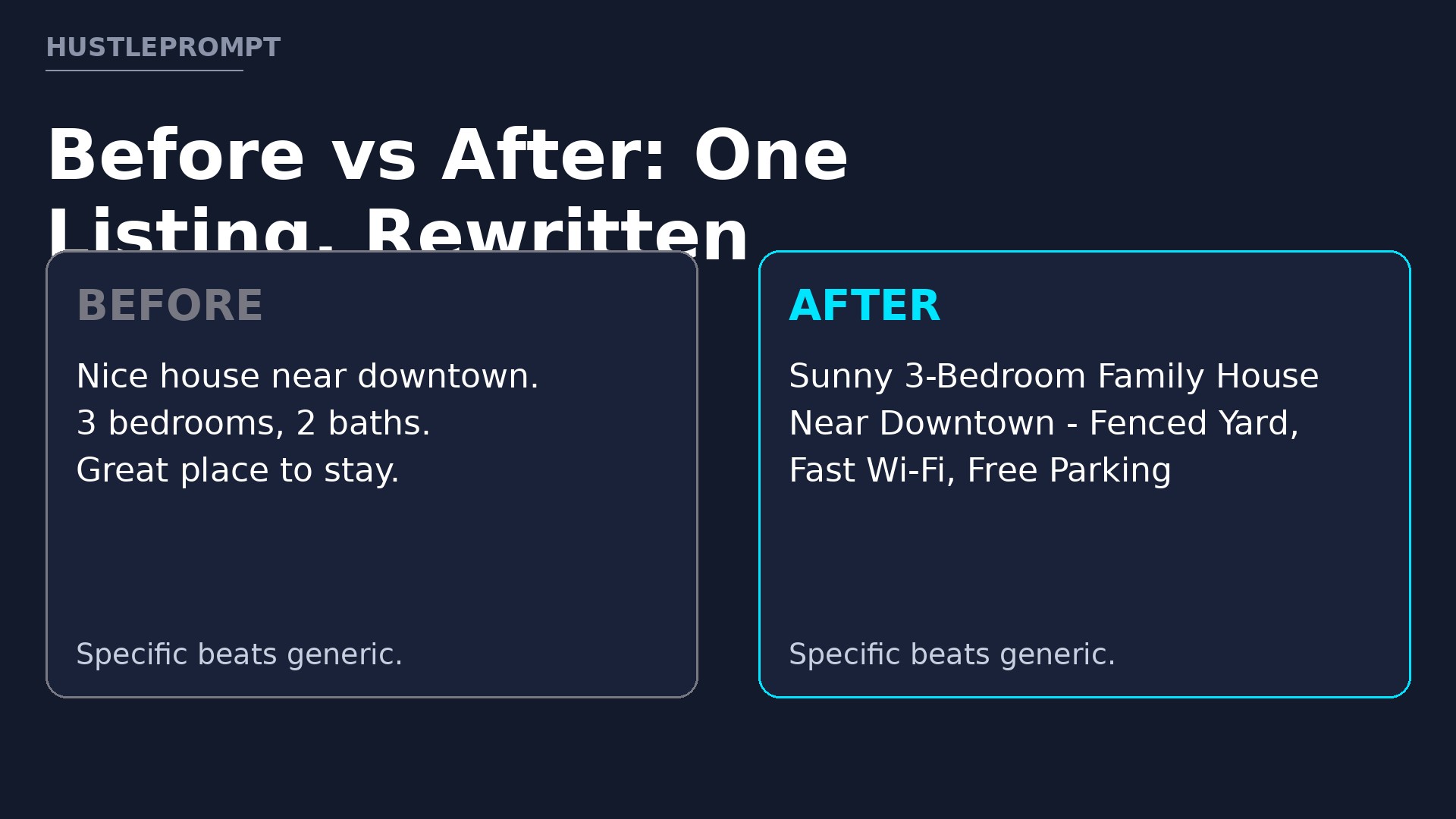
A Before-and-After Example
Here is how a weak listing becomes a specific, bookable one. The example property is fictional.
Before: “Nice house near downtown. 3 bedrooms, 2 baths. Great place to stay. Book now!”
After: “Sunny 3-Bedroom Family House Near Downtown — Fenced Yard, Fast Wi-Fi, Free Parking.”
The new version names the guest, the size, and three concrete benefits. Follow it with a first paragraph placing the guest in the stay.
After AI drafts the copy, edit every sentence yourself. Cut fluff, check every claim against the host’s facts, and read it aloud. Rewrite any sentence that could describe any listing.
Step 3: Optimize Photos and Captions
Photos sell the stay before words get a chance. Reorder the gallery like a short tour: living space, kitchen, bedrooms, bathroom, workspace, then outdoor space. Put the strongest, brightest image first.
Use AI to draft captions, then verify each one. A caption should add facts the photo cannot show, such as bed sizes.
- Cover photo: the brightest wide shot of the most social space.
- Kitchen caption: name the coffee setup, cookware, and seating count.
- Bedroom caption: state bed sizes and sleep setup.
- Workspace caption: mention desk, chair, and Wi-Fi reliability.
Never edit photos to hide damage, change room size, or fake a feature. Misleading images earn bad reviews that cost far more than one booking.
Step 4: Give Pricing Guidance Hosts Can Actually Use
Hosts do not need a perfect price. They need a range, rules, and a review habit. Study five to ten comparable listings nearby, and record nightly rates for weekdays, weekends, and peak dates.
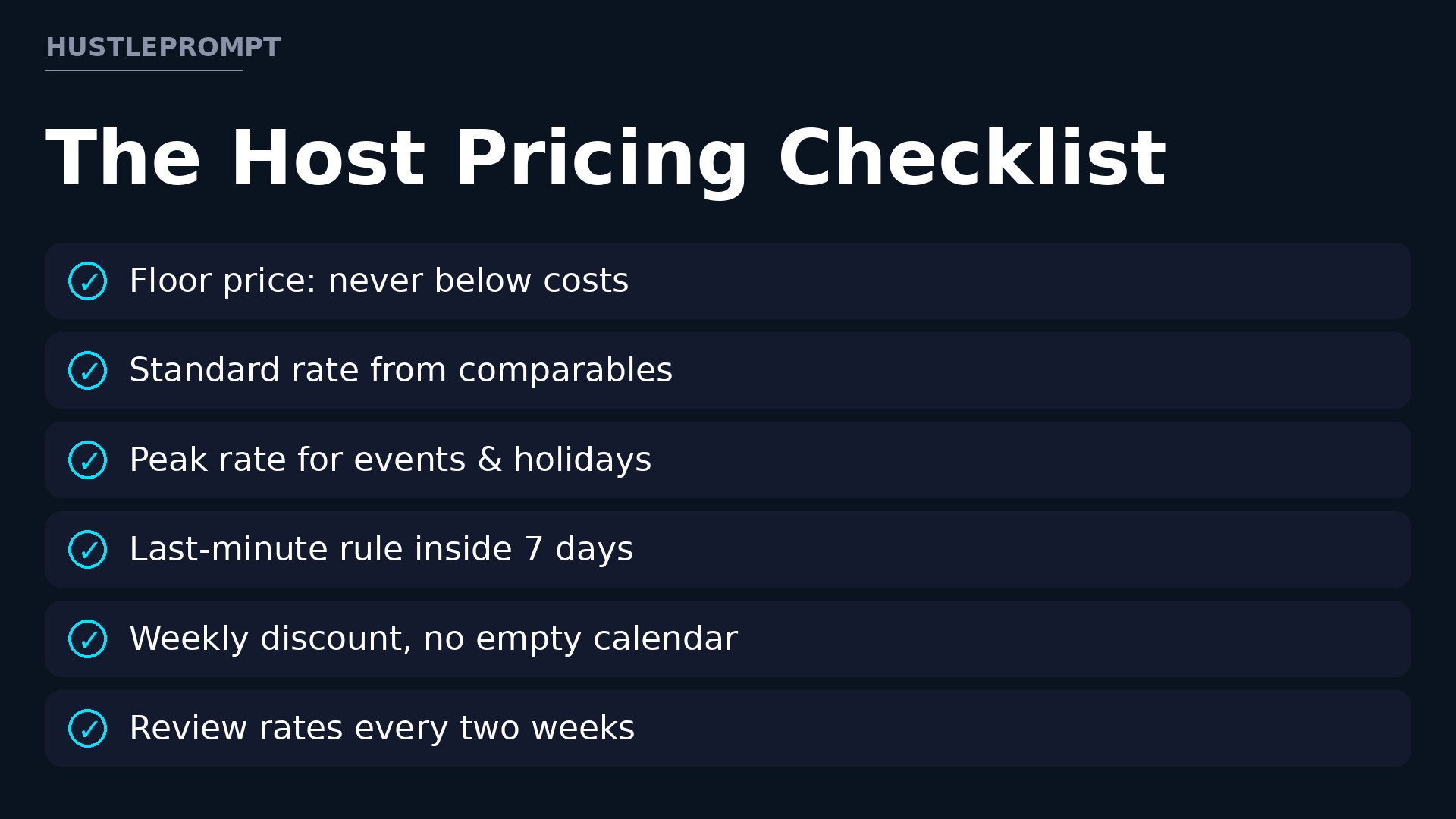
Then build a pricing checklist with the host:
- Set a floor price covering costs and fees.
- Set a standard rate for ordinary weeks from comparable listings.
- Set a peak rate for holidays, events, and high-demand weekends.
- Add a last-minute discount rule inside 7 days.
- Add a weekly discount that still beats an empty calendar.
- Review rates every two weeks and after every three bookings.
Dynamic pricing tools still need guardrails. Set minimum and maximum prices with the host, and review suggestions before they go live.
Evidence: What the Tools Really Cost
Tool prices change, so confirm the live price before quoting a client. The table shows published prices from official vendor pages in November 2026.
| Tool | Published starting price | What it does for hosts |
|---|---|---|
| PriceLabs Dynamic Pricing | $14.49 per listing per month, plus taxes, with a 30-day free trial; 1% of revenue plan also offered | Adjusts nightly rates daily for demand and seasonality |
| Hospitable Host plan | $29 per month for 1 property, plus $10 per extra property up to 2 | Automated messaging, calendar sync, and pricing for solo hosts |
| Hospitable Essentials plan | $0 per month | Unified inbox, calendar sync, and core messaging |
Sources: PriceLabs pricing and Hospitable pricing. Prices in US dollars, excluding taxes where applicable.
Airbnb’s own fees matter too. According to Airbnb’s Help Center article on service fees, most hosts on the split-fee structure pay a 3% host service fee, while most hosts on the single-fee structure pay 15.5%, with remaining hosts typically paying 14% to 16%. Check which structure applies to your client before setting a floor price.
Your 5-Step Listing Optimization Process
Score title, photos, and description as a guest.
Draft with AI for one guest type, then edit claims.
Reorder the gallery; write factual captions.
Set floor, standard, and peak rates.
Install and test templates; hand over a guide.
Step 5: Automate Guest Messaging Without Sounding Robotic
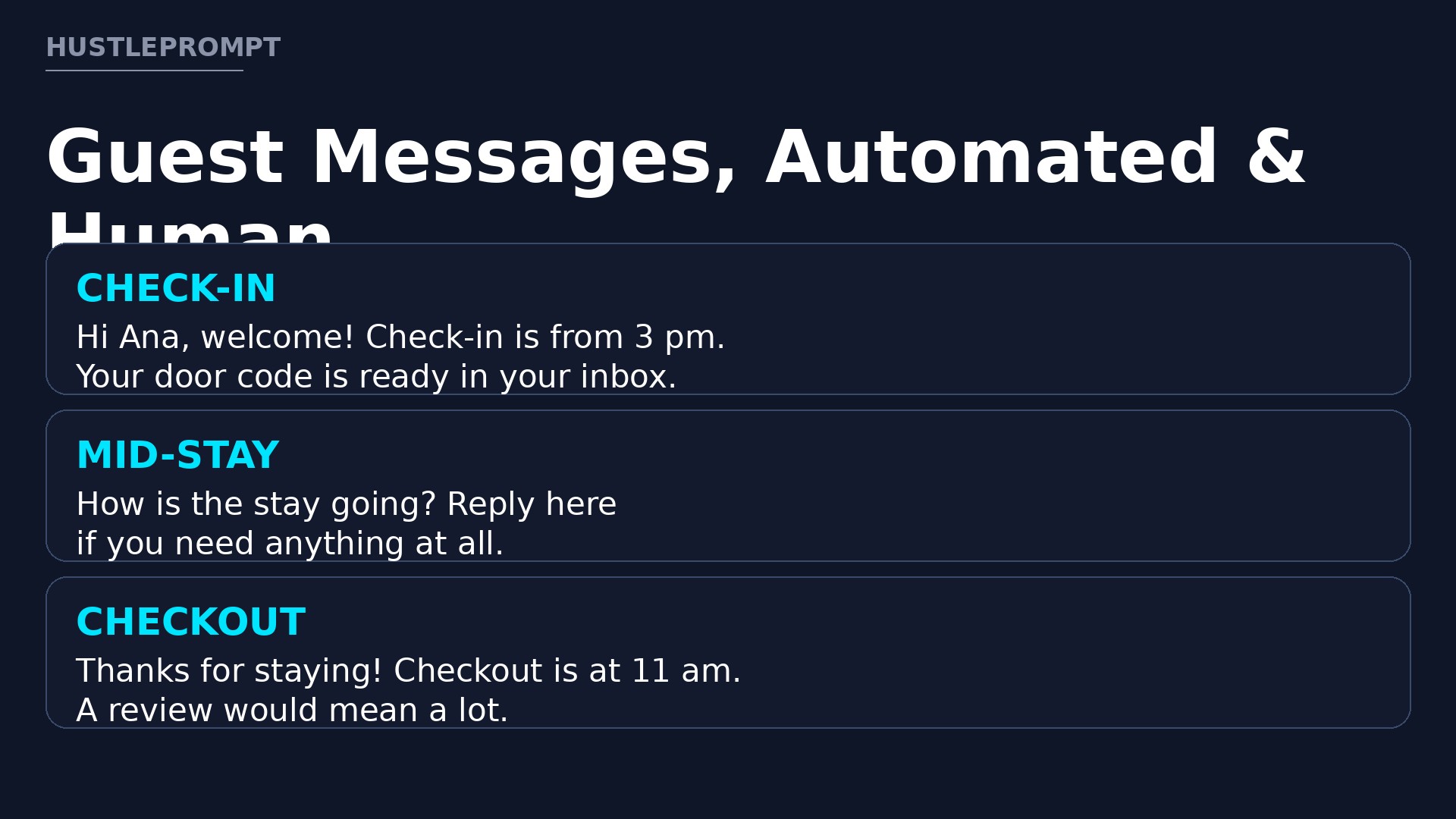
Good messaging answers questions before guests ask them. Build six core templates: booking confirmation, pre-arrival, check-in day, mid-stay check, checkout reminder, and review request. Keep each message short, warm, and specific to the property. Here are two templates to adapt:
Check-in message: “Hi [Name], welcome! Check-in is from [time] at [address]. Your door code is [code], and the Wi-Fi network is [name], password [password]. Reply here if you need anything.”
Checkout message: “Thanks for staying, [Name]! Checkout is at [time]. Please leave used towels in the tub and lock the door behind you. A review would mean a lot.”
Personalize every message with the guest’s name, dates, and property details. Never send door codes or Wi-Fi passwords until the booking is confirmed.
Step 6: Package, Price, and Sell the Service
Offer one package first, then add options. A starter package covers the audit, rewrite, photo plan, pricing checklist, and six templates. A larger package adds monthly rate reviews.
The package tiers below are illustrative only, gross before tool costs and taxes, and not income promises. Price your own service based on your costs, time, and local market.
- Starter listing refresh (illustrative): one listing, one rewrite, photo plan, pricing checklist, and message pack.
- Multi-listing package (illustrative): a discount per extra listing for hosts with two or more properties.
- Monthly care plan (illustrative): rate reviews, seasonal copy updates, and message tweaks.
Find clients where hosts already gather. Join host groups, answer listing questions helpfully, and share one anonymized before-and-after example with permission. Offer a free mini-audit to three hosts as your first case study.
Close with a one-page proposal: the problem you found, the deliverables, the timeline, and the price.
Frequently Asked Questions
Do I need to own a rental to sell this service?
No. You need listing skills, AI tools, and permission to edit a client’s listing. Start with a free mini-audit to prove your work.
How long does one listing optimization take?
A refresh usually takes a few hours spread over two to three days, including host feedback. Larger homes take longer, so quote per project.
Should I use AI to write the whole listing?
No. Use AI for drafts, then verify every fact and rewrite in your own voice. Invented amenities damage trust.
Do hosts need paid tools for this to work?
No. A rewrite, photo reorder, and message pack work without any paid tool. Paid tools save time later, but they are optional upgrades.
How do I handle pricing if Airbnb fees change?
Recheck the host’s fee structure on Airbnb’s Help Center and in their earnings dashboard before setting a floor price. Never copy one host’s numbers to another.
Can I guarantee more bookings?
No. Guarantee your deliverables, revision rounds, and handover quality. Bookings also depend on demand, competition, reviews, and price.
Keep Reading
Explore more free resources: HustlePrompt free tools and HustlePrompt free courses.