
What if one online store paid you every month for pins you mostly built with AI? That is the offer behind AI Pinterest marketing packs: a repeatable service where you turn a store’s products into searchable pins, organized boards, and a seasonal calendar that keeps sending shoppers to its site.
Pinterest is not another feed to fight for attention. It is a visual search engine where people arrive already looking for ideas, gifts, and products to buy. That intent is why small e-commerce brands will pay for help here.
This tutorial shows you how to package that help into a monthly service.
Why Pinterest Pays for E-commerce Stores
Start with the audience. Pinterest reported 619 million monthly active users at the end of 2025, up 12% year over year.
The platform also behaves like a search engine. Pinterest’s CEO said users perform more than 80 billion monthly searches there, so shoppers type what they want instead of waiting for an algorithm.
Stat highlights: why brands care
- 619 million monthly active users at end of 2025, up 12% year over year. Source: Backlinko, citing Pinterest’s full-year 2025 results.
- More than 80 billion monthly searches, per Pinterest’s CEO in its 2025 results announcement. Source: Backlinko, citing Pinterest’s results release.
- 1.6x more spending: Pinterest reports Pinners spend 1.6x more, on average, than non-Pinners. Source: Pinterest Business.
For a freelancer, the pitch is simple. A store does not need another account to babysit. It needs searchable, shoppable content that keeps working weeks after publication.
What an AI Pinterest Marketing Pack Includes
A clear pack beats vague promises. Sell a defined bundle so clients know exactly what they get each month.
- Pin copy: keyword-rich titles and descriptions for a set number of pins.
- Pin designs: branded templates in Canva, sized for Pinterest’s vertical format.
- Board plan: boards organized by how shoppers search, not by the store’s menu.
- Seasonal calendar: a publishing schedule tied to holidays and gift seasons.
- Monthly report: outbound clicks, saves, and top pins, explained in plain English.
AI speeds up drafting, but you stay in charge. Check every title for accuracy, every claim for truth, and every link for the right page.
Step 1: Audit the Store Before You Write a Word
Open the client’s store and answer three questions first:
- What are the five bestsellers?
- Which products have the best photos?
- Which pages already get search traffic?
Then get access to the client’s Pinterest business account, or create one for them. Pinterest says a business account is free and unlocks analytics and ad tools, per its official help page.
Claim the store’s website in Pinterest if it is not claimed yet. Claiming links pins from the site to the profile and gives you analytics on pins others create from it.
Step 2: Research Keywords the Pinterest Way
Pinterest users search in plain phrases, not hashtags. Think like a shopper standing in a gift aisle.
- Type a product category into Pinterest search and note the autocomplete suggestions.
- Open the top five pins for that phrase and note words repeated in their titles.
- Check Pinterest Trends for rising seasonal phrases in the client’s niche.
- Build a keyword sheet: one primary phrase and three supporting phrases per product group.
Example for a candle store: primary phrase “soy candle gift set,” with “birthday gift for her,” “cozy home gift,” and “relaxing candle gift box” as support. Each pin uses the primary phrase once and one supporting phrase naturally.
Step 3: Write Pin Titles and Descriptions With AI
Use AI as a first-draft machine, not a publisher. Feed it the product page, the keyword sheet, and a strict brief, then edit hard.
A good brief names the product, the buyer, the occasion, and the destination page. Try: “Write 5 Pinterest pin titles under 100 characters for [product], aimed at [buyer] shopping for [occasion], using [phrase] once.”
Here is a finished sample for a fictional candle store, in a format you can copy:
- Pin title: Soy Candle Gift Set for Her — Cozy Birthday Gift Box
- Pin description: A hand-poured soy candle gift set with three calming scents, packed in a ready-to-gift box. Perfect for birthdays and thank-you gifts.
- Destination: the exact product page for that gift set, never the homepage.
Check three things before any pin goes live: the title reads naturally, the description names a real benefit from the product page, and the link lands on the product it describes.
Step 4: Design Pins That Stop the Scroll
Design matters as much as copy on a visual platform. Use one template family per client so their pins are recognizable at a glance.
- Use a vertical 2:3 ratio, the standard pin shape.
- Put the product photo first, with one short headline.
- Use the client’s brand colors and one readable font.
- Make two versions of each hero pin to test headlines.
Canva is the usual tool for this work. Confirm the live price on its pricing page before quoting a client, because plans change.
| Tool and plan | US price | Use for pin work |
|---|---|---|
| Canva Free | $0 | Basic tools and templates for simple pins |
| Canva Pro | $18 per month, or $144 per year | Premium content, brand kit, background remover |
| Canva Business | $25 per month per person, or $250 per year per person | Team seats and brand controls for agencies |
| Pinterest business account | Free | Analytics and business hub, per Pinterest help pages |
Sources: Canva’s plan comparison and Pinterest Business Help. US prices before tax; confirm live prices before quoting.
Step 5: Build the Board Plan
Boards are your store’s shelves. Shoppers browse them by need, not by brand, so name boards the way shoppers search.
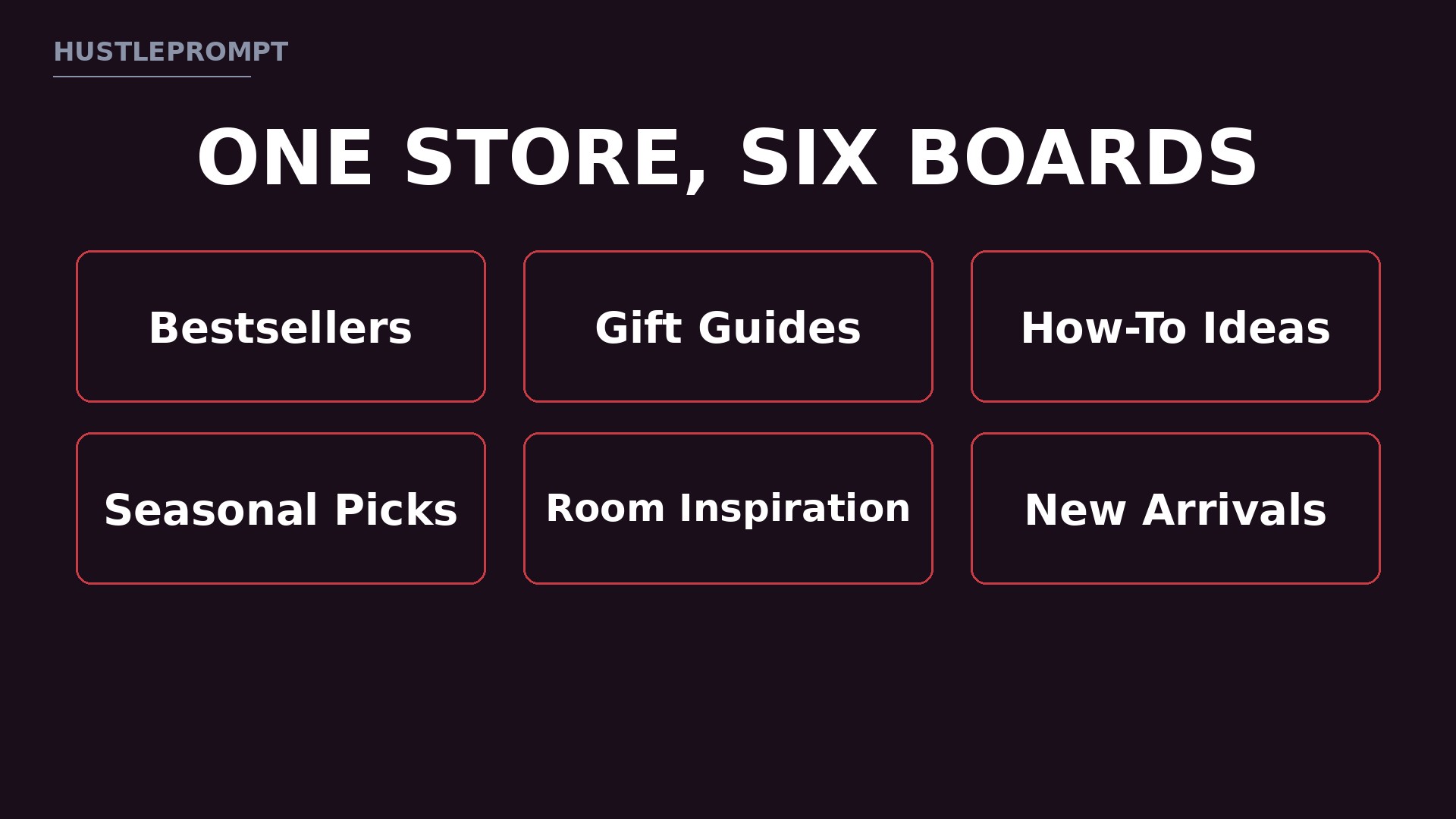
Here is a starter board plan for a small home-goods store. Adapt the names to the client’s catalog:
- Bestsellers: proven products, one pin each.
- Gift Guides: gifts by person and occasion.
- How-To Ideas: pins that teach something.
- Seasonal Picks: a board refreshed each holiday.
- Room Inspiration: products shown in real rooms.
- New Arrivals: products pinned at launch.
Write a keyword-rich description for every board. A board with no description misses a chance to rank for the phrase shoppers type.
Step 6: Run the 4-Week Seasonal Calendar
Seasonal timing is where this service earns its fee. Pinterest shoppers plan early, so publish seasonal pins weeks before the holiday, not during it.
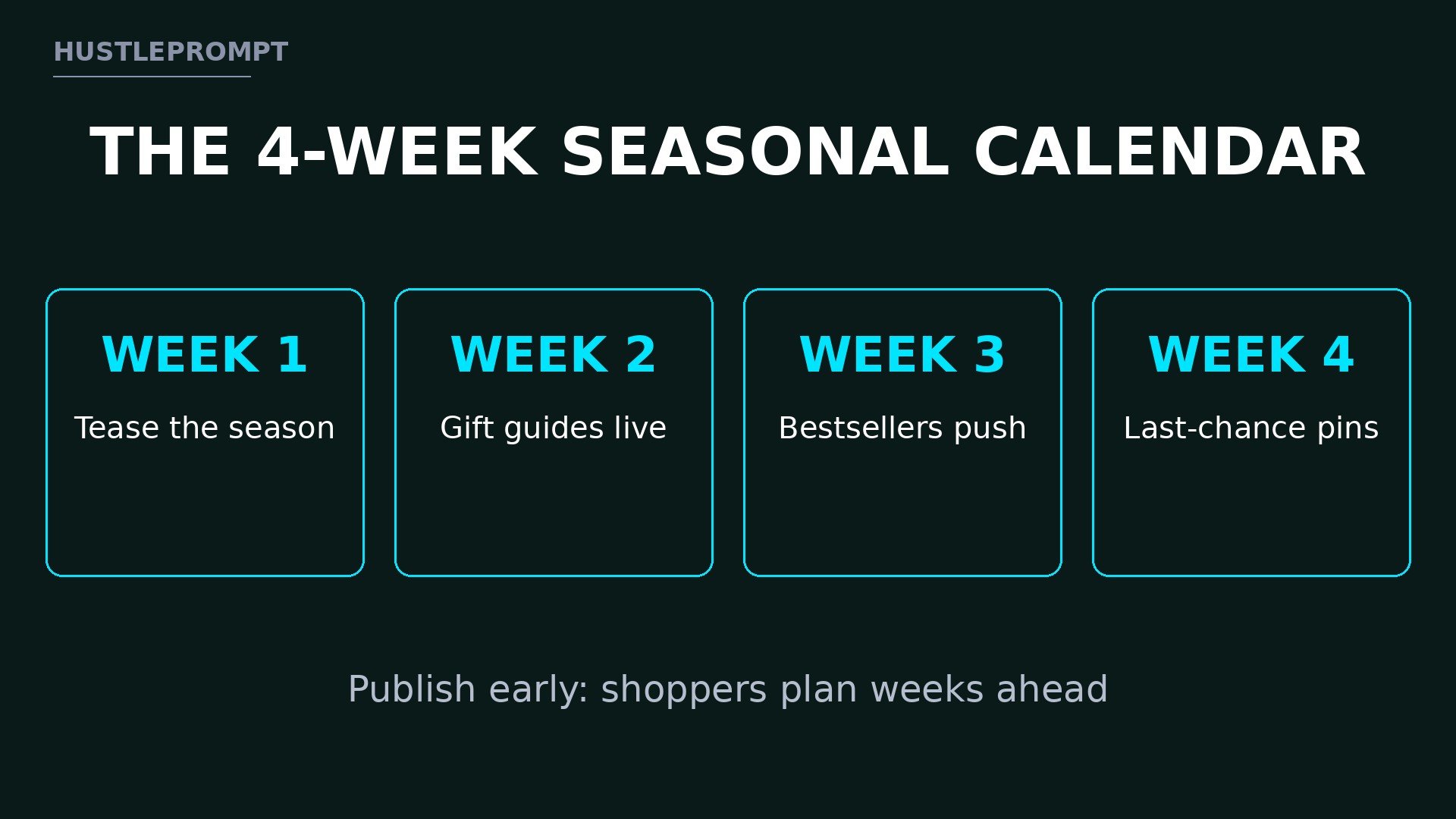
Use this repeating four-week rhythm for each season or holiday push:
| Week | Focus | What to publish |
|---|---|---|
| Week 1 | Tease the season | Inspiration pins that name the season early |
| Week 2 | Gift guides go live | Gift-guide pins for each buyer type |
| Week 3 | Bestsellers push | Fresh designs for proven products |
| Week 4 | Last-chance pins | Shipping-deadline pins for late shoppers |
Schedule pins in batches with Pinterest’s own scheduler or your design tool. Batching one afternoon of work into a month of publishing is what makes this service profitable.
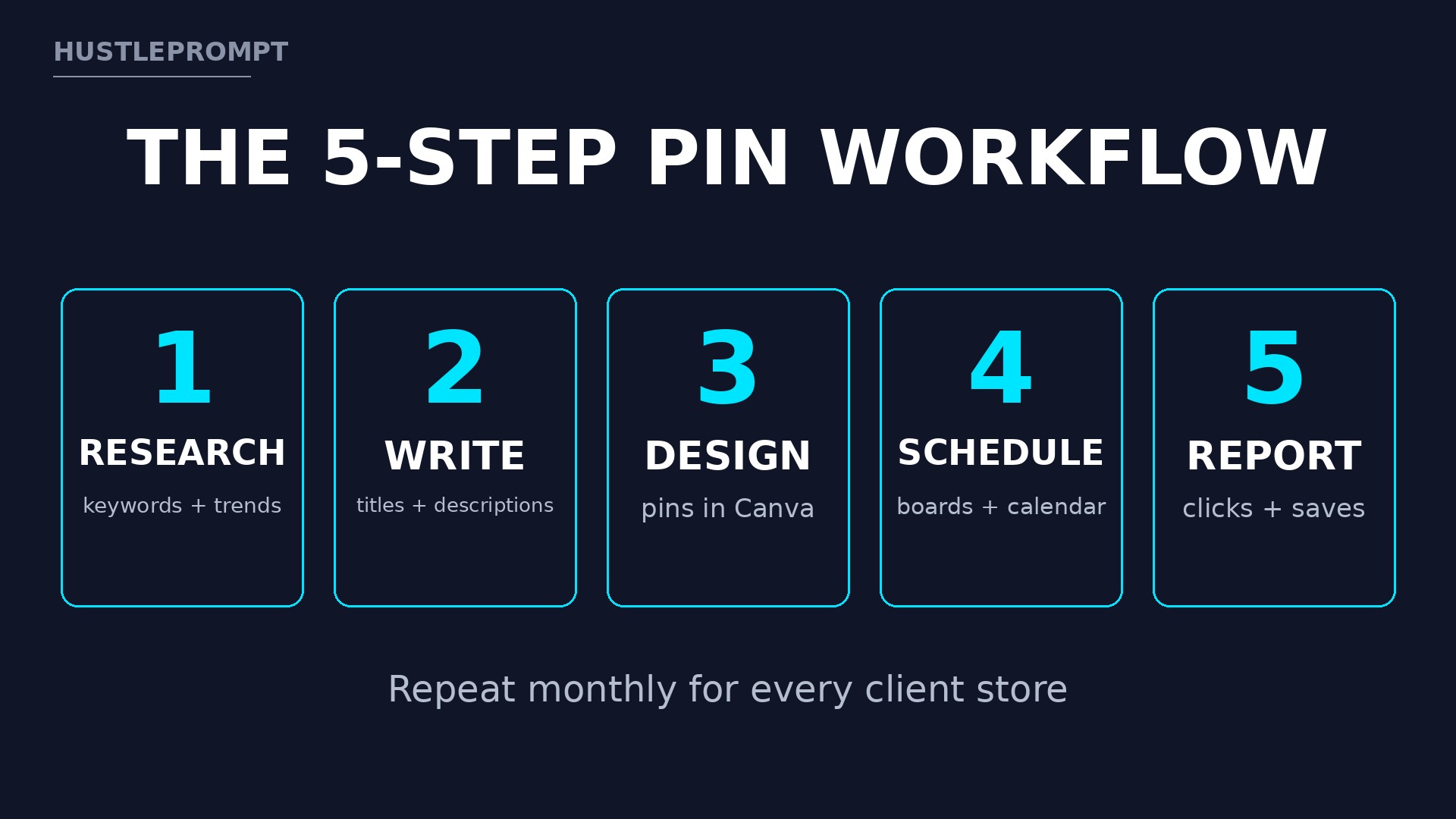
How the Monthly Workflow Fits Together
Keywords and bestsellers for the month.
AI-assisted copy, edited by you.
On-brand pins from templates.
Boards filled, pins queued.
Clicks, saves, next month’s plan.
Price Your Pack Honestly
Price by deliverables, not by hours. Clients buy a set number of pins, boards, and a report, which makes your offer easy to compare and renew.
The tiers below are ILLUSTRATIVE examples only, gross before tool costs and taxes, not income promises.
- Starter (illustrative): 20 pins, 2 boards, and a monthly report.
- Growth (illustrative): 40 pins, 4 boards, a seasonal calendar, and a report.
- Full-service (illustrative): 60 pins, 6 boards, seasonal campaigns, and a strategy call.
Charge monthly, in advance, with a one-page agreement covering pin count, revision rounds, design ownership, and cancellation notice.
Watch This: Pinterest for E-commerce, Step by Step
See the platform in action before you build your first client pack.
Frequently Asked Questions
Do I need design skills to sell Pinterest packs?
No. You need a clean template system and good taste, not illustration skills. Start with Canva templates and customize them per client.
How many pins should a monthly pack include?
Start with 20 to 40 pins per month, a number you can deliver well. Quality and consistency beat volume.
Can AI write all the pin copy?
AI can draft it, but you must edit it. Check product facts, remove invented claims, and make sure keywords fit naturally.
How long before a client sees results?
Pinterest traffic builds over weeks, not days, because pins keep surfacing in search long after publication. Set that expectation in week one.
Do clients need a Pinterest business account?
Yes, for serious work. A free business account unlocks analytics and ad tools, per Pinterest’s help pages, and separates commercial activity from personal saving.
What if a client’s products photograph badly?
Say so honestly, then fix what you can. Bright backgrounds and lifestyle mockups rescue weak photos, but some products need new photography first.
Keep Reading