
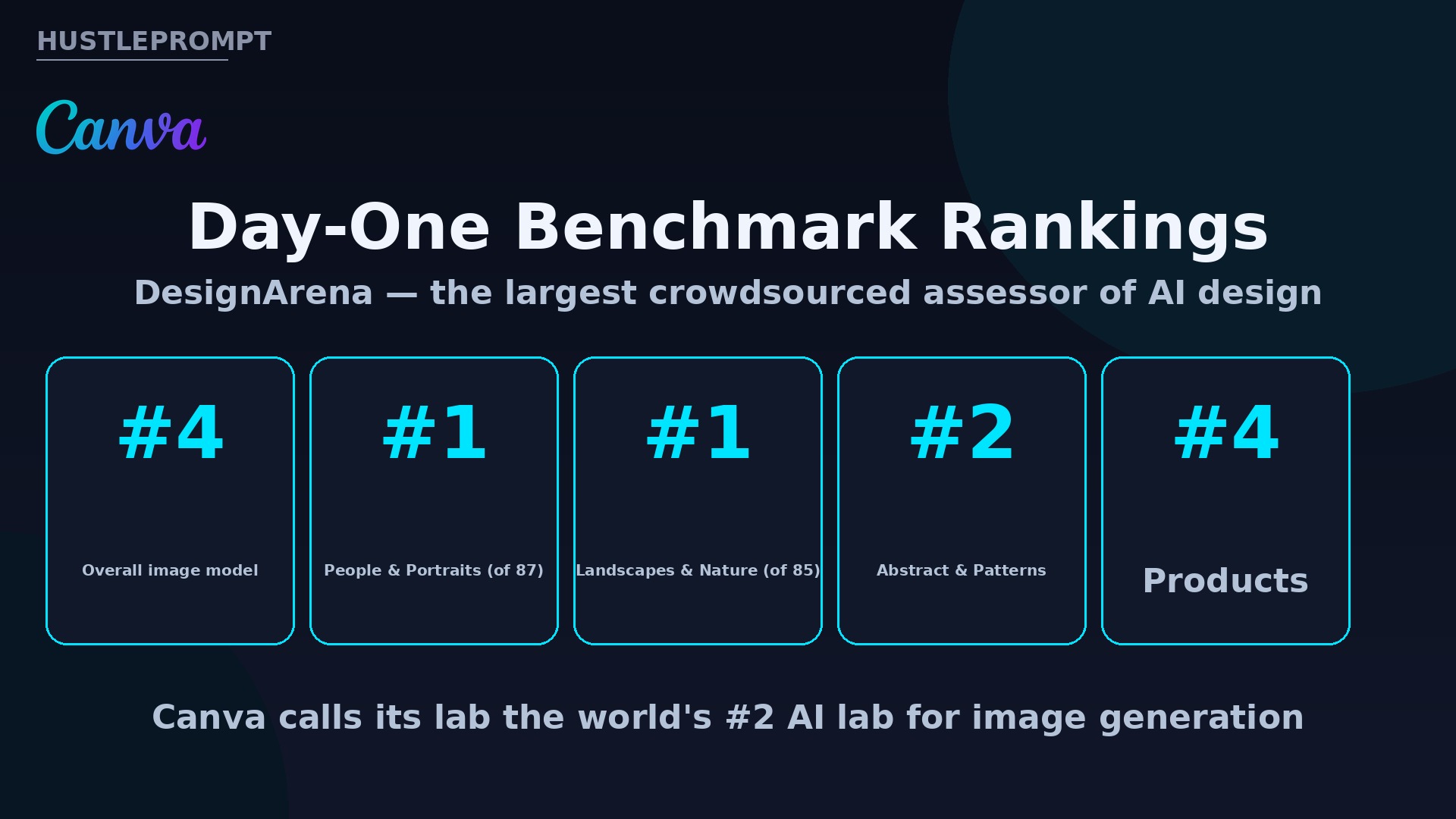
On October 22, 2026, Canva stopped renting its image AI. The design giant unveiled Canva Craft — and on day one it debuted as the fourth most advanced image model on DesignArena, ranking #1 in People & Portraits out of 87 models.
For the 250+ million people who use Canva, this is a free upgrade inside a tool they already open daily. For freelancers and creators, it is something bigger: a design-trained image model that finally gets text right — and text is what clients pay for.
What Canva Craft actually is
Canva Craft is the first foundation model built and trained from scratch by Canva Research, Canva’s in-house AI lab. Available now to all Canva users globally through Dream Lab, and to developers via the public API and Canva MCP Server. From the official announcement:
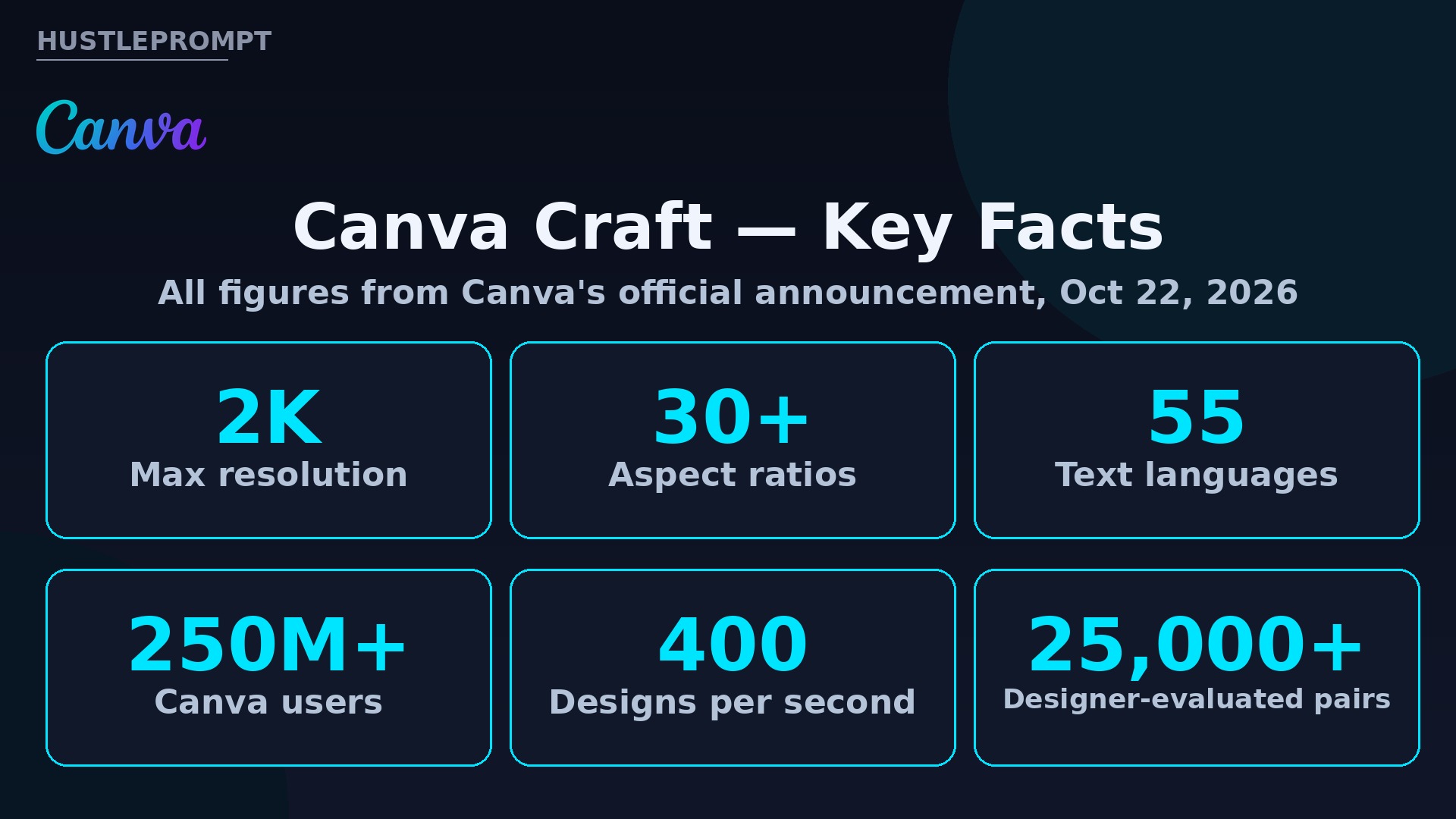
- 2K resolution, in more than 30 aspect ratios — or a custom one.
- Readable text in 55 languages, with prompts accepted in any language.
- DesignArena debut: #4 overall; #1 in People & Portraits (of 87); #1 in Landscapes & Nature (of 85); #2 in Abstract & Patterns; #4 in Products.
- Editable by design: outputs convert into editable layers with Magic Layers.
- Cheaper variants coming: Craft-fast and Craft-ultrafast will deliver quality “at a fraction of the cost of leading frontier models.”
How it works: plan first, draw second
Most image models turn your prompt straight into pixels. Craft splits the job in two: “a two-stage architecture that separates compositional planning from image rendering,” letting the model “reason about the structure of an image before generating it.”
How Canva Craft builds an image
You type a prompt in any language — e.g., a sale poster with a headline and price.
Craft writes a composition plan: elements, spatial relationships, scale, hierarchy, and the text that must appear.
A dedicated renderer turns the plan into a high-fidelity image at up to 2K, in any of 30+ aspect ratios.
The flat image becomes editable layers — text, objects, background — so you can tweak the headline later.
The training data is the differentiator. While most image models learn mainly from photographs, Craft learned from millions of human-made templates in Canva’s library — posters, social posts, presentations, infographics, menus, typography-heavy layouts. Canva refined it with supervised fine-tuning and reinforcement learning, and had professional designers evaluate more than 25,000 image pairs head-to-head against leading models.
Canva Craft at a glance
| Spec | Canva Craft (official) |
|---|---|
| Max resolution | 2K |
| Aspect ratios | 30+, plus custom |
| Text in image | 55 languages; prompt in any language |
| Training data | Millions of human-made design templates |
| Editable output | Yes — converts to layers via Magic Layers |
| Access | Dream Lab (all users globally), public API, Canva MCP Server |
| Benchmark | DesignArena: #4 overall; #1 People & Portraits (87 models), #1 Landscapes & Nature (85) |
Why this is a money story
AI images are cheap. What is not cheap is client-ready design — correct spelling, correct layout, editable files. That gap is where freelancers charge. Five concrete ways to profit:
- Sell “same-day social packs.” Offer local businesses 30 days of posts, stories, and flyers with readable text, converted to editable layers. Pitch: edits in minutes, not days.
- List digital products on Etsy. Craft’s 30+ aspect ratios cover planners, wall art, invitations, and menus. Generate, refine with Magic Layers, sell the editable Canva template link — make it once, sell it forever.
- Offer pitch-deck visuals. Founders pay for decks that look funded. Use Craft for covers, diagrams, and mockups with correct typography, then charge per deck.
- Run ad-creative retainers. E-commerce brands need fresh creatives weekly. Charge a monthly retainer for 20–40 creatives with legible brand text.
- Build on the API. Plug Craft into marketing tools, e-commerce sites, or ad builders via the public API. With Craft-fast promised at “a fraction of the cost of leading frontier models,” a niche wrapper gets cheaper to run.
The evidence that matters
- Scale: “more than a quarter of a billion people using Canva to create over 400 designs every second” — every Craft image is one Canva no longer pays a rival API for.
- Speed engineering: Canva built “a custom inference engine optimised for its planning stage, making Craft an order of magnitude faster than our first internal version.”
- Designer verdict: 25,000+ image pairs judged by professional designers head-to-head against leading models.
- Agent future: “An AI assistant can make a launch graphic, a product shot or a social post as one step in a bigger task” — via the public API and Canva MCP Server.
- Trajectory: “This first version of Craft is just the start, and faster Craft models are already on the way.”
FAQ
Is Canva Craft free?
Canva says Craft is “available starting today to all Canva users globally” through Dream Lab. API pricing has not been disclosed.
How do I access Canva Craft?
Open Dream Lab in the bottom-left panel of the Canva editor. Developers can use the public API and the Canva MCP Server.
What resolution does Canva Craft generate?
Up to 2K, in more than 30 aspect ratios, with a custom-ratio option.
Can it render text correctly in images?
That is its headline feature: the two-stage planning architecture models typography before rendering, producing legible text in 55 languages.
Can I edit what Craft generates?
Yes. Craft outputs are designed for Magic Layers, which converts the flat image into editable layers — text, objects, background.
What are Craft-fast and Craft-ultrafast?
Upcoming variants Canva says will deliver high-quality generation “at a fraction of the cost of leading frontier models.” No release date yet.
Keep Reading
Sources: Canva’s official “Introducing Canva Craft” announcement; Canva Developers community post on Craft API availability.