
A pitch deck — the slide deck founders and freelancers use to sell clients, investors, and ideas — just became something you build inside a chatbot. ChatGPT Slides, which OpenAI shipped in its release notes on October 16, 2026, turns a conversation, a file, or a rough outline into an editable, presentable deck without ever opening PowerPoint.
For anyone who sells their work with slides — freelancers, agencies, consultants — this is a direct attack on the most tedious, expensive part of the job.
What ChatGPT Slides actually does
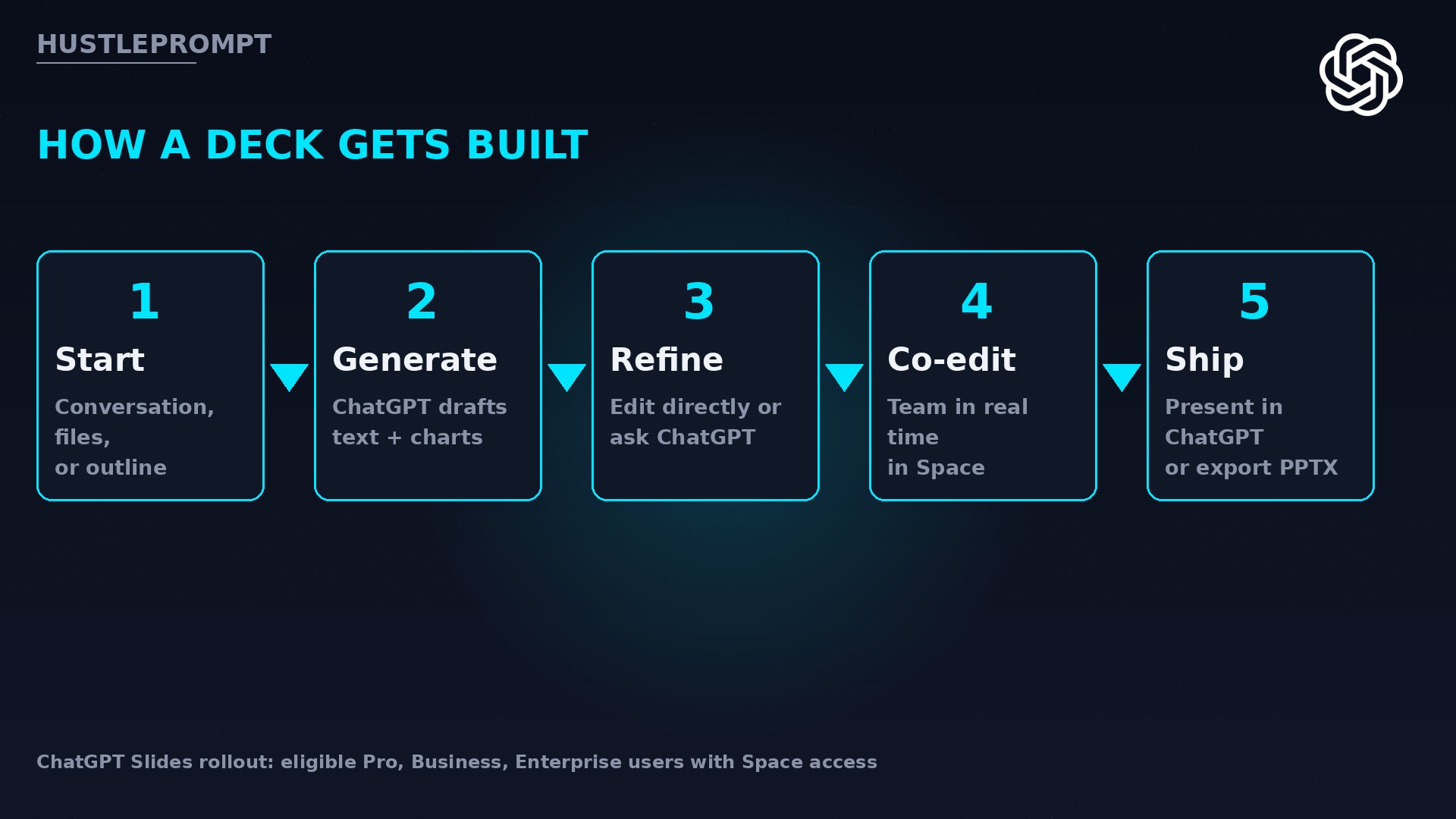
ChatGPT Slides creates and edits presentations inside ChatGPT’s shared workspace, Space. You start by asking ChatGPT in Work to make a presentation in Space, and you begin from one of four starting points:
- A plain conversation — describe the deck you want
- Files you already have — reports, data, briefs
- An outline you drafted
- An example deck you share, which guides style and layout
Once the deck exists, you edit text, images, shapes, and charts directly — or just ask ChatGPT to make the changes for you, including generating custom images or adding your own. Teammates invited into the Space can edit the same deck in real time and leave shared comments.
Then the kicker: you present directly from ChatGPT. No separate app needed to run the show.
The evidence: rollout facts from OpenAI’s release notes
Everything below comes from OpenAI’s official release notes for October 16, 2026, as reported by multiple outlets tracking the notes:
| Detail | What OpenAI says |
|---|---|
| Launch date | October 16, 2026, via release notes |
| Who gets it | Eligible Pro, Business, and Enterprise users with Space access |
| Where it runs | Web and desktop app |
| Web export formats | PowerPoint, PDF, Google Slides |
| Desktop export | Open decks in PowerPoint or Keynote (when installed) |
| Collaboration | Real-time co-editing + shared comments in Space |
| Presentation | Run the deck directly inside ChatGPT |
The headline facts:
- 4 ways to start a deck: conversation, files, outline, or an example deck for style
- 3 export formats on the web — PowerPoint, PDF, Google Slides — so clients never know you built it in a chatbot
- 0 extra subscriptions required: it ships inside plans Pro, Business, and Enterprise customers already pay for
- 1 parallel upgrade in the same notes: GPT-6 Pro in the chat tab now runs multiple agents on different parts of a task at once, with faster responses and better tool use
Why this matters for your bottom line
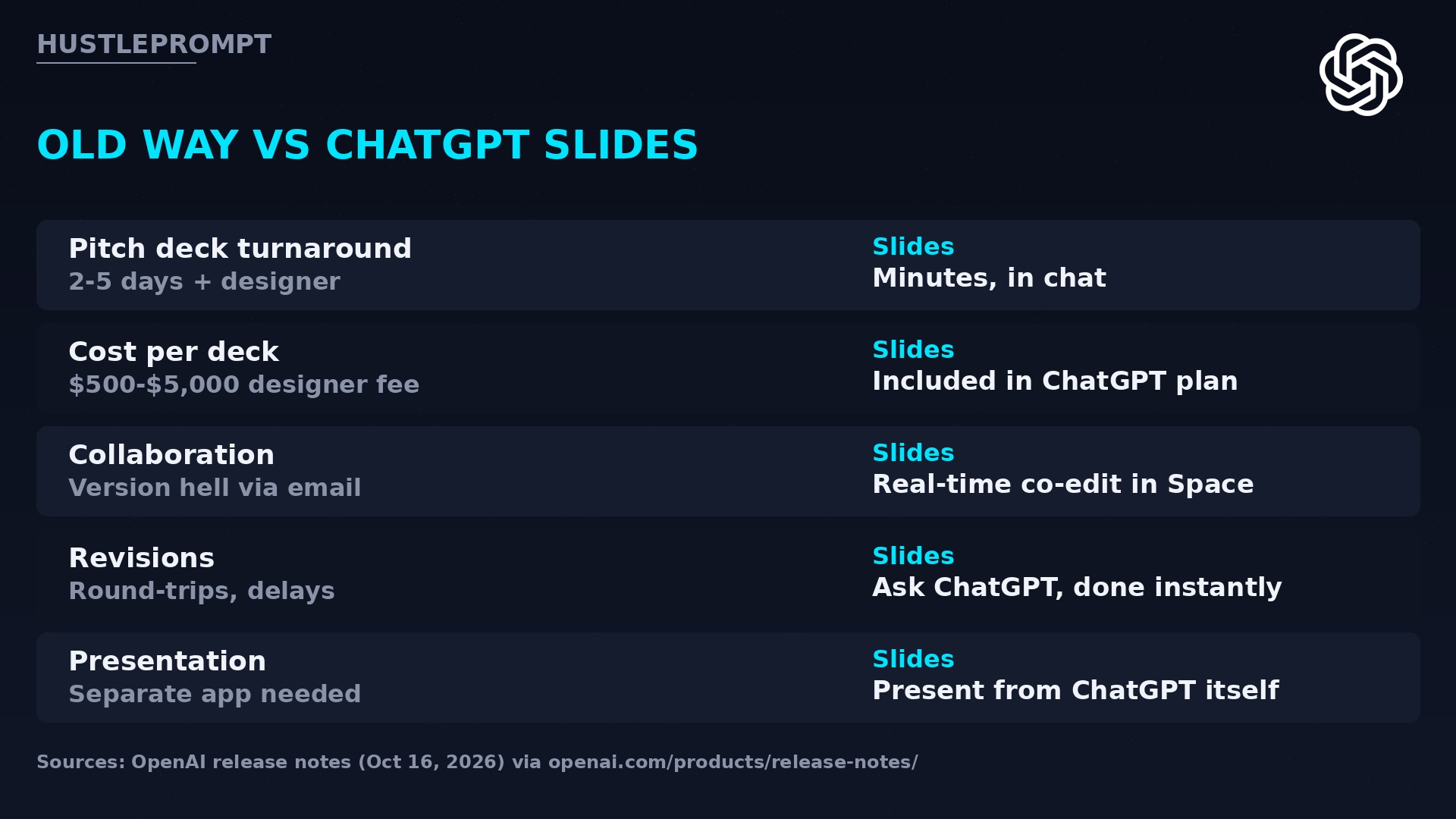
Decks are revenue documents. A freelancer’s proposal deck, an agency’s campaign review, a consultant’s findings presentation — these are the artifacts that close deals. Traditionally, producing one meant one of two expensive paths: days of your own time, or a designer charging hundreds to thousands of dollars per deck.
ChatGPT Slides collapses that cost to the ChatGPT plan you already pay for. The economics shift in three places:
- Turnaround drops from days to minutes. First drafts form from a conversation you already had with ChatGPT, a file you already wrote, or an outline you already sketched.
- Revision cycles compress. Client asks for changes? Edit directly or tell ChatGPT what to change instead of round-tripping with a designer.
- Volume becomes free. When each deck costs minutes instead of money, you can pitch more, personalize more, and A/B-test proposals the way you A/B-test ads.
The deck business, before vs. after
BEFORE
- Brief a designer, wait days
- Pay per deck, per revision
- Version chaos over email
- Present in a separate app
WITH CHATGPT SLIDES
- Prompt ChatGPT, get a draft
- Included in your plan
- Real-time co-edit in Space
- Present inside ChatGPT
The work that used to be billable overhead becomes a near-zero marginal cost.
How to profit from ChatGPT Slides
Five concrete moves, starting this week:
- Sell “deck in a day” as a service. Founders pay premium rates for investor decks. Build them with Slides, charge for strategy and story — the formatting is now free.
- Productize proposal decks. If you sell services, build a reusable Slides template from your best past proposal. Every new prospect gets a personalized deck in minutes.
- Offer slide redesign retainers. Companies have ugly legacy decks. Feed them to Slides with an example deck as the style guide, refine, and charge monthly for keeping them sharp.
- Bundle decks with your existing offer. Coaches, course creators, consultants: a polished slide deck as a deliverable raises perceived value without raising your costs.
- Learn the style-guide workflow early. The killer feature is starting from an example deck. Master prompt-to-brand-matching now, while competitors are still hiring designers.
This didn’t come out of nowhere: OpenAI announced collaborative Slides at DevDay on September 29, 2026 with a “coming weeks” rollout — and delivered on October 16. ChatGPT is absorbing the office suite one feature at a time.
Frequently asked questions
What is ChatGPT Slides?
A feature OpenAI launched October 16, 2026, that lets you create, edit, present, and export presentations inside ChatGPT’s Space workspace, with real-time collaboration.
Who can use ChatGPT Slides?
Eligible Pro, Business, and Enterprise users with Space access, on the web and in the desktop app. The rollout is gradual, so not every qualifying account has it yet.
What formats can I export to?
On the web, decks export to PowerPoint, PDF, and Google Slides. In the desktop app, you can open a deck in PowerPoint or Keynote when those applications are installed.
Can I present directly from ChatGPT?
Yes. OpenAI’s release notes say presentations can run directly inside ChatGPT — no separate presentation app needed to deliver the deck.
How do I start a deck?
Ask ChatGPT in Work to create a presentation in Space. You can start from a conversation, files, an outline, or share an example deck to guide style and layout.
Can my team edit the same deck?
Yes. Teammates invited into the Space can edit the same deck in real time and leave shared comments, similar to Google Slides collaboration.
What else launched in the same release notes?
GPT-6 Pro in the chat tab was updated with faster responses, improved plugin and tool use, and the ability to run multiple agents on different parts of a task in parallel — useful for splitting research and writing across agents.