
Hundreds of millions of people already ask ChatGPT what to buy. Now OpenAI wants the chatbot to do the entire job: the deep research, the comparisons, and even a preview of how the clothes look on your body. The headline act is Shopping Research, rolling out for the holidays with near-unlimited usage on every plan — alongside ChatGPT virtual try-on, which renders clothing onto your own photo:
What’s actually new this week
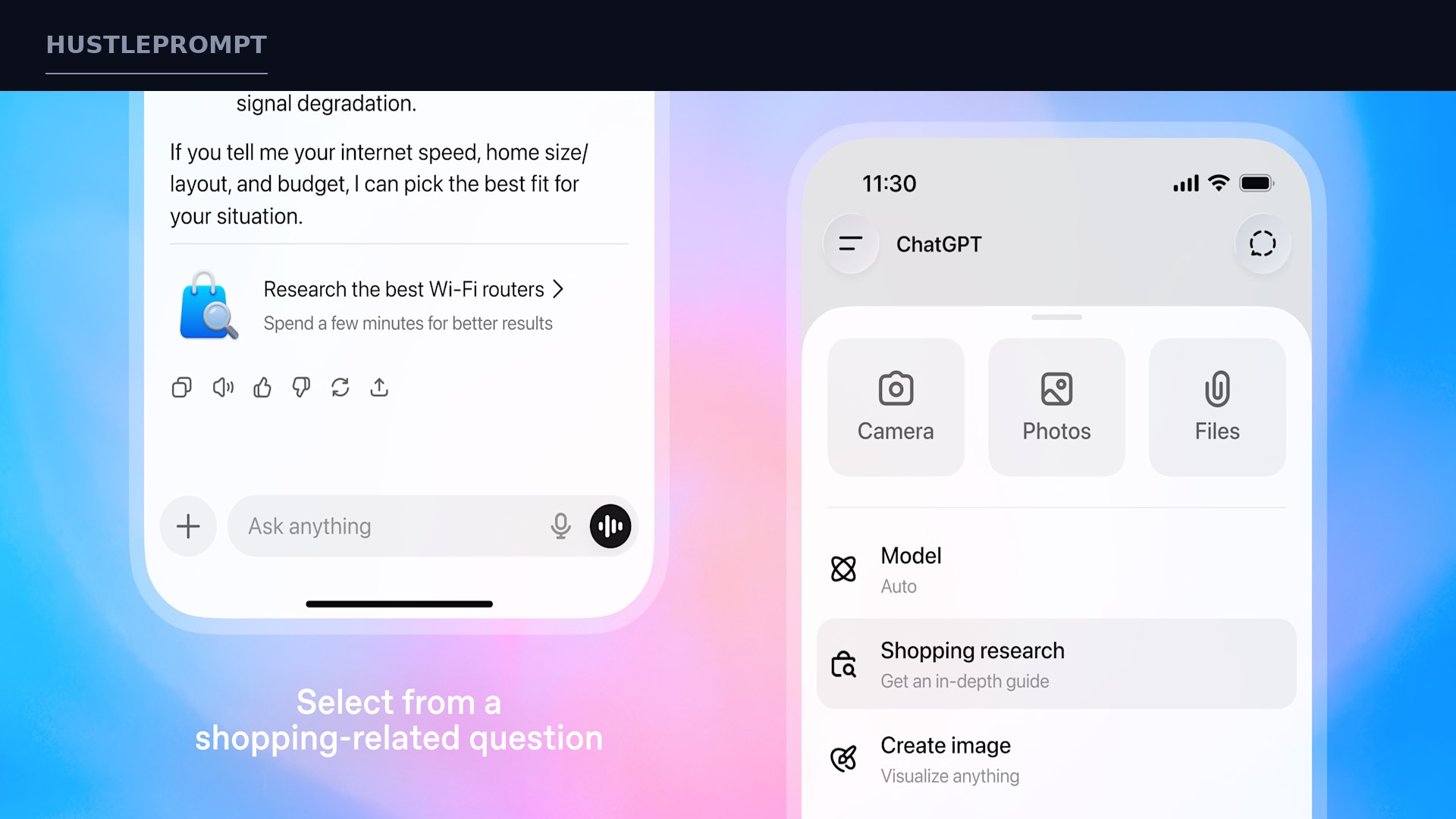
OpenAI is pushing its shopping features into the spotlight for the holidays. Shopping Research is starting to roll out on mobile and web to Free, Go, Plus, and Pro users — with nearly unlimited usage on all plans through the holidays.
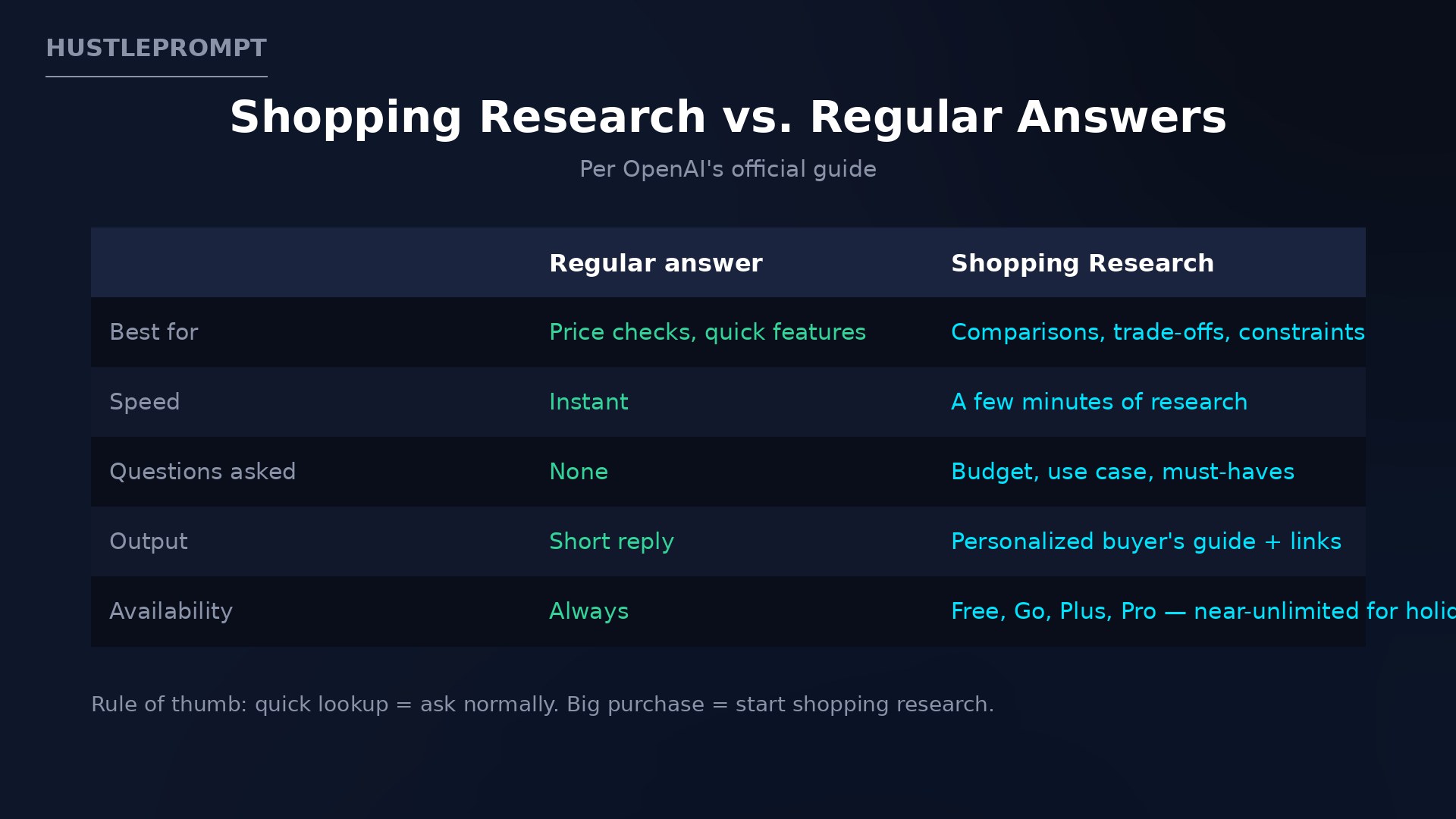
Describe what you want — “find the quietest cordless stick vacuum for a small apartment” — and it asks smart clarifying questions, researches across the internet, and factors in your ChatGPT memory. A personalized buyer’s guide lands in minutes, built for detail-heavy categories like electronics, beauty, and home and garden.
By the numbers — straight from OpenAI
- Hundreds of millions use ChatGPT to find and compare products.
- 4 plans, near-unlimited — Free, Go, Plus, Pro through the holidays.
- Minutes, not hours — a few minutes of background research replaces fifteen open tabs.
Virtual try-on: see the clothes on you first
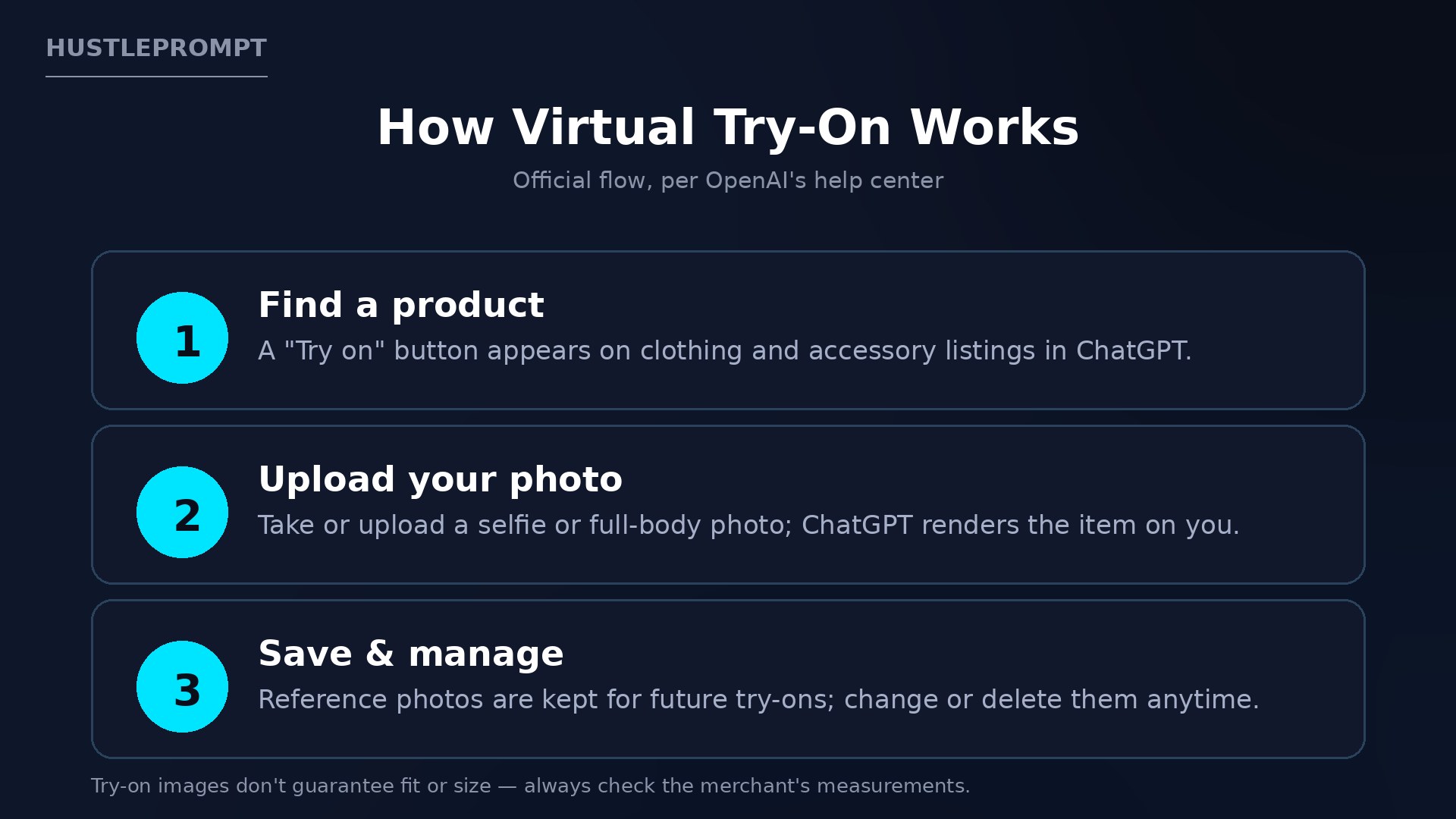
Earlier this month, OpenAI added a “Try on” button to clothing and accessory listings inside ChatGPT. Tap it, take or upload a selfie, and ChatGPT generates an image of the item on you — or upload a garment screenshot from any retailer and ask to see it on you.
Reference photos are saved for future try-ons and managed under Settings → Personalization → Reference photos. OpenAI also launched Favorites: save products into your Library, organized in folders. One caveat, quoted from the help center: try-on images “may not represent the product or your appearance exactly and do not guarantee fit or size.” A style preview, not a fitting room.
How it works under the hood
Shopping Research runs on a version of GPT-5 mini trained with reinforcement learning for shopping: it reads trusted sites, cites sources, and refines in real time as you mark items “Not interested” or “More like this.” Chats are never shared with retailers, results are organic, and merchants can follow an official allowlisting process to be eligible.
The stated limitation: it can make mistakes on price and availability, so confirm on the merchant’s site. A brilliant shortlist — not a price feed.
From question to buyer’s guide
The official flow:
How to profit: the money playbook
Shopping inside ChatGPT is not just a consumer toy. Three concrete plays:
1. Sellers: get your products cited
OpenAI says merchants can follow an allowlisting process to appear in shopping research results, which read product pages directly. Clean, detailed pages are a discovery channel inside the chatbot hundreds of millions use. Treat them like SEO for AI: real specs, clear pricing, honest availability.
2. Affiliate creators: gift guides at machine speed
Shopping Research compresses an afternoon of tab-hopping into minutes. Draft gift guides, lookalike roundups, and comparisons, then add your own testing and voice. Disclose affiliate relationships — the speed is the edge.
3. Freelancers: sell research as a service
Busy clients pay to skip the research phase. Offer curated buying guides as polished PDFs — and do the final mile OpenAI cannot guarantee: confirming price and availability.
FAQ
Is Shopping Research free?
Rolling out to Free, Go, Plus, and Pro, with nearly unlimited usage through the holidays. After that: unpublished.
How do I start Shopping Research?
Ask a shopping question and ChatGPT suggests it, or pick it from the (+) menu. You can also select products in chat and tap “Research”.
Does virtual try-on guarantee the clothes will fit?
No. OpenAI says try-on images may not represent the product or you exactly and do not guarantee fit or size. Check the merchant’s measurements and return policy.
What happens to the photo I upload for try-on?
Reference photos are saved for future try-ons. Change or remove them anytime under Settings → Personalization → Reference photos.
Are Shopping Research recommendations ads?
OpenAI says results are organic and your chats are never shared with retailers. Ads are kept separate from shopping results.
Can ChatGPT buy the product for me?
Not generally — you click through to the retailer’s site. Direct purchase only exists for Instant Checkout merchants, where offered.
Sources
- OpenAI: “Introducing shopping research in ChatGPT” — official announcement and usage guide.
- OpenAI Help Center: “Using shopping research in ChatGPT” — starting research, follow-ups, memory.
- OpenAI Help Center: “Shopping with ChatGPT Search” — virtual try-on flow and fit caveat.
- OpenAI Help Center: ChatGPT release notes — official release timeline.