
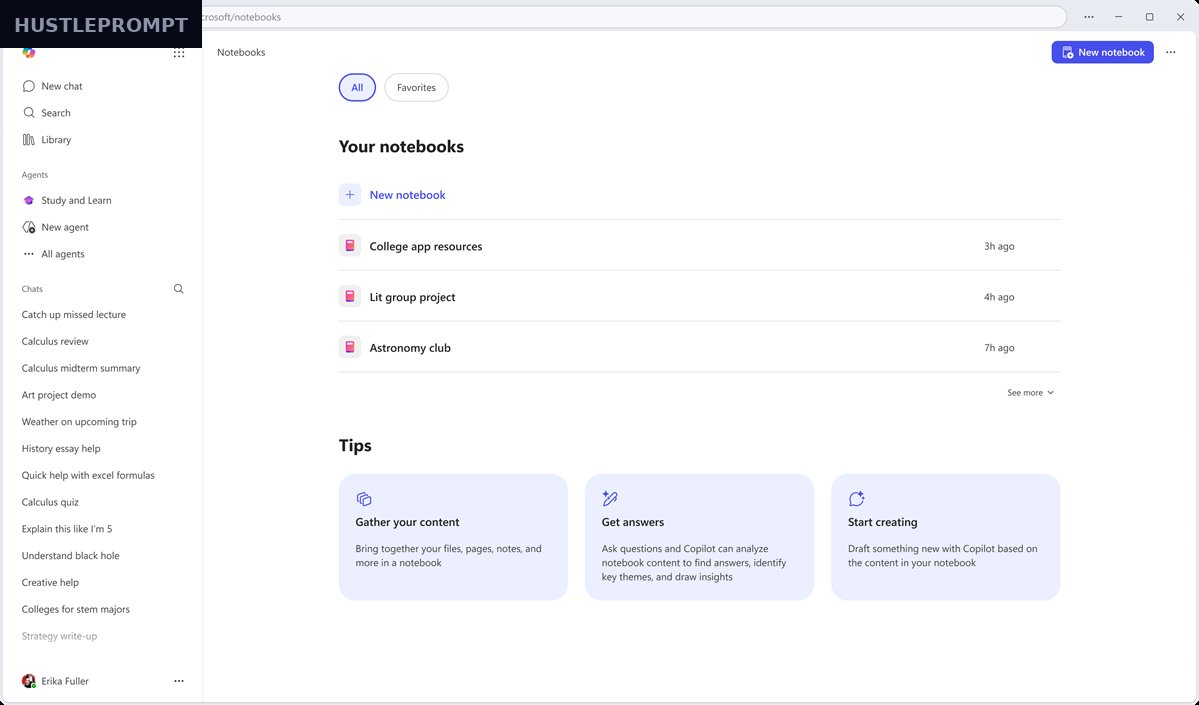
What if your Monday briefing wrote itself? Microsoft’s October 2026 update to Copilot Notebooks gets close. With Copilot Notebooks automations, you prompt once and get recurring work — daily briefs, weekly status decks — delivered on schedule.
For freelancers and small businesses, this is the most commercially interesting Copilot update in months: notebooks are becoming self-running workspaces.
What the October 2026 update actually adds
Microsoft detailed the changes in an official Tech Community post on October 9, 2026. The headline shift: notebooks move from studying information to producing work.
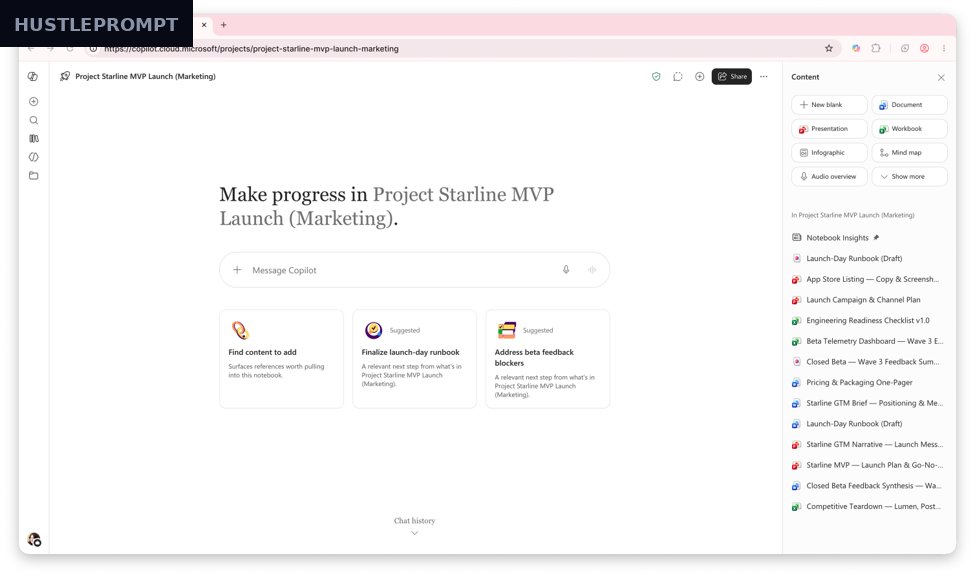
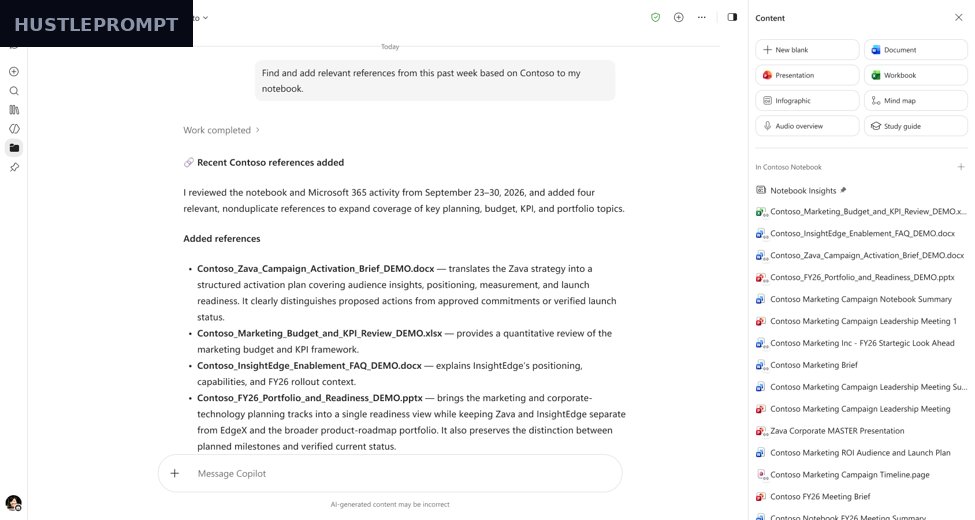
Create notebooks from a prompt. Describe your project — say, pitching a new customer — and Copilot assembles a notebook with references from your work data and the web. Arriving in the coming weeks. Meanwhile, more reference types are already live: Markdown, TXT, and RTF files join documents, emails, and meetings as sources, so developer docs, transcripts, and logs can finally live inside a notebook.
Task delegation, in Frontier. Copilot now does simple work from notebook chats: managing references, synthesizing context, and creating or editing Word, Excel, and PowerPoint files. Scope prompts to Notebook only or Work and web.
Full Office power and interactive reports, in Frontier. View documents inline, edit files on the canvas, or prompt Copilot to add content — an intro paragraph, a graph — or restyle fonts and layouts, with teams co-editing alongside. Notebooks also produce live-editable visual reports for trends and monthly updates, plus one-click PDF one-pagers generated through chat.
Smarter audio, suggested artifacts. Audio overviews gain more source types and new Critique and Debate formats (coming weeks); suggested artifacts — proactive file recommendations from WorkIQ signals — are generally available now.
| Capability | Availability | What it does |
|---|---|---|
| Task delegation | Frontier | Manage refs, synthesize context, create/edit Office files |
| Scheduled automations | Coming in weeks | Daily briefs, weekly decks; templates and monitoring |
| Model choice | Frontier | Pick the model per chat: deeper reasoning or a GPT model |
| Office editing on canvas | Frontier | Inline viewing and editing of Office files |
| Reports + PDFs | Frontier | Live visual reports; one-click PDF one-pagers |
| MD/TXT/RTF sources | Available now | Plain-text docs, logs, and transcripts as references |
| Suggested artifacts | Available now | Proactive file recommendations from WorkIQ |
| Audio upgrades | Coming in weeks | More sources, Critique and Debate formats, episodes |
The money angle: turn notebooks into deliverable machines
Client work is repetitive: weekly updates, monthly reports, research briefs. Copilot Notebooks automations turn those chores into set-and-forget workflows.
Picture one notebook per retainer client, fed by their emails, docs, and meeting notes. A scheduled automation builds a crisp status deck every Friday — Microsoft’s own example. You review it in ten minutes, add your judgment, and send it.
Deliverables that cost half a day become a ten-minute review — more retainers without more hours, or the same fees for less work. The catch: most of this is still in Frontier early access, with automations rolling out over the next few weeks. Build your playbooks now.
From prompt to recurring deliverable
Create a notebook from a prompt about the client.
Feed it sources: docs, emails, meetings, text files.
Write the automation prompt once.
Set scope and frequency, then activate.
Review, refine, ship. Copilot repeats it weekly.
How to profit: a concrete automation playbook
- Create a client notebook from a prompt. Name the client, industry, and goals; let Copilot gather references from your work data and the web.
- Feed it your sources. Add project docs, emails, and meeting notes. Markdown and TXT support is already live.
- Delegate one simple task. Ask Copilot to draft a Word status doc scoped to Notebook only, keeping answers grounded.
- Write the automation prompt. Schedule + scope + deliverable. Example: every Friday, summarize the week’s activity and build a crisp PowerPoint deck with what changed and next week’s follow-ups.
- Review the first run. Check facts and tone before anything reaches a client.
- Package it as a service. Turn the weekly brief into a retainer add-on. The automation produces; your judgment is the product.
Verified facts, straight from Microsoft:
- “You just have to prompt Copilot once” — automations cover daily briefs and weekly decks, with templates and monitoring. (Microsoft Tech Community)
- Microsoft 365 Copilot: $30 per user per month for small and medium businesses. (Microsoft 365 Blog)
- “Delegating simple work and model choice are currently available in Frontier, with simple task automations coming in the next few weeks.” (Microsoft Tech Community)
The catch: availability and cost
Two realities check the hype. First, Frontier gating: delegation, model choice, Office editing, and reports are early-access; automations and audio upgrades arrive in the next few weeks. Second, the license: $30 per user per month — the math works only if automations genuinely reclaim billable hours. Microsoft is turning Notebooks into an agent workspace: learn the playbooks now and sell always-on research assistance before competitors catch up.
Frequently Asked Questions
Do I need a Microsoft 365 Copilot license?
Yes — officially $30 per user per month for small and medium businesses.
When will scheduled automations reach me?
Microsoft says “in the next few weeks.” Delegation and model choice are in Frontier now.
What is the Frontier program?
Microsoft’s early-access program for new Copilot features before general availability.
Can I choose which AI model answers?
Yes — per conversation: deeper reasoning or a specific GPT model. More models coming.
Does this replace Power Automate?
No — Notebooks cover simple recurring tasks; Power Automate remains the full platform.
Will my client data stay private?
Copilot processes data within your Microsoft 365 tenant; OneDrive-saved overviews inherit sensitivity labels.
Sources
- Microsoft Tech Community: “What’s New in Notebooks | October 2026” — official announcement.
- Windows Report — secondary coverage (verified live).
- Microsoft 365 Blog — official $30/user/month pricing.