
Pydantic just shipped a coding agent that beats Codex on cost by more than half — and you can take the whole thing apart. Pydantic Pax, launched November 25, 2026, is a terminal coding agent where even the coding agent itself is a plugin. For freelancers, that changes the math: no per-seat fee, any model, an agent you can rebuild per client.
Pax is the terminal interface for Pydantic AI’s Coder capability, built on the Pydantic AI Harness SDK — a library of more than 100 capabilities for files, memory, sub-agents, and guardrails. It is in beta now, with Harness 1.0 expected next month.
What Pax actually is
Pax is two things at once. First, a daily-driver coding agent: open a terminal in your project, type a request, and watch it read files, run tests, and show you the diff. Second, a showcase for what you can build on the Harness SDK, because every piece of it is a plugin.
That second part matters for freelancers. Most coding agents are sealed products: the vendor’s model routing, the vendor’s sandbox, the vendor’s workflow. Pax inverts that. The coding agent, sandbox, MCP, and Logfire tracing are all plugins.
The other half is –agent. Point Pax at any Pydantic AI agent from your own codebase — pax --agent my_agents:reviewer — and Pax runs your agent as-is, with its own model, tools, and instructions. Build it in a repo, test it in a terminal, ship the same object.

Everything is a plugin — and why that pays
Plugins are how a small shop turns one tool into several billable services. A plugin is a capability one layer up: tools and hooks for the agent, plus terminal pieces like /commands. Any Pydantic AI capability works as a plugin by its import path.
Three moves sealed agents do not offer:
- Client-specific agents. Build a review agent for one client’s guidelines and a migration agent for another’s stack, and run each with
--agent. - Your tooling as a product. A plugin written for one client — a Linear lookup, a deployment guardrail — installs from Git and can be resold to the next.
- No model lock-in. Switch models with
/model, sign in to several accounts, and let Pax move to the next one at a limit.
The numbers: Pax vs Claude Code and Codex
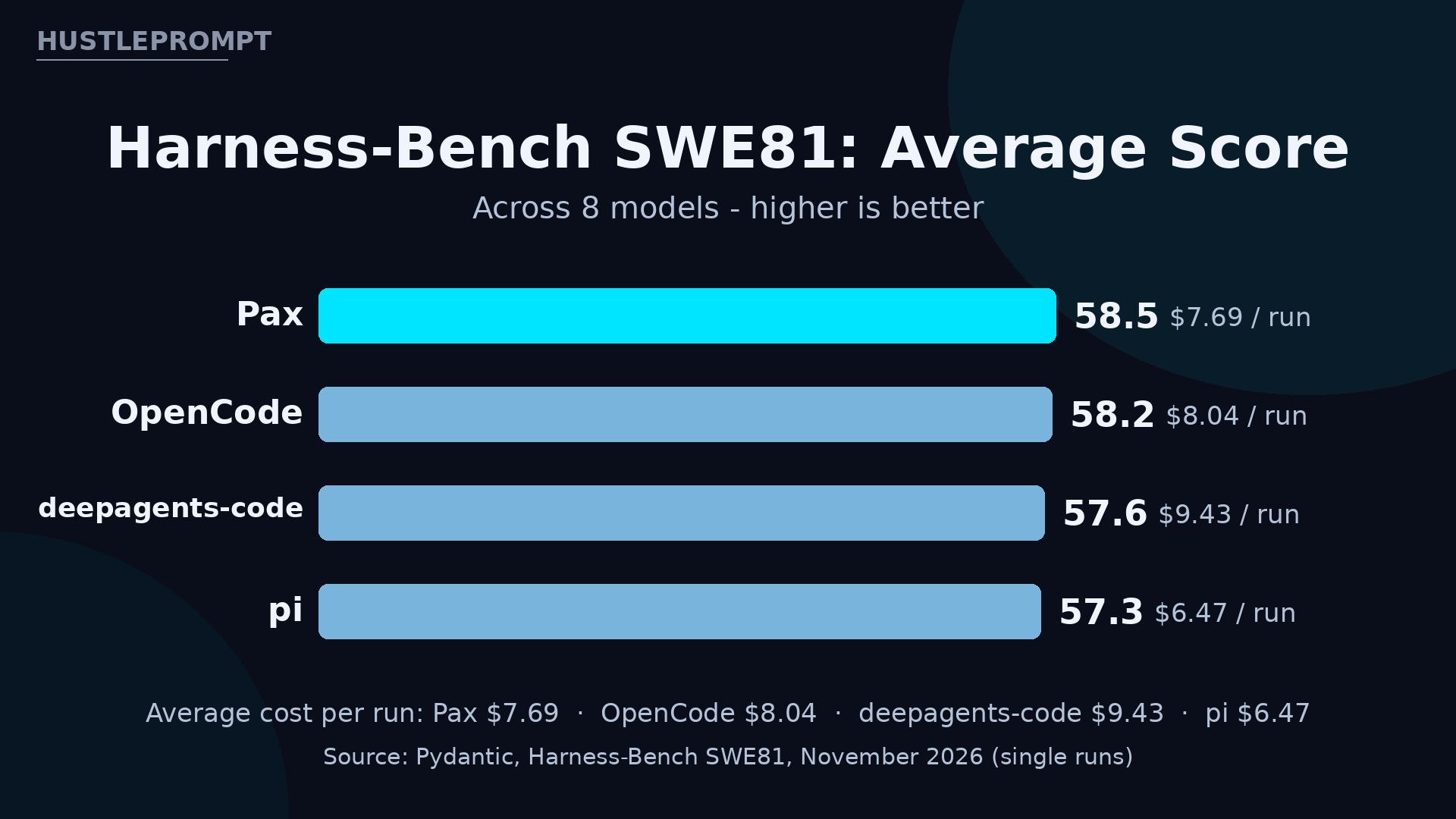
Pydantic benchmarked Pax on Harness-Bench SWE81. These are single runs from November, with full methodology coming at the 1.0 launch — an early signal, not a verdict. Pax had the highest average score of the four harnesses.
Harness-Bench SWE81: average score and cost across 8 models
| Harness | Average score | Average cost per run |
|---|---|---|
| Pax | 58.5 | $7.69 |
| OpenCode | 58.2 | $8.04 |
| deepagents-code | 57.6 | $9.43 |
| pi | 57.3 | $6.47 |
Source: Pydantic, “Pax: the Pydantic AI coding agent for your terminal” (November 25, 2026). Single runs; higher score is better, lower cost is better. Full methodology coming with Harness 1.0.
Pax vs the native harnesses on flagship models
| Setup | Score | Cost per run | Cost per point |
|---|---|---|---|
| Pax on GPT-6.2 Sol | 64.7 | $9.21 | $0.14 |
| Codex on GPT-6.2 Sol | 60.1 | $21.05 | $0.35 |
| Pax on Claude Opus 5.5 | 61.2 | $24.61 | $0.40 |
| Claude Code on Claude Opus 5.5 | 60.4 | $25.10 | $0.42 |
Source: Pydantic, Harness-Bench SWE81. Single runs from November; Sol and Opus use a relaxed rescore applied identically to every harness. With the stock grader, Pax scored 51.0 to Codex’s 49.8 on Sol, and 54.9 to Claude Code’s 53.5 on Opus.
What it costs
Pax itself costs nothing to install. It is a package on PyPI — pydantic-ai-pax, version 0.75.0 — and you pay only for the model you run. The default is openai-codex:gpt-6-astra, on a ChatGPT subscription; Copilot login or an API key works too.
That pricing shape is the pitch for a small shop. Claude Code and Codex bake model cost into a subscription. With Pax, the tool is free and the model is a pass-through cost you tune per task: a cheap model for routine edits, a flagship for hard debugging, fallback chains so a rate limit never stalls a deadline.
Watch the hidden costs. Sandbox providers bill separately, and token spend is yours to manage.
What you need to run Pax
| Requirement | Detail |
|---|---|
| Python | 3.11 or newer |
| Install | uvx pydantic-ai-pax to try, uv tool install pydantic-ai-pax to keep |
| Version at launch | pydantic-ai-pax 0.75.0 |
| Model access | ChatGPT subscription (default model), GitHub Copilot login, or a provider API key |
Source: PyPI, pydantic-ai-pax and Pydantic’s announcement.
How a Pax session works
1. Install
Run uvx pydantic-ai-pax and open a terminal in your project.
2. Pick a model
Use /model to choose any provider, or sign in with ChatGPT or Copilot.
3. Choose where it runs
Stay local, or switch to a cloud sandbox with /sandbox e2b before the first prompt.
4. Prompt, review, ship
Pax reads files, runs tests, and shows the diff. You approve every change.
Every step is a plugin: swap the model, the sandbox, or the agent itself without leaving the terminal.
How to try Pax in 10 minutes
You need Python 3.11 or newer and uv. Run uvx pydantic-ai-pax to try it without installing, or uv tool install pydantic-ai-pax to keep it. On macOS, an unrelated /bin/pax ships with the system — if pax does not start Pax, run pydantic-ai-pax.
First-run checklist:
- Open a terminal in a project you trust and run
pax. - Sign in with
/login openai-codexor/login github-copilot, or set an API key first. - Pick a model with
/modeland start with a small, reversible task. - Review the diff before anything is written. Press
EscorCtrl+Cto stop a turn. - Try
/sandbox e2bbefore your first prompt;/resumereconnects later.
Pax reads AGENTS.md or CLAUDE.md from your start folder, and the coder plugin loads Agent Skills from .agents/skills and .claude/skills. Coming from Claude Code or Codex? Import a session with pax --resume-claude or pax --resume-codex.
How to profit from Pax as a freelancer
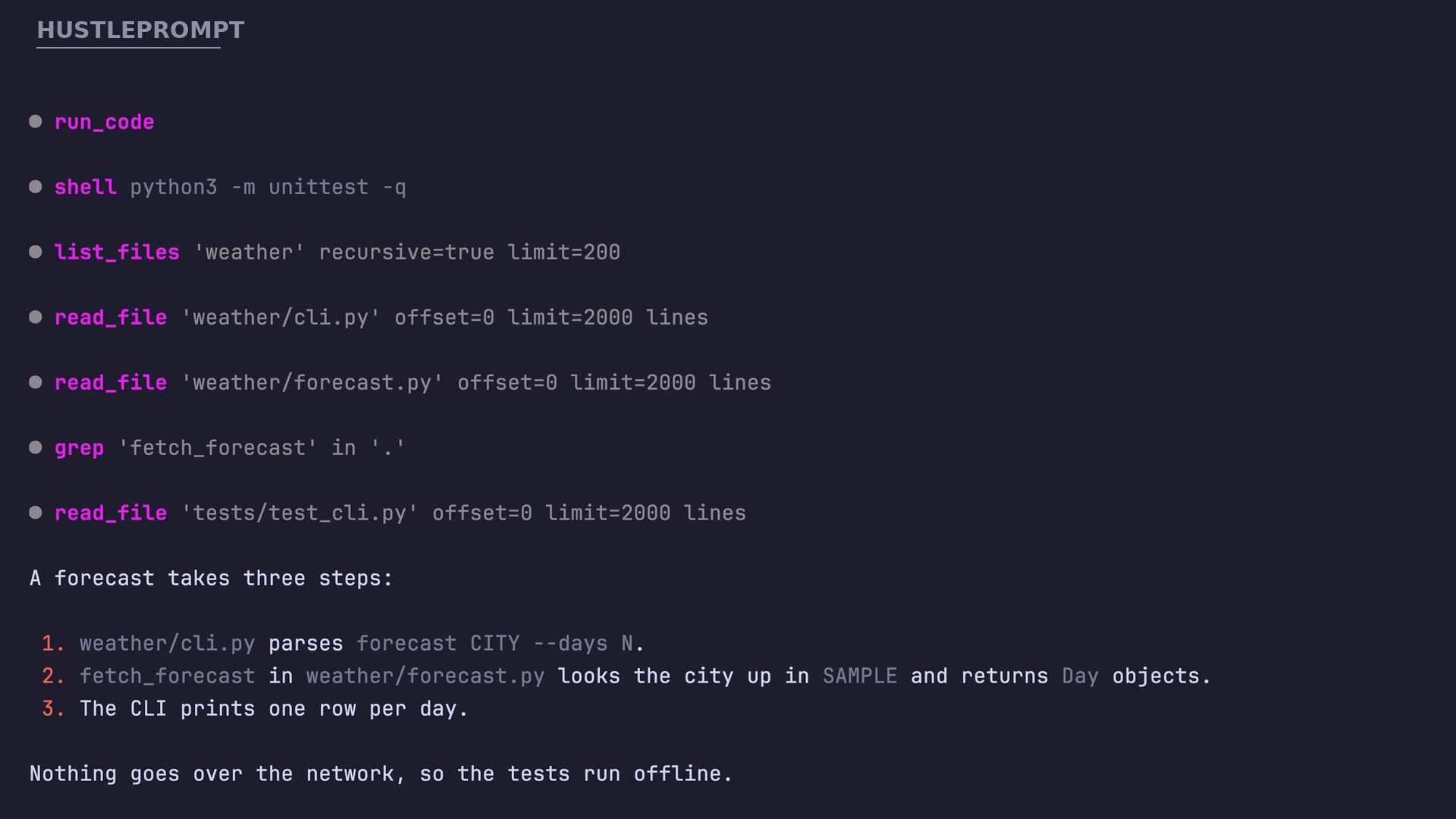
The fastest return is speed. Code mode is on by default: instead of shuffling results between tools, the model writes a short Python snippet that searches, reads files, and returns only what matters. Press Ctrl+X, then Ctrl+S for speculative execution, and Pax starts safe file reads while the model streams.
The second return is selling the agent, not just the hours. Build a review or migration agent for one client’s stack, test it in Pax, and ship the same agent object in a service. The agent is Python code in a repo, not a prompt in a chat window.
The third return is risk reduction. Run client work in a sandbox — /sandbox e2b, Daytona, Modal, or a local micro-VM. Your GitHub token never enters the sandbox on proxy-enabled providers.
What Pax cannot do yet
Pax is a beta, and the announcement is honest about the gaps. Durable execution that survives crashes is not in Pax yet. Computer use — a full desktop the model can control — arrives in the next release as /computer-use. The scores are single runs, so expect them to move at 1.0.
The sharpest warning comes from Pydantic itself: Pax runs commands and edits files as you, with no sandbox and no approval step by default. Run it in a project you trust, use a sandbox for anything else, and keep production credentials out of reach.
The launch still matters. Pax is the first terminal coding agent built to be taken apart. For freelancers billing judgment, not keystrokes, that is the point: the model is interchangeable, the tools are plugins, and the agent is yours.
Video: Pydantic’s official channel explains agent sandboxes — the feature Pax uses to run code outside your machine. Note: this video is about sandboxes, not the Pax launch itself; Pydantic has not published a Pax launch video yet.
Frequently asked questions
What is Pydantic Pax?
Pax is the official Pydantic AI coding agent for your terminal, built on the Pydantic AI Harness SDK. It runs the Coder capability by default, and every part of it — the coding agent, sandboxes, MCP, and Logfire tracing — is a plugin you can toggle or replace.
Is Pax free?
Pax itself is free to install from PyPI as the pydantic-ai-pax package, version 0.75.0 at launch. You pay only for the model you run: a ChatGPT subscription, a GitHub Copilot login, or a provider API key. Sandbox providers bill separately if you use cloud sandboxes.
Which models can Pax use?
Any model Pydantic AI supports. Switch mid-conversation with /model, sign in to several accounts, and set up fallback chains that try models in order. The default model is openai-codex:gpt-6-astra, which runs on a ChatGPT subscription.
Can Pax replace Claude Code or Codex?
It can run the same jobs, and Pydantic’s early benchmarks show it scoring slightly higher at lower cost on the flagship models. You can even import existing sessions with pax –resume-claude or pax –resume-codex. But Pax is a beta, so test it on non-critical work before you switch a client project.
Is Pax safe to run on client code?
By default Pax runs commands and edits files as you, with no sandbox and no approval step, so run it in a project you trust. For anything else, switch to a sandbox with /sandbox before your first prompt — on proxy-enabled providers your GitHub token never enters the sandbox.
What is the Pydantic AI Harness, and when does 1.0 ship?
The Harness is the official capability and harness library for Pydantic AI: more than 100 capabilities for workspaces, file and shell tools, memory, sub-agents, and context management. It is in beta now, and Pydantic expects to call it 1.0 in about a month.
Keep Reading
- Claude Rebuilt Anthropic’s API in Rust: 70% Less CPU
- Cognition’s SWE-2.1 Doubles Devin’s Coding Scores
- Ternary Bonsai 2.5: 27B Coding AI Fits in 5.9 GB