
Here is a number that should change your career plans: Zapier surveyed 1,000 U.S. knowledge workers and found that 76% spend one to three hours every single day just moving data between apps. That is three hours a day of pure busywork that a small business owner would happily pay you to erase. Selling AI automation services with Make and Zapier is exactly that trade: you learn one no-code platform once, then sell every small business on your street the same result — workflows that run themselves. This tutorial shows you how to build, package, and price it from scratch.
Video: How to Start an AI Automation Agency (Step by Step) — a complete step-by-step guide to launching your own AI automation agency from scratch.
Why Small Businesses Pay for AI Automation Services
The demand shows up in data and in invoices. According to Zapier’s own workplace survey of 1,000 U.S. knowledge workers at small and midsize businesses:
of workers perform repetitive, time-consuming tasks in their role. (Zapier, How office workers spend their time)
per day is what 76% of workers spend just moving data between apps. 83% spend 1–3 hours fixing errors. (Zapier, How office workers spend their time)
is the typical project range freelancers charge for workflow automation in 2026. (L8Bites AI Freelance Pricing 2026)
Read that middle stat like a business owner. If an employee costs $25/hour and wastes 2 hours a day shuffling data, that is roughly $1,000 a month per employee — vaporized. A freelancer who erases that for a one-time fee and a few hundred dollars a month is not a cost. It is an instant raise.
Honesty flag: Zapier’s survey ran in June 2021 via OnePoll. It remains the most-cited workplace benchmark in 2026 reviews.
Pick Your Stack: Make vs. Zapier vs. n8n
Pick one, go deep, and build your whole service on it. Here is how the entry points compare as of October 2026.
| Tool | Free plan | Entry paid plan (annual) | How you are billed | Best for you when… |
|---|---|---|---|---|
| Make | $0 — 1,000 credits/mo, 2 scenarios | $9/mo — 10,000 credits, unlimited scenarios | Per operation | Cheapest per workflow; complex visual scenarios |
| Zapier | $0 — 100 tasks/mo, 2-step Zaps only | $19.99/mo — 750 tasks, multi-step Zaps | Per task (triggers & filters free) | Non-technical clients; 9,000+ app library |
| n8n | $0 — self-hosted, unlimited runs | €20/mo cloud — 2,500 executions | Per workflow run | Technical users; AI agent nodes, near-zero cost |
Sources: Make figures verified live on make.com by AI Alleyway (June 2026) and DEV/2Pizza (Sept 2026). Zapier figures verified Sept 16, 2026 by TechVerdict and Oct 13, 2026 by Sodelia. n8n tiers checked Oct 4, 2026 by Stimlau/DEV. Pricing changes often — confirm at checkout before quoting a client.
My recommendation for beginners: start with Make. The free tier (1,000 operations/month) works for demos and first builds, and $9/month undercuts Zapier’s entry tier by half. Zapier’s edge is its 9,000+ app library and friendlier hand-off for non-technical clients. Either choice works — depth in one beats dabbling in both.
The Money Model: Setup Fee + Monthly Retainer
Every serious 2026 pricing guide agrees on one model: a setup fee plus a monthly retainer. The setup covers the build; the retainer covers monitoring and fixes. Here is why:
Two rules from 2026 operators, quoted from BiznovaHub’s agency guide: price against what the process costs the client now — “twelve hours a month of someone’s time is a number they can verify, and it makes your fee look small.” And put a usage ceiling in the contract, because if their volume triples, your platform bills triple too.
Realistic first-client numbers from three independent 2026 guides:
- Beginner structure: $150–$300 setup + $300–$500/mo retainer for 1–3 workflows — ~$1,160/mo net at three clients, under $40/mo in tools. (AI With Chona)
- Agency-level structure: $1,500–$3,000 setup + $500–$900/mo retainer once your delivery process is proven. (BiznovaHub)
- Market bands: small-business retainers $500–$1,500/mo; setup fees of $1,000–$5,000 sit on top. (Leadlock)
- The 2026 default: a fixed-fee build for a defined first workflow, then a smaller retainer — the vendor “expects to still be involved after go-live.” (The Crunch)

How to Profit: The 6-Step Launch Playbook
Follow these in order.
- Learn one platform for free (this week). Sign up for Make’s free tier (1,000 operations/month) or Zapier’s free trial. Build the three scenarios every business needs: contact-form-to-spreadsheet, new-lead-to-CRM, and appointment reminders. You now know 80% of what your first clients will buy.
- Pick one niche and own it. Do not sell “automation for everyone.” Sell “lead follow-up automation for real estate teams” or “review-request automation for dental offices.” One niche means reusable templates and prospects who feel you read their mind.
- Build a demo portfolio before you have clients. Create 2–3 sample automations in your own account with dummy data and record a 5-minute Loom walkthrough of each. Prospects buy a video of it already working, not promises.
- Package three tiers. Example: Starter ($300 setup + $300/mo, one workflow), Growth ($900 setup + $500/mo, three workflows + monthly tweaks), Scale ($2,500 setup + $900/mo, unlimited workflows under a usage ceiling).
- Send 30 outreach messages a week. Cold email and LinkedIn to local businesses in your niche. Lead with the demo video, not a pitch deck: “I built an automation that [specific result]. Want to see it running?” Expect your first yes around week 3–4.
- Deliver, monitor, and never disappear. Set up execution-history alerts so you see failures before the client does. When an API change breaks a workflow, your retainer is why you fix it the same day. That reliability makes renewals automatic.
Three Offers You Can Sell This Week
These three workflows are wanted by nearly every small business and buildable in Make or Zapier in an afternoon.
1. The 5-Minute Lead Response
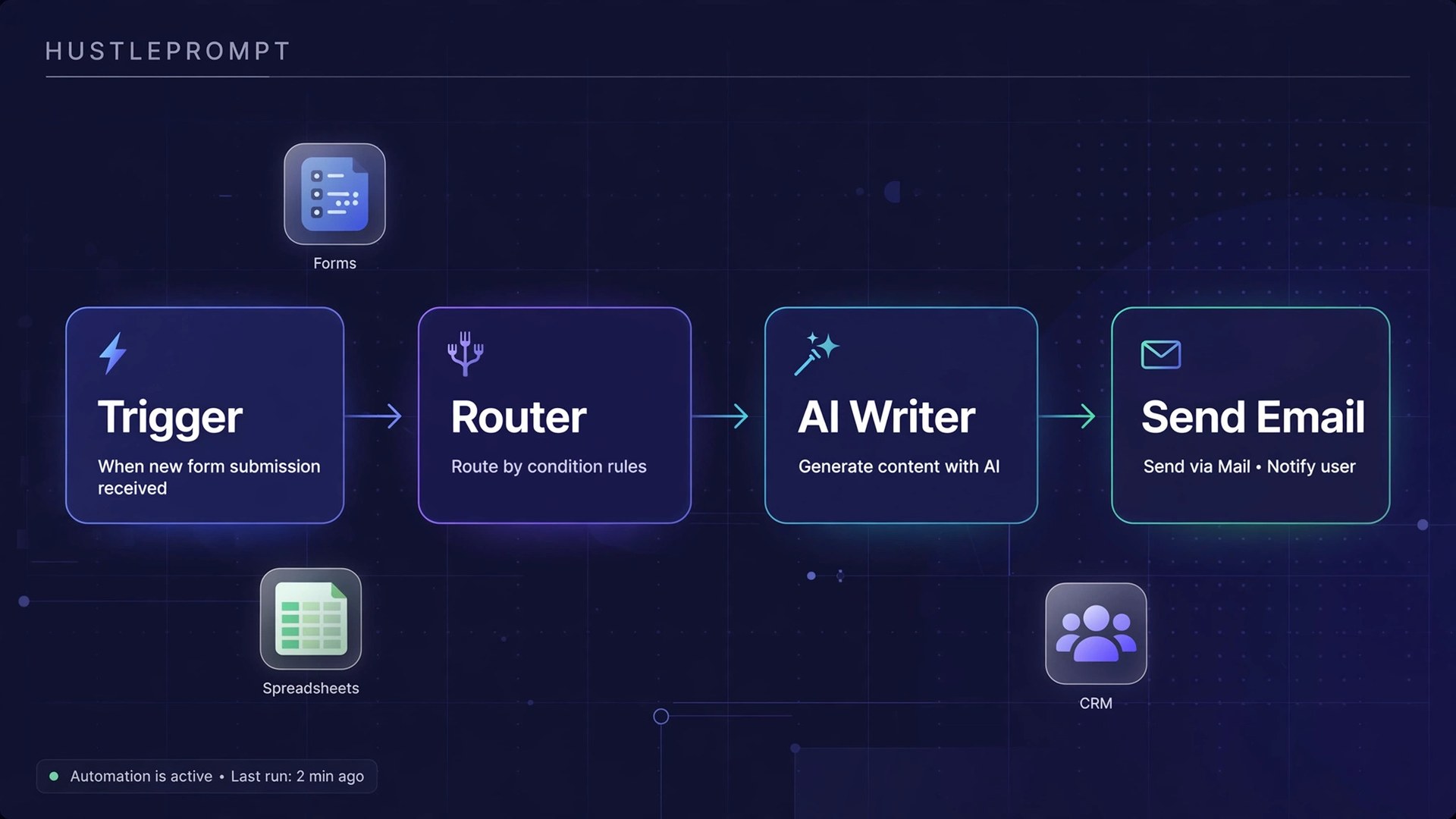
What it does: a new website inquiry instantly triggers a personalized AI-written reply, adds the lead to the CRM, and texts the owner. Lead response drops from hours to minutes.
Why it sells: speed-to-lead is the metric owners feel in their gut. Price it at $400 setup + $400/month.
2. The Review Pipeline
What it does: after every completed job, the customer automatically gets a review request by SMS or email. Positive reviews route to Google; negative ones route privately to the owner first.
Why it sells: local rankings live and die on fresh reviews. Price it at $300 setup + $300/month.
3. The AI Inbox Triage
What it does: incoming emails get AI-classified (quote request, complaint, spam), draft replies are prepared for review, and follow-up tasks land in the task manager.
Why it sells: it attacks the daily hours of email drudgery the Zapier survey flagged. Price it at $600 setup + $500/month.
Frequently Asked Questions
Do I need to know how to code to sell AI automation services?
No. Make, Zapier, and n8n are visual no-code builders. The valuable skill is understanding a client’s business process and turning it into a “when X happens, do Y” workflow — not programming.
Should I use Make or Zapier for client work?
Make is roughly 40–60% cheaper per unit of work ($9/month annual entry vs. Zapier’s $19.99). Zapier’s 9,000+ app library and simpler interface can be easier for non-technical teams. Many freelancers build on Make and migrate heavy clients to Zapier later.
How much should I charge as a beginner?
Start with the beginner structure: $150–$300 setup and $300–$500/month retainer for your first 2–3 clients, then raise rates once your process is proven. Price against the client’s current cost — then let your fee look small next to it.
What happens when an automation breaks?
That is what the monthly retainer covers. Apps change APIs, credentials expire, triggers misfire. Set execution alerts so you see failures first and fix them the same day. Clients rarely cancel once a workflow is embedded in their business.
How do I get my first client?
Pick one niche, build 2–3 demo automations, record short Loom walkthroughs, and send ~30 outreach messages a week. Lead with the demo, not a pitch. Expect your first paying client around week 3–4 of consistent outreach.
Can I run this part-time as a solo operator?
Yes, up to roughly five clients — at $400/month each, that nets around $1,980/month after tool costs, and the work runs largely on its own after setup.