
What if your next business app is something you describe in a paragraph — and install on your phone tonight? On October 13, 2026, Google turned that idea into a feature. Google Play now lets you vibe code an Android app in AI Studio and launch it privately on your own device. No developer account. No USB cable. No public listing. Just your standard Google account.
That matters more than it looks. AI-built apps mostly lived in the browser: getting one onto your phone meant publishing to a global store or wrestling with cables and developer tools. Google’s line: we’re moving from “there’s an app for that” to “there’s an app for me.”
In plain English: describe the app you want in Google AI Studio, Google’s free browser tool for building with Gemini. It generates a working, native Android app. Google Play then installs it on your phone as a personal app — in your private library, never in search or the public catalog, visible only to you.
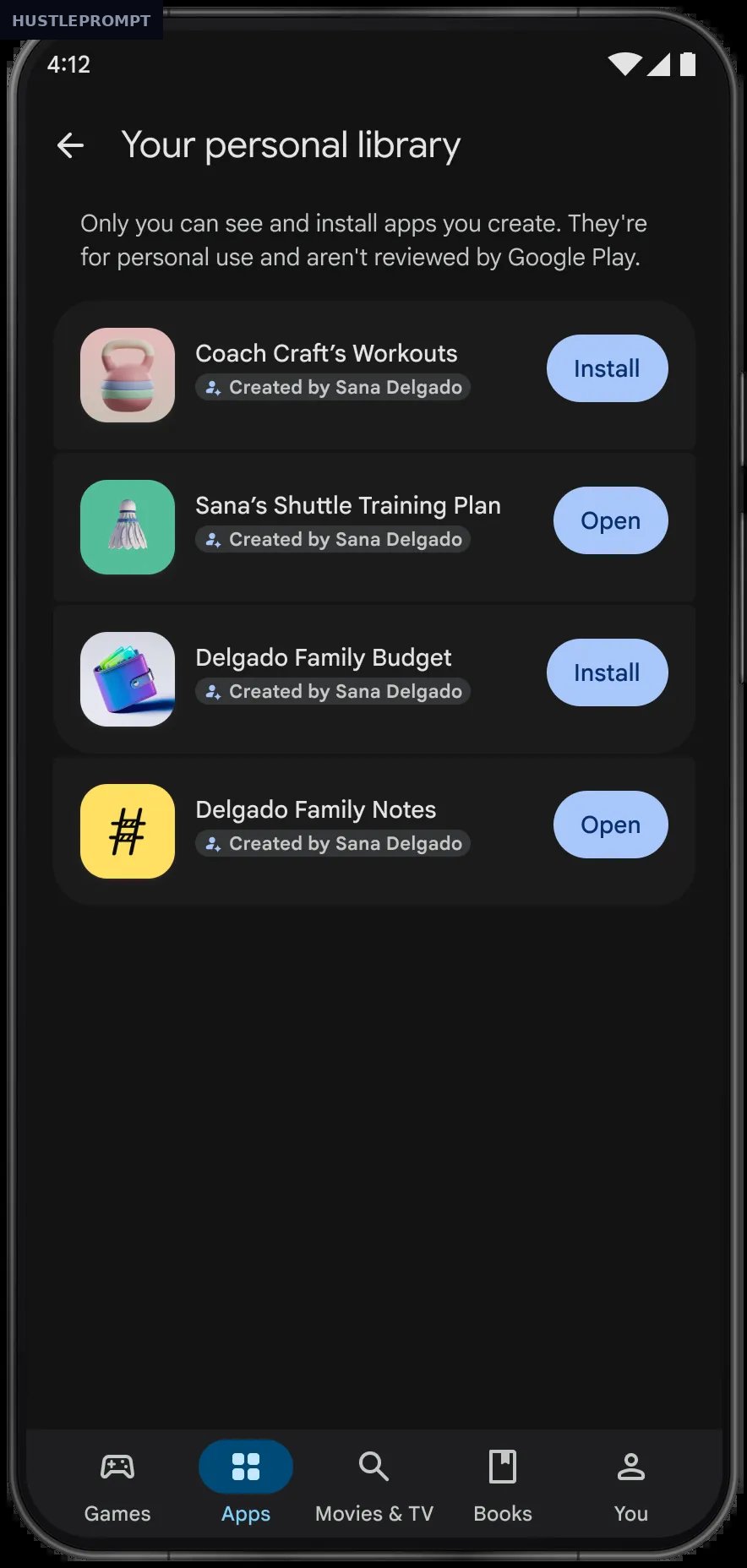
How personal apps work
Three moves: no SDK downloads, no command line, no code review — just describe what you want.
- Describe your app in Google AI Studio. Type what it should do in plain language, and Gemini generates a working Android app.
- Refine it by chatting. Describe each change in words — vibe coding means iterating in conversation, not in code.
- Launch it through Google Play. Your personal app installs on your own device from your private library — Google says these stay “private, secure, and separate from the public store catalog.”
Personal apps vs. publishing on Google Play
Google gave personal apps a deliberately different deal — and that difference is where the money is: a graduation path is baked in.
Personal apps are for use, not distribution. The money starts at the graduation step.
The money angle: why freelancers should care
If you’re a freelancer, creator, or small-business owner, this is a free prototype factory: a working app on your phone with zero setup cost, ready to show clients as a living demo.
Key facts — Google’s official announcement
- Standard Google account only — no developer account required
- Rolling out since Oct 13, 2026; select markets incl. the U.S.; 18+
- Personal apps stay private, secure, and separate from the public store catalog
- Coming months: share personal apps with a close circle of friends and family
- Later: graduate to a professional developer account with the same Trust & Safety reviews
That rollout plan is a business plan: personal apps today, trusted-circle sharing soon, professional publishing later.
How to profit from personal apps
- Sell working prototypes, not slide decks. Vibe code a functional app for a client pitch — a booking screen, an inventory checker. A demo on your phone beats any mockup.
- Build internal tools for small businesses — checklists, price calculators, intake forms. Charge a setup fee plus monthly support.
- Test ideas privately. Launch five experiments on your device, keep the one people use, and graduate it to a professional developer account.
- Prototype on the spot. Vibe code a rough version of a client’s idea during the discovery call — seeing it running on a phone closes deals.
Limitations worth knowing
No loopholes: personal apps still follow Google Play’s existing policies, never appear in search or public listings, and the rollout covers select markets including the U.S., 18+. Sharing beyond yourself arrives “in the coming months.”
- Must follow Play’s existing policies — private does not mean exempt.
- Never appear in Play search or the public catalog.
- Select markets incl. the U.S., 18+, rolling out now.
- Friend/family sharing comes later; professional publishing needs the standard Trust & Safety review.
Frequently Asked Questions
Do I need a developer account?
No. Your standard Google account is enough — no developer account required.
Will anyone see my personal app?
No. Personal apps stay private, secure, and separate from the public catalog — invisible in search and listings.
Can I share it with clients or friends?
Not yet. Sharing with a close circle of friends and family arrives in the coming months.
How do I publish an app publicly later?
Graduate to a professional developer account. Your app then passes the same Trust & Safety reviews as every developer.
Does vibe coding cost anything?
AI Studio is free, and personal apps need only your standard Google account.
Can teenagers use personal apps?
No — the rollout is for users 18 and over.
Sources
- Google Play updates for October 2026 — The Keyword (Google)
- Google AI Studio — Google’s free browser-based AI building tool
- Google Play — official store and developer hub