
Your product demo is already out of date. You shipped a new feature on Tuesday, renamed a button on Thursday, and the polished video on your homepage still shows the old flow. Most teams never fix that. tday attacks exactly that problem: your coding agent records a narrated demo of your real app, and when the product changes you edit the demo like a document instead of recording it again.
tday.com launched on Product Hunt on November 25, 2026, listed as AI-recorded product demos in an editable Screen Studio style. Paste one prompt into Claude Code, Cursor, Codex, or any MCP client, and your agent records the app running on your machine. tday.com then voices the narration, adds captions and cards, and renders a video you can edit and embed.
What tday is and who it is for
A tday.com demo is a short narrated video of your product in use: your real app doing real things, with a voiceover explaining each step. It is not a screen recording you narrate yourself, and it is not generated footage.
The tool is built for teams whose coding agent already writes the features. If you ship with Claude Code, Cursor, or Codex and nobody has time to record, tday.com turns the agent that built the feature into the agent that demos it. Founders and small teams get launch videos, docs demos, and social clips without hiring a video editor.
It is not for everyone. tday.com makes videos, not click-through interactive demos, and it needs a coding agent and access to your code, except on Enterprise, where it records in the cloud.
What your coding agent actually records
Your agent records the app running on your machine, on a throwaway copy with its own seeded data, starting a second instance on a free port. The footage covers more than browser tabs.
| What it records | How it runs |
|---|---|
| Web apps | Recorded from the app running on your machine, including localhost |
| Desktop apps | Electron apps on any computer, and any Mac app in its own window on macOS |
| Terminal and CLI tools | Recorded in a terminal of their own, with throwaway data |
| iPhone apps | Recorded in the iOS Simulator on a Mac, shown in a phone frame |
| Android apps | Recorded on the Android emulator, shown in a phone frame |
Source: tday.com pricing and tday.com homepage, read November 25, 2026.
Safety is part of the design. Every take is checked for secrets on your machine before it uploads. Only the video, a still, and a record of its narration, steps, and checks leave your machine. Your source code, .env files, cookies, and network traffic never leave it.
The editor: change the words, keep the footage
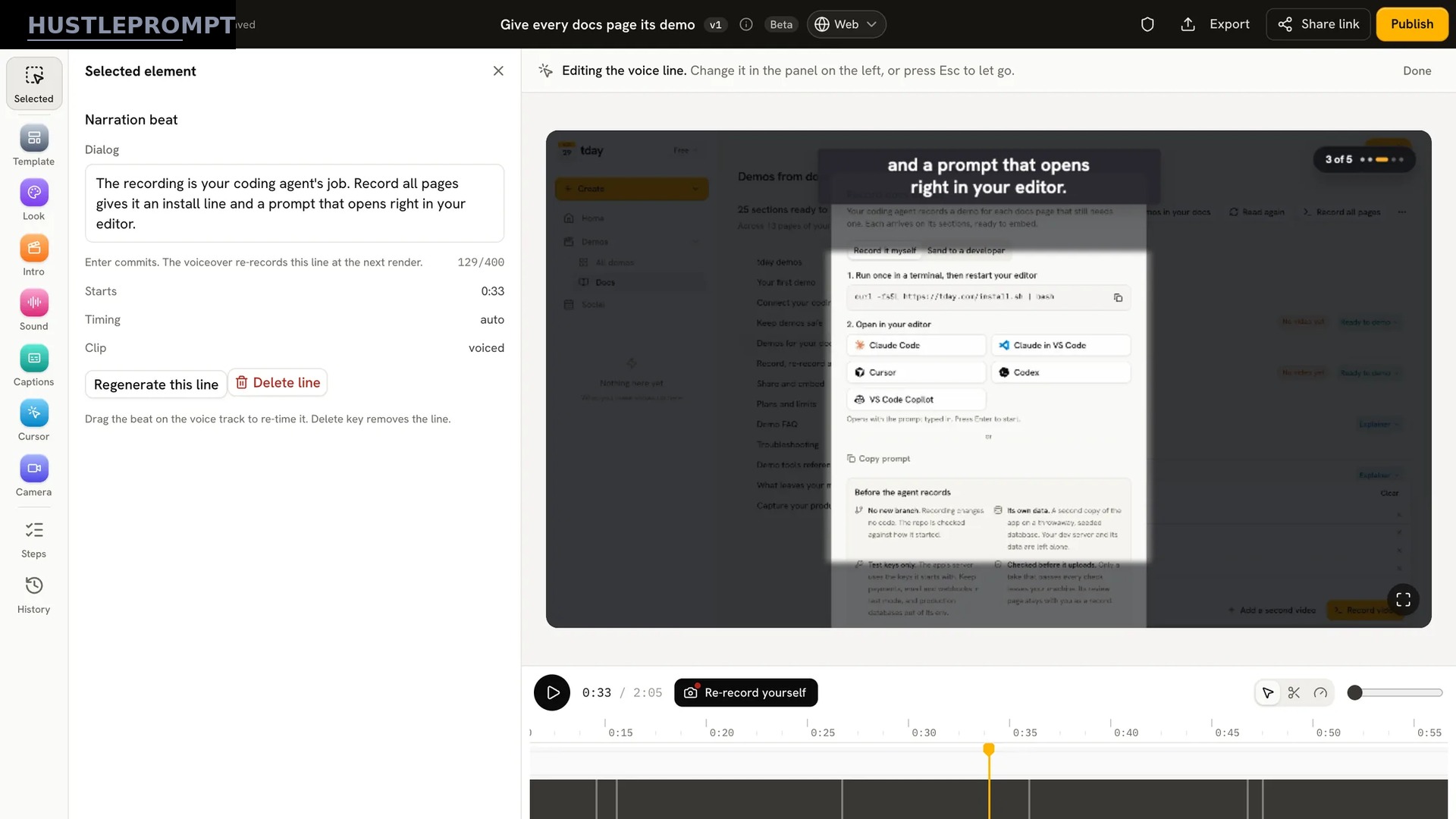
Here is where tday.com earns its keep. Every demo opens in the editor, where you change the narration, timeline, and style, then render a new cut. The share link and every embed stay the same and play the newest finished take.
The most common fix is a single sentence. A feature got renamed, or a line runs long. Click the line on the voice row, change what it says, and choose Regenerate this line. Only that line is voiced again, and it spends credits without counting as a new version.
- Narration: rewrite any line and re-voice just that line.
- Timeline: move callouts, highlights, chapters, and step notes on the video.
- Style: change templates, frames, backgrounds, and music under Look.
- Quality: move a demo up to 1080p without recording it again.
- Camera: record a camera bubble in the browser and place it on the demo.
Each new cut counts as one of your plan’s monthly new versions: Free allows 10, Pro 50, Growth 300.
How it works, step by step
Recording your first demo takes minutes.
When the product changes, re-record the demo or edit the words. The link never changes.
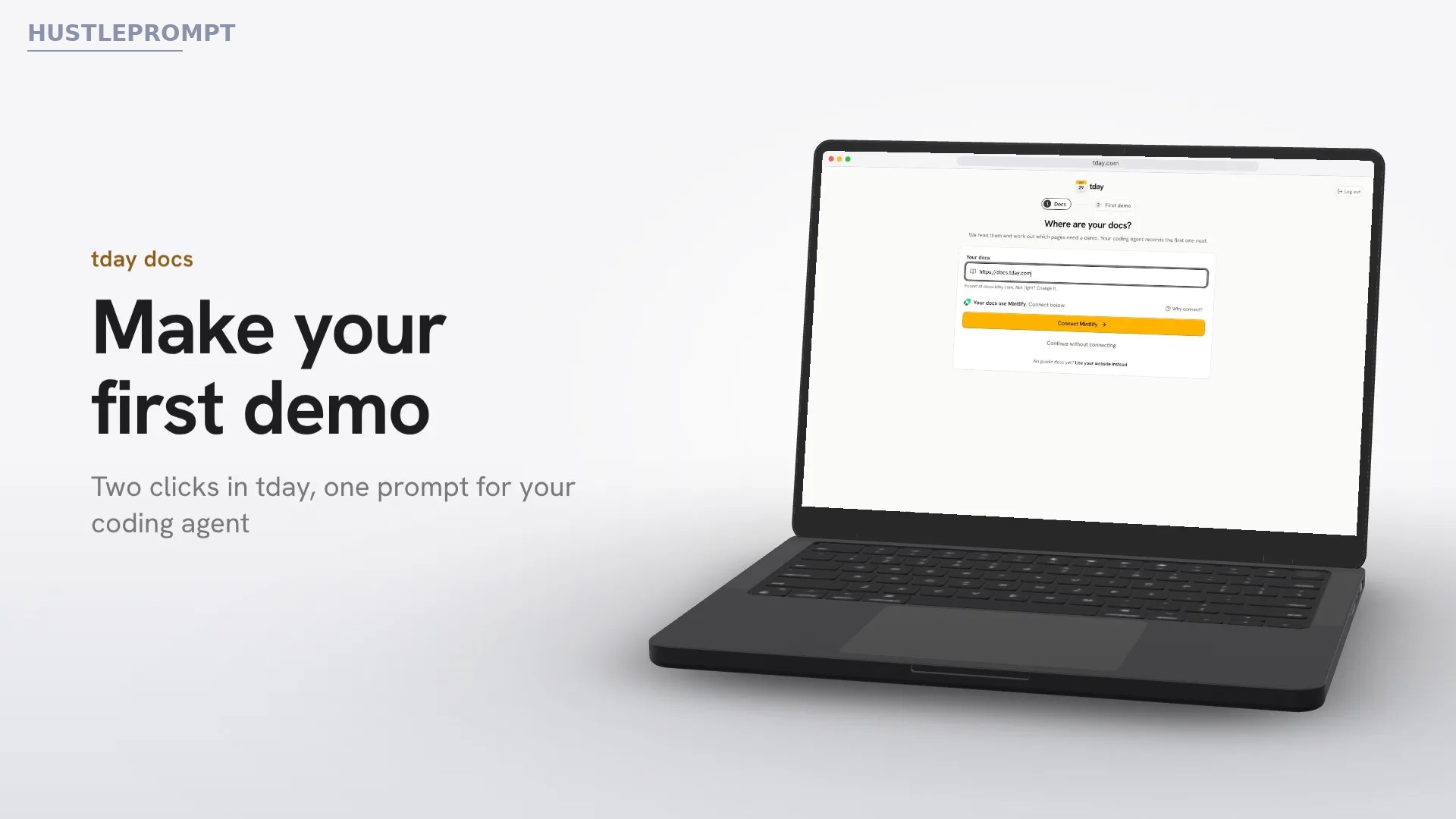
tday.com also reads your docs and lists which sections show something being done, so you can record one demo per page.
How to profit from one recorded demo
A demo that takes minutes to record is an asset you can reuse everywhere. The money angle is not the video itself. It is how many places one video works.
- Docs that convert. Embed the demo where a buyer decides. A visitor who watches the feature work is closer to signing up than one who reads about it.
- Launch content. One recorded demo becomes the Product Hunt video, the X post, and the LinkedIn clip for a release. Demos run up to 10 minutes.
- Sales outreach. Send a prospect a 60-second demo of the exact feature they asked about, instead of booking a call to show it live.
- Support deflection. A demo on a help page answers the question before a ticket is opened.
- README and onboarding. Link the share page from your README or embed the player in your docs.
The stale-demo problem is what makes this valuable. On Pro and above, tday.com flags demos a merged pull request or docs edit may have outdated. On Growth, auto-refresh goes further: your own coding agent re-records the demo on your Mac when a change puts it out of date.
What it costs
Every plan includes saved demos, and re-recording them is included. Voiceover costs 10 credits a minute, charged by the second, so redoing a ten-second line costs 2 credits. Credits refresh monthly and do not roll over.
| Plan | Price | Saved demos | Voiceover credits / month | New versions / month |
|---|---|---|---|---|
| Free | $0 | 5 | 100 (about 10 minutes) | 10 |
| Pro | $39 / month | 25 | 500 (about 50 minutes) | 50 |
| Growth | $149 / month | 150 | 2,000 (about 200 minutes) | 300 |
| Enterprise | Custom | Set by contract | Set by contract | Set by contract |
Source: tday.com/pricing, read November 25, 2026. Prices are in US dollars and exclude sales tax, VAT, and GST.

Do the math before you pay. Pro costs $39 a month for 25 saved demos, which is $1.56 per demo slot per month. A founder shipping weekly can run the whole demo library on Pro. The Free plan covers 5 saved demos and about 10 minutes of voiceover a month, with a small tday.com badge on shared demos and downloads. Growth adds automatic docs updates, auto-refresh on your Mac, 2 products, and 6 seats.
What to watch out for
tday.com is young, and the rough edges are honest ones. There is no interactive demo mode, so for a click-through tour, look at Supademo, Storylane, or Arcade instead. You need a coding agent and code access, unless you pay for Enterprise cloud recording. The Free plan shows a tday.com badge on shared demos and downloads, so client-facing work needs Pro.
The company behind tday.com is Markup Inc., and the site notes Y Combinator backing. That backing plus the free tier make the trial cheap: record five demos and only pay if the editor saves you a re-record.
Frequently asked questions
What is tday.com?
tday.com is a tool that turns a coding agent’s recording of your app into a narrated, branded demo video. Your agent records the real product, and tday.com adds the voiceover, cursor, captions, title and end cards, music, and your brand.
How do I edit a tday.com demo after it is recorded?
Open the demo in the tday.com editor from the Demos page. Change the narration, the timeline, or the style, then render a new cut. The share link and embeds stay the same and play the newest finished take.
Does tday.com record my source code?
No. Your agent records a throwaway copy of your app on your machine. Only the video, a still, and a record of its narration, steps, and checks leave your machine. Source code, .env files, cookies, and network traffic never leave it, and every take is checked for secrets before upload.
What does tday.com cost?
The Free plan is $0 a month for 5 saved demos and 100 voiceover credits, about 10 minutes. Pro is $39 a month for 25 saved demos and 500 credits. Growth is $149 a month for 150 saved demos and 2,000 credits. Enterprise pricing is set by contract.
Which coding agents work with tday.com?
Claude Code, Cursor, Codex, Grok, and any other MCP client. tday.com’s MCP server runs on your machine, and the install line in your prompt sets it up for Claude Code and prints the setup for the others.
Can tday.com keep my docs demos current?
On Pro and above, tday.com flags demos a merged pull request or docs edit may have outdated. On Growth and above, auto-refresh on your Mac re-records docs demos automatically when a change puts them out of date, and your docs play the new take with no edit.
Is there a free trial of the Growth plan?
Yes. Growth offers a 14-day free trial. Book a call so the team can understand your needs and approve the trial. Signing up never starts a Growth trial automatically.
Keep Reading
- Claude Turns Your Prompts Into Real Desktop Apps
- Sell AI Local Event Promotion Services to Venues and Bars
- Sell AI Post-Purchase Upsell Emails to E-commerce Stores
Sources
- tday.com homepage — what tday.com records, how it works, free plan, and safety
- tday.com/pricing — plan prices, saved demos, credits, versions, and features
- tday.com blog: How do I edit a product demo video after it is recorded? — editor capabilities, line regeneration, 1080p quality
- tday.com blog: Docs demos that keep themselves current — auto-refresh on your Mac, Growth plan
- Launch Llama: New Product Launches Today — tday.com listed among the November 25, 2026 Product Hunt launches
- OrangeBot: Product Hunt Top Products Today — tday.com ranked among the November 25, 2026 launches