
Your next paying client is probably sitting in an unopened DM. Juncts, a new AI inbox that launched on Product Hunt on November 23, 2026, pulls your LinkedIn, X, Instagram, WhatsApp and Telegram messages into one place — and lets an AI assistant triage them and draft your replies.
That is a bigger deal than it sounds. For freelancers and creators, the DM is where the money lives: brand deals, client briefs, collab invites, and follow-ups that turn into invoices. Scattered across five apps, they mean missed replies, slow replies, and deals that quietly go to someone faster.
Juncts is built for exactly that problem. Its pitch is simple — “Superhuman for your DMs” — and its price starts at $7.99 a month, with a 14-day free trial that asks for no card. Here is what it does, what it costs, and whether the math works for you.

What Juncts actually does
Juncts is one inbox for five messaging apps: LinkedIn, X, Instagram, WhatsApp and Telegram. Instead of opening five apps, you open one. Every conversation lands in the same list, with shared keyboard shortcuts, labels, and reminders.
The inbox is keyboard-first, in the style of Superhuman for email. You can move through conversations without touching the mouse, file them with labels, set reminders, and keep saved views — prospects in one view, customers in another.
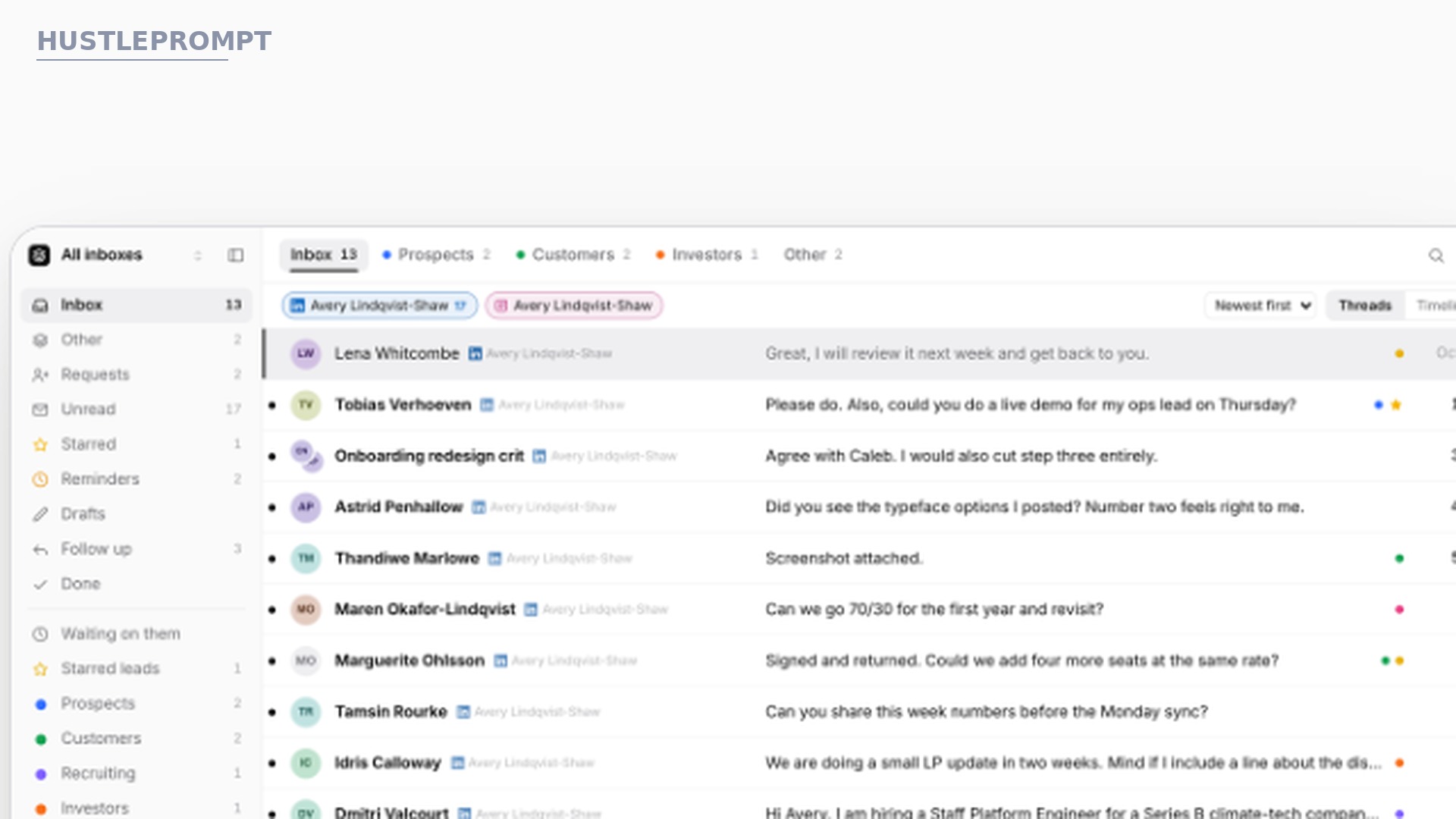
Then comes the AI layer. You connect Claude, ChatGPT or Gemini through MCP, the open protocol that lets an assistant work inside an app. The assistant can read and search every thread, catch you up, label conversations, set follow-ups, and draft replies in your voice.
You stay in control of how much it does. Juncts offers four access levels — Read, Drafts, Organize and Full — and nothing sends unless you allow it. That matters when the messages in question are client relationships, not just notifications.
The CRM link is where Juncts earns its keep for sellers. Label a chat and it syncs: a “Prospects” label can update a HubSpot contact, log a Salesforce activity, or add a Notion page or Google Sheets row. On Pro, destinations are unlimited; on Starter, CRM sync is not included at all.
How the AI triage and drafting works
The workflow runs in four moves. First, Juncts pulls every DM into one list, so nothing hides in a forgotten app. Second, the AI reads the pile and flags what needs you today — a prospect asking for a call, a client waiting on a timeline, a sponsor asking for rates.
Third, it drafts the reply in your voice, ready to edit, and you approve it before anything goes out. Fourth, the thread gets labeled and, on Pro, synced to your CRM — no second round of admin.
How a DM moves through Juncts
1. Collect
DMs from LinkedIn, X, Instagram, WhatsApp and Telegram land in one list.
2. Triage
The AI flags what needs you today and labels each thread.
3. Draft
Claude, ChatGPT or Gemini drafts a reply in your voice.
4. Approve & sync
You approve the send. The label syncs to your CRM.
5 apps. 1 inbox. $7.99 to start. Juncts covers LinkedIn, X, Instagram, WhatsApp and Telegram, with a 14-day free trial and no card required. Source: juncts.com.
Set it up in an afternoon
Getting started takes less than an hour, and the trial lets you test it on your real inbox before you pay.
- Start the trial. Open juncts.com and start the 14-day free trial — no card required.
- Connect your first inbox. Starter covers one app; Pro covers all five.
- Connect your AI assistant. Link Claude, ChatGPT or Gemini over MCP and pick an access level. Start with Drafts, not Full.
- Label your threads. Mark chats as Prospects, Customers or Follow up, so the AI and your CRM know what each conversation is.
- Work the inbox for a week. Read the drafts before you approve them, and check they sound like you before you pay.
Juncts pricing: what each plan buys you
Juncts keeps the price list short. Starter is $7.99 a month and covers one connected inbox, with 100 AI actions a week through MCP. Pro is $19.99 a month and unlocks all five services, unlimited AI actions, in-app summaries and reply drafts, saved inboxes, split views, and CRM sync to unlimited destinations. Enterprise is custom-priced for larger teams, with single sign-on and unlimited seats.

The gap between the two paid plans is $12 a month, and it buys the two features that matter most for a creator: every inbox at once, and AI drafts inside the app instead of only through a connected assistant.
| Plan | Price | Connected inboxes | AI actions per week |
|---|---|---|---|
| Starter | $7.99/month | 1 | 100 |
| Pro | $19.99/month | 5 | Unlimited |
| Enterprise | Custom | 5 | Unlimited |
Source: juncts.com pricing, checked November 25, 2026. Starter starts with a 14-day free trial; no card is required.
| Feature | Starter | Pro | Enterprise |
|---|---|---|---|
| In-app AI summaries and reply drafts | Not included | Included | Included |
| Saved inboxes and split views | Not included | Included | Included |
| CRM destinations | Not included | Unlimited | Unlimited |
| Team seats | Not included | Not included | Unlimited |
| Enterprise SSO (Okta, SAML, OIDC) | Not included | Not included | Included |
| Support | Standard | Standard | Priority, with assisted CRM setup |
Source: juncts.com plan comparison, checked November 25, 2026.
The money math for a working creator
Juncts publishes no time-saved figures, so run your own numbers. The honest test is simple: count the DMs you answer in a week, and the minutes each one costs you in app-switching, re-reading, and typing from scratch.
Here is an illustration. A creator answering 20 DMs a week and saving 5 minutes on each gets back about 100 minutes a week — roughly 6 to 7 hours a month. At $19.99 a month for Pro, that is about $3 per hour saved, before counting deals that stop slipping through.
The other side of the math is the missed reply. One brand deal or client project recovered from a buried DM pays for a year of Pro several times over. That is the real pitch: a safety net under the messages that pay you.
What to check before you pay
Two things deserve a close look during the trial. First, the AI drafts need to sound like you. Juncts says the assistant drafts in your voice, but voice is personal — read a week of drafts before you trust them, and start on Drafts so nothing goes out without your approval.
Watch the Starter limits, too. One connected inbox means you test a single app, and 100 AI actions a week run out fast if the assistant triages every thread. If your deals live on two or three apps, budget for Pro from the start.
Second, privacy. Juncts says your messages stay in your browser and are never stored at rest by the company. That is a strong claim for an inbox tool, and it is the reason the MCP setup runs locally. If you handle sensitive client work, that design matters more than any feature list — but read the fine print before you connect a client-facing account.
Juncts is a small, focused tool: stop DMs from leaking money. At $7.99 to try and $19.99 for the full version, it is cheap enough to test for a month. The trial costs nothing but a week of your inbox.
Frequently asked questions
What is Juncts?
Juncts is one AI inbox for your LinkedIn, X, Instagram, WhatsApp and Telegram DMs. It pulls every conversation into a single keyboard-first inbox, and lets Claude, ChatGPT or Gemini triage threads and draft replies through MCP.
How much does Juncts cost?
Starter is $7.99 a month for one connected inbox and 100 AI actions a week. Pro is $19.99 a month for all five services, unlimited AI actions, in-app summaries and drafts, and CRM sync. Enterprise is custom-priced. Starter starts with a 14-day free trial, and no card is required.
Does Juncts send messages on its own?
No. Nothing sends unless you allow it. You pick an access level — Read, Drafts, Organize or Full — and the AI only drafts until you approve. The Drafts level is the safe place to start.
Which AI assistants work with Juncts?
Claude, ChatGPT and Gemini. They connect over MCP, the open protocol Juncts uses to let an assistant read threads, label conversations, set follow-ups and draft replies.
Does Juncts store my DM data?
According to Juncts, your messages stay in your browser and are never stored at rest by the company. Private chats can also be marked so they never leave your browser at all.
Does Juncts sync with a CRM?
Yes, on the Pro plan. Label a chat and it syncs to unlimited CRM destinations, including HubSpot, Salesforce, Notion and Google Sheets. Enterprise adds assisted CRM setup.
Can I try Juncts for free?
Yes. Starter starts with a 14-day free trial and no card is required. There is also a live demo with fictional data at juncts.com/app/inbox?demo=1 that needs no signup.
Keep Reading
- Sell AI Inbox Triage Services to Busy Founders
- Meta’s Muse AI Agent Is Now Inside Instagram DMs
- AI Context Flow 2.0: One Memory for All Your AI Tools