
Your next desktop app might start as a sentence. On Monday, November 24, Anthropic opened a beta that turns Claude artifacts into real Mac and Windows apps. The Install as app feature puts the tool you just imagined in your dock, with its own icon and window — no code, no packaging, no signing, no app store review.
Until now, an artifact lived inside a Claude conversation. Now it can leave the chat and live on your computer like any other app — and you can share it.
What “Install as app” actually does
An installed artifact opens in its own window, with its own icon, instead of inside Claude. It can use Claude and your connectors to pull in data from the tools you already link. It updates automatically when the underlying artifact is edited — no separate build or release step.
The apps can do things a browser tab cannot. With permission, they can send notifications, add items to the Mac menu bar or Windows system tray, listen for global shortcuts, and open always-on-top windows. Anthropic’s examples: a meeting prep page that pulls from your calendar and email, or a tracker for the orders that need to ship that day.
| Claude plan | Price | Install as app |
|---|---|---|
| Free | $0 | Beta rolling out now |
| Pro | $20 per month, or $17 with annual billing | Beta rolling out now |
The beta is rolling out on all plans — a free account is enough. You must be online and signed in to open an app.
What Anthropic says
Starting today, you can use Claude artifacts to create, run, and share desktop apps. The “Install as app” feature is rolling out in beta in Claude for Mac and Windows.
— Anthropic, “Turn artifacts into Mac and Windows apps,” claude.com, November 24, 2026
How it works
Four steps take an idea to an installed app — Anthropic handles the parts that used to need a developer.
No packaging, no signing, no API key — the app uses your Claude account. One cost to watch: requests the app makes to Claude count toward your plan’s limits, so a busy app eats into the same budget as your chats.
The three permission levels
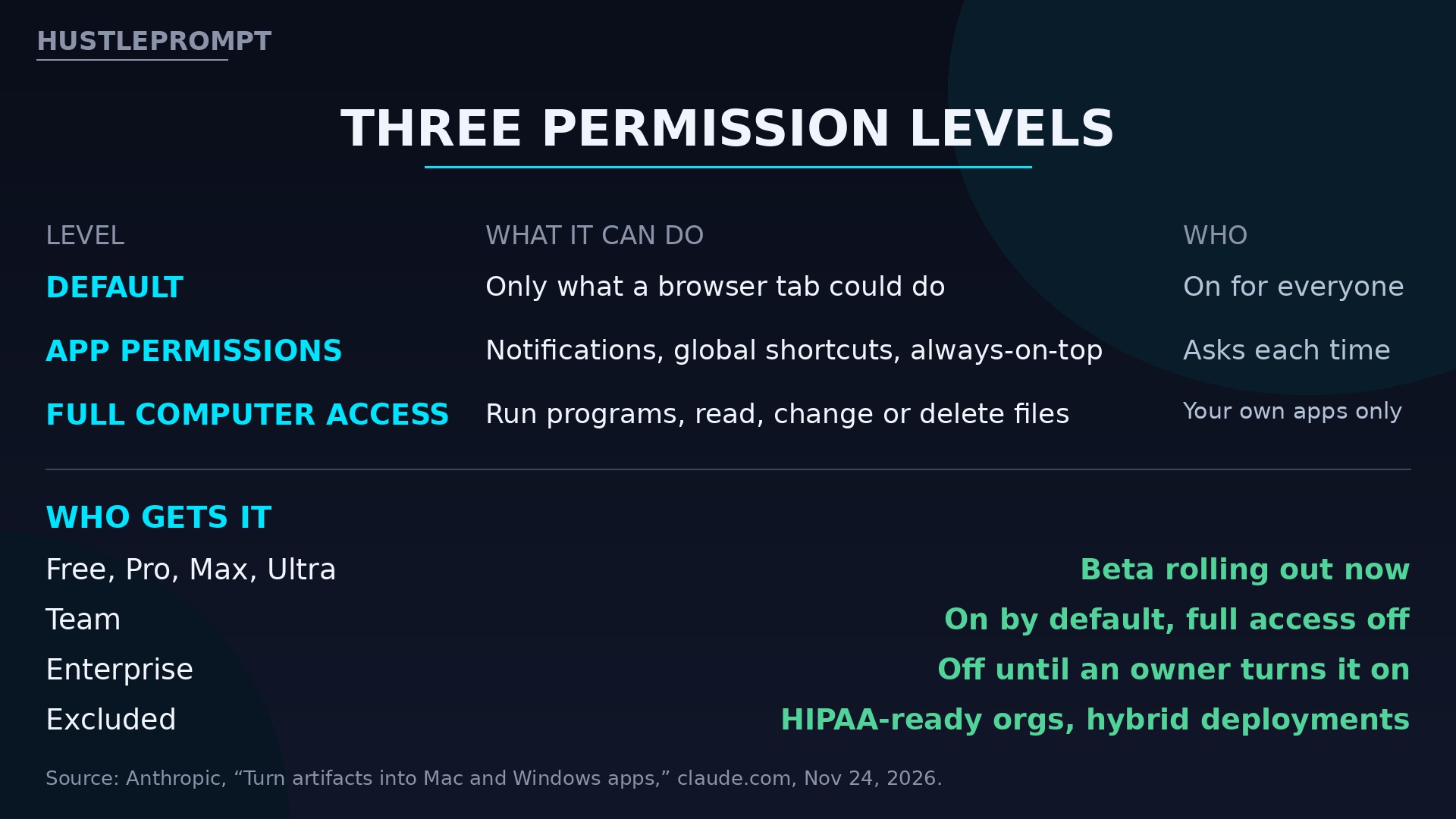
Because these apps run on your computer, Anthropic built in a permission system: you pick how much each app may do, and it must ask before reaching further.
| Level | What the app can do | The catch |
|---|---|---|
| Default | Only what it could do in a browser | Safest — and most limited |
| App permissions | Always-on-top windows, global shortcuts, notifications | The app asks; you approve each capability |
| Full computer access | Run programs and read, change or delete your files without asking each time | Only your own apps, or your organization’s |
One rule makes it safer than it looks: your permission covers only the current version, so Claude asks again after every update, even your own edits. One gap Anthropic flags: if part of an app loads from another website, that part can change without a new prompt.
What Anthropic’s own team built with it
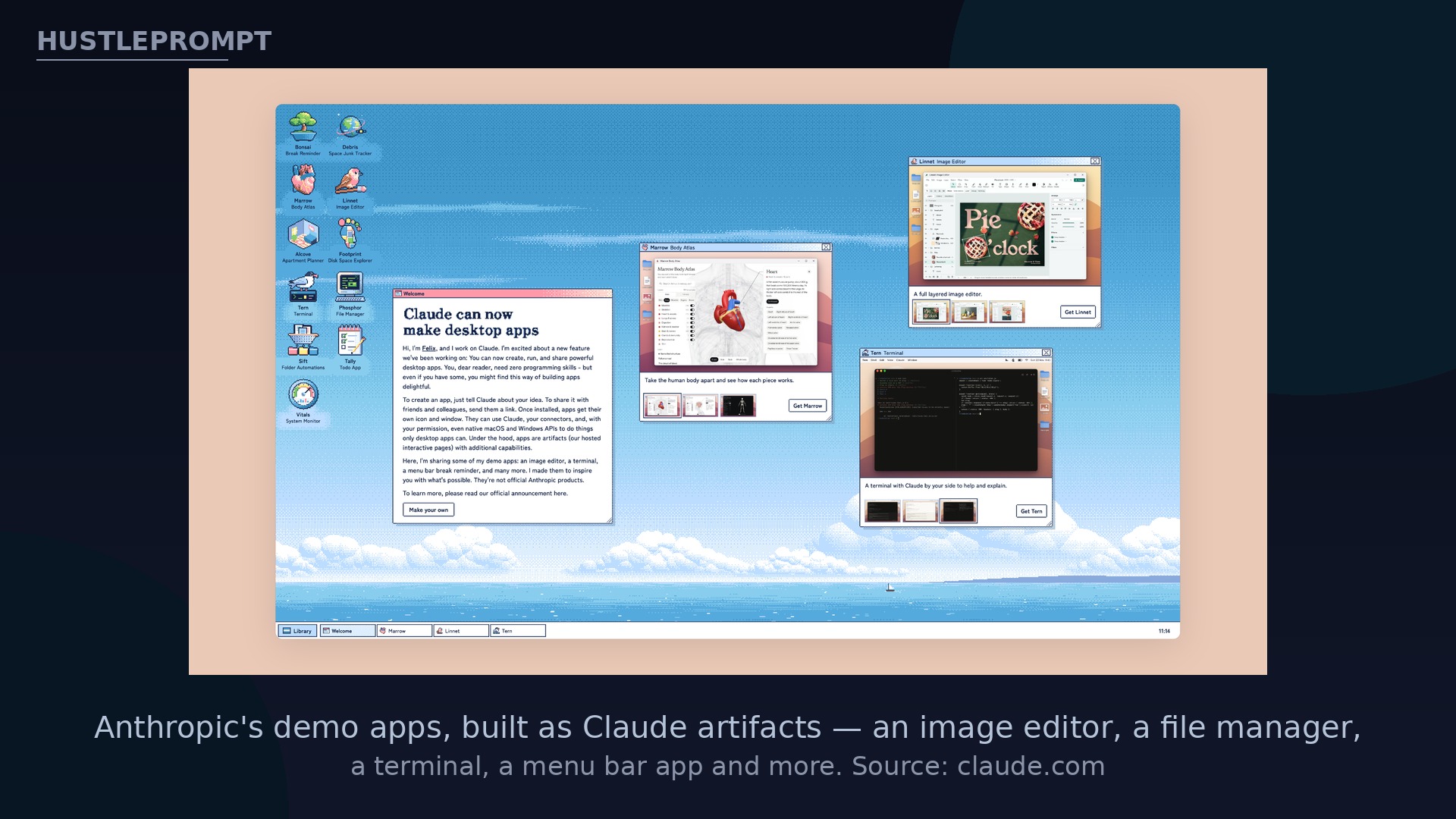
Anthropic’s example gallery is deliberately literal — real tools its own people use:
- Linnet — a full layered image editor.
- Phosphor — a file manager that looks made for a movie set.
- Sift — sets up folder rules and uses Claude to keep things organized.
- Tern — a terminal with Claude by your side.
- Vitals — a menu bar app for peeking at your computer’s performance.
How to profit from it
If you sell services to small businesses: this is a new product line. A shop needs an order tracker, a clinic an intake form that files itself, a gym a schedule board. Build it in Claude, install it, charge for setup plus a monthly check-in. The client never sees code — they see an app with their name on it.
If you are a freelancer: your pitch just got shorter. Instead of quoting weeks of development, demo a working app in the first call. Price the build, then the maintenance: edit the artifact when the client asks for a change, and every installed copy updates itself.
The caution: the usage meter runs while the app runs. Every request an installed app makes to Claude counts toward your plan’s limits, so put the Pro plan’s $20 a month — or the client’s own plan — in the budget, not as an afterthought.
The catches to know before you install anything
First, the apps are not really offline apps. You must be online and signed in to Claude to open one — no Wi-Fi, no app, even if you built it yourself.
Second, Anthropic does not review apps before you install them. That is why full computer access is restricted to your own apps, or apps from people in your organization. Only give full access to apps you trust — with that permission, an app can read, change or delete your files without asking again.
Third, some artifacts cannot be installed: Claude Docs, Slides and Sheets are excluded, and HIPAA-ready organizations and hybrid deployments cannot use it.
Frequently asked questions
What is Claude’s “Install as app” feature?
A beta that turns a Claude artifact into a standalone Mac or Windows app, with its own icon and window, outside the Claude chat.
Do I need to know how to code?
No. Describe the app to Claude, test it as an artifact, and choose “Install as app” from the Share menu. Anthropic handles packaging and signing.
How much does it cost?
Nothing extra — the beta is rolling out on all plans, including Free. Pro is $20 a month, or $17 with annual billing; Max is $100 and Ultra is $200.
Can I share an app I built?
Yes — share it with a link, and installed copies update automatically when you edit the original artifact.
What can an installed app do?
It depends on the level you grant: browser-level by default, notifications and shortcuts with App permissions, or full computer access for apps you built yourself.
Does it work offline?
No — you must be online and signed in to Claude to open one. Docs, Slides and Sheets artifacts cannot be installed.