
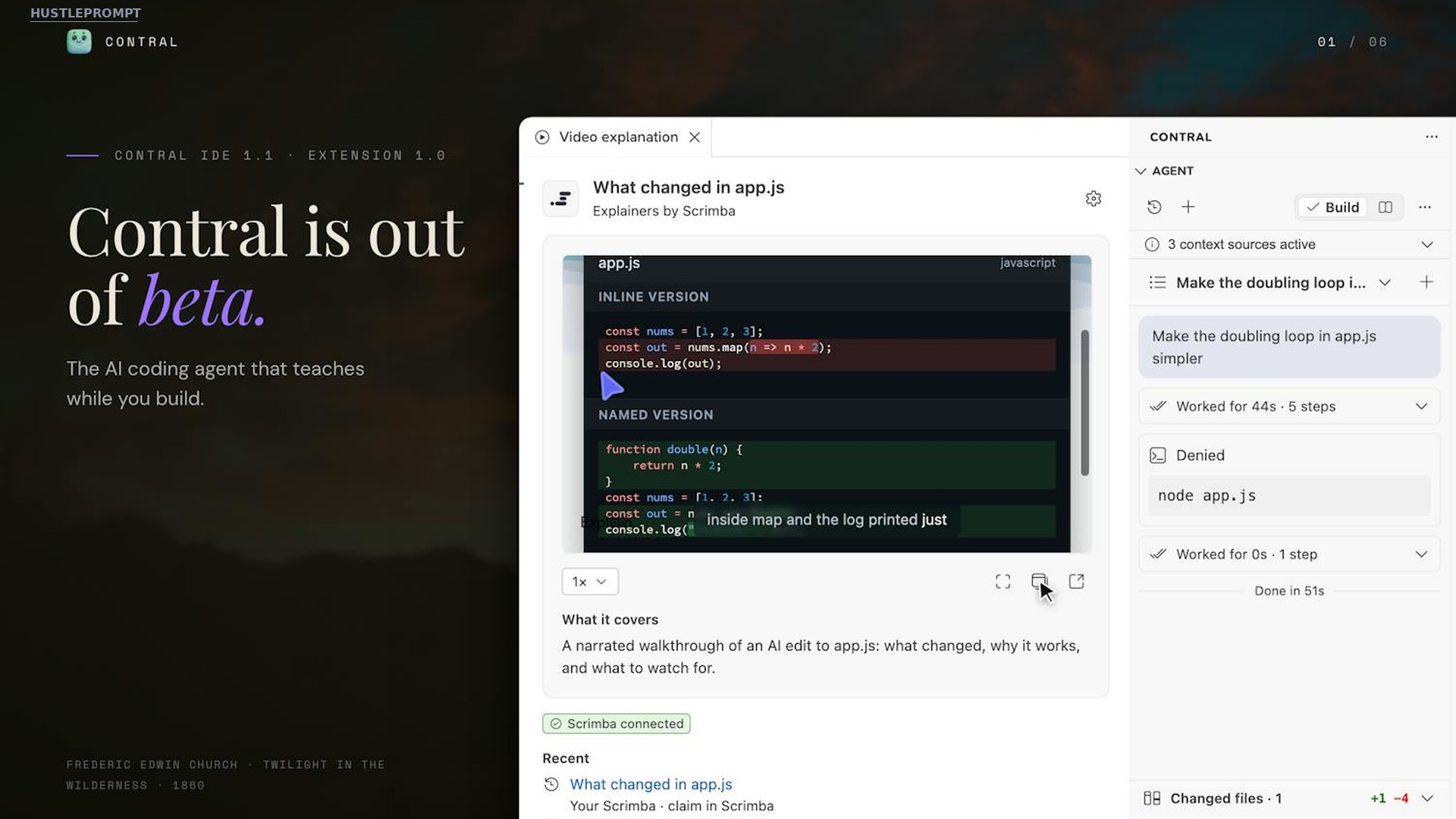
Here is the question every freelancer who ships AI-written code should be able to answer: can you explain what your agent just built? If the honest answer is no, you are not alone. That gap is exactly what the Contral AI coding agent is built to close. Contral left beta on November 27, 2026, with IDE 1.1 and extension 1.0, and at the time of writing it sat at #3 on Product Hunt’s daily leaderboard. It checks every turn of your coding agent against what you asked for, then teaches you what changed.
That combination matters when you bill by the project. A bug you cannot explain is a bug you cannot fix fast, and a client who asks “why did you build it this way?” will not accept “the AI did it.” Contral’s pitch is simple: keep the speed of AI coding, but walk away able to defend every line.
What Contral actually does
Contral is not another coding agent. It is a teaching layer that sits around the agent you already use. You keep your agent, your account, and your editor. Contral adds the parts the agent leaves to you: a check after every turn, an explanation of every change, and a way to undo a bad turn in one click.
The headline feature is the work check. When your agent says it is done, Contral compares what actually changed with what you asked for. According to the launch post, it catches four specific failures, and smaller or free models get a specific correction automatically instead of a vague retry.
What the work check catches
| Failure | What Contral does |
|---|---|
| Nothing changed | Flags the turn and sends the agent a specific correction |
| Missing function or file | Flags the gap instead of letting it pass as done |
| File that no longer parses | Catches the broken file before you discover it later |
| Placeholder code | Spots unfinished stubs the agent left behind |
Source: Contral launch post on Product Hunt, November 27, 2026.
That check is the money feature. Debugging an agent’s silent mistake is the most expensive hour in a freelance week, because you pay in lost time, and again in credibility when the client finds it first. A check that fires after every turn moves that cost close to zero.
Bring your own agent, and keep your subscriptions
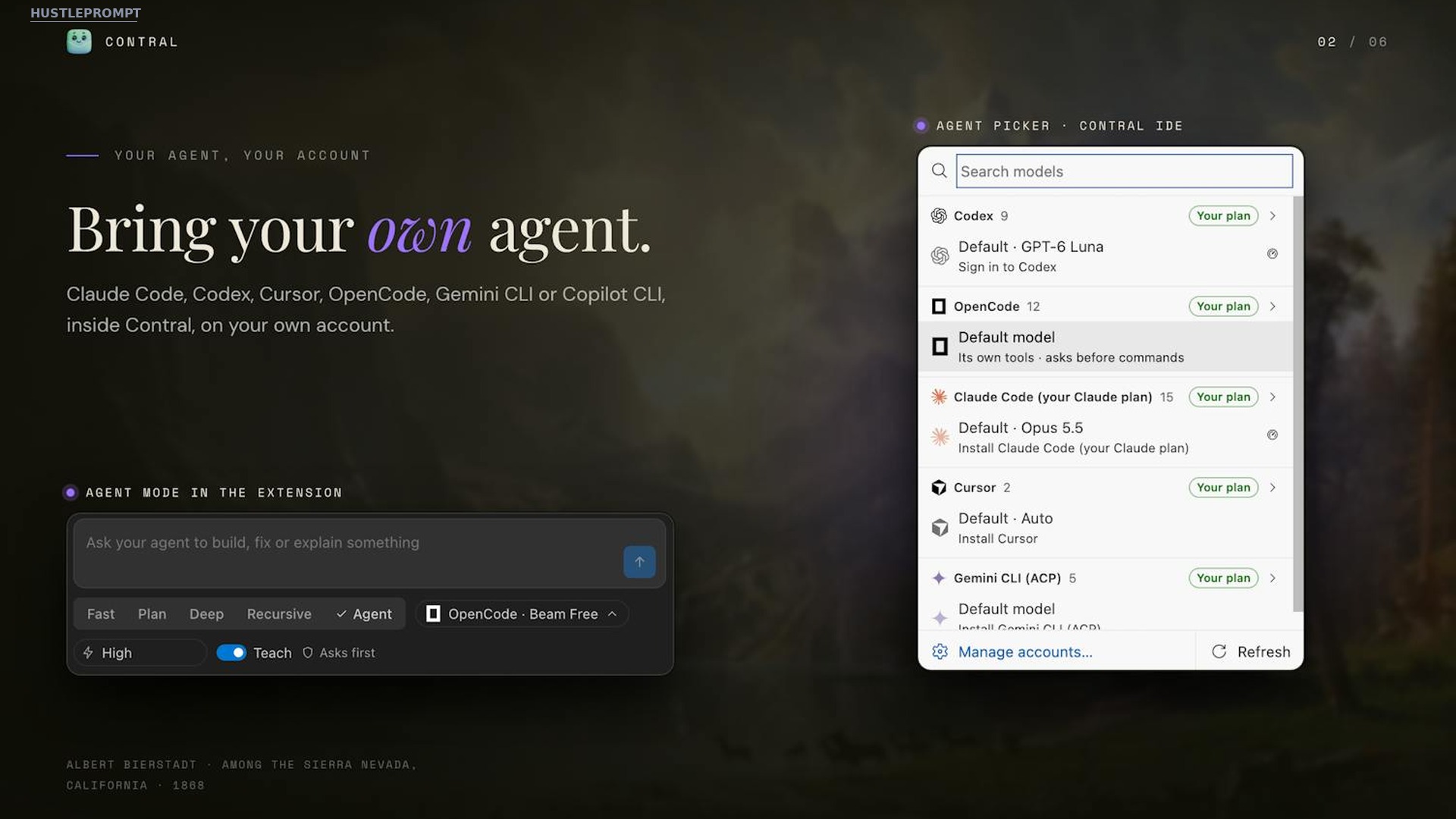
Contral does not ask you to switch agents. It runs Claude Code, Codex, Cursor, OpenCode, Gemini CLI, or Copilot CLI inside Contral, on your own account. The extension also watches edits from Cline, Kilo Code, Aider, Continue, Windsurf, and Antigravity, and explains the reasoning behind each change within seconds.
- Your agent: Claude Code, Codex, Cursor, OpenCode, Gemini CLI, Copilot CLI.
- Your editor: VS Code, Cursor, Windsurf, and more, or the Contral IDE.
- Your account: the agent runs on the plan you already pay for.
- Your control: approve or skip every file write, and commands wait for your OK.
That is the freelancer-friendly part. You do not buy a second agent subscription to get the teaching layer. The free plan even includes Bring Your Own Key support, capped at 30 messages a day, so you can plug in your own API key from OpenAI, Anthropic, or Google.
How it works
The workflow is a loop, not a one-off tool. You build at full AI speed, you learn while it builds, and then you prove you understood it. Contral calls this the Build, Learn, Prove loop.
The Contral loop
1. Build
Prompt your agent. It reads your repo, writes code, and runs commands at full vibecoding speed, inside your IDE.
2. Learn
While it builds, Contral teaches. Every line, every choice, every tradeoff, explained in real time with learning cards.
3. Prove
Micro-challenges and Defense Mode drills ask you to explain what was just built. Repeat until you own it.
Getting started takes four concrete steps:
- Install it. Download the Contral IDE 1.1 for macOS (Apple Silicon), Windows, or Linux, or install extension 1.0 in VS Code or a compatible editor.
- Connect your agent. Pick the agent you already use and sign in on your own account. No new agent subscription is required.
- Build a real feature. Prompt as usual. Contral checks each turn, explains every change with a teaching card, and lets you undo a whole turn in one click.
- Defend it. Run Defense Mode before you ship. If you cannot explain a change, you have not finished the job yet.
Learn Mode and Defense Mode: the part that levels you up
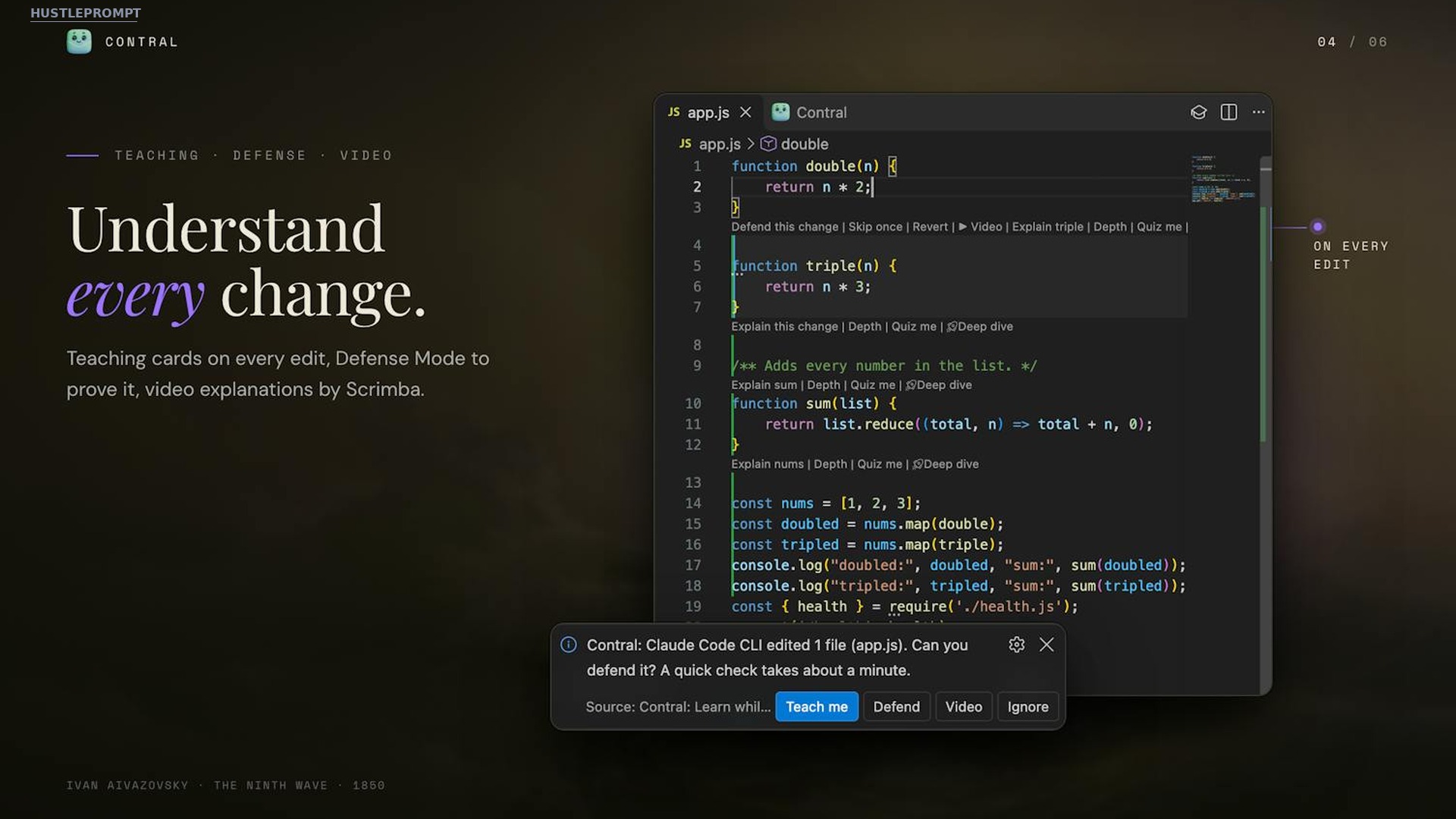
The teaching layer is what separates Contral from every other agent wrapper. Build Mode gives you a repo-aware agent with four modes: Plan, Fast, Deep, and Recursive. Plan mode proposes before it writes, so you can steer before the code exists. Every edit gets a learning card explaining what the code does, why it was written that way, and what your goal was.
Learn Mode is a structured curriculum inside the IDE, with challenges, projects, and boss exams. It covers five languages: Java, plus Python, JavaScript, TypeScript, and Go in beta. Contral lists 160+ topics across five courses, with prerequisite locks so each topic builds on the last, a hint economy, graded checkpoints, and deep dives on demand.
Defense Mode is the feature beta users talked about most, according to the Contral team. It quizzes you on your own code, right after the agent writes it. Video explanations by Scrimba add a narrated walkthrough of each change. The point is blunt: if you cannot defend a change in a client review or a job interview, shipping it was not a win.
What Contral costs
Contral is free to start, with no credit card required. The paid plans are on launch pricing, listed as 50% off while annual launch slots remain. Here is the full picture from the official pricing page.
Contral pricing at launch
| Plan | Price | Key limits |
|---|---|---|
| Free | $0 | 25 AI messages/day, 5 code explanations/day, Basics module, Fast mode only, BYOK capped at 30 messages/day |
| Pro | $9.99/mo annual ($119.88/year) or $14.99/mo monthly | 250 AI messages/day, all topics and languages, unlimited explanations and Defense Mode, Plan and Deep modes, 50 sessions |
| Pro+ | $41.67/mo annual ($499.99/year) or $59.99/mo monthly | Unlimited everything, premium model access, session export, 200 sessions |
| Teams | From $24.99/user/month | Admin dashboard, team progress tracking, SSO/SAML, centralized billing |
Source: contral.ai/pricing, checked November 27, 2026. Paid plans include a 7-day money-back guarantee and cancel anytime.
There is also a lifetime option. Contral is live on AppSumo as a one-time payment with a 60-day refund window, and the code contral10 takes 10% off. For a freelancer who hates another monthly bill, that is the deal to check first.
How does Pro compare with the tools it sits next to? Contral publishes its own comparison, using monthly prices:
| Tool | Monthly price | Teaches you the code |
|---|---|---|
| Contral Pro | $14.99 | Yes, learning cards, paths, and Defense Mode |
| Cursor | $20 | No |
| GitHub Copilot | $19 | No |
| Replit | $25 | No |
Source: Contral’s own comparison on contral.ai/pricing. Treat it as the vendor’s framing, not an independent test.
How to profit from it as a freelancer
The money case is not the $9.99 price tag. It is the hours you stop losing. Here is how to turn the tool into billable value:
- Start free on a real client project. The free plan gives you 25 AI messages a day, which is enough to test the work check on one feature before you pay anything.
- Use the check as your first review pass. Let Contral catch the empty turns and broken files before your client does. Every bug caught at your desk is one you never have to explain on a call.
- Defend before you deliver. Run Defense Mode on each feature, then write your client update from what you just proved you understand. Clients pay more for developers who can explain their work.
- Learn a billable language on the job. Use Learn Mode’s Java, Python, JavaScript, TypeScript, or Go paths to add a language to your service list while you ship real work, not tutorials.
- Prep for interviews with your own codebase. Defense Mode drills you on code you actually wrote, which is far closer to a real technical interview than a practice question set.
Junior developers get the most from this. A junior who ships AI code without understanding it stays junior. One who can explain every function they shipped, and prove it under questioning, becomes the developer clients ask for by name.
Where it still needs a human
Contral is honest about its limits, and you should be too. The work check catches specific failure patterns: empty turns, missing pieces, broken files, and placeholders. It does not promise to catch every logic bug or bad architectural choice. You still review the code.
- Approval stays with you. Every file write needs your OK, and commands wait for approval. That is a safety feature, not a flaw, but it means you cannot fully hand off a build.
- No web IDE yet. The desktop IDE runs on macOS (Apple Silicon), Windows, and Linux. Intel Macs are not supported.
- Four of five languages are still in beta. Only Java is presented as the full curriculum; Python, JavaScript, TypeScript, and Go are in beta.
- It is early. Contral says 4,000+ developers are already building with it, and the Product Hunt page showed a 4.5 rating from two reviews at launch time. The idea is proven enough to try, but not yet battle-tested at scale.
Bottom line
Most AI coding tools sell speed. Contral sells the thing speed usually destroys: understanding. The work check, the teaching cards, and Defense Mode all point to one outcome: code you can explain, debug, and defend. For freelancers, that is not a learning nicety. It is the difference between a client who comes back and a client who finds your bugs first.
Try the free plan on your next feature. If the check catches even one silent failure, it has already paid for the hour it saved you.
Watch Contral’s official extension demo. Note: this video shows the Contral extension in action; it is not a video about the November 27 launch itself.
Frequently asked questions
What is Contral?
Contral is an AI coding agent and teaching layer. It wraps the coding agent you already use, checks every turn against what you asked for, explains every change with learning cards, and quizzes you with Defense Mode so you understand what shipped.
Which coding agents does Contral work with?
Claude Code, Codex, Cursor, OpenCode, Gemini CLI, and Copilot CLI run inside Contral on your own account. The extension also watches edits from Cline, Kilo Code, Aider, Continue, Windsurf, and Antigravity.
Is Contral free?
Yes. The free plan includes 25 AI messages per day, 5 code explanations per day, the Basics module of every course, and Bring Your Own Key support capped at 30 messages a day. No credit card is required.
How much does Contral Pro cost?
Pro costs $9.99 per month on annual billing ($119.88 per year) or $14.99 per month billed monthly. Pro+ costs $41.67 per month on annual billing ($499.99 per year) or $59.99 monthly. A one-time lifetime deal is also available on AppSumo.
What does Contral’s work check actually catch?
According to Contral, it catches turns where nothing changed, a missing function or file, a file that no longer parses, and placeholder code. Smaller or free models get a specific correction automatically.
Can Contral teach me a programming language?
Yes. Learn Mode offers a structured curriculum with 160+ topics across five courses: Java, plus Python, JavaScript, TypeScript, and Go in beta. It includes challenges, projects, graded checkpoints, and boss exams.
Does Contral work on my computer?
The desktop IDE runs on macOS (Apple Silicon), Windows (x64), and Linux (x64). Intel Macs are not supported, and there is no web IDE yet. Editor extensions run in VS Code and compatible editors.
Keep Reading
- The Review Bottleneck: AI Writes Code, Humans Gate It
- Pydantic Pax: A Terminal Coding Agent You Can Rebuild
- Cline SDK v0.2.1: Ship Client Apps Faster With AI Agents
Sources
- Contral on Product Hunt — launch page, November 27, 2026
- Product Hunt daily leaderboard, November 27, 2026 — Contral ranked #3
- Contral launch forum thread — out-of-beta announcement from the makers
- Contral official website — features, Learn Mode, platforms, privacy
- Contral pricing page — Free, Pro, Pro+, Teams, and AppSumo lifetime deal
- Contral Agent’s Extension Demo on YouTube — official Contral channel