
You get 100 notifications a day. Maybe 3 of them matter. That line comes from Ali, a product engineer at Airspeed, on the launch page for the Airbot AI chief of staff, and it sums up the whole pitch. Airbot launched on Product Hunt on November 25, 2026, and finished the day as the #2 Product of the Day, with 291 upvotes and 64 comments by the morning of November 26. Instead of waiting for you to open another dashboard, it texts you first, on WhatsApp or iMessage, with only the priorities that matter and the work already drafted.
For freelancers and small-business owners, that flip is the point. You do not have a chief of staff, a sales operations team, or spare hours to triage an inbox. Your next client, your next invoice, and your next follow-up all live in the same pile of unread messages. Airbot is built for that gap: one assistant, in one thread, that reads the pile for you and speaks up before something valuable slips.
What Airbot actually does
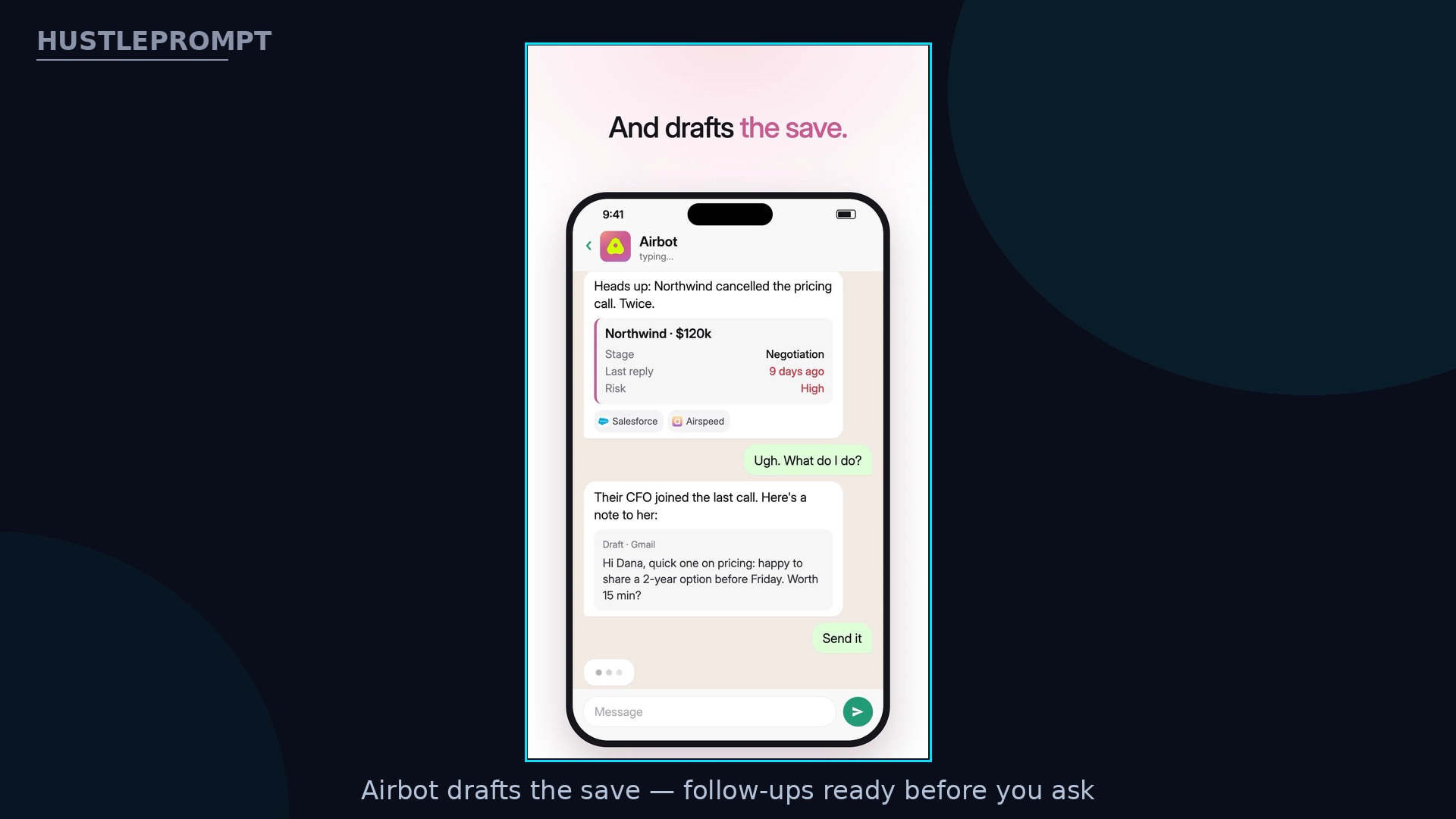
Most AI assistants wait for a prompt. Airbot works the other way around. It watches your calls, your CRM, and your inbox, then messages you before you think to ask, with the next step already drafted. A morning text might flag three things that need you: a reply still waiting, a deal whose close date has gone stale, and a proposal a client asked for yesterday. Each one arrives with a draft, a brief, or a booking ready to approve.
The difference is not just speed. It is the filter. Airspeed says most AI tools added noise: a bot for notes, a bot for email, a dashboard for the forecast, each one waiting to be checked. Airbot sits above all of it and picks the handful of items worth your attention. It stays quiet about the rest.
What it connects to
Airbot connects to the tools a freelancer or a small team already uses. There is no new app to learn and no dashboard to check: everything happens in the same WhatsApp or iMessage thread. It pulls context from every connected tool, so a question about one client can draw on your email, your calendar, and your CRM at once.
What Airbot connects to
| Tool | What Airbot reads | What it does for you |
|---|---|---|
| Gmail / Outlook | Inbox threads, replies still waiting | Drafts replies and flags threads going cold |
| Calendar | Meetings, calls, open invites | Writes call prep and spots clashes |
| Slack | Team conversations and updates | Pulls context across email, chat, and CRM |
| Salesforce / HubSpot | Deals, stages, close dates | Flags slipping deals and updates records |
| Gong / calls | Call recordings and notes | Summarizes calls and drafts follow-ups |
| Google Workspace | Email, calendar, and docs | One connected source for the daily workflow |
Source: Airspeed: Airbot and Airbot on Product Hunt.

What it costs
Here is the honest answer on price: Product Hunt lists Airbot at $0, and Airspeed has not published a paid pricing page for it. Airbot is in early access, and the way in is the waitlist at airbots.ai or an invite link. Trying it right now costs your time, not a subscription. The trade-off is access: you may wait for an invite, and paid plans may appear later once early access ends. Airspeed customers can also book a demo and connect WhatsApp from Personal Settings.
Access and cost: what is confirmed
| Item | Status | Source |
|---|---|---|
| Listed price | $0 | Product Hunt listing |
| Availability | Early access, invite-only | Airspeed official site |
| How to join | Waitlist at airbots.ai or invite link | Airspeed official site |
| Sign-in | Phone number at app.airbots.ai | Airspeed official site |
| Airspeed customers | Book a demo, then connect WhatsApp | Airspeed official site |
| Paid plans | None published yet | Checked November 26, 2026 |
Source: Airbot on Product Hunt and Airspeed: Airbot.
How it works
Setup takes minutes once you have access, and it happens in plain language inside the chat. You tell Airbot how you want it to behave, in your own words, and it remembers the instruction. For internal emails, you might say it should send without asking. For external emails, you might say it should show you the draft and wait for approval. No settings maze, no RevOps ticket, no playbook to upload.
How Airbot works, in four steps
1
Connect
Link email, calendar, Slack, and CRM in one thread.
2
Watch
Airbot sweeps inbox, calls, and deals overnight.
3
Text
You get a morning message with only the priorities.
4
Approve
Tap Approve in the chat. Nothing sends without you.
Source: Airbot on Product Hunt.
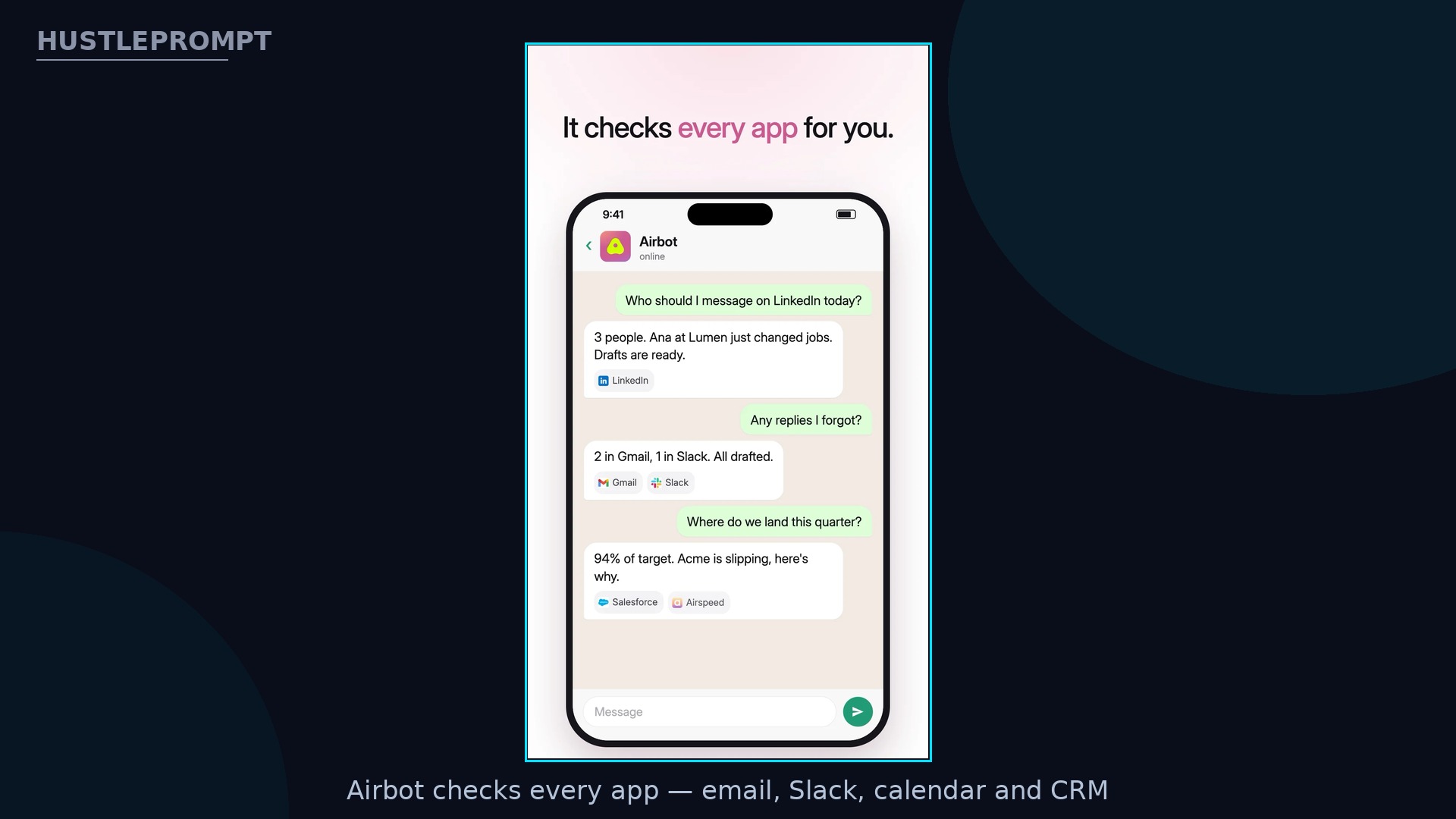
Overnight, your Airbot goes through your inbox, calendar, calls, and CRM. In the morning, it texts you what needs you, with the follow-ups drafted, the call prep written, and the deals updated. During the day, you can ask it anything in the same thread: who should I message on LinkedIn today, which replies did I forget, and where does the quarter land.
- Join the waitlist. Go to airbots.ai and add your phone number, or use an invite link if you have one.
- Sign in with your number. Once invited, sign in at app.airbots.ai, then connect Google Workspace or Outlook.
- Connect your tools. Link email, calendar, Slack, and your CRM, such as Salesforce or HubSpot.
- Set your rules in plain words. Tell Airbot what it may send alone and what needs your approval.
- Read the morning text and approve. Check the priorities, tap Approve on the drafts you like, and edit the rest.
Nothing goes out without you. When an action needs approval, such as sending an email, creating a meeting invite, or changing your CRM, Airbot lists the change and asks you to tap Approve in the chat. Reply with what to change instead, and nothing is sent. You choose which tools it can see, you can disconnect any of them at any time, and you can stop the messages by sending STOP in WhatsApp.
How freelancers can turn it into money
The money case for a freelancer is simple: the work that pays you is the work that gets forgotten after a full day of meetings. A follow-up that goes out a day late can cost a deal, and a client whose champion just left can go quiet for a month before you notice. Put Airbot on three jobs first: draft every follow-up the morning after a call, flag open proposals with no reply after a few days, and prep every call so you walk in knowing what the client wants. Those three jobs are where a solo operator usually leaks revenue, and they are the jobs Airbot does before you ask.
What to watch out for
Be clear-eyed about the limits, too. Airbot is in early access, so you join a waitlist rather than buying a finished product. It is built for sales work first: deals, follow-ups, forecasts, and client relationships. If your business is not sales-led, much of its value will not apply. And it is only as good as the tools you connect, so a freelancer with no CRM and a chaotic inbox will get thinner answers than a team with clean data.
Even so, the launch tells you something real. A tool that texts you first, does the draft work, and asks before it acts earned the #2 spot on Product Hunt on its first day. For a freelancer who lives in WhatsApp already, that is worth a place on the waitlist.
Frequently asked questions
What is Airbot?
Airbot is an AI chief of staff from Airspeed that lives in WhatsApp and iMessage. It checks your email, Slack, calendar, and CRM, then texts you the priorities that matter, with the follow-up work already drafted.
How much does Airbot cost?
Product Hunt lists Airbot at $0, and Airspeed has not published a paid pricing page. It is in early access through a waitlist at airbots.ai, so trying it costs your time rather than a subscription fee for now.
How do I get access to Airbot?
Join the waitlist at airbots.ai or use an invite link. Once invited, sign in at app.airbots.ai with your phone number and connect Google Workspace or Outlook. Airspeed customers can also book a demo and connect WhatsApp from Personal Settings.
Does Airbot send emails or update my CRM on its own?
No. Airbot drafts and suggests, and you approve every send. When an action needs approval, it lists the change and asks you to tap Approve in the chat. You can also disconnect any tool at any time.
Which tools does Airbot connect to?
Gmail or Outlook, your calendar, Slack, Salesforce or HubSpot, Gong for calls, and Google Workspace. Airspeed says it pulls context from every connected tool to manage deals and answer questions about replies still waiting.
Is Airbot safe to connect to my inbox and CRM?
Airspeed lists SOC 2 Type II, GDPR, and HIPAA compliance on its Airbot page. You choose which tools it can see, you can disconnect any of them whenever you like, and you can stop its messages by sending STOP in WhatsApp.
Keep Reading
- Juncts: Superhuman for Your DMs, With AI That Drafts
- Copilotforce Puts Salesforce Data Inside Copilot
- Sell AI Webinar Setup Services to Coaches