
MCP usage at Canva nearly doubled in one month, up 93% from September to October, and nearly 500,000 people have signed up for Canva through an AI assistant. Canva MCP, the server that lets AI agents design inside your Canva account, is now generally available, with no waitlist.
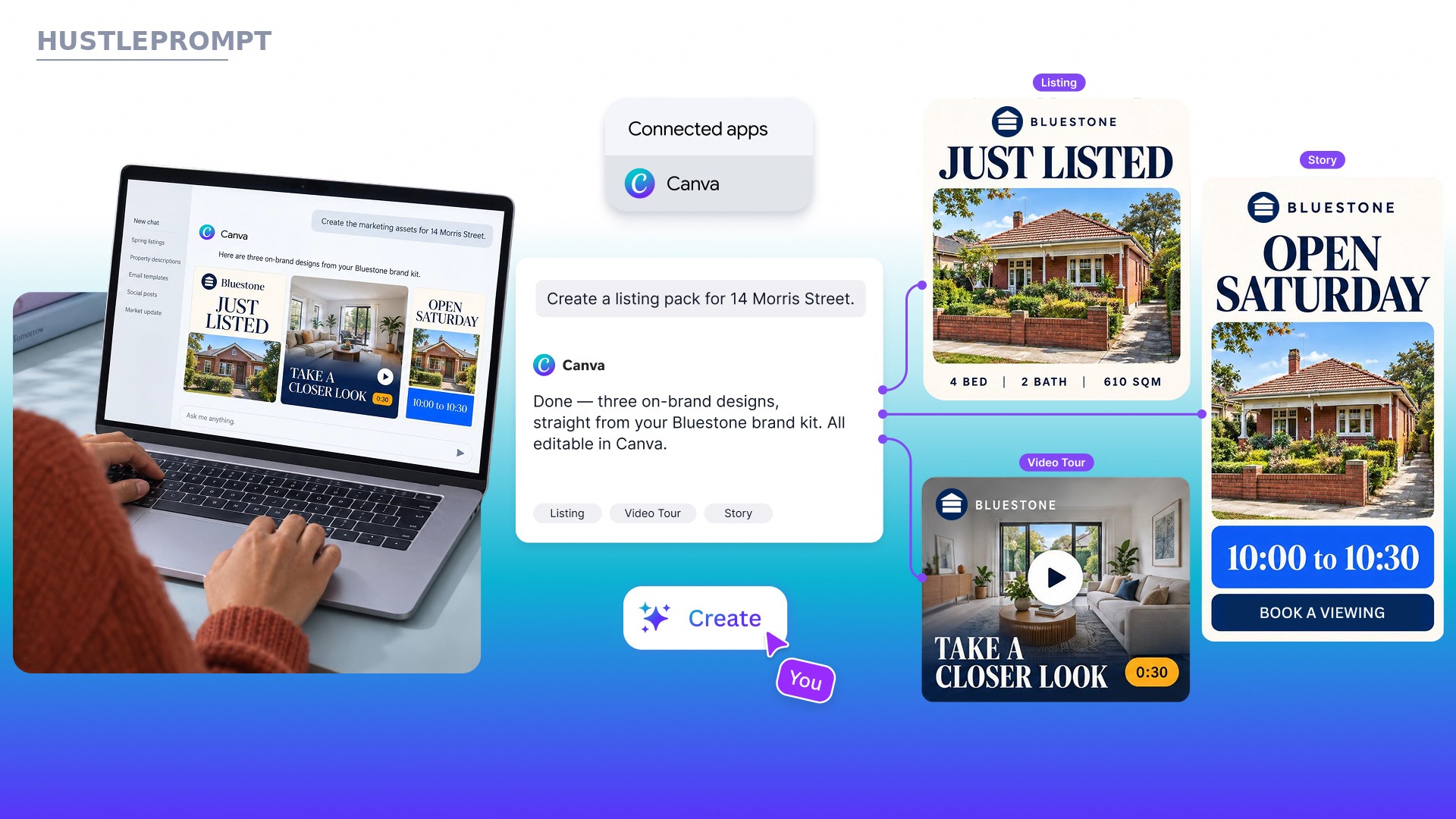
That matters if you sell design work. Instead of opening Canva and starting from a blank page, you can brief Claude, ChatGPT, Gemini or another assistant in plain language and get back a real, editable Canva design. The agent pulls in your brand kit, resizes the work for every channel and exports the files, while you keep control of the final review.
Below: what Canva MCP can do, which assistants connect, what it costs, and how a freelancer can turn it into paid client work this week.
What Canva MCP actually is
MCP stands for Model Context Protocol, an open standard that lets an AI assistant call tools inside another app. Canva runs a remote MCP server that exposes its design tools, so the assistant can search, create, edit and export designs on your behalf. In ChatGPT and Claude, the connection shows up as the Canva AI Connector.
The old way was a fixed plugin with fixed steps. MCP works differently: you describe the outcome, and the agent picks the Canva tools it needs as it goes. Ask for launch assets and it hands back an editable campaign design in several formats from one prompt.
Every result is a real Canva file, not a flat picture. You can open it, change the text, swap an image, fix a layout and share it with a client, exactly as if you had built it yourself in the editor.
What your AI agent can do in Canva now
The list below comes from Canva’s own documentation and launch announcement. The headline is that the agent does the repetitive production work, while the creative decisions stay with you.
- Generate editable designs from a written brief, plus standalone images and video.
- Remove backgrounds and turn a flat image or graphic into an editable, layered design with Magic Layers.
- Search your designs and templates, retrieve existing work and personalize it with your data.
- Resize creative for different channels and export as PDF, PNG, JPG, PPTX or MP4.
- Comment and collaborate on designs without leaving the chat workflow.
Video is the newest addition. Your assistant can now generate an editable, on-brand video from a brief inside Claude or ChatGPT, using video models that include Seedance. You approve a production plan first, then the clip lands in your Canva projects, ready to trim, caption and export.
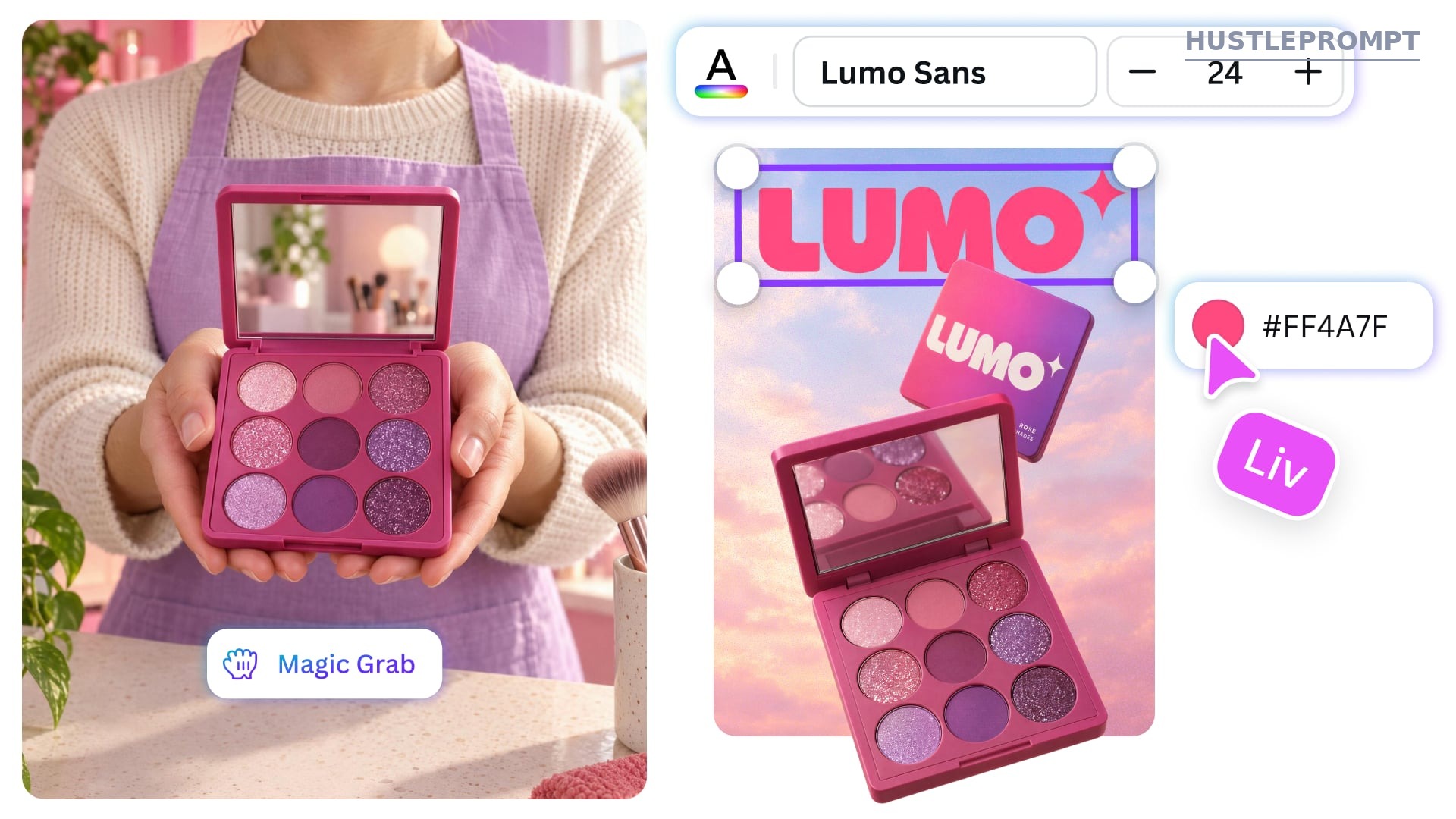
One more capability matters for client work: Magic Layers. An agent can turn a flat image or graphic into an editable, layered design, so a logo, a product shot or a screenshot becomes something you can actually edit instead of something you have to rebuild.
Which AI assistants connect
Canva’s MCP server already powers design tasks inside ChatGPT, Claude, Gemini and Muse, and Canva lists Microsoft Copilot as supported too. Connecting takes minutes and needs no code: open your assistant’s settings, choose Canva, sign in and authorize the connection.
| Assistant | How to connect | What to know |
|---|---|---|
| ChatGPT | Settings, then Plugins, find Canva and connect | Type @Canva in a chat; video generation supported |
| Claude | Settings, then Connectors, find Canva and connect | Enable Canva in each new chat; video generation supported |
| Gemini | Connect Canva from the assistant’s settings | Design tasks supported; video is Claude and ChatGPT only |
| Muse | Connect through the Canva MCP server | Built for coding agents and developer workflows |
| Microsoft Copilot | Connect Canva from the assistant’s settings | Availability can vary by assistant and plan |
Source: Canva MCP and Canva developer docs.
One catch to budget for: some assistants need a paid tier before they let you connect anything, so check your ChatGPT or Claude plan as well as your Canva plan. On a team plan, an admin can also switch the connector off.
How to profit: turn Canva MCP into client work
The opportunity for freelancers is simple: clients pay for finished assets, not for hours inside a design tool. Canva MCP lets you deliver more finished assets per client, faster, without hiring. The workflow below is how to productize it.
From brief to paid delivery in five steps
Write one clear brief: audience, formats, brand kit, deadline.
Your assistant picks the Canva tools and drafts the designs.
You open the editable files in Canva and fix what is off.
Ask for changes in plain language until the set is on-brand.
Export every format and hand over the editable files.
- Pick one repeatable offer — a listing pack, a launch kit or a month of social posts.
- Build the brand kit once in Canva: fonts, colors, logo and templates.
- Brief the agent in the chat and let it draft the full set of assets.
- Review everything in Canva before the client ever sees it.
- Deliver editable files plus exports, and charge a fixed price per pack.
Start with one repeatable offer, not everything at once. A realtor listing pack, a product launch kit or a month of social posts all share a similar brief every time, and the output is a set of on-brand files. That repeatability is what makes the agent useful.
Build the client’s brand kit in Canva once: fonts, colors, logo and templates. Every later job pulls from that kit automatically — the difference between generic AI output and work a client will pay for.
Price the pack, not the hour. A fixed price per listing pack or per launch kit is easier to sell than an hourly rate, and it protects your margin as the agent does more of the production. Deliver the editable Canva files, not just exports, so the client sees the value of a file they can reuse.
What it costs
Connecting Canva to your AI assistant is free on every plan, including Canva Free. That is the official position on Canva’s MCP pages. What costs money is the capability underneath: some actions need a paid plan, and anything the assistant generates draws on your monthly Canva AI allowance.
Video generation sits on paid plans and consumes AI allowance, which refreshes monthly. If a long video needs more allowance than you have, Canva offers a top-up or AI Pass in the chat first, and you are not charged for a video that fails to generate.
| Capability | Canva Free | Paid plans | Enterprise |
|---|---|---|---|
| Connect an AI assistant (Canva MCP) | Yes | Yes | Yes |
| Generate and edit designs from chat | Yes, within AI allowance | Yes | Yes |
| Video generation in Claude and ChatGPT | No | Yes, uses AI allowance | Yes |
| Resize designs | No | Yes | Yes |
| Brand Templates and Autofill | No | No | Yes |
Source: Canva MCP and Canva MCP video generation. Check Canva pricing for current plan rates.
Video generation sits on paid plans and consumes AI allowance, which refreshes monthly. If a long video needs more allowance than you have, Canva offers a top-up or AI Pass in the chat first, and you are not charged for a video that fails to generate.
The numbers behind the launch
Canva’s own figures explain why this is worth learning now. Almost 500,000 people signed up for Canva through MCP in the last month, and four out of ten first-time MCP users were new to Canva entirely. The assistant is becoming a front door to the product.
Developers are moving the same way. New-developer growth doubled from 22% in September to nearly 46% in October, and public API clients rose 38%. Agents are already the main users of the Canva CLI: 72% of typed commands in October came from agents, not humans.

The commercial signal is just as clear. People who arrive through an AI assistant are 2.5 times more likely to use Canva AI, and Canva reports expected annual recurring revenue from this channel up more than 300% from September to October, while stressing it is still early. Design work is moving into the chat, and the freelancers who learn the workflow first will sell it first.
Limits to know before you sell it
Before you promise a client anything, know the edges. Video only works in Claude and ChatGPT, not in every assistant. Resize needs a paid Canva plan, while Autofill and Brand Templates are limited to Enterprise plans on Canva’s MCP pages.
- Video is Claude and ChatGPT only. Other assistants can design, but not generate video.
- Resize needs a paid plan, and Autofill and Brand Templates are Enterprise features on Canva’s MCP pages.
- Your assistant may need a paid tier too, and team admins can switch the connector off.
- AI allowance applies. Generated designs and video draw on your monthly Canva AI allowance.
- Always review before delivery. The agent drafts; you are responsible for the final file.
The agent can only reach projects your account can see, and it works inside your AI allowance and your assistant’s message limits. Treat every output as a first draft: open it in Canva, check the text, colors and spelling, and only then send it to a client.
Frequently asked questions
What is Canva MCP?
Canva MCP is Canva’s remote MCP server. It connects AI assistants such as ChatGPT, Claude, Gemini and Muse to Canva’s design tools, so you can create, edit, resize and export real Canva designs from a chat.
Is Canva MCP free?
Connecting is free on every Canva plan, including Canva Free. Some actions need a paid plan, and anything the assistant generates uses your monthly Canva AI allowance.
Which AI assistants work with Canva MCP?
ChatGPT, Claude, Gemini, Muse and Microsoft Copilot are supported, among others. Open your assistant’s settings, choose Canva and sign in to authorize the connection.
Can my AI agent make videos in Canva?
Yes, in Claude and ChatGPT only. Video generation needs a paid Canva plan, uses AI allowance, and builds on models that include Seedance. The finished video opens in Canva for editing.
Do I need Canva Pro to use Canva MCP?
No. The connector works on Canva Free. You need a paid plan for resize and video generation, and Enterprise for Autofill and Brand Templates, according to Canva’s MCP pages.
Can Canva MCP use my brand kit?
Yes. Drafts pull from your brand kit automatically, including fonts, colors and templates, so the agent’s output starts on-brand instead of generic.
Watch: on-brand design with Canva AI
This video is from Canva’s official YouTube channel and introduces Canva AI 2.0 and on-brand design. It is not about the MCP launch itself — Canva has not published a launch video for Canva MCP.
Keep Reading
- Claude Now Opens Your Apps Inside the Chat and Edits With You
- Figma Specs Turns Your Canvas Into a Coding Agent Brief
- Adobe Firefly Turns Into an AI Creative Studio With Agents