
Your phone is about to get much harder to scam. Google’s new Gemini Nano scam detection suite turns Android into an active fraud-fighting partner — and in a recent Google/YouGov survey, 40% of smartphone users in the US, Canada, and Australia said they are “very” or “extremely” concerned about mobile fraud.
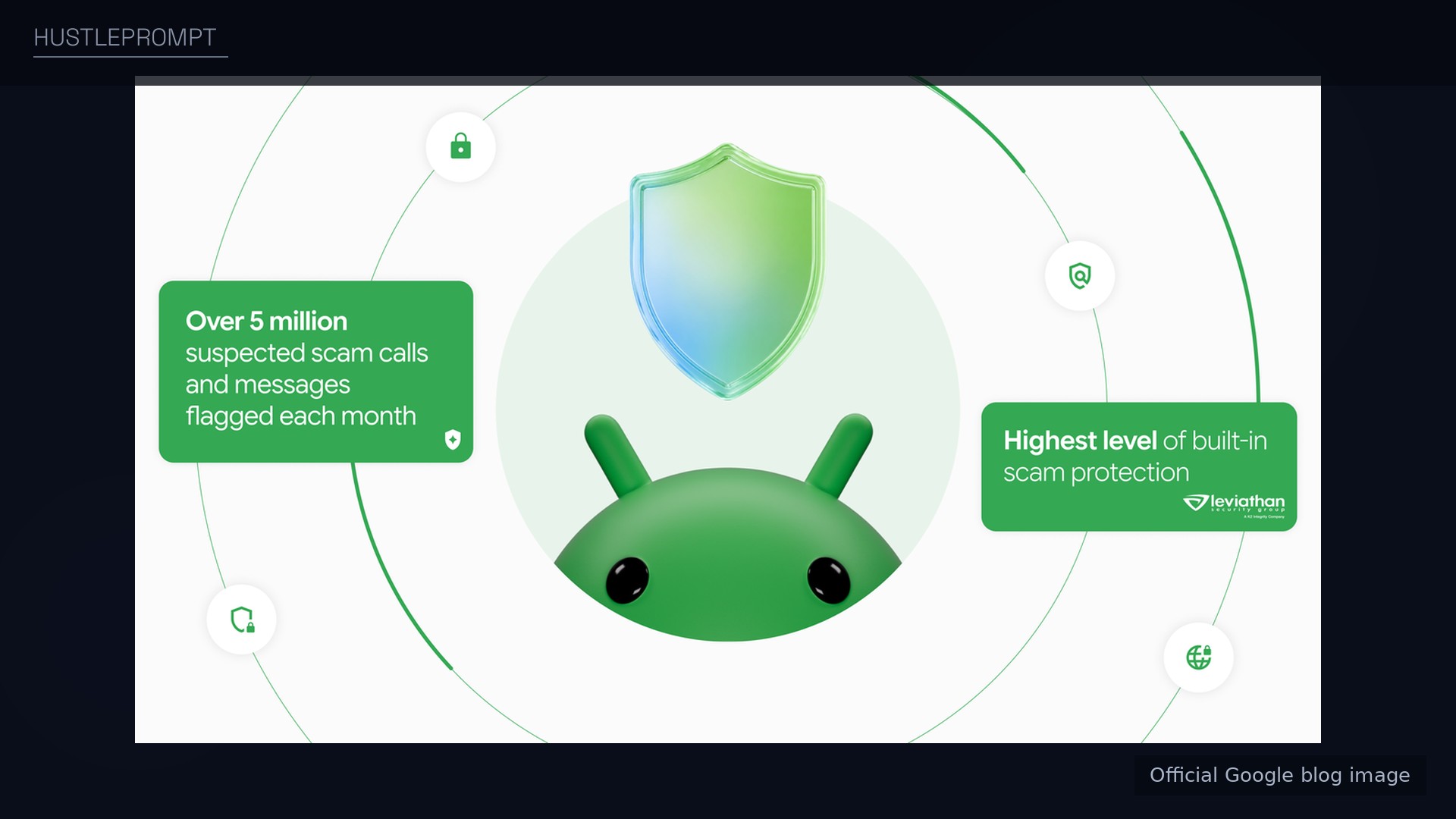
Google’s AI-powered Scam Detection already flags more than 5 million suspected scam calls and texts every month. The new suite, announced October 14, 2026, goes further. Here is what is coming, when, and what to switch on today.
Enhanced protection mode: the centerpiece
The headline feature is an opt-in Enhanced protection mode in Google Messages, rolling out in the coming weeks. It does three things:
- Cloud Gemini analysis via Private AI Compute. Scam Detection can send complex message context from unknown senders to cloud Gemini models that assess the scammer’s intent — the “wrong number” text that slowly turns into a request for money. Processing happens inside Private AI Compute: encrypted, inaccessible to anyone, including Google.
- On-device Gemini Nano link checks. Gemini Nano uses real-time web signals to assess unfamiliar links before you tap them — catching brand-new phishing domains no blocklist has seen.
- Redesigned warnings as checkpoints. Clearer warnings pause you before opening links from numbers outside your contacts — time to think instead of tapping on reflex.
Privacy note, from Google’s own footnote: the cloud analysis is private by default, but reporting a message as spam sends its contents to Google for analysis. Your choice, not the default.
How the two-layer detection works
The design is defense-in-depth — here is why scammers will have a harder time:
The full rollout: what ships when
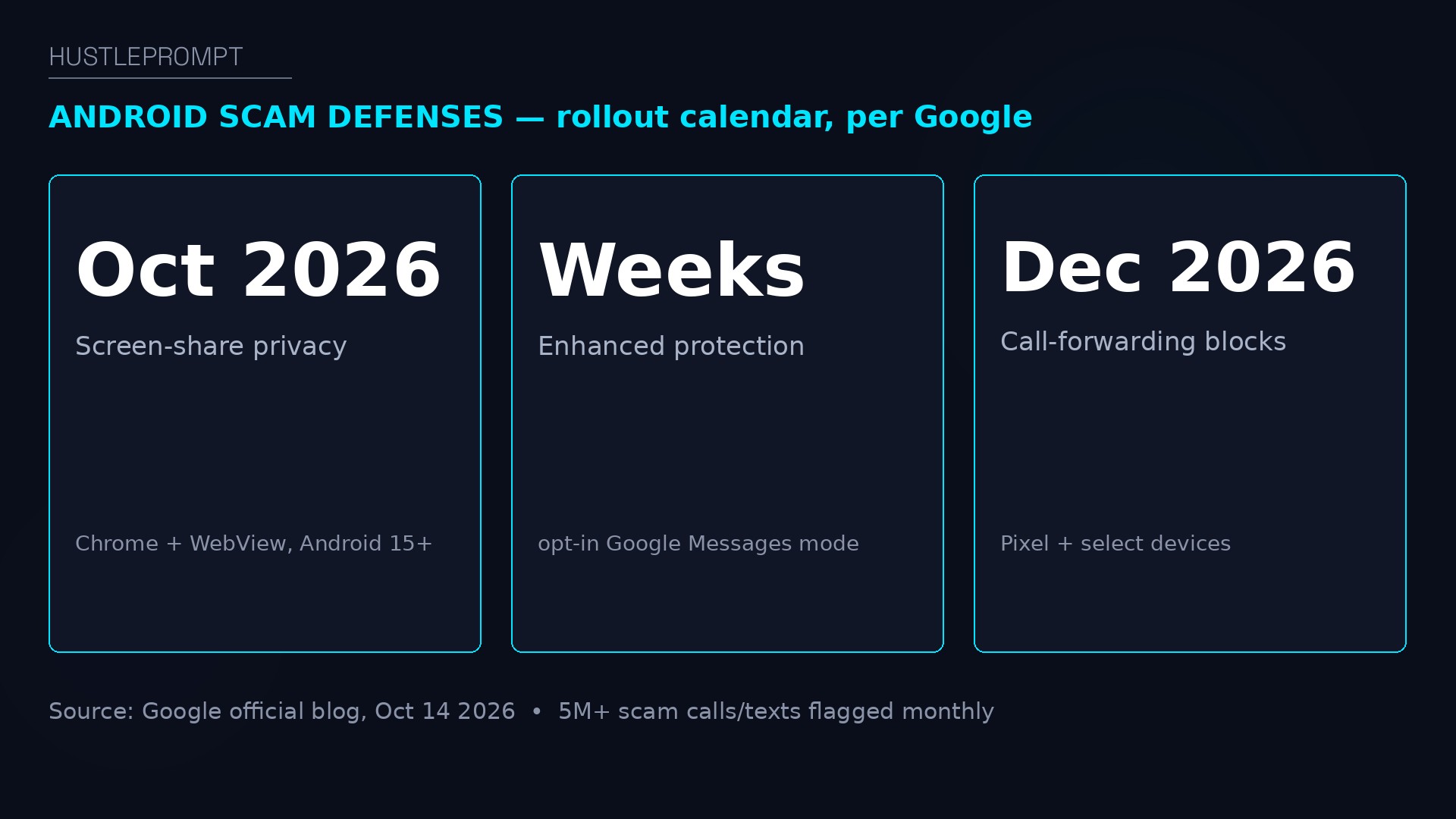
Not everything arrives at once — the official calendar:
| Feature | What it does | Availability |
|---|---|---|
| Enhanced protection mode | Cloud Gemini + Gemini Nano + redesigned warnings in Messages | Opt-in, rolling out in the coming weeks |
| Gemini Nano link checks | Real-time assessment of unfamiliar links before you tap | Pixel 10+, Galaxy S26, Z Flip/Z Fold8, select devices |
| Screen-share privacy | Auto-masks login and payment fields in Chrome and WebView | October 2026, Android 15+ |
| Chat scam alerts | On-device warnings in the notification shade | Later in 2026, hundreds of millions more devices |
| Call-forwarding safeguards | Blocks silent forwarding; warns before MMI codes take effect | Early December 2026, Pixel and select devices |
| Verified financial calls | Real-time verification of bank calls; hangs up on failed checks | With Banco do Brasil, Itaú Unibanco, other banks |
Why the call-forwarding and screen-share fixes matter
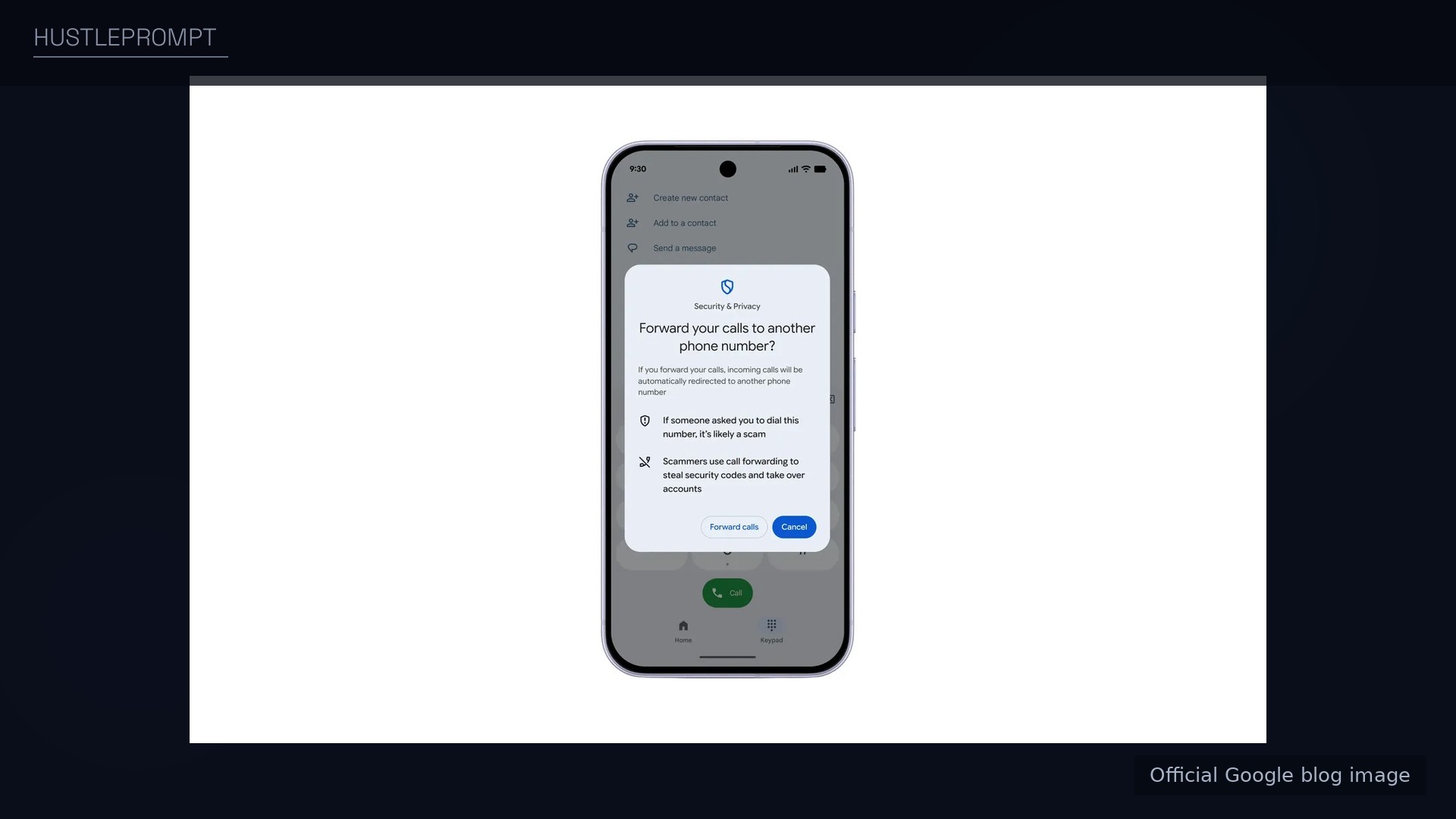
Two of the quieter features target scams freelancers and creators fall for most. Call-forwarding attacks trick you into typing a code that silently routes your calls — and your voice-delivered one-time passcodes — to the scammer. Android will now block apps from enabling forwarding in the background and warn you before a manually entered MMI code takes effect.
Screen-share protection extends sensitive-content masking from native apps to Chrome and WebView. Share your screen and Android automatically obscures login fields and payment screens.
How to profit: the freelancer security playbook
For freelancers and creators, a compromised phone means compromised clients. Lock in this free security upgrade with a routine:
- Turn on Enhanced protection the day it arrives. Open Google Messages → Settings → Protection & safety. The opt-in is the whole point: nothing changes until you enable it.
- Audit your screen-share hygiene now. Until the Chrome/WebView masking reaches your device, never type passwords or open banking tabs while screen sharing.
- Never type a forwarding code a “support agent” gives you. Real carriers and banks don’t operate this way. When Android’s warning appears, read it — this exact scam is spiking.
- Verify bank calls; don’t trust caller ID. Let the verification check run — but keep calling the bank’s official number back. AI voice cloning defeated caller ID a while ago.
- Sell this as a client service. A 30-minute “phone hardening” session for a client’s team — enabling these protections — is a billable add-on to any freelancer retainer.
FAQ
What is Gemini Nano scam detection?
On-device AI in Google Messages that checks unfamiliar links against real-time web signals before you tap. Part of Android’s Enhanced protection mode, announced October 14, 2026.
Is Enhanced protection mode free?
Yes — a built-in, opt-in Google Messages setting, rolling out in the coming weeks.
Does Google read my messages with Enhanced protection on?
Google says the cloud analysis runs in Private AI Compute, encrypted and inaccessible to anyone — including Google. Reporting a message as spam is a separate, explicit choice.
Which phones get the Gemini Nano link checks?
Pixel 10 and newer, the Galaxy S26 series, Galaxy Z Flip and Z Fold8, and other select devices. Chat scam alerts expand to hundreds of millions more devices later in 2026.
When do the call-forwarding safeguards arrive?
Early December 2026 on Pixel and select devices, according to Google’s announcement. Android will also warn before manually entered MMI forwarding codes take effect.
How do I protect myself from scams today?
Enable Scam Detection in Phone by Google and Google Messages, never tap links from unknown senders on reflex, never enter forwarding codes someone gives you, and switch on Enhanced protection when it appears.
Sources
- Google official blog: New Android protections — the October 14, 2026 announcement; source of all features, dates, the 5M+ figure, and the 40% survey stat.