
Gemini Tasks is now free. On November 17, 2026, Google dropped the paywall on the AI agent inside its Gemini app — the one that calls businesses, books appointments, compares prices and checks out with Google Pay — and rolled it out free of charge to hundreds of millions of people in the US, Japan, Korea, Canada, Australia and India.
Until yesterday, this was a paid feature. Tasks started in May as Gemini Spark, a test feature for Google AI Pro and Ultra subscribers, and it stayed behind the $19.99-a-month Pro subscription. Now it runs on Google’s new Gemini 4 Hydrogen model at no charge. Flip the home-screen toggle from Chat to Task, describe what you need, and Gemini handles the busywork in the background while you get on with your day.
The free rollout is not equal everywhere, and the fine print matters more than the headline. The phone calls and the shopping checkout — the two flashiest tricks — start in the US only. If you run a small business, the more urgent news is on your side of the phone: AI callers are about to start ringing your business, and you have until Black Friday to get ready. Here is what is free, what is US-only, and how to use it.
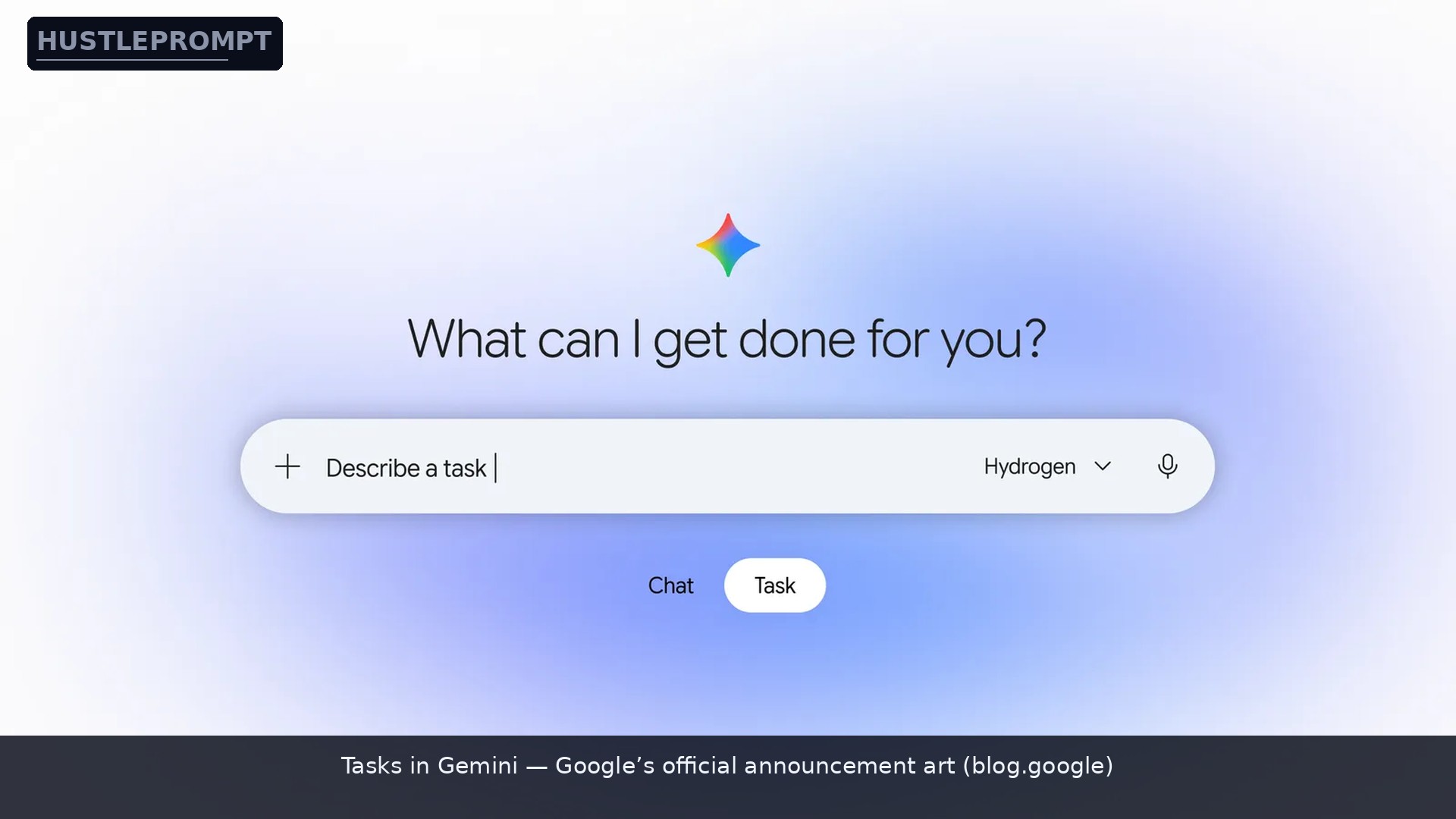
What Google actually made free
Tasks is the mode of Gemini that works on a job in the background instead of answering in a chat. While Chat is built for quick back-and-forth answers, Tasks are built for longer projects and recurring schedules: a morning summary of your email and calendar, a piece of research that takes hours, a booking that needs three phone calls. You describe the task, Gemini works on it, and it tells you when it is done.
“Starting now, this update is rolling out free of charge for hundreds of millions of people across the U.S., Japan, Korea, Canada, Australia, and India, using our new Gemini 4 Hydrogen model.”
— Josh Woodward, Vice President of Labs, the Gemini app and AI Studio, November 17, 2026
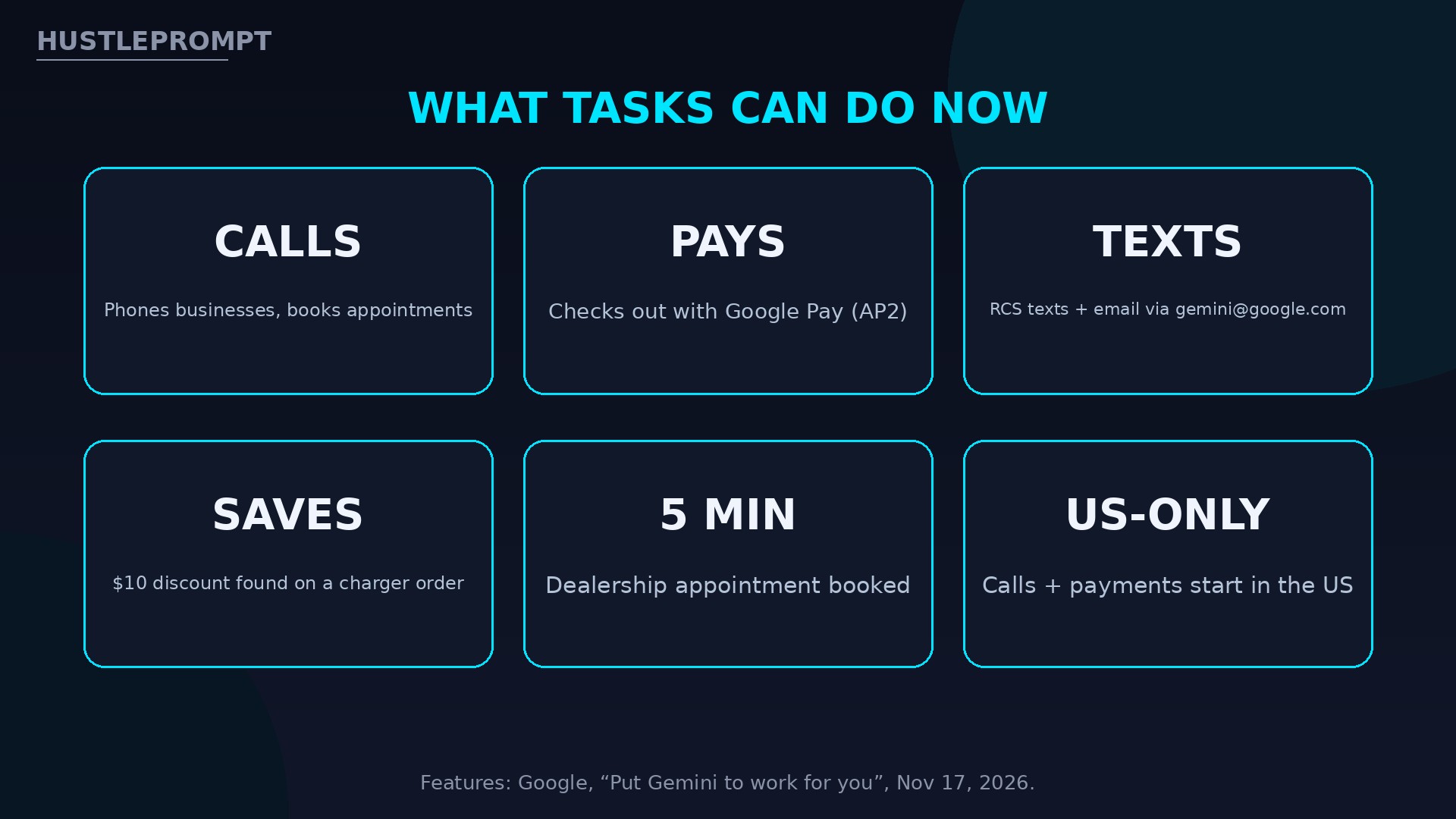
What you get for free depends on where you are. The core Tasks mode — background work, research, planning, reminders — is free in all six countries. The advanced features that make Tasks feel like a personal assistant land first in the US, and some of them only there.
| What Tasks can do | Where | What Google says |
|---|---|---|
| Background tasks | 6 free countries | Long projects and recurring schedules run while you live your life |
| Call businesses | US only | Calls shops, books appointments; discloses it is an AI; businesses can opt out |
| Buy with Google Pay | US only | Checkout via Agent Payments Protocol (AP2); Mastercard + Visa now, Amex coming soon |
| Text Gemini (RCS) | US only | Text tasks from Google Messages or iMessage; US phone number required |
| Email tasks | US only | Forward emails to gemini@google.com to start a task |
| Sign in with Password Manager | US only | Uses saved logins to complete tasks on websites for you |
Three limits apply everywhere. You need a personal Google account, you must be 18 or older, and Gemini history has to be turned on. Work and school accounts are excluded for now. And outside the six free countries, Tasks still needs a Pro or Ultra plan — and it is not offered at all in the European Economic Area, the UK, Switzerland or Nigeria.
It calls, it pays, it saves real money
Google’s announcement is written as a diary of one executive’s week, and the examples are the most useful part of it — because they show what the agent actually does when it works.
- It books appointments in under five minutes. Woodward’s minivan needed a service appointment. He told Gemini to call the two nearest dealerships and find an early Friday morning slot. Gemini called both at once, sat through the hold music, found the shop that takes appointments instead of walk-ins only, and put the booking on his calendar. He never heard the hold music.
- It finds money in your bills. A surprise $389 electric bill went to Gemini with access to the utility portal. In a few minutes it found the culprit: the heat pump kicking on around 4 p.m., right in the middle of peak pricing. The family would never have caught it digging through PDFs themselves.
- It shops and finds discounts. Asked for the best USB-C charger for a holiday trip, Gemini compared options using Google’s Shopping Graph, asked about wattage and color, checked out with Google Pay — and found a discount code that saved an extra $10.
- It does the groceries by text. A text message — “Add lasagna, strawberries, cucumbers, and vanilla ice cream to our Instacart order” — plus a photo of an empty Cheerios box, and the groceries were on the doorstep when the family got home.
- It runs the family calendar. School emails forwarded to gemini@google.com turned into calendar dates in under a minute, with a spouse invited — and Gemini flagged a conflict with basketball practice and asked whether to text another parent to trade carpool duty.
Two money details are built into the payments. You can set a hard spending cap before Gemini shops, and it is designed to stay inside your budget. And you still earn your card’s points, cashback and purchase protections at checkout, because the purchase runs on tokenized cards through Google Pay. All receipts and tracking land in Google Wallet, which is expanding to iOS starting today.
Watch: Google Gemini shows Tasks in Gemini going from chaos to calm on its official YouTube channel.
How the agent protects your money
An agent that can call businesses and spend your money needs guardrails, and Google’s post spends a full section on them. When you assign a task, Gemini works in a hardware-isolated virtual machine dedicated to your account, through Google Cloud’s Agent Compute Engine. The machine is sandboxed, never shared with other users, and regularly tested by Google’s security red teams. Prompt-injection filters scan search results and web pages, and Safe Browsing limits which links Gemini can open.
The practical protections are the ones you will notice. Gemini is designed to pause and check with you before critical steps, and to ask for your confirmation or pre-approval before clicking “Buy.” If an instruction is ambiguous, it asks a clarifying question instead of guessing. For routine tasks you already trust — adding Cheerios to a grocery cart — you can set “Always allow” so it stops asking. And you can adjust task settings, disconnect apps, or delete chat history at any time.
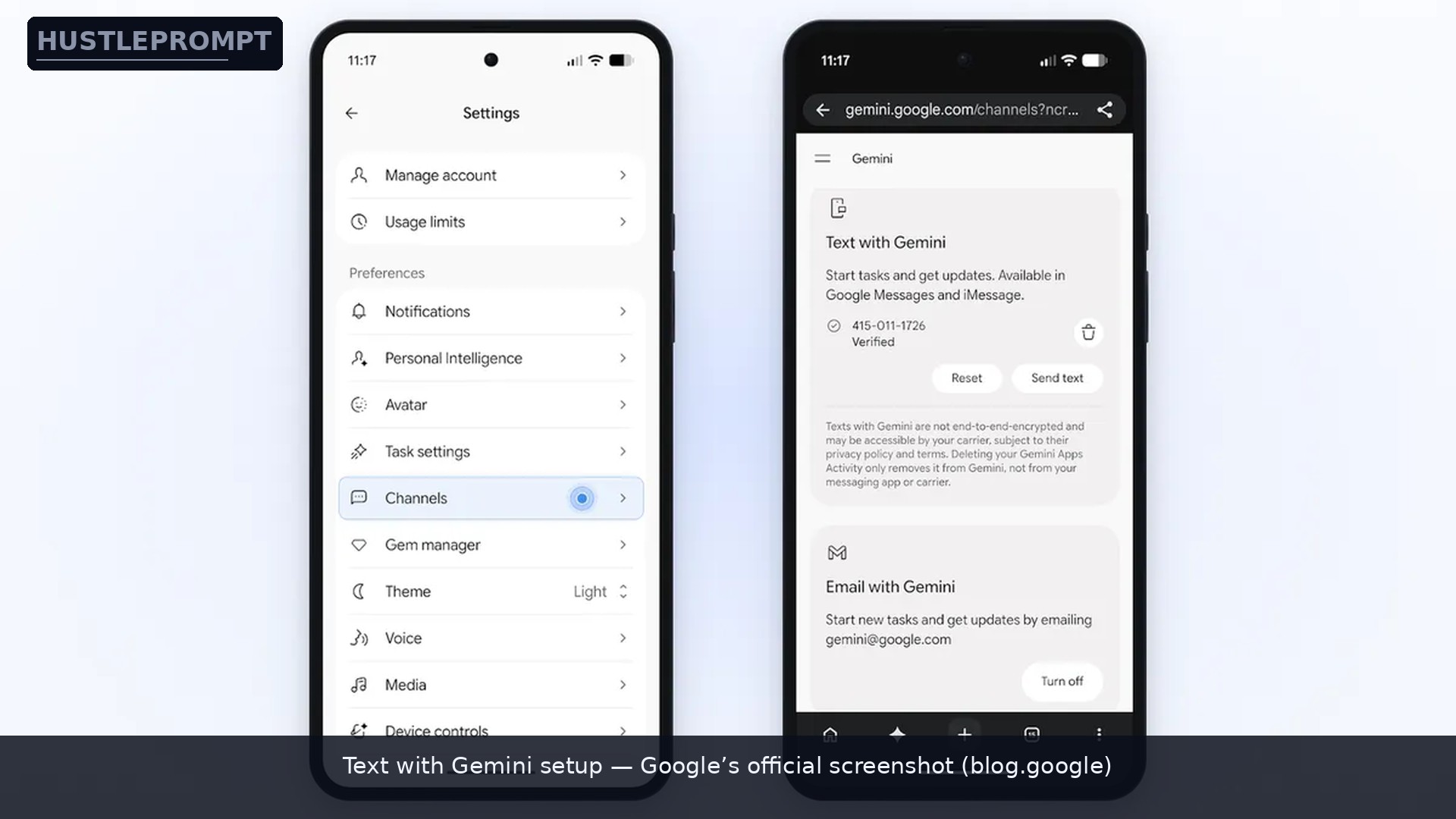
Google is also honest about the limits. The company says it has tested tasks extensively but has not eliminated mistakes: a task can fail to complete or miss the mark, and it asks users to give a thumbs down when that happens. On some websites, Gemini gets most of the way and hands the screen back to you to click the final button. And texts with Gemini are not end-to-end encrypted — Google says so in its own setup screenshot — so they may be accessible to your carrier.
Free vs paid: the tiers at a glance
The rollout creates three tiers, and where you sit decides what Tasks can do for you.
| Tier | Where | Requirement | What you get |
|---|---|---|---|
| Free | US, Japan, Korea, Canada, Australia, India | Personal account, 18+, history on | Tasks mode on Gemini 4 Hydrogen; calls + payments only in the US |
| Paid | Everywhere else Tasks is offered | Google AI Pro or Ultra | Same Tasks mode; the features that were paywalled yesterday |
| Not available | EEA, UK, Switzerland, Nigeria | — | Not offered, even with a subscription |
One more gap to know: calling is unavailable in five US states — Indiana, Louisiana, Minnesota, Montana and Nebraska. Google does not say why, but state rules on automated calls are the usual reason, and the list may change. Texting needs a US phone number on an eligible mobile carrier, and the text and email channels are in English at launch.
FLIP → DESCRIBE → GEMINI WORKS → DONE
1. FLIP
Open Gemini and flip the home-screen toggle from Chat to Task.
2. DESCRIBE
Tell Gemini what you need done — or text it, or forward an email to gemini@google.com.
3. GEMINI WORKS
It calls, compares, books and shops in the background, in its own isolated virtual machine.
4. DONE
You get the result — appointment booked, order placed, dates on your calendar — and a receipt in Wallet.
How to profit from Gemini Tasks: 5 moves
Free AI that does errands is useful. Free AI that does errands for your customers is a business shift. Five moves, for both sides of the phone call:
- Start with the money tasks. Give Gemini the jobs with a dollar value first: analyze a utility bill, compare a purchase, find a discount code before checkout. Set a spending cap before it shops, and let it earn your card rewards while it saves you the sticker price.
- Use it as a booking machine. Appointments are the highest-value use: Gemini calls two businesses at once and sits through hold music you never hear. Hand it the service bookings, the restaurant reservations and the recurring appointments you keep putting off.
- Feed it by text and email. In the US, forward emails to gemini@google.com or text Gemini instead of opening the app. School emails, bills and booking confirmations become calendar events and reminders without you typing anything.
- If you run a business, prepare for AI callers now. Gemini discloses that it is an AI at the start of the call, and businesses can opt out — but the callers are coming, and Black Friday (November 27) is the first big test. Make sure your Google Business Profile has correct prices, stock and opening hours, because that is what the agent reads before it calls. Decide your opt-out policy before the phone rings, not after.
- Keep the human in the loop on money. Leave the confirmation step on for purchases, and use “Always allow” only for low-value routine tasks. An agent that can spend needs a spending cap and a confirmation habit — the savings come from the comparison, not from letting it click Buy unsupervised.
What to watch
Three things will show whether Tasks is a real shift or a free novelty.
- How fast the US-only features spread. Calls and payments start in the US; the other five free countries get the agent without its two best tricks. Watch whether Google extends calling and checkout to Japan, Korea, Canada, Australia and India — and when the UK and Europe get anything at all.
- Whether businesses push back. The opt-out exists, and some businesses will use it. If restaurants and dealerships start blocking AI callers, Google will have to negotiate access — and the agent economy slows down. If they welcome the bookings, it accelerates.
- The Universal Commerce Protocol. Google says it will integrate UCP next, for faster and more reliable shopping from discovery to checkout. When that lands, Gemini stops being a shopping helper and becomes a storefront — and the merchants who integrate first will get the orders.
The bigger picture is simple. Google just gave away the feature it was charging $19.99 a month for, because the real product is not the subscription — it is the agent that sits between you and every business you deal with. The company that controls that agent controls the booking, the purchase and the receipt. Yesterday that agent cost money. Today it is free, in six countries, on the phone you already own. The only question is what you hand it first.
Frequently asked questions
Is Gemini Tasks really free now?
Yes. Google made Tasks in Gemini free on November 17, 2026, in the US, Japan, Korea, Canada, Australia and India, running on the new Gemini 4 Hydrogen model. It previously required a paid Google AI Pro subscription. You need a personal Google account, you must be 18 or older, and Gemini history has to be turned on.
What can Gemini Tasks do?
Tasks is the Gemini mode that works on jobs in the background: research, planning, bookings and recurring schedules. In the US it can also call businesses to book appointments, buy items with Google Pay, sign in to websites with Google Password Manager, and take instructions by text message or by email forwarded to gemini@google.com.
Can Gemini call businesses for me?
Yes, in the US. Gemini can call local businesses, for example two dealerships at once, to book a service appointment. It discloses right away that it is an AI, and businesses can opt out of AI calls. Calling is not available in Indiana, Louisiana, Minnesota, Montana and Nebraska.
How does Gemini pay for things?
Purchases go through Google Pay using the Agent Payments Protocol (AP2), with Mastercard and Visa supported and American Express coming soon. You can set a hard spending cap upfront, Gemini asks for confirmation before buying, and you still earn your card’s points, cashback and purchase protections. Receipts land in Google Wallet.
How do I turn on Tasks in Gemini?
Open the Gemini app or gemini.google.com, flip the home-screen toggle from Chat to Task, and describe what you need done. In the US, you can also text Gemini — open Settings, tap Channels, tap Set up under Text with Gemini and verify your phone number — or forward emails to gemini@google.com.
Is Tasks in Gemini available in my country?
Tasks is free in the US, Japan, Korea, Canada, Australia and India. Outside those six countries it still needs a Google AI Pro or Ultra plan, and it is not available at all in the European Economic Area, the UK, Switzerland or Nigeria. The phone calls, payments, texting and email features start in the US only.
Is it safe to let Gemini spend my money?
Google runs each task in a hardware-isolated virtual machine dedicated to your account, with prompt-injection filters and Safe Browsing, and Gemini is designed to ask for confirmation before clicking Buy. You can set a spending cap and disconnect apps or delete history at any time. Google also says tasks can still fail, and texts with Gemini are not end-to-end encrypted.
Keep Reading
Sources: Google, “Put Gemini to work for you” (Nov 17, 2026); TechCrunch on Gemini Tasks going free (Nov 17, 2026); The Parameter on Gemini Tasks going free (Nov 17, 2026).