
Your research notes just became a website. On November 16, 2026, Google announced that Gemini Notebook can now turn the sources in a notebook into interactive sites — dashboards, visual explainers, and project trackers built from your own documents, with one short prompt: “make me a site.”
The feature is rolling out globally on the web now, for users 18 and older, including Google Workspace subscribers. The mobile app gets it later, with no date announced. There is no price attached, no plan requirement stated, and no usage limit published — Google’s announcement says nothing about any of those, which matters if you plan to build a business on it.
This is what the feature does, how it fits into everything else Gemini Notebook already makes, and how to turn it into paid work before everyone else figures it out.
What Google announced on November 16
Google published the announcement on its official blog on November 16, 2026. The pitch is one sentence: Gemini Notebook “can turn your sources into interactive sites to help you quickly make sense of complex information.”
Starting the build takes one chat message. Type “make me a site” in your Gemini Notebook chat, add a description of what you want to build for work or study, and the tool generates an interactive site from the sources already in the notebook. When it is ready, select “Open in a new tab” to interact with it — or share it with others.
That last part is the difference from everything Notebook made before. Audio Overviews, Video Overviews, and Mind Maps are things you consume. An interactive site is something other people can open, click through, and use.
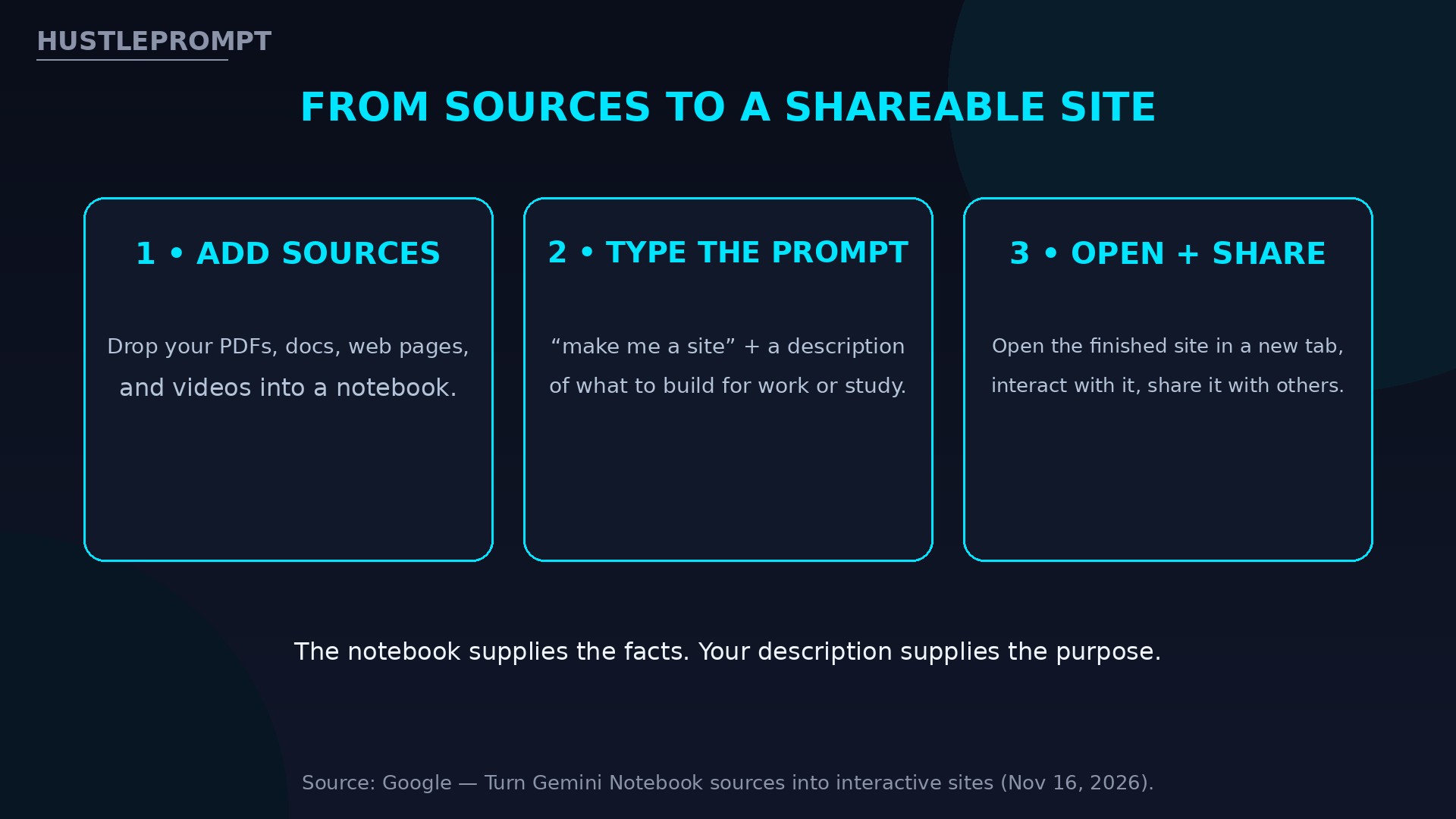
From sources to a shareable site in three steps. Source: Google (Nov 16, 2026).
The rollout, in one table
Everything below comes from Google’s announcement. Where Google has said nothing, the table says so — because the gaps are part of the story for anyone planning to use this commercially.
| Detail | What Google announced |
|---|---|
| Announced | November 16, 2026 |
| How to start | Type “make me a site” in the Notebook chat, plus a description |
| Platform | Web, rolling out globally now |
| Who can use it | Gemini Notebook users 18+, including Google Workspace subscribers |
| Mobile app | Coming soon — no date announced |
| Sharing | Open in a new tab; shareable with others |
| Price | Not announced |
| Usage limits | Not announced |
| Plan requirement | Not announced |
Source: Google — Turn Gemini Notebook sources into interactive sites (Nov 16, 2026).
The “not announced” rows are not a criticism — they are a warning. Until Google says which plans include site creation and what the limits are, do not promise a client unlimited sites or bake the feature into a fixed-price contract.
Three things Google says to build with it
Google’s announcement names three uses. Each one maps to a different kind of work — and a different kind of customer.
STUDY
Visual explainers for exam prep — an interactive periodic table or a historical timeline.
WORK
Interactive dashboards to explore data, such as quarterly sales performance.
PLAN
Project trackers that outline tasks and deadlines for a team.
One prompt, three products — the notebook supplies the facts, your description supplies the purpose.
Use cases: Google (Nov 16, 2026)
The study use case is the fastest to sell. Students already pay for study guides; an interactive periodic table built from their own course notes is a study guide they can click. The dashboard use case is the most valuable: a quarterly sales dashboard a manager can actually explore beats a static slide deck every time. The tracker use case is the stickiest — a team that runs its project in a site you built has to come back to you when the project changes.
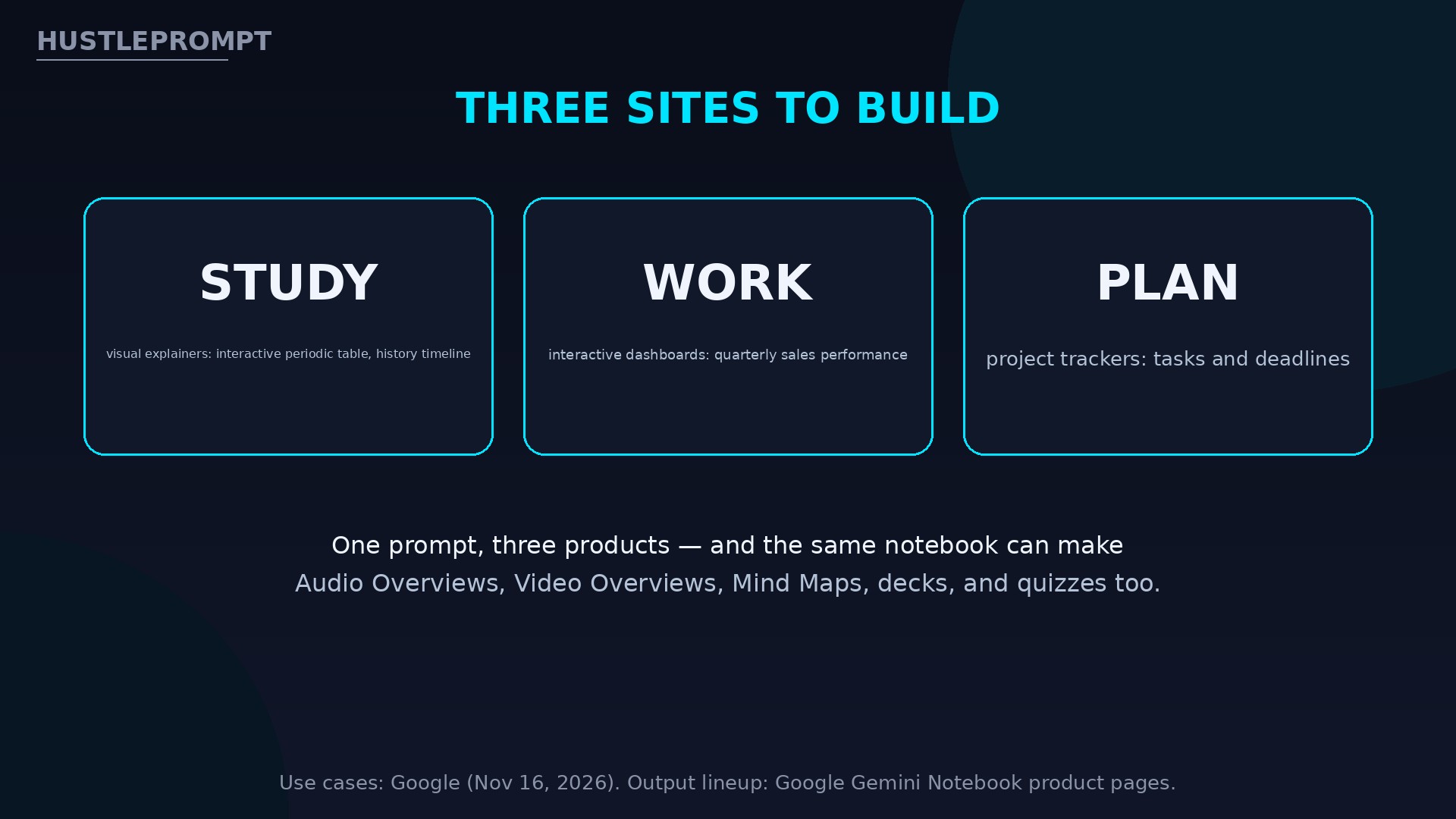
Google’s three use cases for interactive sites. Source: Google (Nov 16, 2026).
Where interactive sites fit in Gemini Notebook
Gemini Notebook is the product Google used to call NotebookLM. Google renamed it on July 16, 2026, and moved it to notebook.google.com. The idea never changed: you put your own material in first — documents, web pages, YouTube videos, audio — and the tool answers only from that material, with citations.
Interactive sites are the newest output in a lineup that already covers most of what a researcher or student needs. The table below is drawn from Google’s product page and help pages.
| Output | What it makes from your sources | Status |
|---|---|---|
| Audio Overview | A two-host podcast-style discussion of your material | Available |
| Video Overview | A narrated explainer video, about 60 seconds for the short format | Available |
| Mind Map | A visual map of how your sources connect | Available |
| Slide deck | A presentation built from your material | Available |
| Reports and quizzes | Study guides, briefing docs, flashcards, and quizzes | Available |
| Interactive site | A shareable website: explainer, dashboard, or tracker | New — Nov 16, 2026, web first |
Sources: Google blog (Nov 16, 2026); Google Gemini Notebook product and help pages (as summarized in independent reporting this run).
Two practical limits shape how much you can build. A free notebook holds up to 50 sources, per Google’s source rules. And since September 2, 2026, usage counts by compute — complex questions, long chats, and heavy outputs cost more, with the allowance refreshing every five hours up to a weekly cap. Plan a client project around those numbers: 50 sources is plenty for one report or one course module, and not enough for an entire company archive.
How to build your first interactive site
The workflow is short. The quality of the site depends almost entirely on the quality of the sources you put in first.
- Open Gemini Notebook and start a notebook. Go to notebook.google.com and create a new notebook for one topic only — one client, one course, one project. Mixed topics make muddled sites.
- Add your sources. Upload the PDFs, documents, web pages, or YouTube videos the site must be built from. Keep it under 50 sources. Remove anything off-topic before you build.
- Type “make me a site” and describe the job. Be specific: “Build an interactive dashboard showing quarterly sales by region, with a filter for each quarter” beats “make a site about sales.” The description is the brief — vague briefs make vague sites.
- Open it in a new tab and test every control. Click every filter, tab, and link. Check the numbers against the sources. AI-generated sites can misquote figures, and a wrong number on a client dashboard is your reputation.
- Share the link — and keep the notebook. The site is the deliverable; the notebook is the asset. When the client’s data changes, you update the sources and rebuild, which is a recurring service, not a one-off sale.
One caution Google itself implies by saying nothing: the announcement does not say whether a shared site updates when the sources change, or how long a shared site stays online. Test both before you promise a client a live, always-current dashboard.
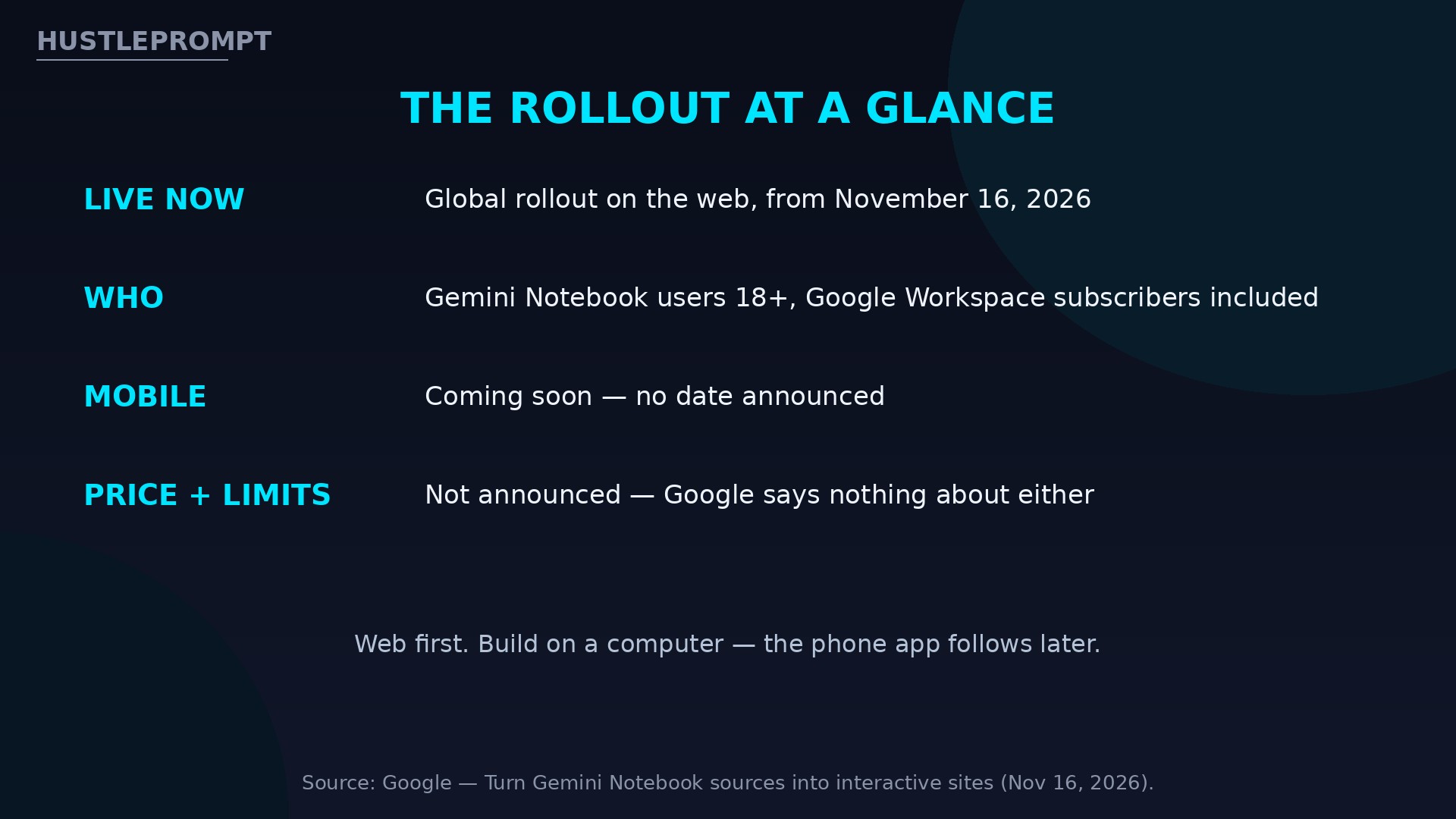
The rollout at a glance. Source: Google (Nov 16, 2026).
How to profit: sell the site, not the prompt
Nobody pays for a prompt. People pay for a finished thing they can show their boss, their class, or their client. Interactive sites are that thing — and the raw material is free.
- Sell client dashboards. Take a small business’s spreadsheets and reports, load them into a notebook, and deliver an interactive sales dashboard they can open in a browser. Charge per dashboard, then charge monthly to refresh it with new data.
- Sell study packs to students. Turn a course’s readings into an interactive periodic table, timeline, or revision tracker. Students pay for exam prep that feels like an app, not a PDF.
- Sell project trackers to small teams. A five-person team without project software will pay for a tracker built from their own documents — tasks, deadlines, and owners in one shareable page.
- Bundle it with the other Notebook outputs. One notebook produces an Audio Overview, a slide deck, a quiz set, and now a site. Sell the bundle as a “research package” for consultants, coaches, and course creators — four deliverables from one set of sources.
- Be first in your niche. The feature launched November 16. The first freelancer in a niche to show a working interactive site — real estate listings, restaurant menus, training manuals — owns the demo that every competitor will be compared against.
The cost of entry is a free Google account and the time to learn the tool. The moat is not the tool — anyone can type “make me a site” — it is the sources, the brief, and the testing. Do those three well and the site sells itself.
What is still missing
Three open questions should shape any plan built on this feature.
First, pricing and limits are unannounced. Google has not said whether site creation is open to all Notebook users or only paid plans, what file types work best, or whether there is a cap on how many sites you can build. Do not build a fixed-price business on an unpriced feature.
Second, the mobile app does not have it yet. The rollout is web-only for now, and Google gives no date for mobile. If your customers live on their phones, the site still works in a mobile browser — but you cannot build it there.
Third, there is no official launch video yet. Google announced the feature in a blog post, and no video on Google’s official YouTube channel covers interactive sites. When one appears, it belongs in this article — until then, the blog post itself is the source.
Frequently asked questions
What are Gemini Notebook interactive sites?
A new Gemini Notebook feature, announced November 16, 2026, that turns the sources in a notebook into a shareable interactive website — a visual explainer, a dashboard, or a project tracker.
How do I create an interactive site in Gemini Notebook?
Add your sources to a notebook, then type “make me a site” in the Notebook chat and describe what you want to build. When it is ready, select “Open in a new tab” to interact with it or share it.
Who can use Gemini Notebook interactive sites?
Gemini Notebook users aged 18 and older, including Google Workspace subscribers. The rollout is global on the web; the mobile app version is coming soon with no date announced.
What can I build with it?
Google’s examples: visual explainers for exam prep (an interactive periodic table or historical timeline), interactive dashboards (quarterly sales performance), and project trackers (tasks and deadlines).
How much does it cost?
Google has not announced a price, a plan requirement, or usage limits for interactive sites. The announcement covers availability only.
Is Gemini Notebook the same as NotebookLM?
Yes. Google renamed NotebookLM to Gemini Notebook on July 16, 2026, and moved it to notebook.google.com. Existing notebooks and sources carried over.
Can I share the site I build?
Yes. After Gemini Notebook builds the site, you can open it in a new tab and share it with others. Google has not said whether a shared site updates when the sources change.
Keep Reading
Sources: Google — Turn Gemini Notebook sources into interactive sites (Nov 16, 2026); Gemini Notebook product site.