
Here is a fact that surprises most beginners: YouTube has confirmed that channels using AI tools in their content remain eligible to monetize — what matters is originality, not whether you ever appeared on camera. A faceless YouTube channel publishes videos with no presenter on screen: AI or stock visuals, an AI voiceover, captions, and music do all the talking. This tutorial hands you a complete weekend build: niche, script, voice, visuals, edit, thumbnail, upload, and Shorts.
Saturday is production, Sunday is publishing — and by Sunday night your first video is live.
The 6-stage weekend pipeline
Every faceless video follows the same assembly line.
No camera, no microphone, no studio — just prompting, taste, and consistency.
Step 1: Pick your niche and script it with AI
Faceless formats that keep working share three traits:
- Evergreen topics — explainers, histories, and how-tos that stay relevant for years.
- Advertiser-friendly subjects — finance, tech, productivity, and education attract brands.
- Researchable depth — you must add real insight, because YouTube only monetizes original, authentic content.
Now generate the script with an AI chatbot. Follow this prompting sequence:
- Ask for 10 video ideas in your niche, ranked by viewer curiosity.
- Pick one and request a full script of 1,200–1,500 words with a hook in the first 15 seconds.
- Ask the AI to mark visual cues in brackets, like [show a timeline graphic], so editing becomes mechanical later.
- Read the script aloud once and fix anything that sounds robotic — your judgment is the product.
Step 2: Generate the voiceover with an AI voice
Paste your finished script into a text-to-speech tool. Here is the real cost ladder, verified on the official pricing pages:
| Tool | Plan | Cost | What you get |
|---|---|---|---|
| ElevenLabs | Free | $0 | ~10 minutes of narration per month (10,000 credits); non-commercial use with attribution |
| ElevenLabs | Starter | $6/month | ~30 minutes per month (30,000 credits); commercial license and instant voice cloning |
| ElevenLabs | Creator | $22/month | ~121 minutes per month (121,000 credits); professional voice cloning |
| CapCut | Free | $0 | Built-in AI text-to-speech with natural-sounding voices for quick voiceovers |
Three production tips make AI narration sound human:
- Generate in short chunks — one paragraph at a time keeps the pacing natural.
- Regenerate any line that sounds flat; two or three takes cost you seconds.
- Add tiny pauses with commas and ellipses where a human speaker would breathe.
That audio file is now the backbone of your video — every visual gets timed to it.
Step 3: Create visuals without filming anything
You have two free visual sources: stock footage for real-world B-roll (cityscapes, nature, offices), and AI-generated images for everything stock cannot cover (diagrams, historical scenes, stylized concepts).
Match one visual to every 3–5 seconds of narration. When the voice says a key term, put that term on screen as bold text. This rhythm — voice, visual, on-screen text — is what keeps retention high on faceless channels.
Keep one simple rule: never let a single static image sit for more than 8 seconds. Zoom, pan, or cut. Motion is free; boredom is expensive.
Step 4: Edit in CapCut and design the thumbnail
CapCut is a full video editor with a genuinely free tier. Import your voiceover first, then lay visuals on the timeline to match it:
- Drop the narration on the audio track and mark each sentence break.
- Place visuals to match, trimming each clip to its sentence.
- Add auto-captions — CapCut generates them in one click, and captioned videos hold mobile viewers.
- Layer royalty-free music at low volume and add subtle whoosh sounds on cuts.
- Export at 1080p. That is plenty for YouTube, and the free tier handles it.
Then design the thumbnail before you upload — it decides your click-through rate. Use three elements maximum: a high-contrast background, one expressive visual, and at most four words of text. YouTube Studio now offers thumbnail generation and testing tools, so ship your best guess and iterate.
Step 5: Publish with SEO, then repurpose into Shorts
Upload day is a checklist, not a creative act. Run through it for every video:
- Title: put your keyword in the first 40 characters and promise a clear outcome.
- Description: two sentences summarizing the video, then links and timestamps.
- Chapters, end screen, and a pinned comment asking one question to spark replies.
Then repurpose: cut the best 30–60 seconds into a vertical 9:16 Short with big captions — one long video yields two or three Shorts, each with its own path into the Partner Program.
How to profit: the real path to YouTube money
YouTube pays through the YouTube Partner Program (YPP). These are the official thresholds — know them before you publish video one:
| Path | Subscribers | Watch requirement |
|---|---|---|
| Full monetization (ad revenue) | 1,000 | 4,000 valid public watch hours in the last 12 months, or 10 million valid public Shorts views in the last 90 days |
| Fan funding (memberships, Super Thanks) | 500 | 3 public uploads in the last 90 days, plus 3,000 watch hours in 12 months or 3 million Shorts views in 90 days |
Source: YouTube’s official Partner Program eligibility page — youtube.com/creators/earn/youtube-partner-program and YouTube Help: Partner Program overview & eligibility.
A concrete volume plan: publish two long videos and three Shorts per week for 90 days — roughly 26 long videos and 39 Shorts. That is enough data to see which topics pull watch time, the metric that unlocks monetization. Track everything in YouTube Studio and double down on your top 20%.
Ads are only the floor. Beyond them, faceless channels commonly earn through:
- Affiliate links in the description for tools you genuinely use.
- Sponsorships once a niche audience trusts your recommendations.
- Digital products — templates, guides, or presets tied to your niche.
- Channel memberships for bonus content once fans accumulate.
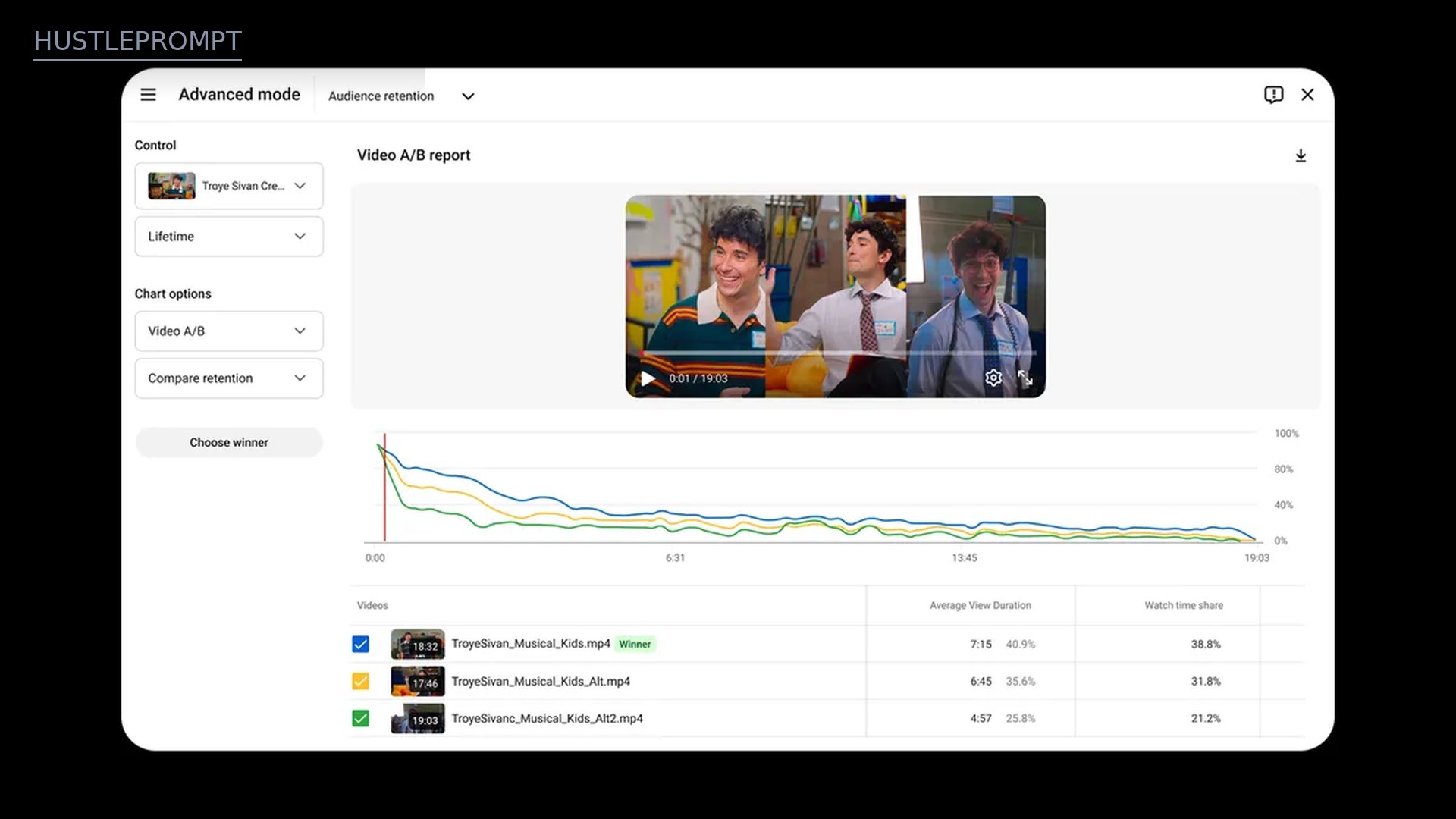
Watch: build a faceless channel with AI, start to finish
Watch the full workflow — channel setup, AI script, voiceover, and upload — in one sitting:
Frequently asked questions
Does YouTube allow fully AI-made videos to be monetized?
Yes — with one condition. YouTube welcomes creators using AI tools and says AI-assisted channels remain eligible to monetize. What it rejects is inauthentic content: mass-produced, templated, or repetitive videos with no original value. Since a July 2025 policy update, monetized videos must be “original and authentic,” and reused material only qualifies when you add significant commentary, modification, or educational value. Original scripts plus your own editing choices clear that bar; re-uploading other people’s clips does not.
How long does it realistically take to reach monetization?
There is no fixed timeline — it depends on your niche, upload consistency, and how well your videos retain viewers. The bar is purely the thresholds above: 1,000 subscribers plus the watch-hour or Shorts-view requirement. After you apply in the Earn tab of YouTube Studio, YouTube reviews your whole channel for policy compliance before approving you.
What does it cost to start?
Nothing, if you want. ElevenLabs’ free plan (about 10 minutes of narration a month) and CapCut’s free editor cover the full pipeline at $0. When output grows, ElevenLabs Starter at $6 a month adds a commercial license and roughly 30 minutes of narration.
How do I pick a niche that actually works faceless?
Choose topics where the information is the star: history, finance explainers, tech news, true stories, or tutorials. Avoid anything that needs your personality on camera to carry it, and avoid re-uploading compilations of other creators’ work — that fails the originality review.
Who owns the copyright on AI voices and images I generate?
It depends on each tool’s terms of service, which you should read before publishing. As a rule of thumb, free tiers often restrict commercial use — ElevenLabs’ free plan requires attribution and forbids commercial use — while paid tiers like ElevenLabs Starter include a commercial license. This is general guidance, not legal advice.
Should I focus on Shorts or long-form videos?
Do both, for different reasons. Shorts can explode in views and have their own monetization path (10 million views in 90 days). Long-form builds the 4,000 watch hours and the deeper audience trust that sponsors pay for. The weekend pipeline above produces both from a single production session.