
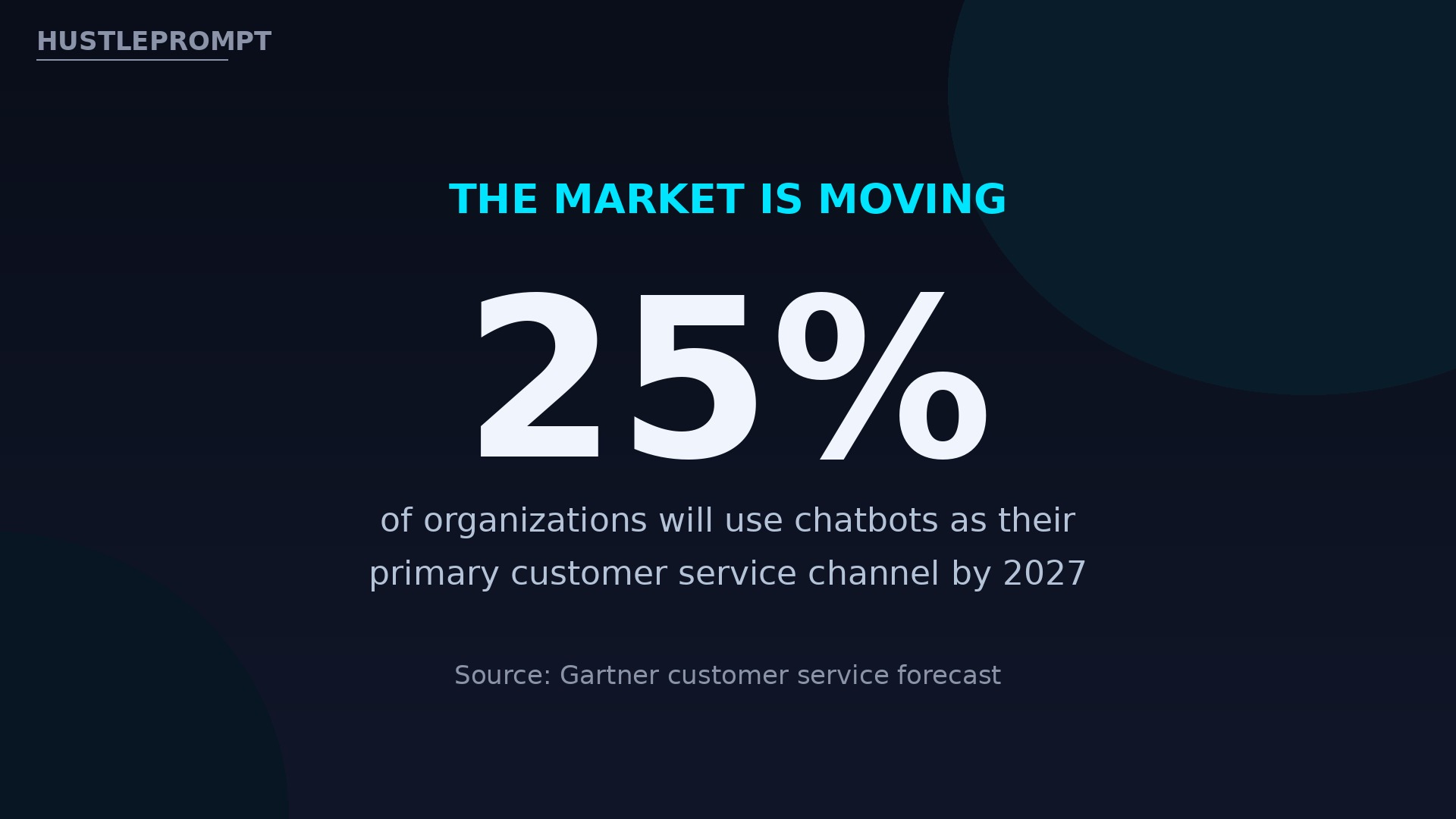
Gartner predicts chatbots will be the primary customer service channel for roughly a quarter of organizations by 2027. Yet most local businesses still answer the same five questions by phone, by email, or not at all. That gap is your business: an AI chatbot setup service that puts a trained, lead-capturing chatbot on a local business website — and charges for the setup, not the software.
Video: AI Chat for Your Website That Won’t Make Things Up — The Busywork Show builds an AI assistant on a demo plumbing company’s site using Tidio, then tests it with 10 real questions including 2 trick ones — the exact facts-page, test-first workflow this service sells to local businesses. (The Busywork Show)
Why local businesses will pay for this
A local business website has one job: turn visitors into calls, bookings, and sales. Most fail at it after hours, when nobody is there to answer. A chatbot that answers real questions from the business’s own prices, hours, and FAQ — and hands off what it cannot answer to a human — fixes that leak without hiring anyone.
The demand is documented, not guessed. Gartner’s customer service survey found 54% of respondents already using a chatbot or virtual assistant for customer-facing work, and it predicts chatbots will be the primary service channel for about 25% of organizations by 2027. HubSpot’s research, widely cited across chatbot studies, found 47% of consumers open to buying items through a chatbot.
Sources: Gartner via iTnews and Botpress; HubSpot via Master of Code.
What you actually sell
You are not selling software. The client can buy Tidio or Intercom themselves — and that is exactly why they do not. They buy a finished, working chatbot on their site, built from their real information, tested, and maintained. Your deliverable has the same five pieces every time:
- A trained chatbot answering the top 20–30 questions from its own FAQ, prices, and hours.
- Lead capture — name, email or phone — offered only when it helps the visitor.
- Appointment booking linked to the owner’s calendar, so visitors book without calling.
- A human handoff — when the bot does not know, it says so and emails the transcript to the owner.
- A launch report with your test questions, the bot’s answers, and your fixes.
Pick your tools (and know what they cost)
Two platforms cover almost every local business. Tidio is the default for small sites: live chat, ticketing, and an AI agent called Lyro that answers from the business’s own content. Intercom is the step up for busier teams, with Fin billed per resolved conversation.
Pricing sources: Tidio via Toollers and Tidio’s own comparison; Intercom via GetMacha and Gleap. One conflict: some September 2026 checks of Intercom’s page showed a $19 Essential new-customer offer against the standard $29 — quote $29 and confirm at checkout.
For your first three clients, use Tidio. The free plan lets you build and demo before anyone pays.
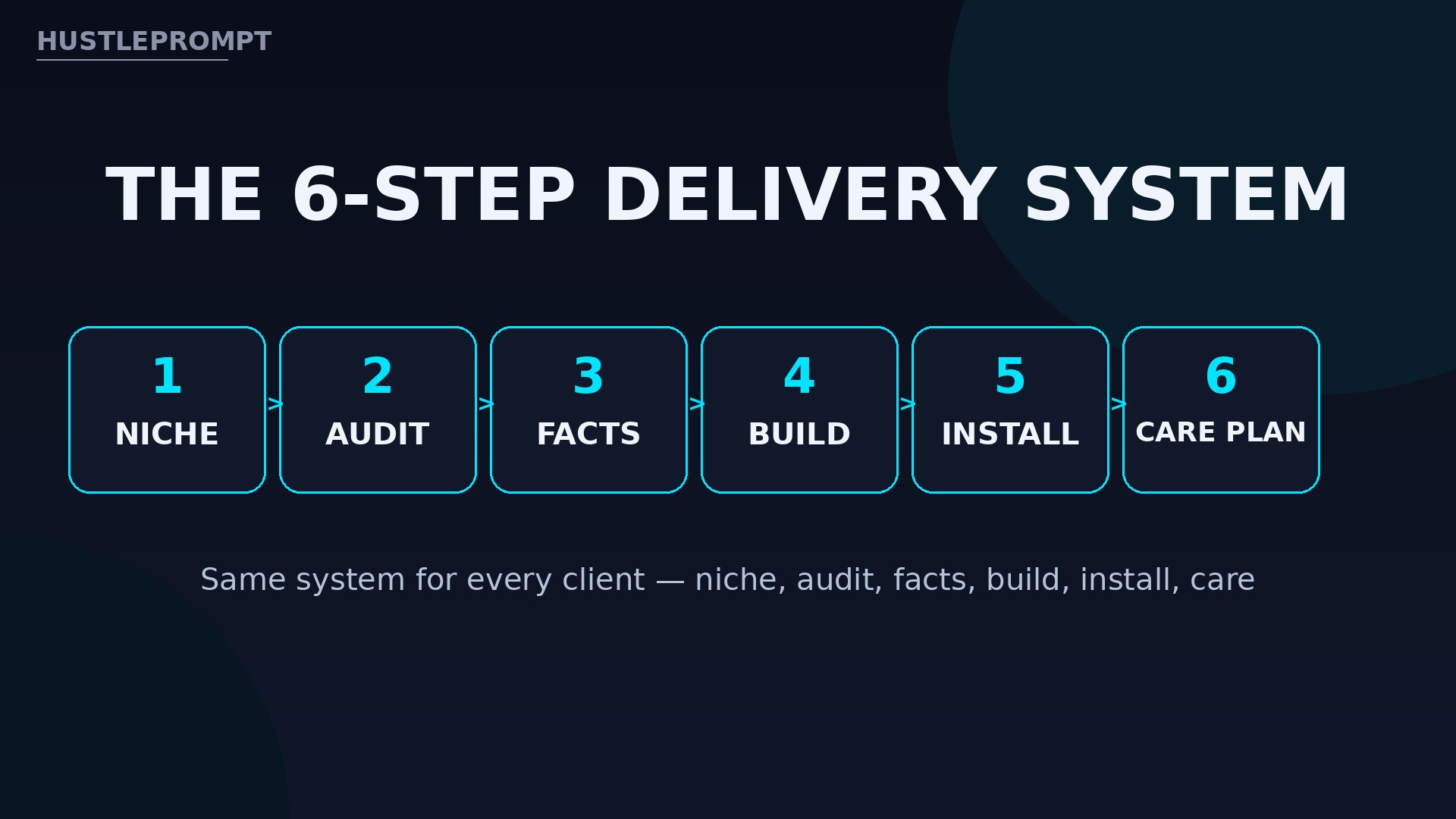
The 6-step delivery system
Step 1: Pick one niche and list 30 prospects
Choose a niche where the same questions repeat: dental clinics, HVAC companies, hair salons, auto repair shops, and law offices. List 30 local businesses with websites but no chatbot. A narrow niche means your second build reuses most of the first one’s questions.
Step 2: Audit the prospect’s website like a customer
Visit the site and list the questions a real visitor would ask: prices, hours, location, parking, insurance accepted, booking, cancellation policy. Read their Google reviews too — complaints about unanswered calls are your sales evidence.
Step 3: Build the facts page first, bot second
Write one page of verified facts: services with prices, hours, service area, booking link, and the top 20–30 questions with one-paragraph answers approved by the owner. The bot answers only from this page. A bot that guesses invents policies, and one invented refund policy can cost your client a customer.
Test it like a skeptical visitor. Ask two questions it cannot answer — a service the business does not offer, for example — and confirm it hands off instead of inventing. If it guesses once, tighten the instructions and retest.
Step 4: Build the conversation flow
Design four paths and nothing more: answer a question, capture a lead, book an appointment, and hand off to a human. Every path ends somewhere useful — a booked slot, a captured email, or a transcript in the owner’s inbox.
Step 5: Install, brand, and test on the live site
Install the widget with the platform’s script or plugin, match the business’s colors, and set the welcome message in the owner’s voice — “Hi, I’m the assistant for Maple Dental. Ask me about appointments, prices, or insurance.” Then run 10 real questions plus 2 trick questions on the live site, fix every wrong answer, and screenshot the results.
Step 6: Launch with a 30-day care plan
Hand over the bot with a short training call: how to read transcripts and add answers. Offer a care plan from day one — weekly transcript reviews and a monthly leads report. The setup fee is your payday; the care plan is your recurring revenue.
How to price your service
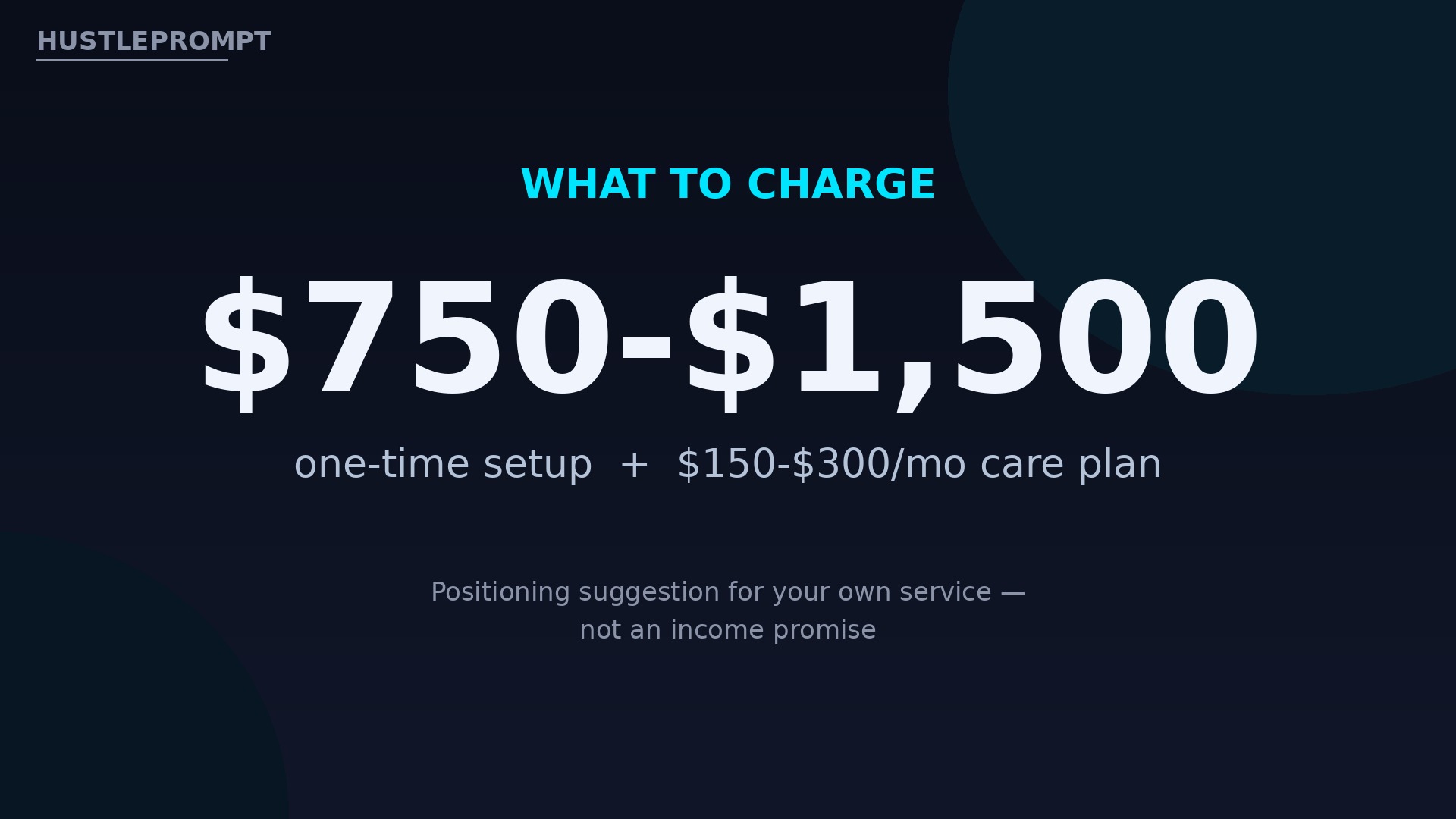
Price the outcome, not your hours. A chatbot that books appointments after hours is worth far more than the hours it took to configure. These ranges are positioning suggestions for your own service, never a promise of what you will earn:
Illustrative math only, not an income promise: two Booking Chatbot setups a month at $1,500 plus four care plans at $200 a month equals $3,000 in setup fees plus $800 a month recurring.
How to land your first three clients
Do not sell “AI.” Sell a live demo on the prospect’s own business. Build a working chatbot for one prospect before you contact them, using only public information from their website, and send a 2-minute recording of it answering their real questions.
Your outreach sequence:
- Day 1: Send the demo video: “I built this for your website from your own FAQ page. Want it live on your site?”
- Day 3: Follow up: “Every unanswered Saturday question is a booking going to a competitor.”
- Day 7: Offer a 15-minute call to install it for a 2-week trial.
A compliance note (not legal advice)
Chatbots must not misrepresent themselves where the law or the platform requires disclosure — if a visitor asks whether they are talking to a person, the bot should say it is an automated assistant. Always include a human handoff, never let the bot give regulated advice (medical, legal, or financial) beyond general information, and handle captured data under the privacy rules for your client’s business. Not legal advice.
FAQ
Do I need to know how to code to sell chatbot setup?
No. Tidio and Intercom are no-code: you configure flows, write content, and paste a script or plugin. Your skill is interviewing the owner and writing accurate answers, not programming.
How long does one chatbot build take?
About a week elapsed: one day of audit and facts page, one day of building, the rest waiting on the owner’s review. Repeat builds in the same niche take two to three days.
What if the chatbot gives a wrong answer?
That is what the facts page and trick-question test are for. When it still happens, the transcript shows what went wrong, you fix it in minutes, and the care plan catches cases weekly.
Who pays for the Tidio or Intercom subscription?
The client does, on their own account, so they keep the bot if they ever leave you. Your fee covers setup and care — you never resell software you do not own.
Won’t businesses just build this themselves with AI?
Some will try, and most will stop at a half-finished bot answering three questions. Your service sells finished, tested work plus maintenance.
Can one person really run this as a side service?
Yes, at small scale. Five care plans at $200 a month is $1,000 a month recurring for one weekly transcript review each. Cap clients before quality slips, then raise prices.