
Buffer pricing no longer hides behind a flat monthly fee. If you run social media for yourself or for clients, your bill now depends on one thing: how many channels you connect.
That single change matters more than any feature update. A creator with 3 channels can still pay nothing. A small agency with 12 channels pays a very different number — and the rate drops as the channel count grows.
This guide breaks down the current plans, the volume bands, and the X scheduling limit you need to plan around, so you can price Buffer honestly before you upgrade.
What Buffer changed
Buffer replaced its legacy plan ladder with three simple tiers: Free, Essentials, and Team. Every paid tier bills per connected channel, not per user and not per brand.
A channel is one connected social profile. One Instagram account is one channel. One Facebook Page is another. One LinkedIn page is a third.
That definition is where most billing surprises come from. Consider these points before you count your cost:
- Five brands with an Instagram and a Facebook Page each equal 10 channels, not 5.
- A Start Page counts as a channel too, so include it in your count.
- Adding a teammate on Team costs nothing extra, because Team has unlimited members.
The three plans, side by side
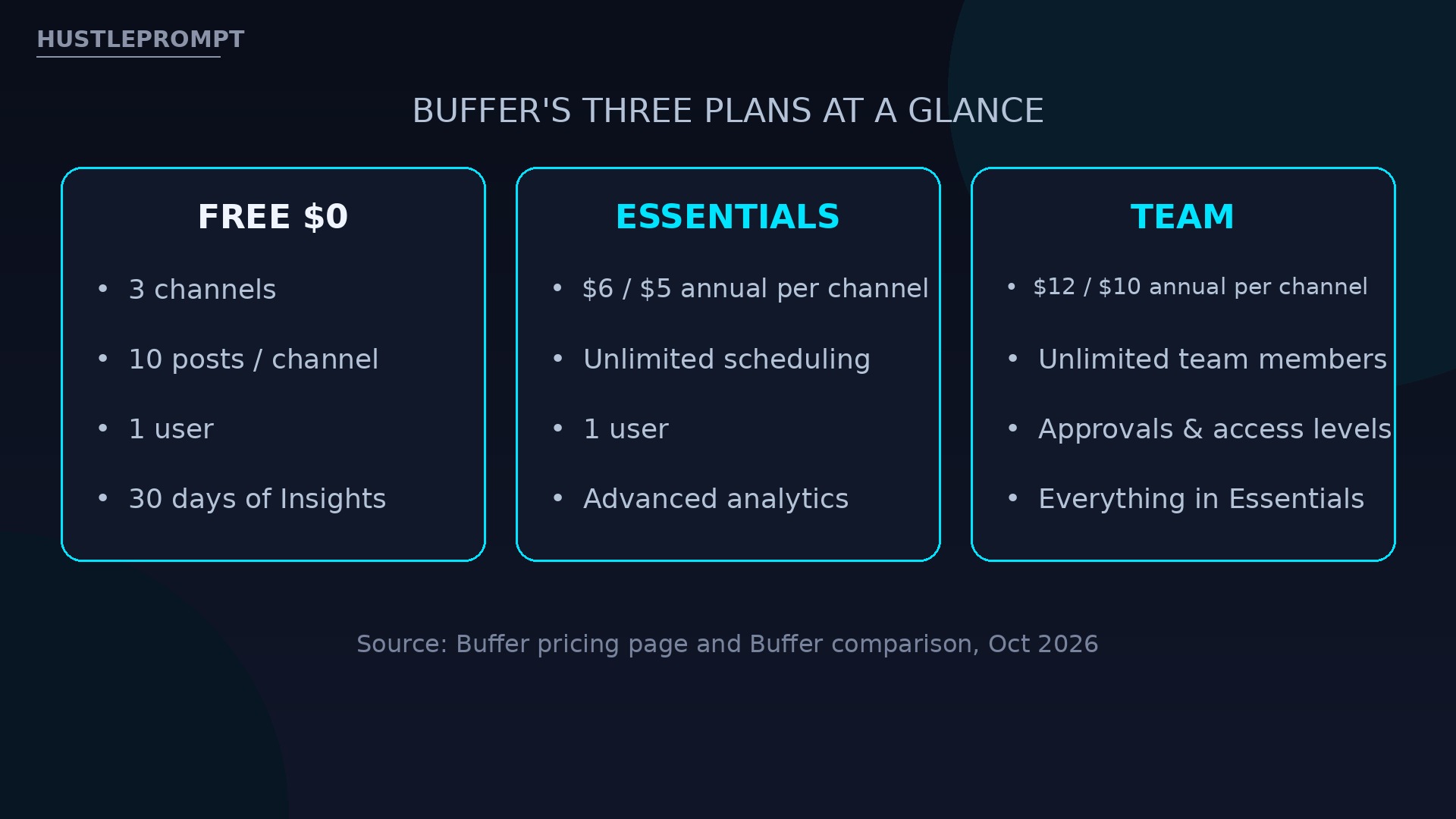
Buffer’s own comparison page confirms the headline rates. Free stays free. Essentials and Team split on collaboration, not on scheduling power.
| Plan | Monthly (per channel) | Annual (per channel) | Channels and users |
|---|---|---|---|
| Free | $0 | $0 | Up to 3 channels, 1 user, 10 scheduled posts per channel |
| Essentials | $6 | $5 | Unlimited channels, 1 user, unlimited scheduling |
| Team | $12 | $10 | Unlimited channels, unlimited team members, approvals |
Essentials unlocks unlimited scheduling, advanced analytics, a hashtag manager, and first-comment scheduling for Instagram and LinkedIn. Team adds unlimited members, access levels, and content approval workflows.
How the volume bands work
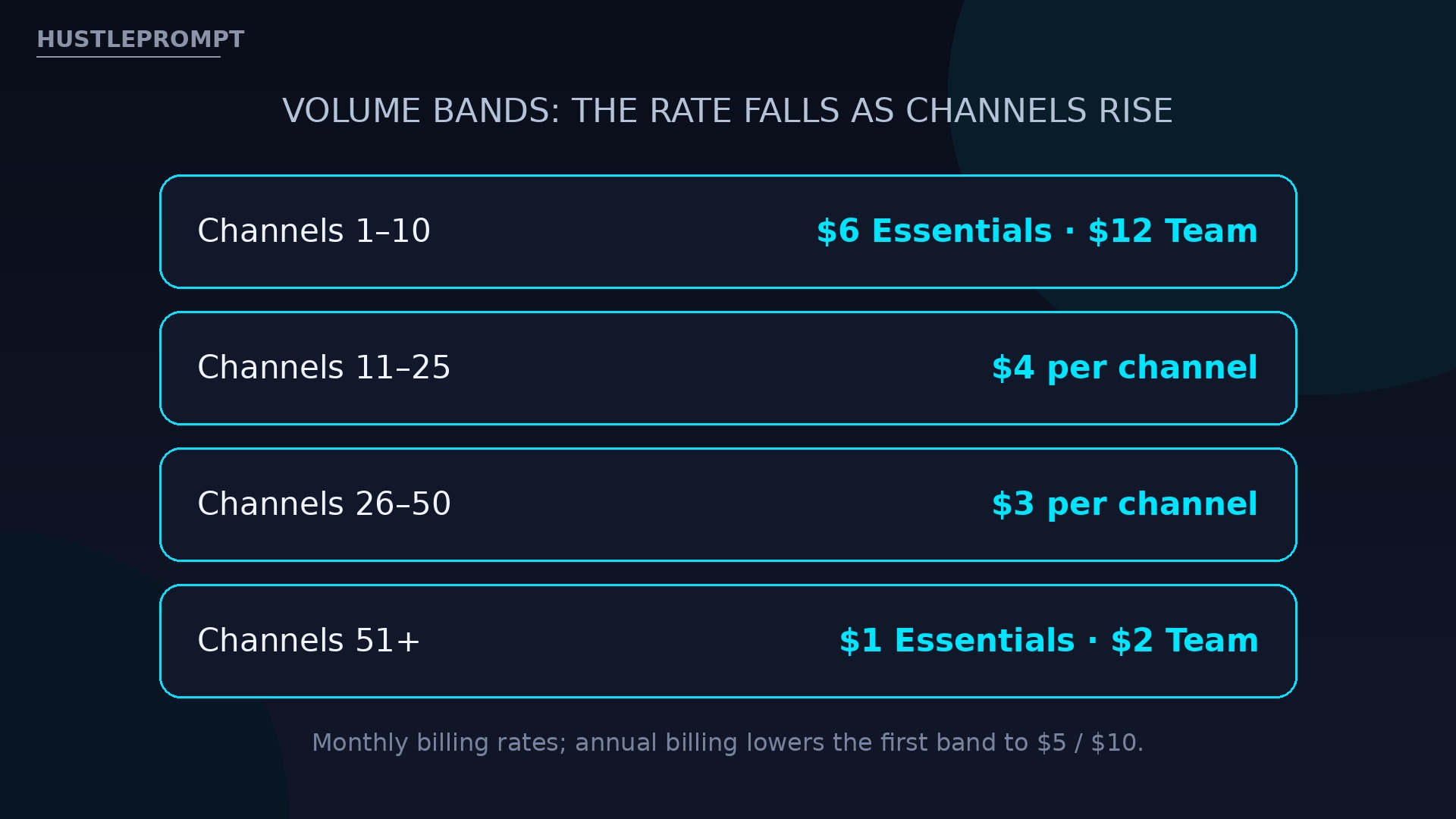
The headline rate applies to your first 10 channels. After that, the per-channel rate falls — and that is where agencies save real money.
| Channel band (monthly billing) | Essentials | Team |
|---|---|---|
| Channels 1–10 | $6 per channel | $12 per channel |
| Channels 11–25 | $4 per channel | $4 per channel |
| Channels 26–50 | $3 per channel | $3 per channel |
| Channels 51+ | $1 per channel | $2 per channel |
Run the math at your real scale. A solo creator with 4 channels pays $24 a month on Essentials with monthly billing, or $20 a month on annual billing.
The numbers that decide your plan
Free covers up to 3 channels with 10 scheduled posts per channel. Essentials starts at $6 per channel per month, or $5 on annual billing. Team starts at $12 per channel per month, or $10 on annual billing. Source: Buffer’s official comparison page.
Both paid plans include a 14-day free trial, so you can test approvals and analytics before committing to a channel count.
The X scheduling limit to plan around
One limit deserves special attention if X is a core channel for you. Buffer’s Help Center update of October 21–22, 2026 limits scheduling to X to one connected X account per scheduling action.
Buffer attributes the restriction to X’s own platform guidelines. In practice, that means you schedule to each X account as its own action, rather than blasting one post to several X accounts at once.
Plan for it in these ways:
- Budget a separate scheduling step for every X account you manage.
- Change the text or image before reposting, since X does not allow duplicate content.
- Use a paid plan for X thread scheduling.
How to price your Buffer bill in 4 steps
1. Count
List every profile, page, and Start Page. That total is your channel count.
2. Pick a tier
Free for 3 channels, Essentials for one user, Team for any team.
3. Apply the band
Use $6 or $12 for channels 1–10, then the lower rates above 10.
4. Compare billing
Annual billing drops the first band to $5 or $10 per channel.
How to profit with Buffer
Buffer’s per-channel model is easy to turn into a client service, because your cost is transparent and your client count is countable.
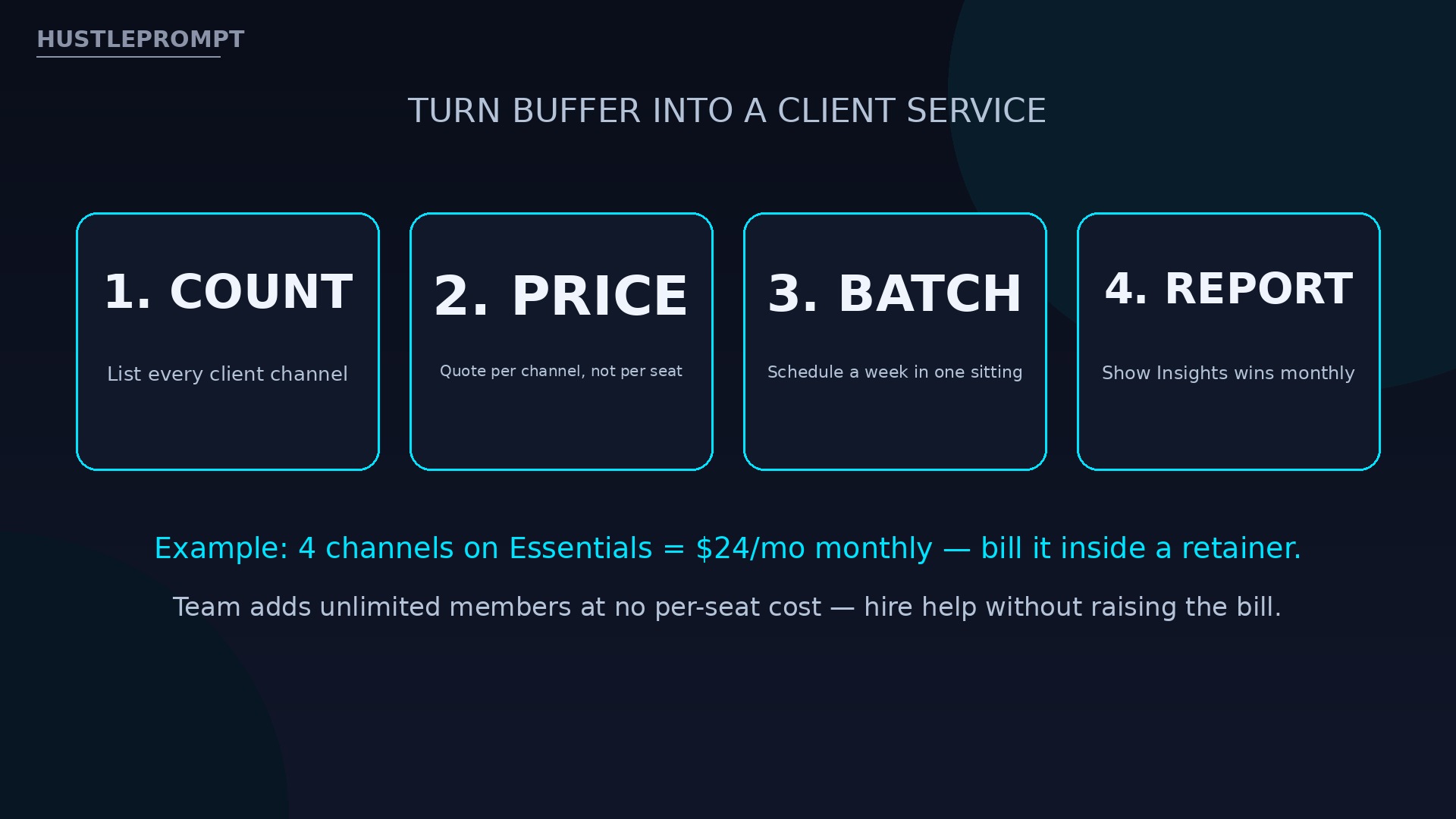
- Audit first. Count a prospect’s real channels, including pages they forgot about, before quoting a price.
- Quote per channel. Build your retainer around the channel count, then add your content and reporting fee on top.
- Batch weekly. Schedule a full week of posts in one sitting, then use Insights to report what worked.
- Sell Team as insurance. Clients with approvers need Team anyway, and unlimited seats mean your assistant costs you nothing extra in Buffer.
A freelancer managing 4 channels spends $24 a month on Essentials monthly. Fold that into a $300–$500 retainer.
Frequently asked questions
What is a Buffer channel?
One connected social profile, such as one Instagram account or Facebook Page. Your bill is channels times the per-channel rate.
How much does Buffer Essentials cost?
$6 per channel monthly, or $5 annual, for channels 1–10. Higher bands fall to $4, $3, and $1.
How much does Buffer Team cost?
$12 per channel monthly, or $10 annual, for channels 1–10, with unlimited members and approvals.
Is Buffer really free?
Yes. Free covers 3 channels, 10 posts per channel, the AI Assistant, and 30 days of Insights. It is not a trial.
Can Buffer schedule to multiple X accounts at once?
No. Under Buffer’s October 2026 Help Center update, X scheduling is limited to one connected X account per action.
Does Buffer charge per team member?
No, on Team — unlimited members, no per-seat cost. Essentials is limited to 1 user.
Should agencies use the volume bands?
Yes, above 10 channels. Channels 11–25 bill at $4 each on monthly billing.
Keep Reading
Sources: Buffer — Buffer vs. Hootsuite pricing comparison; Buffer — Schedule X posts.