
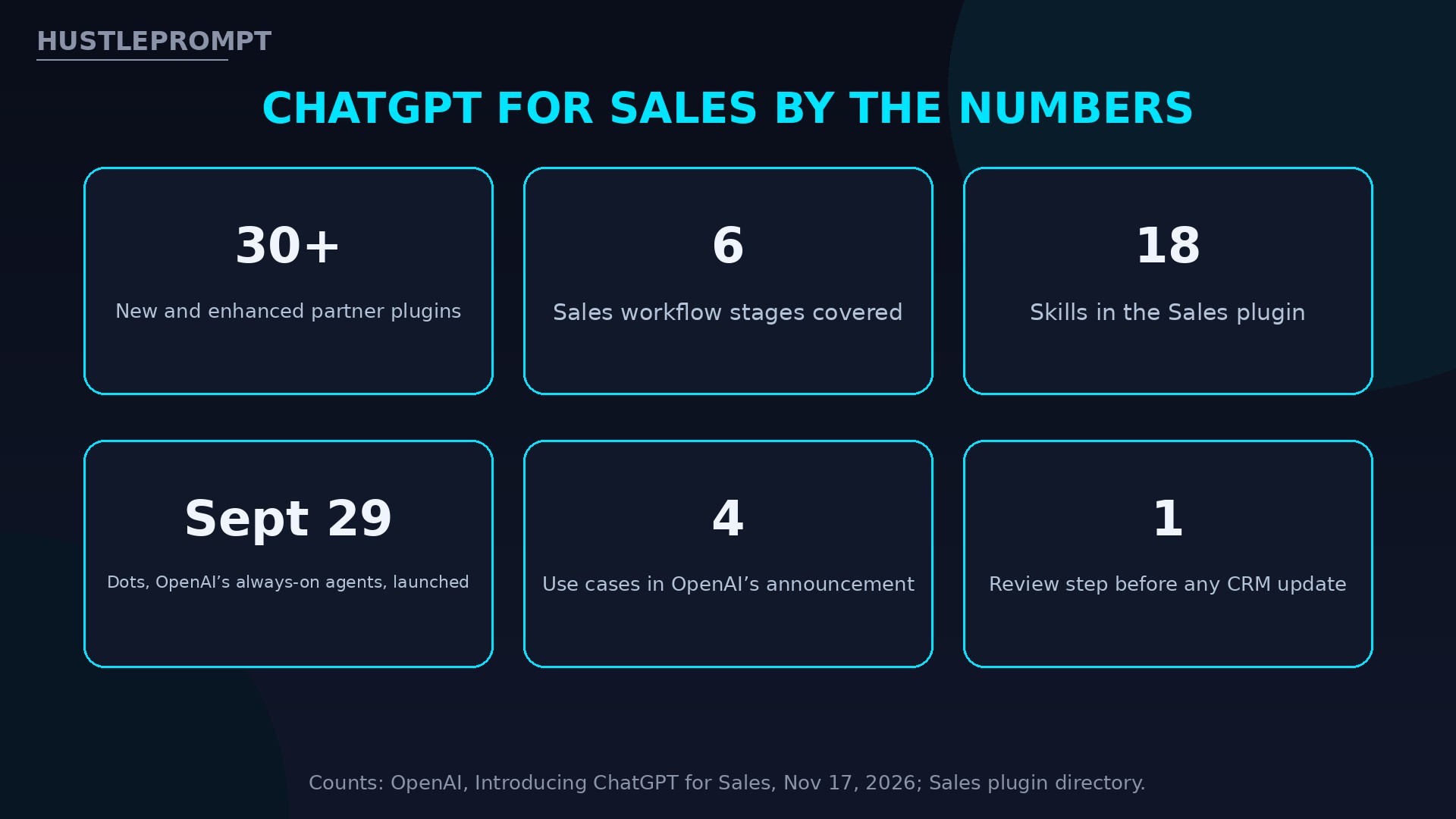
ChatGPT for Sales turns the chatbot your team already lives in into a sales floor. Launched on November 17, 2026, it pairs a new Sales plugin built by OpenAI with more than 30 new and enhanced partner plugins — Salesforce, HubSpot, monday CRM, Apollo, Clay, Gong, Otter.ai, Docusign and the rest — so sellers can research accounts, prep for calls, draft follow-ups and review pipeline risk without leaving a ChatGPT conversation.
The problem it attacks is familiar to anyone who has sold anything. The answers a seller needs live in five different places: the CRM, the call notes, the inbox, the slide deck and a teammate’s head. OpenAI’s answer is to make ChatGPT the one place where the context already sits — and to let an always-on agent, a dot, keep working the deal between conversations.
For freelancers and small sales teams, the interesting part is not the feature list. It is the price of admission: there is no separate sales platform to buy, no new interface to learn, and no separate price announced for the Sales plugin itself. If you already run your work in ChatGPT, the sales stack arrives inside it. Here is what launched, who can actually use it, and how a small team turns it into revenue.

What OpenAI launched
ChatGPT for Sales has two parts. The first is the Sales plugin, built by OpenAI, with ready-to-use workflows for everyday seller work: deciding which accounts to pursue, preparing for a call, and drafting the follow-up. The second is the partner ecosystem: more than 30 new and enhanced plugins that connect the tools a sales team already uses, so ChatGPT can work with customer context from those tools instead of guessing from a bare prompt.
“We’re introducing ChatGPT for Sales to help every sales team understand customers better, spend less time on busywork, and close more deals.”
— OpenAI, “Introducing ChatGPT for Sales,” November 17, 2026
The launch fits a pattern: a week earlier, on November 10, OpenAI launched Businesses in ChatGPT, letting companies claim a profile and publish an AI agent that talks to shoppers inside the chat. ChatGPT for Sales is the other side of that coin — a workspace for the seller’s own team, inside the same chat.
The 30+ partner plugins, by workflow
OpenAI organizes the partner plugins by the job they do, not by vendor. Six workflow groups cover the deal from first research to signed contract. The table below uses OpenAI’s own grouping from the announcement and the product page.
| Workflow stage | What it covers | Partner plugins |
|---|---|---|
| Create content, equip sellers | Learn the sales process, rehearse pitches, build tailored decks | Confluence, Guru, Seismic, Gamma, Figma, Canva, ChatGPT Slides, Sites, Voice |
| Manage accounts, advance deals | Account context, call prep, commitments, next steps | Salesforce, HubSpot, Close CRM, monday CRM, Zoho CRM, Pipedrive, Attio |
| Find and engage buyers | Prospect signals, account research, outreach planning | Apollo, Clay, Common Room, ZoomInfo, Outreach, Salesloft, Rox, Actively |
| Turn conversations into action | Call notes, buyer priorities, agreed next steps | Gong, Otter.ai, Granola, Fireflies, Zoom, Meetings plugin |
| Track performance, spot deal risk | Pipeline analysis, deals that need attention | Backstory, Hex, Data plugin, Power BI, Tableau, Zoom Revenue Intelligence |
| Prepare quotes and agreements | Quotes and contracts when a buyer is ready | Docusign, Ironclad, PandaDoc, ServiceNow CPQ |
Two details matter for small teams. First, the CRMs covered are the ones small businesses actually use — HubSpot, Close and monday sit next to Salesforce, not instead of it. Second, the list covers the whole deal, not just the top of the funnel: Docusign, Ironclad and PandaDoc close the loop on contracts, where most “AI for sales” tools stop helping.
The Sales plugin’s built-in skills
The Sales plugin itself ships with named skills — reusable workflows the seller invokes in plain language. OpenAI’s plugin directory lists eight by name, plus ten more: Analyze Account Signals, Build Business Case, Build Competitive Brief, Executive and Seller Dashboard Demo, Enrich Company And Contact Data, Find Customer Quotes, Find Key Internal Sources and Follow Up After Call.
The directory lists the plugin’s capabilities as Interactive, Read and Write — it can ask questions, read connected context, and draft changes. The announcement is explicit that sellers review proposed CRM updates before they are saved; with a connected tool such as Attio, the approved next step can then be saved to the CRM from inside ChatGPT. The review step is the answer to the obvious fear — an AI rewriting your pipeline while you sleep.
| Deal stage | What ChatGPT does | Plugins doing the work |
|---|---|---|
| Build pipeline | Prioritized account list from CRM data and prospect research, with a reason each account fits | Salesforce, HubSpot, ZoomInfo, Clay |
| Make the case | Meeting brief from account history, previous calls and buyer priorities; customer-specific pitch | Sales plugin, Gamma, Canva |
| Keep deals moving | Follow-up draft, agreed next steps captured, CRM update prepared for review | Sales plugin, Attio, Gong, Otter.ai |
| Spot risk | Diagnose what is holding a deal up from CRM history and call notes; morning check by a dot | Rox, Backstory, Hex, Data plugin |
| Close | Renewal brief from signed agreement details plus CRM context; quote and agreement prep | Docusign, Ironclad, PandaDoc, ServiceNow CPQ |
Watch: OpenAI introduces ChatGPT for Sales on its official YouTube channel.
PROSPECT → RESEARCH → MEET → FOLLOW UP → CLOSE
1. PROSPECT
Apollo, Clay and ZoomInfo surface accounts worth pursuing, with signals for why each fits.
2. RESEARCH
CRM history, call notes and buyer priorities become one meeting brief.
3. MEET
Pitch with a customer-specific deck from Gamma or Canva, rehearsed with ChatGPT Voice.
4. FOLLOW UP
Draft the follow-up, capture next steps, and review the CRM update before saving.
5. CLOSE
Docusign or Ironclad preps the agreement; a dot checks the deal each morning.
Dots: the always-on seller’s assistant
The part that changes the workday is not a plugin. It is dots, OpenAI’s always-on agents, introduced on September 29, 2026. A dot uses the same sales plugins and customer context to prepare meeting briefs, track deal updates, and bring proposed next steps for review — while the seller is doing something else.
With Rox connected, a dot can check a deal every morning, flag changes that need attention, and prepare a meeting brief or follow-up sequence for review. Each dot has its own cloud computer and works with apps and permissions the user approved; Custom Rules allow, require approval for, or block actions, and an Activity View shows what it did. OpenAI cautions that dots can make mistakes and says consequential work should always be reviewed.
How to set it up
Setup depends on which side of the admin line you sit on — and the difference matters for freelancers selling this as a service.
- Install the Sales plugin. In ChatGPT Work or Codex, find the Sales plugin, install it, review the permissions, and connect the apps it needs. Then start a chat, describe the result you need, and ask it to use plugins.
- Connect one CRM first. Pick the system of record — HubSpot or Salesforce for most teams — and connect it before adding prospecting or call tools. The workflows are only as good as the context they can read.
- Add the call layer. Connect Gong, Otter.ai, Granola or the Meetings plugin so follow-ups can draw on what was actually said, not on what the seller remembers.
- Set up one dot. Give a dot a single recurring job — the morning deal check, or meeting briefs for tomorrow’s calls — and review its output for a week before giving it a second job.
- If you run a team, use the admin path. Business and Enterprise admins enable the Sales plugin and partner plugins from the Admin Console, under workspace Plugins — available for members to install, or installed by default — and review connected app access and permitted actions.
Availability is the caveat that runs through the whole launch. OpenAI states that partner plugins and features vary by plan, region and workspace settings, and some connections require administrator setup or approval. Do not promise a client a plugin until you have confirmed it is available on their plan, in their region, and approved in their workspace.
How small teams can profit
The product is free to use inside a ChatGPT plan — no separate Sales plugin price was announced — so the margin is in the service around it. Five plays fit a freelancer or a small team right now:
- Sell the setup. Most small businesses have a CRM full of stale data and a team that lives in ChatGPT. Offer a fixed-price ChatGPT for Sales setup: connect the CRM, the call tool and the document store, install the Sales plugin, and build the first three workflows. The work is a day; the pitch is that sellers stop retyping.
- Sell the morning brief. Package the dot as a service: every morning, each seller gets a brief for the day’s calls — account history, last call, open risks — plus a drafted follow-up for yesterday’s calls. Charge per seller per month — the client sees the output daily.
- Sell pipeline hygiene. Use the review-before-update workflow to clean the CRM: ChatGPT drafts the updates from call notes, a human approves them, and the pipeline stops lying. One customer example puts the prize in perspective — NeoBid’s co-founder estimated HubSpot with ChatGPT for Sales cut manual effort by around 65% across prospect research, CRM enrichment, opportunity prioritization and personalized outreach. That is the customer’s estimate, not an OpenAI measurement.
- Sell the playbook. OpenAI’s product page says teams can capture customer insights and proven sales plays in shared skills and ChatGPT Sites for use across a revenue organization. Build a client’s best plays — the discovery questions that work, the objection handling that lands — into shared skills once, and charge for the playbook as an asset, not by the hour.
- Sell the follow-up, not the tool. The follow-up is where small teams lose deals: the call went well, the email never went out. Offer a follow-up service where every call gets a drafted, reviewed follow-up inside 24 hours, using the client’s own Gong or Otter notes. The tool is ChatGPT for Sales; the product is that nothing slips.

The limits: review before you trust it
Four honest limits:
- Availability is not universal. Partner plugins and features vary by plan, region and workspace settings. Some connections need admin setup or approval. A workflow that works in your workspace can be blocked in a client’s.
- The 65% figure is one customer’s estimate. NeoBid’s co-founder estimated the manual-effort reduction across four activities — prospect research, CRM enrichment, opportunity prioritization and personalized outreach — not across the whole sales cycle. Treat it as a directional claim from an early user, not a benchmark.
- Dots make mistakes. OpenAI says so itself, and says consequential work should always be reviewed. A dot that drafts a follow-up is a time-saver; a dot that updates a forecast unsupervised is a liability. Keep the human in the loop where money moves.
- No price was announced for the Sales plugin. OpenAI did not publish a separate price, and access is tied to the ChatGPT plan and workspace. The cost case rests on time saved inside a plan the team already pays for — not on a price you can quote today.
What to watch
- Which plugins get real usage. Thirty-plus integrations is a launch number. The ones sellers open every day — the CRM, the call recorder, the contract tool — will decide whether the product is a workspace or a directory.
- Whether dots earn trust. If teams let dots run the morning check and the follow-up draft without rewriting them, delegation compounds. If every draft needs a rewrite, the dot is just another inbox.
- What OpenAI charges next. The Sales plugin arrives inside existing ChatGPT plans. If a premium sales tier appears, the math for small teams changes — and the setup services built on top of it get repriced too.
Sales software has always been a stack of tools that do not talk to each other, and the seller has been the integration layer. OpenAI is betting the integration layer can be a conversation instead — one chat that knows the account, the last call, the open deal and the next step, with a dot keeping it current overnight. For a freelancer, that is a service to sell today: set it up, keep the human in the loop, and charge for the deals that stop slipping.
Frequently asked questions
What is ChatGPT for Sales?
Launched on November 17, 2026, it pairs a new Sales plugin built by OpenAI with more than 30 new and enhanced partner plugins. It brings CRM data, call notes, sales materials and deal context into ChatGPT so sellers can research accounts, prepare for meetings, draft follow-ups and review pipeline risk in one place.
Which tools does ChatGPT for Sales connect to?
More than 30, organized by workflow: Salesforce, HubSpot, Close CRM, monday CRM, Zoho CRM and Pipedrive for accounts; Apollo, Clay, ZoomInfo, Outreach and Salesloft for prospecting; Gong, Otter.ai, Granola and Fireflies for call notes; Docusign, Ironclad and PandaDoc for quotes and agreements; plus Backstory, Hex and the Data plugin for pipeline analysis.
How much does ChatGPT for Sales cost?
OpenAI did not announce a separate price for the Sales plugin. It is available inside ChatGPT, and access to partner plugins and features varies by plan, region and workspace settings. Business and Enterprise admins enable it from the Admin Console under workspace Plugins.
What are dots in ChatGPT for Sales?
Dots are OpenAI’s always-on agents, introduced on September 29, 2026. A dot uses the same sales plugins and customer context to prepare meeting briefs, track deal updates and surface proposed next steps for review. With Rox connected, it can check a deal every morning and flag changes that need attention.
Does ChatGPT update my CRM automatically?
No — not without review. ChatGPT drafts follow-ups, captures agreed next steps and prepares updates to the customer record, and the seller reviews the proposed changes before they are saved. With a connected tool such as Attio, the approved next step can then be saved to the CRM from inside ChatGPT.
Can freelancers and small teams use ChatGPT for Sales?
Yes, with a caveat: availability varies by plan, region and workspace settings, and some connections need administrator setup or approval. The workflows fit a small team well — one CRM, one call tool, one dot for the morning brief — but confirm each plugin is available on the client’s plan first.
Keep Reading
Sources: OpenAI, “Introducing ChatGPT for Sales” (Nov 17, 2026); OpenAI, ChatGPT for Sales product page; OpenAI, Sales plugin directory page.