
Depost AI LinkedIn agent just finished #2 on Product Hunt — and one of its first users has the receipts. SeedLegals founder Anthony Rose says his LinkedIn views fell off a cliff after an algorithm change, then climbed back to 10,000 to 150,000 views per post after he followed Depost’s advice. That is the whole pitch: stop guessing what to post, and let an AI agent study your own numbers first.
Most LinkedIn tools hand you a blank prompt and a generic voice. Depost AI does the opposite: it reads your published posts, scores each one against your own average, and plans the next batch in your voice. You approve every post before anything goes live.
For freelancers and small businesses, that difference is money. LinkedIn is where B2B clients check you out before they reply, and 82% of B2B buyers say content from creators influences what they buy, per LinkedIn research from 2025 cited by Depost.
What Depost AI actually does
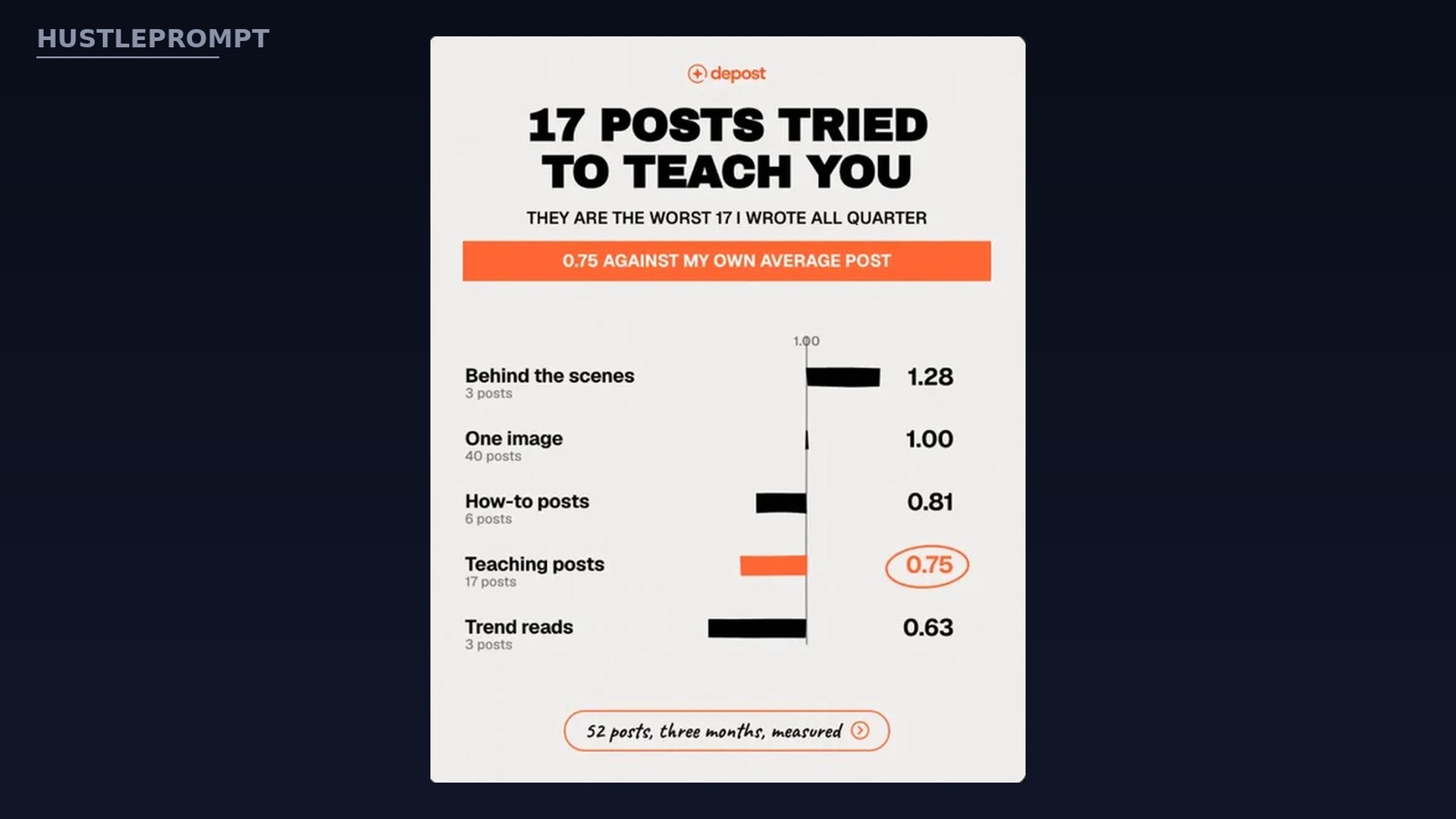
Depost AI runs on four specialist agents in a loop. The Performance Analyzer reads your numbers first: impressions, engagement rate, and follower history, synced from the LinkedIn account you connect. It finds the posts beating your average and works out why.
Then the Idea Generator crosses your winners with what is working in your niche now and keeps a backlog of angles you would actually post. Every idea arrives with the receipts: which post, which number, and why now. The Post Generator drafts in your voice, and the Graphic Generator designs matching infographics in your colors and themes.
Onboarding takes about fifteen minutes. Connect LinkedIn, and the system reads your profile and your last 50+ posts, then hands you a strategy to confirm: who you write for, what you lead with, and what your posts should bring you. What you confirm becomes the brand memory every agent reads, and your voice is re-learned weekly.
The four Depost AI agents — what each one does
| Agent | Job | What it hands over |
|---|---|---|
| Performance Analyzer | Reads your impressions, engagement rate, and follower history | The posts beating your average, and why |
| Idea Generator | Crosses your winners with what works in your niche now | An idea backlog, each with its evidence |
| Post Generator | Drafts in your voice, re-learned weekly | Finished drafts in a real editor |
| Graphic Generator | Designs infographics in your colors and themes | Post and graphic together, ready to schedule |
Source: depost.ai — the four agents chain 75+ content operations into every plan, and everything ends in your approval queue.
You can also run it from inside Claude or ChatGPT. Depost AI ships as an MCP server, so your drafts, analytics, calendar, and approval queue become tools in the assistant you already use. Publishing goes through LinkedIn’s official API, with no automated DMs, connection requests, or comments — the things that actually get accounts flagged.
The money angle for freelancers and small businesses
The fastest way to make money with Depost AI is to sell the output, not the tool. A freelance ghostwriter can run a client’s LinkedIn through it: the agent studies what already worked for that client, drafts a month of posts, and the freelancer edits, approves, and ships. The pitch writes itself — strategy backed by the client’s own data, not vibes.
Depost also drafts replies to the conversations worth joining, from targeted feeds of prospects you choose. That is where LinkedIn leads come from: useful comments on the right posts, followed by a researched outreach note. Solo includes 5,000 AI replies a month and 10 lead lists, so one seat can run engagement for several clients.
Agencies get more room on Team: three LinkedIn accounts, approval workflows, and clients who approve their own posts. Teammates, clients, and VAs cost nothing extra.
Depost AI pricing: Solo, Team, and a $399 lifetime deal
Depost AI pricing — official plans from depost.ai/pricing
| Plan | Price | LinkedIn accounts | Monthly limits |
|---|---|---|---|
| Solo | $59 / month | 1 | 50 AI posts, 20 infographics, 5,000 AI replies |
| Team | $199 / month | 3 included, then $59 each | Unlimited posts and replies, 50 infographics |
| Lifetime | $399 once (was $999) | 1 per payment | 50 posts, 20 infographics, 5,000 replies a month |
| Enterprise | Let’s talk | 30+ | Volume pricing, SSO, dedicated manager |
Every plan includes 7 days free, all four agents from day one, and the 150,000+ viral post library. Yearly billing gives two months free: Solo $590 a year, Team $1,990 a year. Source: depost.ai/pricing.
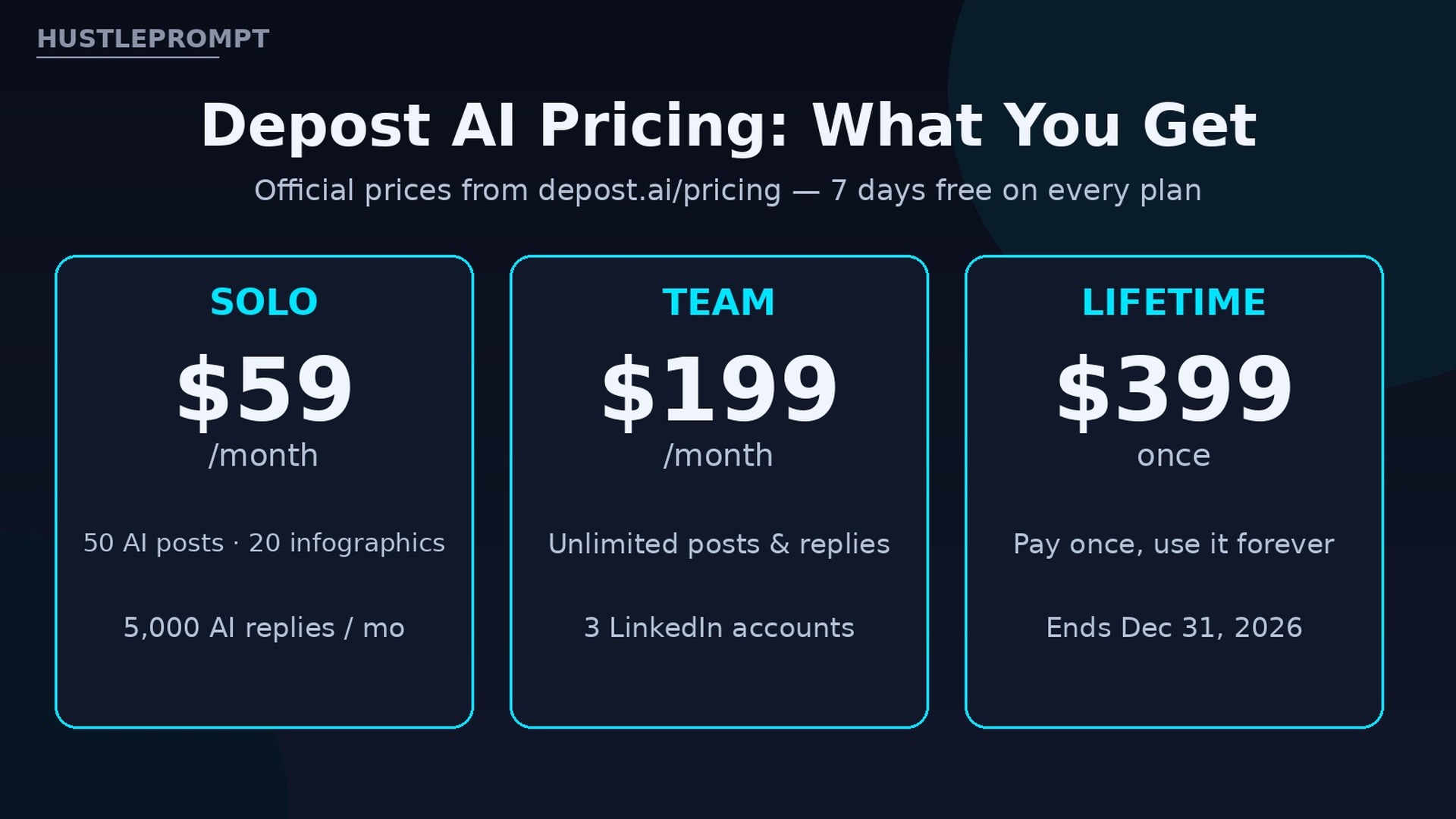
Solo costs $59 a month for one LinkedIn account: all four agents, 50 AI posts and 20 infographics a month, 5,000 AI replies, and the 150,000+ viral post library. Team costs $199 a month for three accounts, with unlimited AI posts and replies, 50 infographics a month, and approval workflows.
Every plan starts with 7 days free and all four agents from day one. Add a card, pay nothing today, and cancel before day 7 to never be charged. The trial includes 10 AI posts, 5 infographics, and 700 AI replies.
How Depost AI turns your past posts into next month’s content
1
Analyze
Your posts vs. your average
2
Ideate
Angles with receipts
3
Write
Drafts in your voice
4
Design
On-brand graphics
5
Approve
You say yes first
6
Publish
Via LinkedIn’s API
Nothing goes live until you approve it — the loop repeats every week.
The deal that matters most is the Black Friday lifetime offer: $399 once, down from $999, ending December 31, 2026. One payment per LinkedIn account covers everything in Depost AI forever, with monthly quotas that renew and no renewal bill. Monthly billing adds up to $708 a year, so Depost says the deal pays for itself in the seventh month.
How to profit with Depost AI in your first month
- Run the free trial on your own profile first. Connect LinkedIn, let it read your last 50+ posts, and confirm the strategy it hands you. You need one before-and-after story before you sell this to anyone.
- Pick one format the data likes. Post more of what beats your average; pause what sits below it.
- Turn the trial into a paid offer. Package a month of posts, graphics, and replies for one client at a flat fee. Your cost is $59; the client pays for the outcome, not your hours.
- Use the approval queue as quality control. Edit every draft for the client’s voice, then approve — the client sees a human in charge, not a robot.
- Decide on the lifetime deal before December 31. If LinkedIn is a permanent channel for you, $399 once beats $59 a month from month seven onward.

Frequently asked questions
What is Depost AI?
Depost AI is a LinkedIn AI agent that scores your published posts against your own average, finds what works in your niche, then plans, writes, designs, and schedules posts in your voice. It launched on Product Hunt on November 27, 2026, finishing #2 Product of the Day.
How much does Depost AI cost?
Solo costs $59 a month for one LinkedIn account, Team costs $199 a month for three accounts, and a Black Friday lifetime deal costs $399 once (down from $999) until December 31, 2026. The lifetime deal is refundable for 14 days until the code is redeemed. Every plan starts with 7 days free, and yearly billing gives two months free.
Does Depost AI post without my approval?
Never. Every post waits in an approval queue until you, or a reviewer you assign, approve it. You can also run it inside Claude or ChatGPT through MCP, and nothing publishes without your yes.
Will Depost AI get my LinkedIn account restricted?
According to Depost, no: publishing goes through LinkedIn’s official API, analytics come from the LinkedIn account you connect, and it sends no automated DMs, connection requests, or comments — the actions that actually get accounts flagged.
Can freelancers use Depost AI for clients?
Yes. Solo covers one LinkedIn account, while Team adds three accounts, approval workflows, roles per brand, and unlimited clients, VAs, and teammates at no extra cost. The bill only moves when you add a LinkedIn account past the three Team includes.
Is there a free way to try Depost AI?
Yes. Every plan includes a 7-day free trial with all four agents, and Depost offers free tools with no account needed: an open-source Claude plugin, a LinkedIn profile analyzer, and a viral post finder.
How is Depost AI different from Taplio or Kleo?
Depost’s own answer: Taplio and Kleo are excellent editors with AI assistance, but you still run the loop. Depost’s agents run the loop — analyze, ideate, write, design, schedule — while you approve and steer.
Keep Reading
- How to Start an AI Automation Agency (From Zero to First Client)
- Juncts: Superhuman for Your DMs, With AI That Drafts
- Sell AI Podcast Guest Booking Services to Founders
Sources
- Depost AI on Product Hunt — launch post by co-founder Yasir Abbas, product description, free tools, and $0 starting price listing.
- Product Hunt daily leaderboard, November 27, 2026 — Depost AI ranked #2 Product of the Day.
- Depost AI — official homepage — four agents, onboarding, testimonials, and pricing summary.
- Depost AI pricing — Solo $59, Team $199, lifetime $399, trial terms, and plan comparison.
- Depost AI — About us — the three-person team and founders’ LinkedIn growth.