
Seventy million people use Gamma, and the company behind it crossed $100 million in annual recurring revenue with a team of about 50 people. Those are not startup-vanity numbers: they come from Gamma’s own November 2025 Series B announcement, reported by TechCrunch, which valued the company at $2.1 billion.
Gamma is the fastest-growing alternative to PowerPoint for one simple reason: it turns a rough outline into a presentable deck in minutes, without asking you to learn design. But there is a catch hiding behind the friendly $9 price tag.
The real price of Gamma is not the monthly fee. It is the credit system. This review breaks down the verified 2026 pricing, what Gamma actually does well, where it falls short, and whether Plus at $9 a month is worth it for freelancers, creators, and small teams.
What Is Gamma and How Does It Work?
Gamma is an AI presentation maker that builds presentations, documents, and webpages from a prompt, pasted notes, or an imported file. You describe the deck you want, and Gamma writes the copy, picks the layout, and adds images.
The key difference from PowerPoint is structural. Gamma does not build traditional slides. It builds cards: vertical, scrollable blocks that reflow when you edit the text. That makes Gamma decks look great when shared as a link, and occasionally awkward when forced into a classic 16:9 slide format.
Gamma was founded in late 2020 by Grant Lee, Jon Noronha, and James Fox, and its product launched in 2022. Since then, users have created more than 400 million presentations, websites, and other assets, with over 1 million generated every day, per the Series B announcement.
Card, not slide: why that matters
A card behaves more like a web page section than a slide. Add a paragraph, and the card grows; swap an image, and the layout adjusts. You never fight text boxes while drafting.
It is also Gamma’s biggest weakness. When you export to PowerPoint, a fluid card becomes a fixed slide, so fonts, spacing, and charts can shift. Every exported deck needs a manual check before it reaches a client.
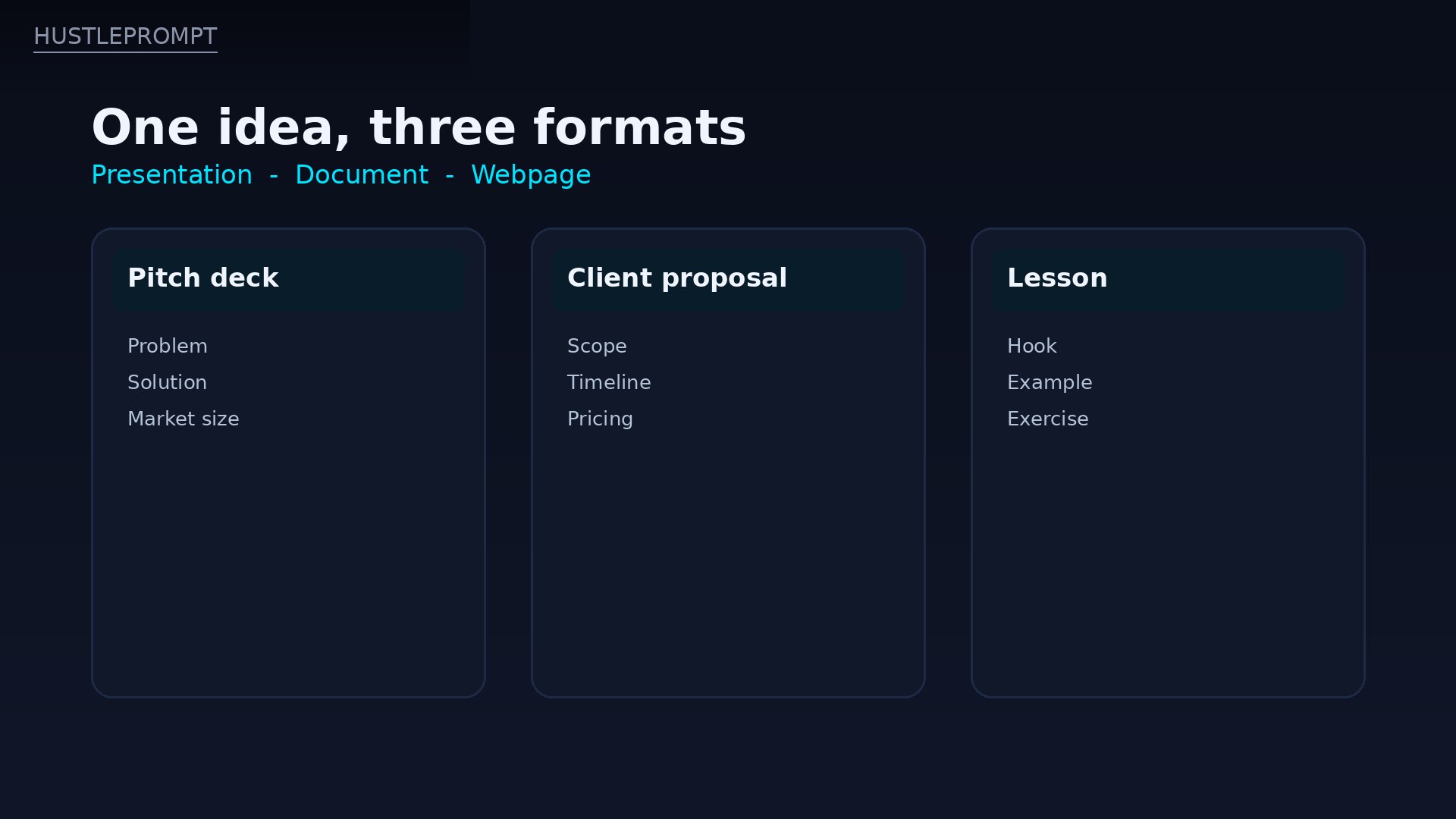
One idea, three formats: Gamma builds presentations, documents, and webpages from the same starting point. HustlePrompt illustration of Gamma’s card-based layout (not a Gamma screenshot).
Key Features: What Gamma Actually Does in 2026
Generate, Paste, or Import
Every Gamma starts one of three ways. Generate builds a draft from a one-line prompt. Paste formats text you already wrote. Import pulls in a PDF, PowerPoint file, or URL and restyles it.
Paste and Import are the features serious users live in. Generate is fun for a first draft, but pasting an approved outline gives far more control over facts, tone, and structure. If the content matters, write it first, then let Gamma design it.
One-click restyling and themes
Gamma’s single best trick is restyling. Pick a different theme, and the whole deck changes: colors, fonts, and image style update across every card at once. You can also build a custom theme from brand colors and logo, although full custom fonts are a Pro feature.
The Gamma 5 agent (October 2026)
In October 2026, walkthroughs of the new Gamma 5 experience show an AI agent that asks follow-up questions before building, proposes an editable outline, and can produce several designs from the same prompt. It also connects to tools such as Notion, Slack, and HubSpot.
Treat Gamma 5 as a rolling upgrade, not a separate product: outline first, design second, edit third. The agent simply makes the first step smarter.
Sharing, analytics, and embeds
Gamma decks are built to be shared as a live link, presented in the browser, or exported. Pro adds detailed analytics, advanced sharing controls, and custom domains, and you can embed videos, charts, and GIFs inside cards. For proposals, that beats a static PDF.
How to Use Gamma: The Workflow That Works
Gamma rewards a short, disciplined workflow. Skip it, and you will burn credits regenerating the same deck five times.
- Write the outline first. List the cards you need, one line each, in the order the reader should meet them. Ten clear lines beat a vague paragraph every time.
- Choose Paste over Generate for real work. Paste your outline, pick presentation, document, or webpage, and let Gamma design around approved content.
- Pick a theme before you edit copy. Restyling later is easy, but editing text twice is not. Lock the look, then polish the words.
- Edit card by card. Use the AI sparkle control on individual cards for small fixes, instead of regenerating the whole deck.
- Check the export before you send it. Open the PPTX or PDF, check fonts, spacing, and charts, and fix anything that shifted in export.
That five-step loop is the whole skill. Gamma is not hard to learn; it is easy to waste credits on, which brings us to pricing.
Gamma Pricing 2026 (Verified)
Prices below are per seat, in US dollars, and were checked against multiple independent October 2026 snapshots of Gamma’s official pricing page, all in agreement. Gamma shows annual prices by default, so both monthly and annual figures are listed. Confirm on the official page before buying.
Gamma plans — October 2026
| Plan | Price | AI credits | Cards per prompt | Key limits |
|---|---|---|---|---|
| Free | $0 | 400 at signup, once | Up to 10 | Gamma branding on outputs |
| Plus | $12/mo monthly $9/mo billed annually ($108/yr) |
1,000/mo | Up to 20 | Branding removed; advanced image models |
| Pro | $25/mo monthly $18/mo billed annually ($216/yr) |
4,000/mo | Up to 60 | Custom branding and fonts; analytics; API; up to 10 custom domains |
| Ultra | $100/mo monthly $90/mo billed annually ($1,080/yr) |
20,000/mo | Up to 75 | Most advanced models; up to 100 custom domains; early access |
Team and Business plans sit above Pro: Team at $240 per seat per year (2-seat minimum, 6,000 credits per seat per month) and Business at $480 per seat per year (10-seat minimum, 10,000 credits per seat per month), per Gamma help summaries. Enterprise is quote-only.
Three pricing details matter more than the headline numbers:
- Free credits do not refresh. The 400 signup credits are a one-time trial budget, not a monthly allowance. Once they are gone, they are gone, although guides report you can earn 200 credits per referral, up to a 2,000-credit balance.
- Paid credits roll over, but only up to twice your monthly amount. That is generous by credit-tool standards, and it means a quiet month can bank credits for a busy one.
- Generation costs add up. A third-party estimate puts a full presentation at roughly 40 credits, an AI chat edit at 10, a single AI card at 5, and AI images at 2 to 50 credits depending on the model. That estimate is not Gamma’s published price list, but it explains why heavy regenerators outgrow Plus fast.
Exports, unusually, are not paywalled: even the Free plan exports to PDF, PPTX, PNG, and Google Slides. What Free keeps is the Gamma badge on shared output, which is a dealbreaker for anything client-facing.
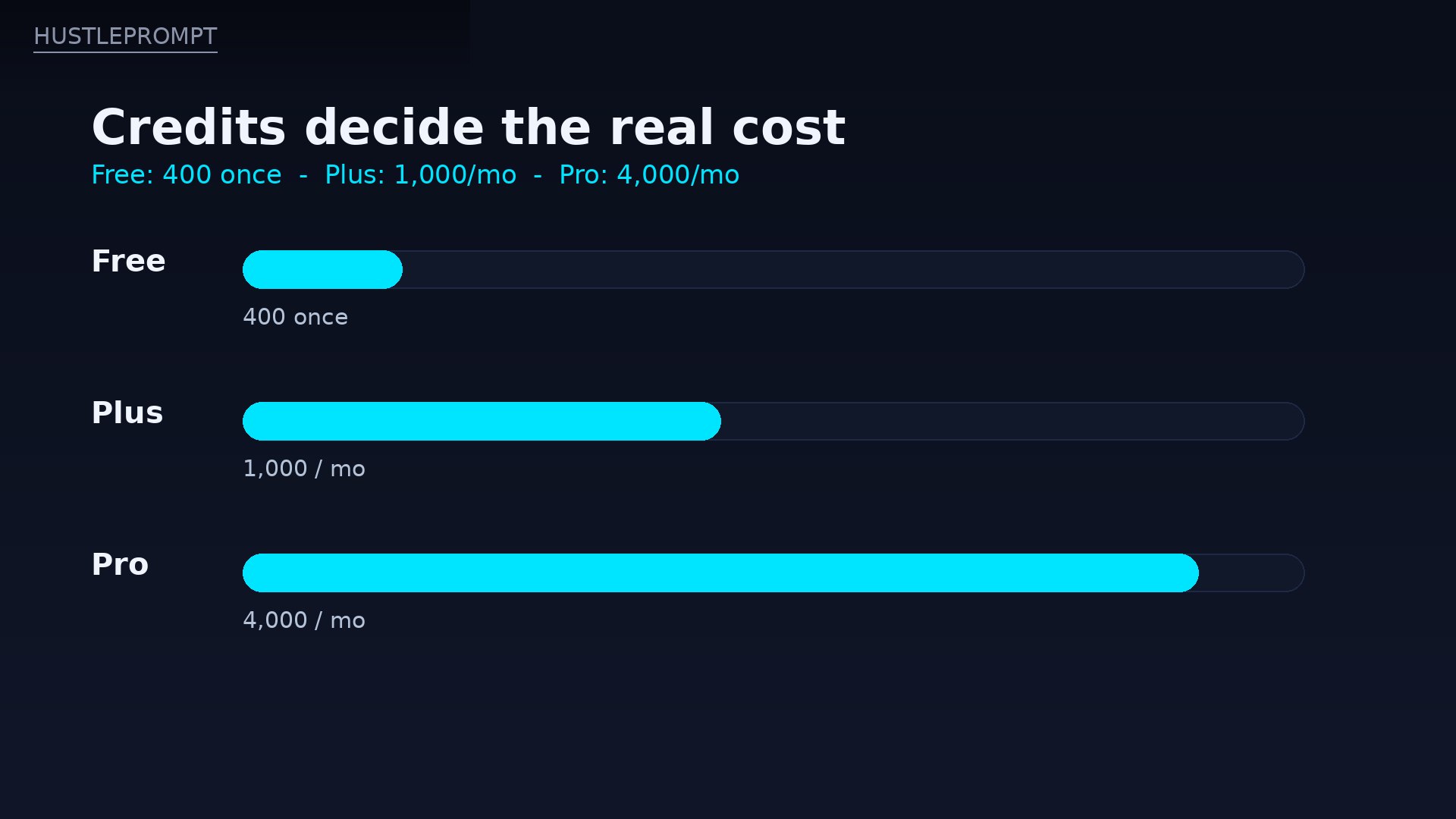
Credits decide the real cost: Free gives 400 credits once, Plus gives 1,000 a month, and Pro gives 4,000 a month. HustlePrompt illustration (not a Gamma screenshot).
Gamma by the Numbers
Why Gamma leads the category
Sources: Gamma Series B announcement (Business Wire, Nov 2025) as reported by TechCrunch. Figures as reported at that date; verify current numbers before quoting.
The 60-Second Decision
Should you pay for Gamma?
Just curious?
Stay on Free. 400 credits is enough to test the workflow, but keep output personal: it carries Gamma branding.
Sending decks to clients?
Get Plus ($9–12/mo). Branding removal is the feature you are really buying.
Decks every week?
Get Pro ($18–25/mo). 4,000 credits, custom branding, analytics, and the API earn their keep.
Must deliver perfect PPTX?
Use PowerPoint or Beautiful.ai instead. Gamma’s cards will fight a strict template.
Gamma vs. the Alternatives
Gamma is the best overall pick for speed, but it is not the best pick for every deck. The deciding factor is usually export: where the deck will finally be presented, and how strict the template is.
| Tool | Entry paid price | Free option | PPTX export | The catch |
|---|---|---|---|---|
| Gamma | Plus $9/mo annual ($108/yr) | Yes — 400 credits, once | Yes, all plans | Cards shift in export; credits cap heavy use |
| Beautiful.ai | Pro $14.50/mo annual ($174/yr) | No — 14-day trial, card required | Yes, paid plans | Monthly price jumps to $45 if you skip annual |
| Canva Pro | $144/yr for one person | Yes, limited AI uses | Yes, including free | AI presentation features count against a monthly allowance |
| Pitch | Plus $13/mo | Yes — 100 AI credits, once | Plus and above | Free exports carry Pitch branding |
Beautiful.ai is the corporate pick. Its Smart Slides auto-rebalance when you add a bullet, and paid plans include unlimited AI content generation, which removes Gamma’s credit anxiety entirely. The price is higher, and there is no real free plan.
Canva Pro wins if you already live in Canva, where templates, assets, and brand kits sit in one place. Its AI presentation features count against a monthly allowance, though, so they are an add-on, not the main event.
Pitch is the collaboration pick, with link-first decks and team workspaces. Its Plus plan costs more than Gamma Plus, and free exports carry Pitch branding, so it only wins when several people edit the same deck constantly.
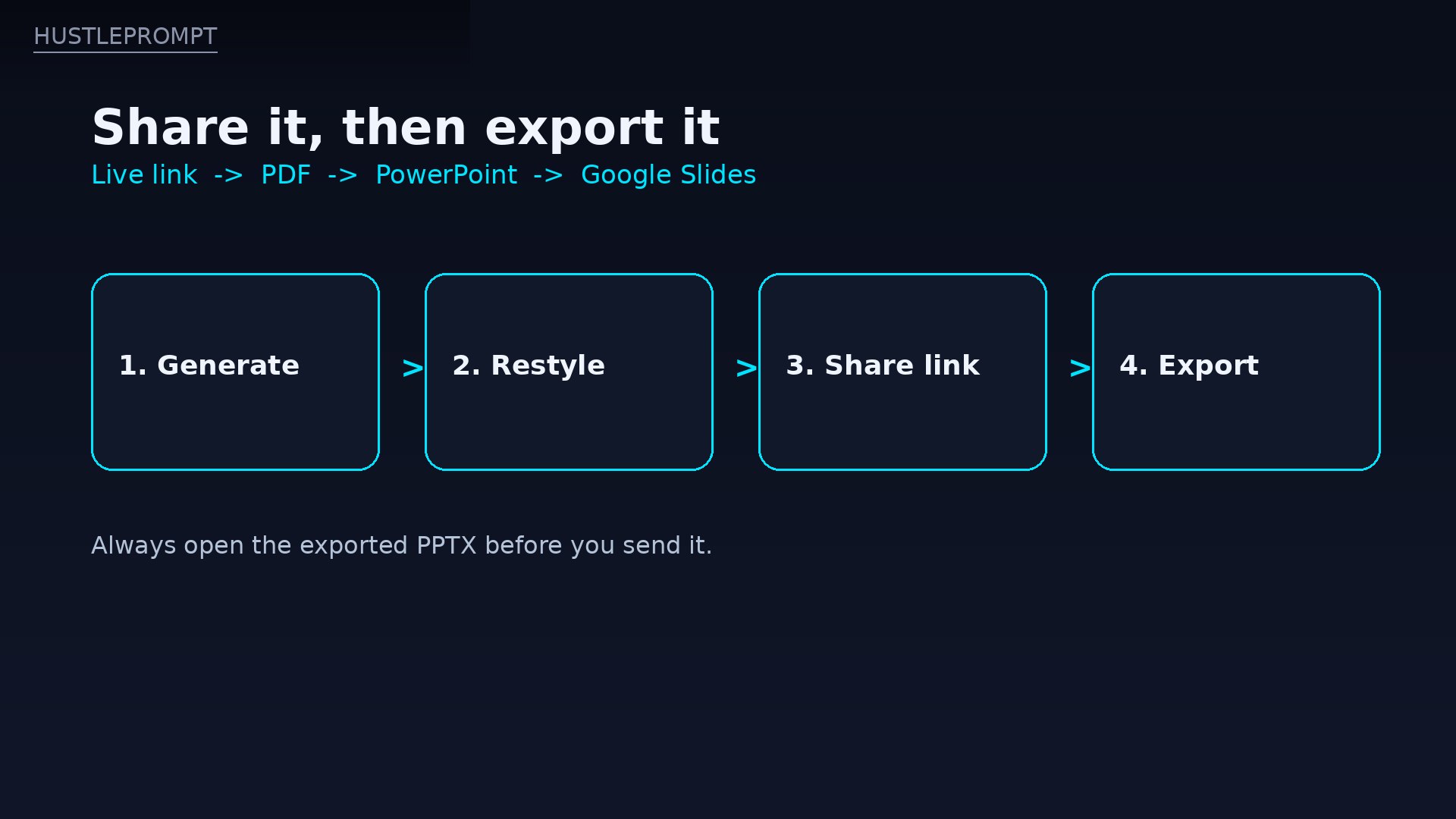
Generate, restyle, share, export: the workflow that keeps credit use low. HustlePrompt illustration (not a Gamma screenshot).
Pros and Cons
| Pros | Cons |
|---|---|
| A presentable deck in minutes, from a prompt, notes, or imported file | Free credits never refresh; 400 credits is a trial, not a tier |
| One-click restyling applies a whole theme across every card | PowerPoint export needs a manual check: fonts, spacing, and charts can shift |
| Exports to PDF, PPTX, PNG, and Google Slides even on Free | Card format struggles with strict brand templates and boardroom 16:9 decks |
| Plus removes Gamma branding for just $9/mo billed annually | Credit costs are opaque in practice; heavy image regeneration burns plans fast |
| Live links, presenter view, and Pro analytics for shared decks | Custom fonts and API access are Pro-only; Ultra is $90/mo annual for most users |
| Huge, proven user base: 70M users, profitable, $100M ARR | Individual workspaces use data to improve AI features by default, with an opt-out; check the setting before pasting sensitive content |
Who Is Gamma For?
- Freelancers and consultants: client proposals, pitch decks, and project updates that need to look professional without a designer.
- Founders: investor updates and pitch decks on a deadline, especially when the deck will be shared as a link.
- Teachers and course creators: lessons, workshops, and visual documents that read well on any screen.
- Small teams: internal updates and reports where speed matters more than pixel-perfect PowerPoint.
It is not for anyone whose deliverable must be a flawless PowerPoint file in a locked corporate template, or for teams that need locked slides nobody can restyle. In those cases, Beautiful.ai or native PowerPoint will fight you less.
How Freelancers Actually Profit With Gamma
Gamma at $9 a month is cheap enough that one client covers the year. Four playbooks that work right now:
1. Pitch decks as a service
Founders pay for clarity, not slides. Write a tight 10-card outline, generate the deck, then spend your time on the story: problem, solution, market, traction, ask. Charge $150–$500 per deck on Upwork or Fiverr. The design is Gamma; the value is your outline.
2. Client proposals that close
Replace PDF proposals with a Gamma link: scope, timeline, pricing, and past work in one scrollable document, with Pro analytics showing which cards the client read. One extra closed proposal pays for years of Plus.
3. Course and workshop materials
Turn a lesson outline into a visual document students revisit after the session. Sell the workshop, give the Gamma document away as the handout, and reuse the structure for every cohort at near-zero marginal cost.
4. Social and content repurposing
Turn one blog post or video script into a Gamma document, then export key cards as images for LinkedIn and Instagram carousels. The deck becomes a content engine, and one outline feeds a week of posts.
FAQ
Is Gamma free?
Yes, with a hard limit. Free costs $0 and gives 400 AI credits at signup, up to 10 cards per prompt, and exports to PDF, PPTX, PNG, and Google Slides. The credits do not refresh, and free output carries Gamma branding.
How much does Gamma Plus cost?
Plus is $12 per seat per month billed monthly, or $9 per seat per month billed annually ($108 per seat per year). It includes 1,000 monthly AI credits, up to 20 cards per prompt, advanced image models, and removal of Gamma branding.
What happens when I run out of credits?
AI generation stops until credits refresh next month, roll over from a quiet month (up to twice your monthly allowance on paid plans), or you upgrade. Free credits never refresh, although guides report referral credits of 200 each, up to 2,000 total.
Can Gamma export to PowerPoint?
Yes, on every plan, including Free. Export to PPTX, PDF, PNG, or Google Slides. Always open the exported file first: Gamma’s card layouts can shift in PowerPoint, and you should check fonts, spacing, and charts before sending it to a client.
Gamma vs. Beautiful.ai — which should I pay for?
Gamma if your bottleneck is producing decks fast and sharing them as links. Beautiful.ai if your bottleneck is keeping a team’s decks on-brand, with layouts that auto-correct themselves. Beautiful.ai Pro costs $14.50 a month billed annually, with no real free plan, so Gamma is also the cheaper test.
Does Gamma use my content to train AI?
According to Gamma’s help documentation as summarized in April 2026, individual workspaces on Free, Plus, Pro, and Ultra use data to improve Gamma AI features by default, with an opt-out in account settings. Team and Business workspaces are automatically excluded, and the setting is locked. Check your setting before pasting sensitive material.
Is Gamma worth $9 a month?
Yes, if you send decks to clients or make them regularly. Plus removes the branding that makes Free unusable for client work, and $108 a year is less than one small freelance job. If you only make a deck or two a year, stay on Free and spend the credits carefully.
Watch: Gamma 101 — Presenting Your Gamma
Gamma 101 lesson from Gamma’s own learning hub (lab.gamma.app), covering Present mode, presenter view, and speaker notes.
Verdict: Is Gamma Worth $9/Month?
Yes — Plus at $9 a month billed annually is the best value in AI presentations right now. No competitor gives you a free tier this generous, branding removal this cheap, and exports on every plan. The free tier proves the workflow; Plus makes it client-ready.
Skip Pro unless you make decks every week, need custom branding and fonts, or want analytics and API access. Skip Ultra unless you are generating at volume all day.
Bottom line: at $108 a year, Gamma Plus pays for itself with a single freelance deck. Just remember the real rule of this tool: write the outline first, check the export last, and never let a credit balance decide the quality of a deck you send to a client.
Sources: gamma.app/pricing as summarized by multiple independent October 2026 pricing snapshots in exact agreement; Gamma Series B announcement (Business Wire, Nov 2025) as reported by TechCrunch (70M users, $100M ARR, $2.1B valuation, 400M assets, 1M daily generations); Prezi AI presentation pricing comparison (checked Oct 22, 2026) for Beautiful.ai, Canva, and Pitch; Gamma help summaries for credit rollover, referral credits, and AI training settings. Prices change — confirm on the official site before subscribing.