
What if your weekly client report wrote itself — and then kept itself updated forever? That is the bet xAI just placed: Grok Bot can now build reports, memos, and dashboards as living pages you edit together with the bot, or that the bot keeps current on its own.
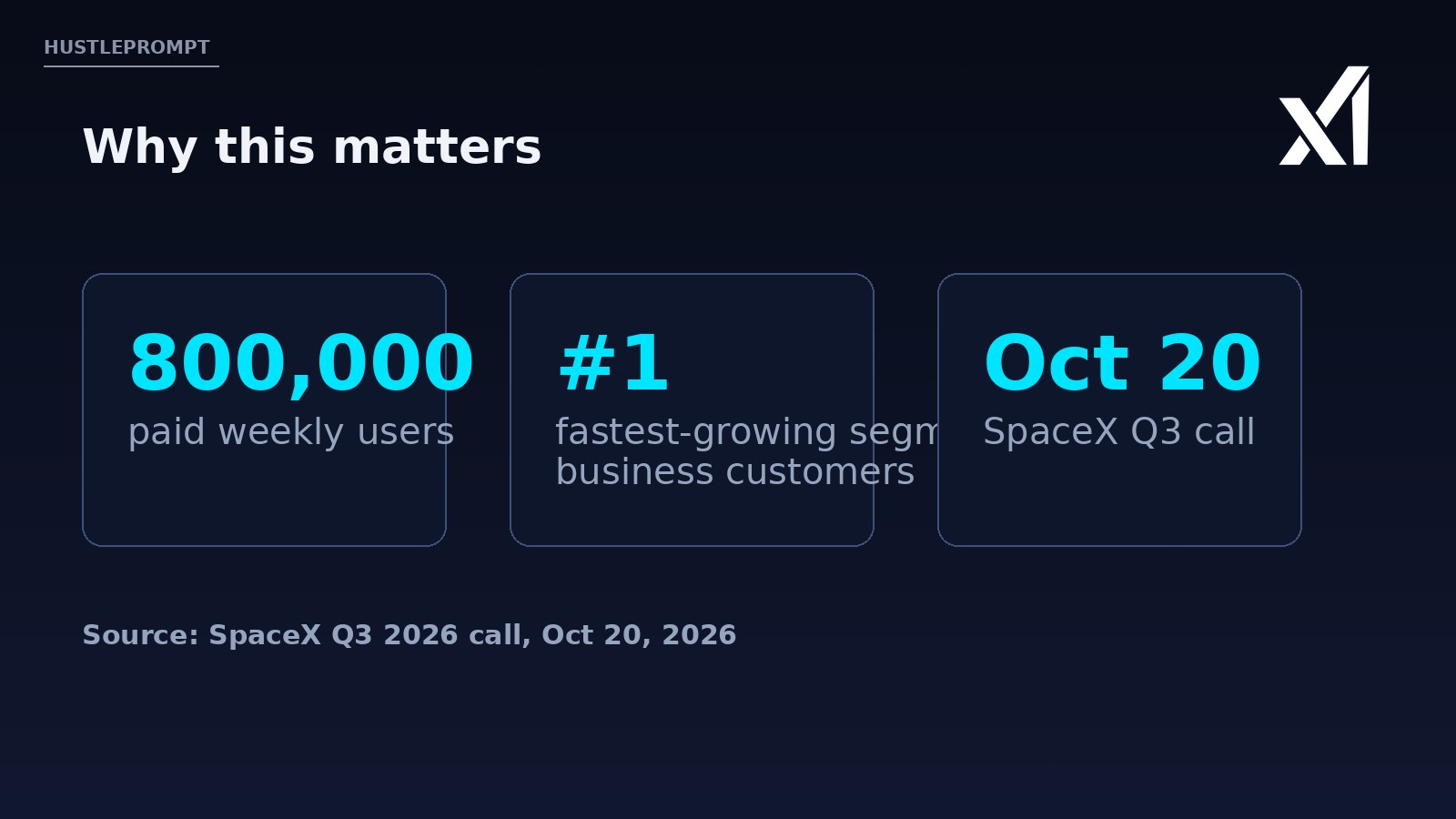
The news landed on October 21, 2026, in a short post from the official @bot account on X — and it follows a striking data point from SpaceX’s Q3 earnings call the day before: Grok Bot already has 800,000 paid weekly users, with business customers as its fastest-growing segment.
If you sell client work for a living, this one is worth understanding. Deliverables that update themselves change what a freelancer or agency can offer.
What xAI actually announced
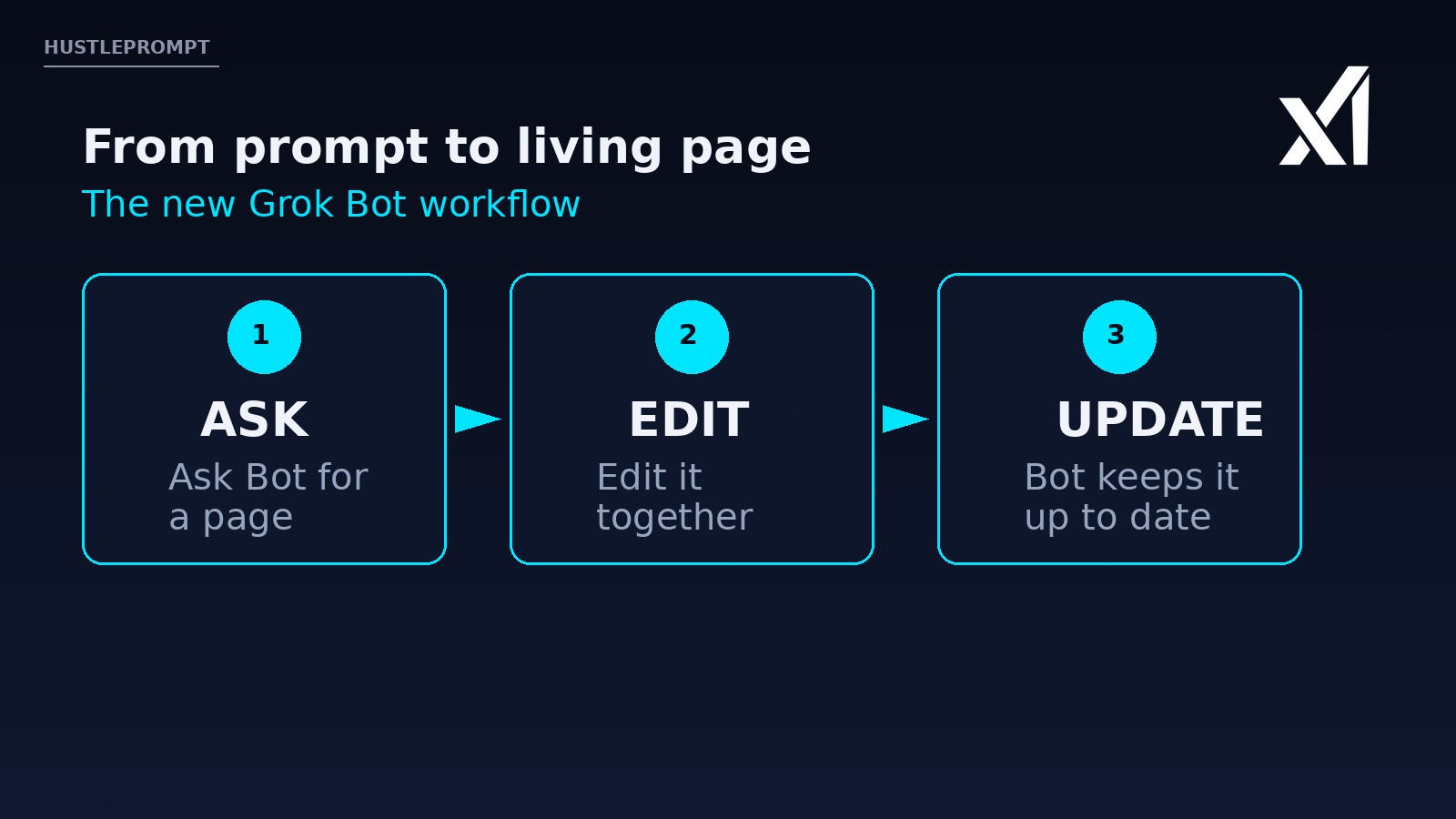
The official @bot account posted on October 21, 2026: “Grok Bot can now build reports, memos, and dashboards. Ask Bot for a page, then edit it together or have Bot keep it up to date.” The post shipped with a 27-second demo video showing the workflow in action.
A page is xAI’s name for the canvases and documents a bot produces — a shared, editable surface rather than a chat reply that scrolls away. The idea builds on the October 11 release (v0.70.2), which labeled canvases and documents as “Page” with PDF download and sharing. What is new is the business angle: Bot now produces structured reports and dashboards and can keep them fresh over time.
The timeline so far
| Date | Milestone | What changed |
|---|---|---|
| Oct 11, 2026 | v0.70.2 | Canvases/documents labeled “Page”; PDF download and sharing added |
| Oct 14, 2026 | v0.71.2 | Latest listed release in Bot’s public changelog |
| Oct 20, 2026 | SpaceX Q3 call | Grok Bot reaches 800,000 paid weekly users; business customers named fastest-growing segment |
| Oct 21, 2026 | @bot announcement | Bot builds reports, memos, and dashboards; edit together or auto-update. No plan, pricing, or availability details given |
Evidence, verbatim: “Grok Bot can now build reports, memos, and dashboards. Ask Bot for a page, then edit it together or have Bot keep it up to date.” — official @bot account, Oct 21, 2026. On the Q3 call, SpaceX reported 800,000 paid weekly users for Grok Bot, with business customers as the fastest-growing group.
Why a page beats a chat answer
In a normal chatbot, your report is a long reply that disappears up the scroll. A living page flips that: the output is a document with a stable home that you and the bot both edit. The client always opens the same link and sees the current version — no more manual rebuilds.
How a Grok Bot page works
You ask Bot for a page: a report, memo, or dashboard.
You refine it with the bot, like a shared doc.
Bot keeps the page up to date on its own.
How to profit: turn Bot pages into client deliverables
The money angle here is not “AI writes faster.” It is retainer-worthy artifacts — things clients keep paying for because they keep working. Here are three concrete ways to package this:
1. Weekly client reporting retainers
- Pick one repeatable report you already build for clients: SEO summaries, ad-spend recaps, social metrics.
- Build the template page once with your Bot, section by section, editing together until the format matches your brand.
- Hand the bot the data sources it can read (spreadsheets, dashboards, inboxes) and let it refresh the numbers each week.
- You review before it ships. Ten minutes of QA replaces hours of assembly — and the client sees a polished, current report every time.
2. Living dashboards as a productized service
Agencies: a dashboard that updates itself is a product you can sell on subscription. Offer a live client dashboard — KPIs, pipeline, content calendars — maintained by your Bot, with you as the human in the loop for strategy.
3. Memos and one-pagers on demand
Consultants: proposals, project memos, and status one-pagers are the highest-volume documents in client work. A Bot page you edit together gets you from blank screen to client-ready in one session, and the page stays editable for every round of feedback.
What xAI hasn’t said yet
Keep expectations honest: the announcement is thin on specifics. Here is what we know versus what is still open:
| Question | Status |
|---|---|
| Which plans get the feature? | Not disclosed |
| What does it cost? | Not disclosed |
| Which data sources can dashboards pull from? | Not disclosed |
| How often does “keep it up to date” refresh? | Not disclosed |
| Base Bot access | Part of The X Subscription from the Premium plan and up (as of Oct 2026; US Premium is $30/month), per xAI’s official video description |
Watch: what Grok Bot is
xAI’s official launch video explains the Bot concept: AI teammates with their own computer that finish work end to end.
FAQ
What is Grok Bot?
Grok Bot is xAI’s product for persistent AI teammates. Each Bot has a name, a job, and a cloud computer — it signs into the tools you authorize, does multi-step work, and keeps running while your laptop is closed. It launched in beta on August 11, 2026.
What are Bot “pages”?
Pages are the shared documents a Bot builds — reports, memos, dashboards — that you edit together with the bot or let the bot keep updated. The name replaced “canvases and documents” in the v0.70.2 release on October 11, 2026.
How is a Bot page different from a ChatGPT canvas?
A Bot page is built by an agent with its own computer, so it can pull fresh data from your tools and refresh itself — a static canvas is a one-time artifact.
How much does Grok Bot cost?
xAI has not disclosed pricing for the pages feature specifically. Base Grok Bot access is part of The X Subscription from the Premium plan and up — in the US, Premium is $30 a month as of October 2026, per xAI’s official video description. Always check the current plan screen before paying.
Can clients see the pages I build?
Yes — v0.70.2 added PDF download and sharing, so you can deliver pages as files or shared links.
Is my client data safe with a Bot?
Bots act inside the accounts you connect, under permissions and allow/block rules you write. Keep money movement, customer messages, and deletions behind manual approval, especially while the product is in beta.
Where can I follow official Grok Bot news?
The @bot account on X and the official docs at x.ai/bot are the primary sources.