
What would you ask an AI assistant if you knew no one — not even the company running it — could ever read the conversation? Meta just gave the world an answer: Incognito Chat for Meta AI, a private mode inside WhatsApp and the Meta AI app where chats are temporary, unsaved, and processed in a sealed environment Meta says it cannot peek into.
Every other “incognito” AI mode still lets the provider see what’s asked and answered. This meta ai incognito chat mode is engineered — with its Private Processing technology — so the questions and answers are invisible to everyone, Meta included. Here’s how it works, where the privacy boundary sits, and how freelancers can turn client anxiety about AI into a paid service.
What Incognito Chat actually is
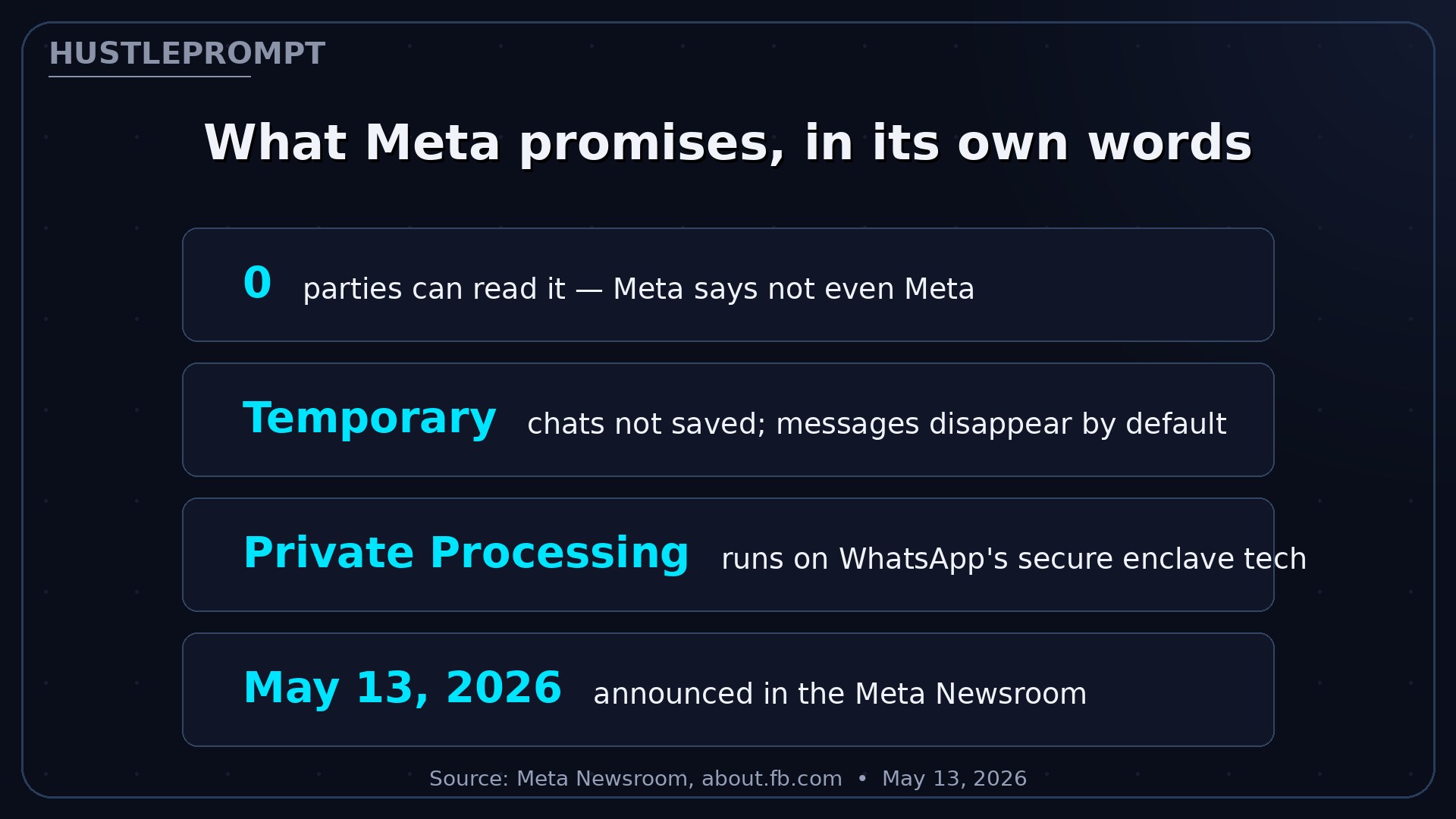
Incognito Chat is a private conversation mode for Meta AI on WhatsApp and the Meta AI app, announced in the Meta Newsroom on May 13, 2026. Start one and you get a temporary chat: messages processed where Meta cannot access them, nothing saved, and your messages disappearing by default.
A standard Meta AI chat leaves a record you can scroll back through. An Incognito Chat exists only for the session — close it, and it’s gone.
How it works: Private Processing in plain English
Incognito Chat runs on Private Processing, WhatsApp’s privacy tech for AI. Your request enters a hardware-isolated environment — a sealed zone where the AI does its work but nothing can be copied out, not even by the company running the machine.
Watch: WhatsApp explains Incognito Chat
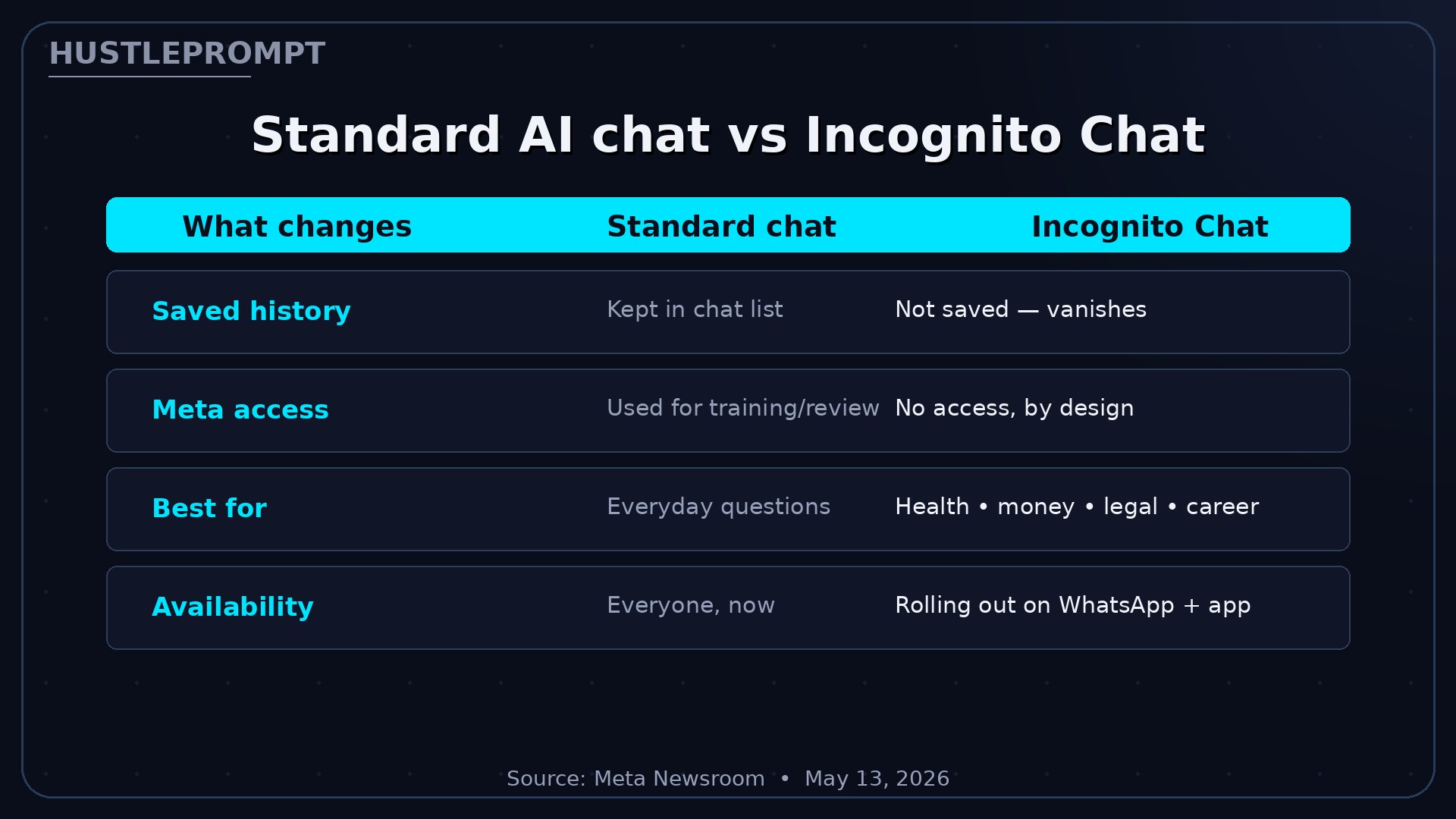
Standard chat vs Incognito Chat
| What changes | Standard Meta AI chat | Incognito Chat |
|---|---|---|
| Message persistence | Saved in chat history | Not saved — disappears by default |
| Who can read it | Processed by Meta systems; may feed training | No one — not even Meta, by design |
| Where it lives | WhatsApp, Instagram, Messenger, app | WhatsApp + Meta AI app |
| Best for | Everyday questions, creative help | Health, money, legal, career questions |
| Availability | Everyone, now | Rolling out over the coming months |
The catch: what Incognito Chat doesn’t do
No privacy feature is magic. Here’s the honest boundary, so you can use it (and sell it) correctly:
- It’s the AI chat that’s private, not your phone. An Incognito Chat doesn’t make your device or the internet anonymous — it’s a protected processing session with a defined boundary.
- Safety filters still apply. Private doesn’t mean unmoderated — the assistant is still governed by content rules.
- Availability varies. Rollouts differ by account, region, and app version — update WhatsApp and the Meta AI app to get it first.
- Still don’t paste raw secrets. Strip names, account numbers, and identifiers before asking anything sensitive of any AI. Private processing is a second lock, not a reason to skip the first one.
How to profit: sell privacy as a service
Privacy anxiety is one of the most under-monetized fears in the AI economy. Clients in legal, finance, health coaching, and journalism want AI help but dread the paper trail. Incognito Chat gives you a concrete answer — and a product. Here’s the playbook:
1 · The client-trust playbook ($49–$149 per client)
Package a one-page “Private AI Protocol” for clients: which questions go to Incognito Chat, which stay in standard chat, plus a strip-before-you-send checklist. Health coaches, financial advisors, and freelance journalists will pay for a protocol they can hand their own clients.
2 · Privacy-first AI audits for small businesses
Offer a 30-minute audit: map where a business pastes client data into AI tools, then re-route the sensitive half through private modes. Charge $150–$300 and deliver a written policy they can show customers.
3 · Content niche: “ask AI without a paper trail”
Show real examples of what to ask privately — loan comparisons, symptom research, salary scripts. Privacy content converts because it touches fear. Link it to your audit service.
Frequently asked questions
What is Incognito Chat with Meta AI?
A private, temporary conversation mode for Meta AI on WhatsApp and the Meta AI app. Messages are processed in a sealed environment, never saved, and disappear by default.
Can Meta read my Incognito Chat conversations?
According to Meta: no. The company says Incognito Chat is “truly private, meaning no one — not even Meta — can read your conversations.”
How is this different from other incognito modes?
Meta’s own comparison: other apps’ incognito-style modes can still see the questions coming in and the answers going out. Incognito Chat is built on Private Processing, so the provider itself is locked out.
Is my whole WhatsApp private now?
No. It’s one mode for talking to Meta AI — ordinary WhatsApp chats follow the existing messaging architecture. The private boundary applies to the AI session you explicitly start.
When can I use it?
Meta says it’s rolling out on WhatsApp and the Meta AI app over the coming months. Update both apps to the latest version to get it as soon as it’s available for your account and region.
What is Sidechat?
An upcoming feature, also protected by Private Processing: private AI help with the context of any WhatsApp chat. Meta says it’s coming in the months after the Incognito Chat launch.
Should I still avoid pasting personal data?
Yes. Treat it as a strong second lock: still strip names, account numbers, and identifiers before asking any AI a sensitive question.