
What would you ask an AI agent to do if you knew nothing — not even the company behind it — could see the files involved? That is now a real option on the Mac: Perplexity Computer can run fully local, with the AI model, the agent harness directing the task, and the task execution itself all running on your machine. This perplexity computer local mode means sensitive work never leaves the device unless you explicitly approve it.
Announced October 20, 2026, the fully local mode joins Hybrid Compute — introduced last month — as a second way to run Perplexity’s Mac agent. Here is what runs on-device, what hardware you need, and how freelancers can sell privacy-safe automation as a premium service.
What “fully local” actually means
Most “local AI” stories are really about local inference with a cloud brain. Perplexity’s move is bigger: the model and the agent run on the Mac, with planning, reasoning, and file processing staying on-device through every stage of a task.
- Local models: Qwen 3.6 (open model) or PPLX Pro, Perplexity’s post-trained version of Qwen — downloaded and set up inside the Mac app.
- Local agent: the harness that plans the task, picks tools, and directs each step runs on the Mac too.
- Local files and apps: with your permission, Computer works across Notes, Messages, Mail, and Numbers — reviewing conversations, identifying deadlines, and building action lists without personal data reaching the cloud.
- Sandboxed execution: code and tool execution run in isolated sandboxes with controlled access to files and apps — the same security protocols as the cloud version.
Fully local vs Hybrid Compute
The Perplexity Mac app now offers two ways to run Computer. Pick by how sensitive the work is:
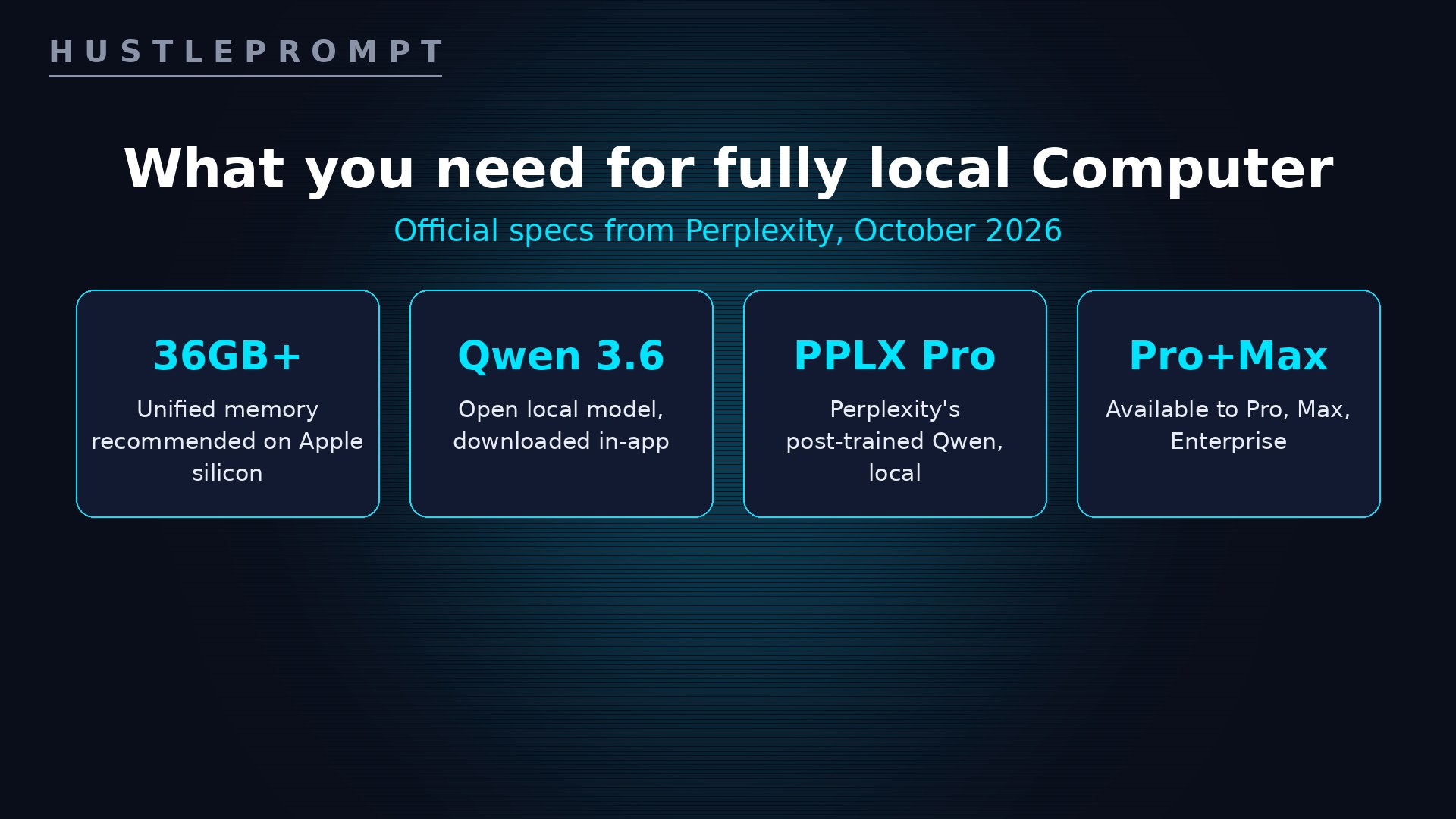
The 36GB bar narrows the audience to higher-spec machines — Perplexity names the new Mac mini with M6 and M5 Pro — while Hybrid Compute stays available for owners of 24GB Macs. The pricing of access has not changed: local Computer is available now to Pro, Max, and Enterprise subscribers.
Privacy by architecture, not by promise
The difference is structural. With both the model and agent running locally, sensitive work can stay on the Mac through every stage of a task — planning and analysis included, not just the final output.
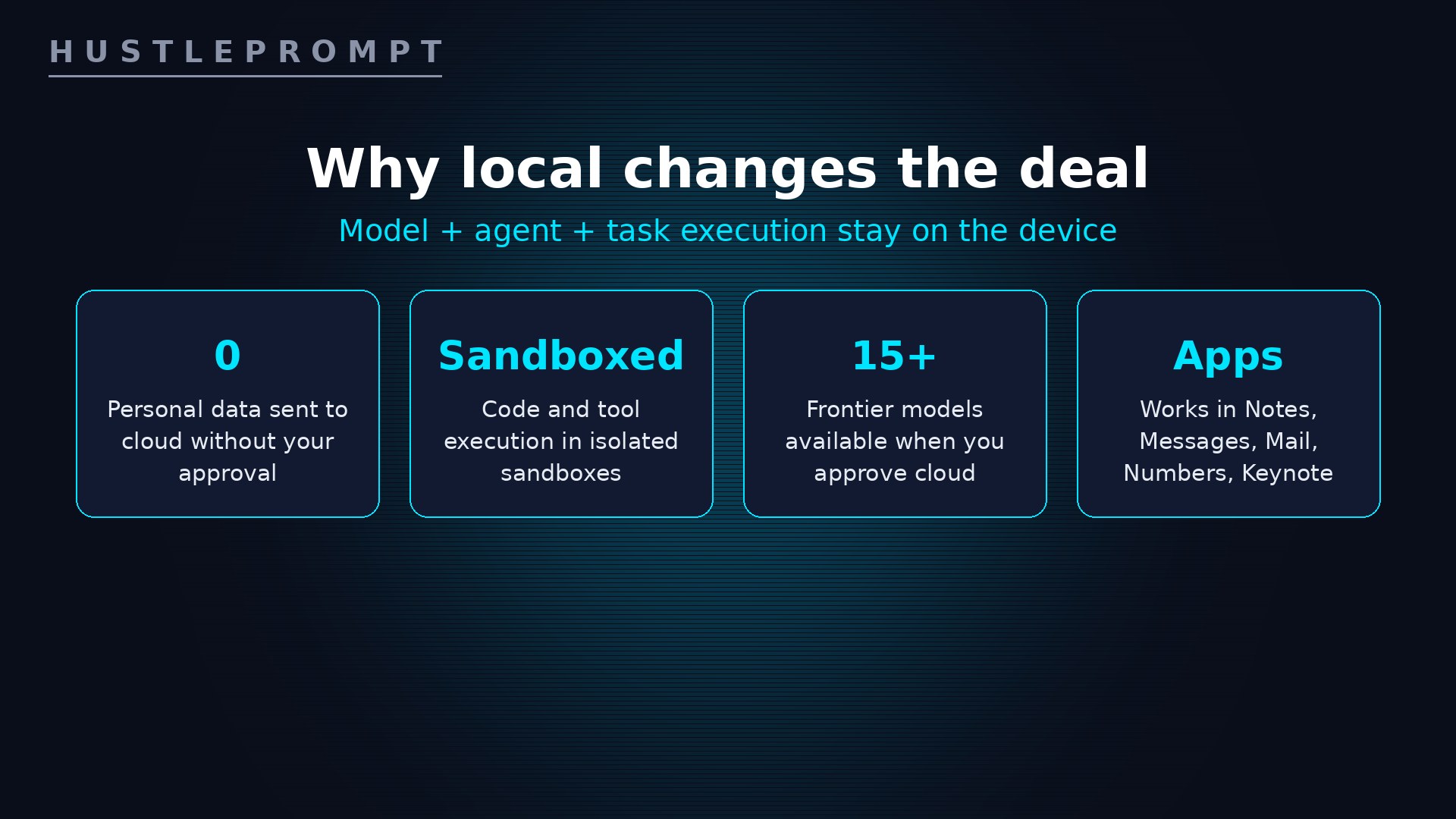
That last point is a second selling point Perplexity states outright: more control over credit spend. Work the local model handles uses no cloud credits; steps that escalate to the cloud — including calls to one of 15+ frontier models — happen only with your approval.
What it does in real workflows
Perplexity’s own examples show the shape of work that benefits:
- Portfolio review: private holdings checked against investment guidelines and downloaded market data on a Mac mini, with an Excel workbook and Keynote deck updated for the analyst.
- Client proposal: confidential discovery notes, a brief, and an internal rate sheet become a proposal — scope drafted, budget built in Excel, cover email prepared in Outlook.
- Morning priorities: Messages and Mail reviewed, deadlines identified, an action list created in Notes, and follow-up replies drafted for review.
Setup: download the latest Perplexity Mac app, follow the in-app instructions to download a local model, then choose fully local when starting a task.
Watch: Personal Computer by Perplexity
This official Perplexity video introduces Personal Computer on the Mac — the app family the new fully local mode runs inside:
How to profit: sell confidentiality-safe automation
Lawyers, accountants, and consultants have the same AI problem: the work is perfect for agents, but client files cannot leave the office. Fully local Computer removes the objection:
- Lead with the privacy architecture. “An AI agent where the model, the planning, and your files never leave this Mac.” Demo it on their own documents — the reaction sells the retainer.
- Target confidentiality-driven niches. Law firms (discovery notes, deadline tracking), accountants (proposals, budget builds), financial advisors (portfolio reviews). These are Perplexity’s own example workflows.
- Sell the hardware + setup bundle. Recommend a 36GB+ Mac mini as an always-on local agent, configure permissions and folders, and build their first three workflows.
- Offer the Hybrid ladder. Clients on 24GB Macs start with Hybrid Compute today; the upgrade to fully local is a second sale later.
- Retain on governance. A monthly retainer covers permission audits, new workflows, and credit-spend reviews — the parts they will not maintain themselves.
Price the setup as a premium, not a commodity: you are not selling AI chat, you are selling the first AI automation their compliance instincts can accept.
Frequently asked questions
What does “fully local” mean for Perplexity Computer?
The AI model, the agent harness that plans and directs the task, and the task execution itself all run on the Mac. Planning, reasoning, and file processing stay on-device.
Which models run locally?
Qwen 3.6, an open model, or PPLX Pro — Perplexity’s post-trained version of Qwen, tuned for Computer’s tasks. Both are downloaded inside the Mac app.
What Mac do I need, and who can use it?
A supported Apple silicon Mac, with 36GB or more of unified memory recommended. Perplexity points to the new Mac mini with M6 and M5 Pro. Hybrid Compute works on Apple silicon Macs with at least 24GB running macOS 15+. Fully local mode is available now to Pro, Max, and Enterprise subscribers.
Does anything ever go to the cloud?
Only with your approval. Tasks needing current information, browser use, or connected apps require authorized cloud access, and you decide when to spend credits. The local orchestrator can call on 15+ frontier models when you approve it.
How is this different from Hybrid Compute?
Hybrid Compute (September 2026) starts tasks in the cloud, with cloud models handling research while a local model works with private files. Fully local reverses the order: the task starts on the Mac, and the cloud is only touched when you allow it.
How can consultants make money from this?
Sell confidentiality-safe automation setups to lawyers, accountants, and advisors: a 36GB+ Mac as an always-on local agent, permission and folder configuration, and their first workflows — plus a monthly governance retainer.
Keep Reading
Official sources: Perplexity blog: Perplexity Computer runs fully local on Mac (October 20, 2026) and Perplexity’s official announcement on X (October 20, 2026).