
Every family owns a shoebox of dying photographs — cracked, faded, yellowing at the edges. Thumbtack reports that pros charge $78 on average to restore a single photo, with typical quotes running $55 to $100 and severe-damage jobs reaching $494. AI photo restoration turns that shoebox into a business you can run from a laptop: modern tools rebuild faces, erase scratches, and revive color in minutes, and clients pay real money for the result.
This tutorial gives you the whole system. You will learn which tools to use (and what each one costs), the exact 5-step workflow from scan to delivery, how to price your packages, where to find your first ten clients, and the disclosure rules that keep this business honest and repeat-friendly.
Video: How to Fix Damaged Photos of Deceased Relatives using Photoshop and AI — Watch: step-by-step tutorial restoring damaged family photos with Photoshop and AI tools (Prashant Arts, YouTube). (Prashant Arts)
Why AI Photo Restoration Sells Itself
Most AI side hustles sell convenience. This one sells emotion.
A restored wedding photo of a client’s grandmother is not a commodity — it is a memory rescued. That emotional weight is why people pay premium prices without haggling, and why happy clients become your loudest marketing channel.
Genealogy is one of America’s most durable hobbies, and your clients — families, genealogists, photographers, funeral homes — arrive with money and a deadline. There is no inventory, no shipping, and no ad spend required: a laptop and a modest subscription are the entire operation.
The Tool Stack That Actually Works
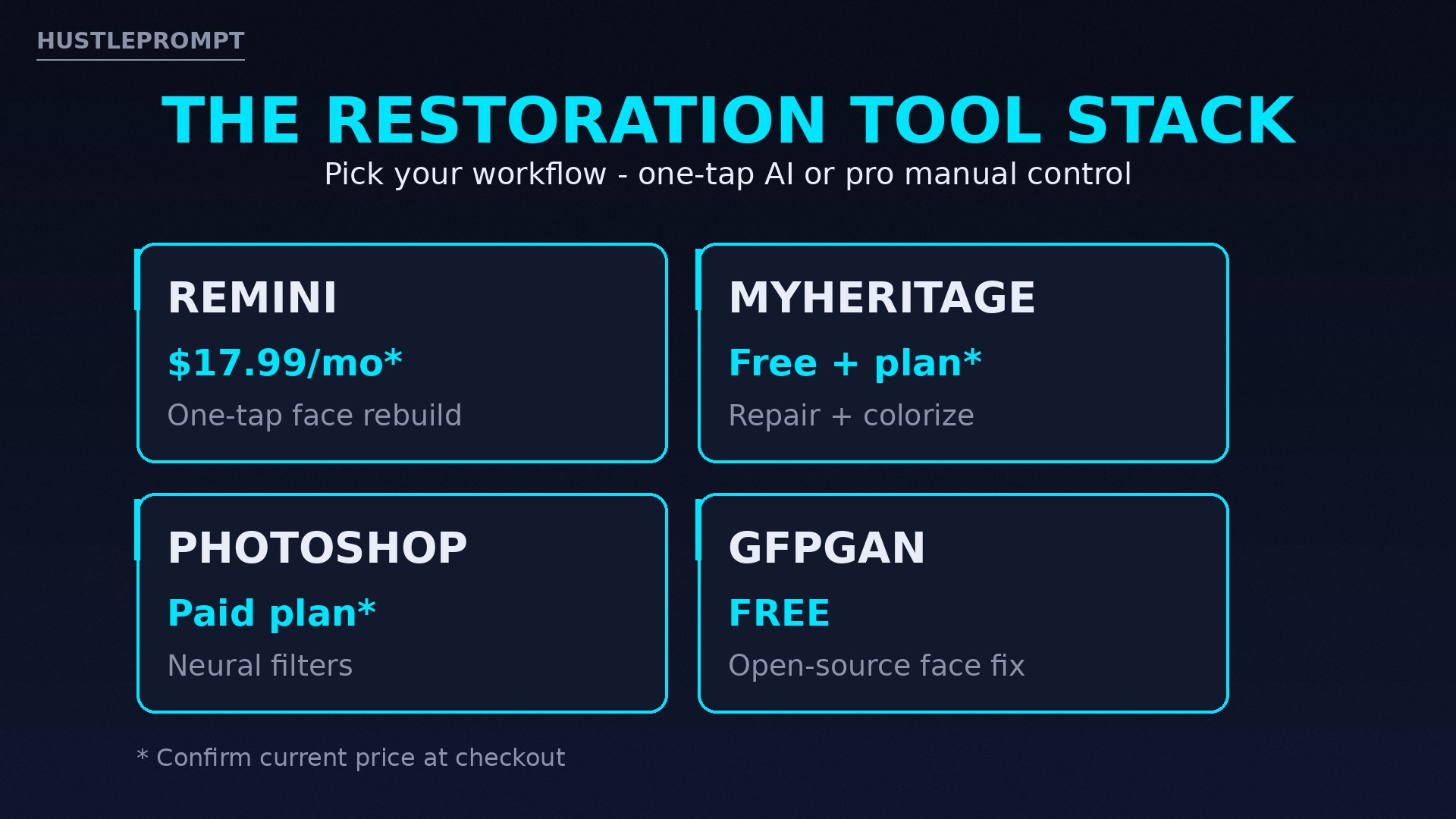
You do not need every tool on this list. Pick one fast path (Remini or MyHeritage) and one precision tool (Photoshop or GFPGAN) for the jobs AI cannot finish alone. Pricing figures come from pages I opened while writing this — always confirm at checkout, since prices change.
| Tool | What It Does | Cost (verify at checkout) |
|---|---|---|
| Remini | One-tap face rebuild, unblur, colorization, upscaling. Strongest on faces. | Free tier (ads, daily limits, watermark); Personal $17.99/mo; Business $24.99/mo unlocks commercial use, batch edits, PNG/TIFF output |
| MyHeritage Photo Enhancer + Photo Repair | Automatic enhancement plus crack/scratch repair and colorization, built for family archives. Uses the licensed Remini face technology. | Free signup required; full features on paid plans — confirm current pricing at checkout |
| Adobe Photoshop (Neural Filters) | Manual control for tears, missing pieces, and heavy stains that one-tap AI invents badly. | Paid Creative Cloud plan — confirm at checkout |
| GFPGAN / Real-ESRGAN | Free open-source face restoration (Apache 2.0 license) from Tencent ARC, with a free Colab demo — no subscription needed. | $0, open source |
The review lists Remini Personal at $17.99/month and Business at $24.99/month with commercial use; MyHeritage requires free signup and licenses Remini’s face technology; GFPGAN is free open source under Apache 2.0.
On a budget, start with MyHeritage free tier + GFPGAN for $0 in tool costs. Add Remini Personal at $17.99/month once orders pick up — batch processing pays for itself the first week. Photoshop enters when clients bring torn photos, and that is where prices jump.
The 5-Step Restoration Workflow
Follow this flow for every job. It keeps quality consistent and protects you when a photo is beyond saving.
Step 1 — Scan or digitize at high quality
Restoration output can never beat its input. If the client mails you prints, scan at 600 DPI on a flatbed. If they send phone photos of prints, ask for a re-shoot: flat on a table, parallel to the camera, even light, no flash glare. Save every original untouched — you will compare against it constantly, and you will never edit the source file.
Step 2 — Grade the damage before you quote
Triage every photo into one of three buckets:
- Light — fading, mild blur, small scratches. AI handles this alone.
- Moderate — stains, creases, color casts. AI plus light manual cleanup.
- Severe — tears, missing pieces, heavy water damage. Mostly manual work in Photoshop; quote premium or decline honestly.
Grading first lets you price confidently and protects you from a 4-hour job sold at a 20-minute price.
Step 3 — Run the AI repair pass
Upload the scan to your fast-path tool and run face enhancement first. Faces are where clients look, and they are where AI makes the most difference — and the most mistakes. Zoom to 100% and check eyes and mouths closely, then run scratch removal and denoising.
Step 4 — Colorize, correct, and export print-ready
For black-and-white originals, offer colorization as an add-on. Verify colors against the family’s memory — AI color guesses are plausible, not historical. Export at 300 DPI in TIFF or high-quality PNG for prints, plus a web-sized JPG for sharing.
Step 5 — Deliver and offer the next thing
Deliver via a Drive or Dropbox link with the before/after side by side — that comparison is your best salesperson — then offer the upsells below.
How to Price Your Packages
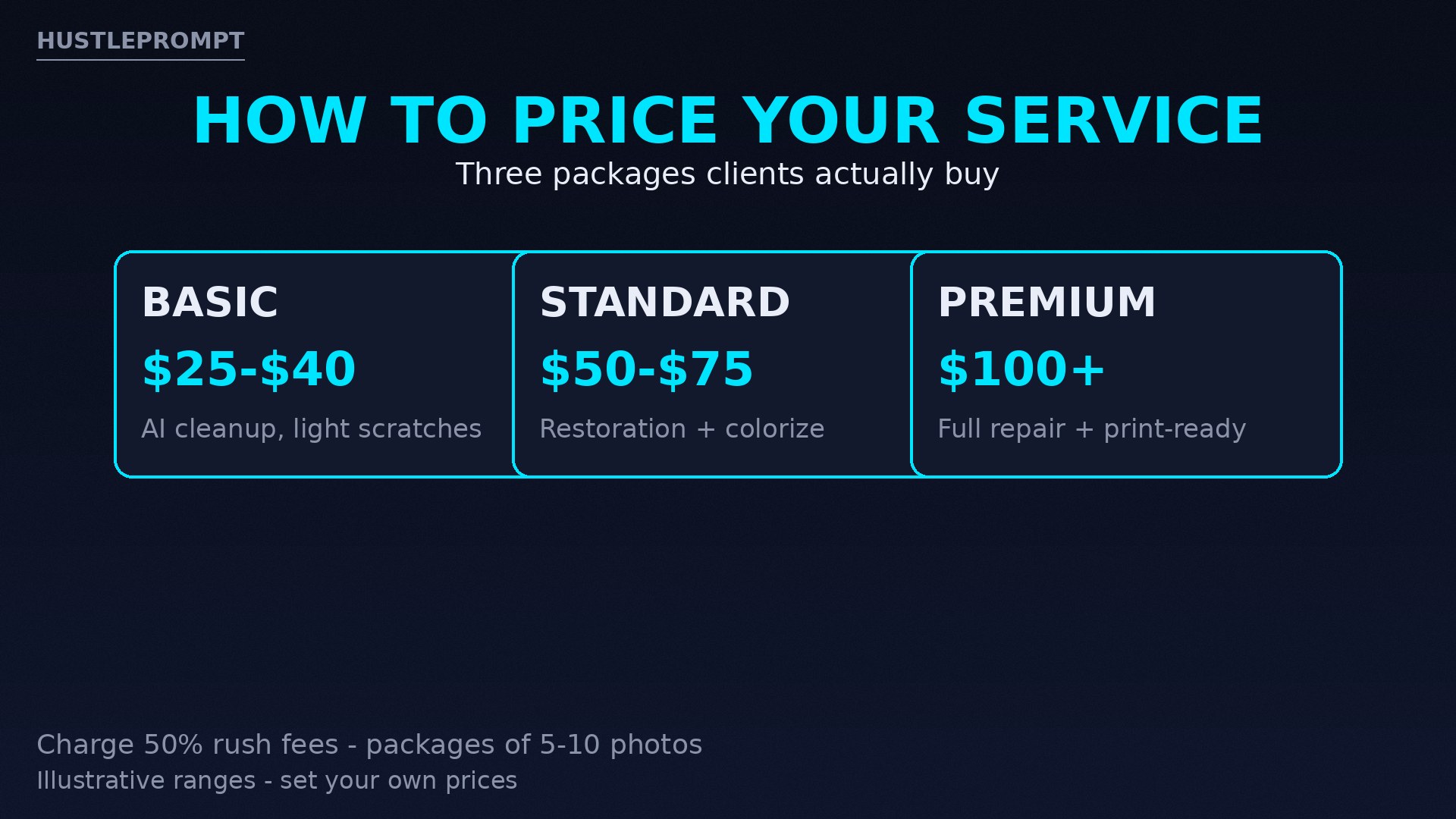
Start near the market, then raise prices as your portfolio grows. The ranges below are illustrative arithmetic, not income promises — they sit near Thumbtack’s reported $55–$100 typical band, adjusted for AI-assisted speed.
| Package | What’s Included | Illustrative Price |
|---|---|---|
| Basic | AI cleanup: fading, light scratches, face sharpening, digital delivery | $25–$40 per photo |
| Standard | Everything in Basic + colorization + stain/crease cleanup | $50–$75 per photo |
| Premium | Full manual repair of tears and heavy damage + print-ready 300 DPI files | $100+ per photo |
Two rules multiply your revenue without extra work:
- Rush fee: add 50% for 24-hour turnaround. Grieving families and event deadlines pay it gladly.
- Album packages: offer 5 photos for the price of 4. One shoebox often holds 50 prints, and a single package deal can exceed a month of one-off orders.
To see the shape of the math: 10 Standard photos at a $60 midpoint is $600 of revenue for work that takes a few focused hours once your workflow is smooth. That is arithmetic illustration, not a promise — your speed, prices, and client flow will differ.
Where to Find Your First 10 Clients
Do not start with ads. Start where people already talk about old photos.
- Facebook genealogy groups: join as a genuine member, answer questions, and post before/after examples with permission. This is the single richest hunting ground.
- Etsy: list a “photo restoration gig” with a few sample transformations. Etsy buyers already pay for sentimental, handmade-feeling services.
- Fiverr and Upwork: start with a low introductory price, collect five-star reviews fast, then raise rates. Reviews are the currency.
- Local photographers: offer white-label restoration they can resell to their clients. One partnership can feed you steady work.
- Funeral homes and memorial services: approach tastefully — they constantly need portrait restorations for services and obituaries.
- Retirement communities and local Facebook groups: a simple “I restore old family photos” post with one dramatic before/after routinely pulls inquiries.
Your portfolio is everything: restore a few public-domain vintage photos first, so prospects see proof before they pay.
Upsells That Multiply Every Order
The restoration is the entry ticket. The profit lives in what you add:
- Digitization: charge per scan for physical prints — a 50-photo album at $1 per scan adds up fast.
- Prints and framing: partner with a local print shop and take a margin, or order through a print-on-demand service.
- Family-history photo books: a $200–$500 project combining restored photos with captions and dates the family provides.
- Colorization add-on: price it separately at $15–$25 per photo so even Basic clients upgrade.
The Honesty Rules (Non-Negotiable)
This business runs on trust. Break it once and referrals die.
- Disclose the AI: tell clients which parts were AI-rebuilt. “The face was enhanced with AI; the tear was repaired by hand” is the standard.
- Never invent history: if a face is missing or unreadable, say so. Do not let the AI hallucinate a plausible stranger into a family archive.
- Keep originals sacred: never edit the source scan; deliver originals and restorations as separate files.
- Set expectations in writing: a one-paragraph agreement covering turnaround, revision count (offer one free revision), and a refund policy for photos beyond saving.
- Handle files responsibly: delete client photos after delivery unless they agree to portfolio use. Family photos are intimate.
FAQ
Do I need Photoshop skills to start?
No. Start with one-tap tools like Remini or MyHeritage for light and moderate damage — they need zero editing skill. Add Photoshop (or the free GFPGAN/Real-ESRGAN pipeline) later for severe damage, which is also where premium pricing lives.
What if a photo is too damaged to restore?
Say so before taking money. Offer a free assessment: if the damage exceeds what AI plus reasonable manual work can fix, decline with a clear explanation. Clients respect the honesty and often return with better photos.
How do clients send me their photos?
Most send phone photos or scans through email, Drive, or Dropbox. Offer digitization as a paid add-on for physical prints — many clients prefer handing you the shoebox and paying you to handle everything.
Can I colorize black-and-white photos?
Yes — MyHeritage In Color and Remini both colorize with one click. Treat colors as artistic interpretation, not fact. Ask the family about known colors (uniforms, dresses, cars) and note in writing that colorized versions are approximations.
Who owns the restored photos?
The client does. State in your agreement that they receive full personal-use rights to the restored files, and that you will delete their originals from your systems within 30 days of delivery unless they approve portfolio use.