
One typo in a client proposal can cost you the job. Grammarly promises to catch it before your client does — and 40 million people now trust it with their writing, from student essays to board reports.
Pro costs $12 a month billed annually. For that you get full-sentence rewrites, tone adjustment, plagiarism and AI-text detection, and 2,000 AI prompts a month.
This review breaks down Grammarly’s verified November 2026 pricing, what the free plan actually covers, where Pro earns its money, and how it compares with LanguageTool and QuillBot. In short: Grammarly is worth it if you write in English for money every day — and a waste of money if you only write the occasional email.
What Is Grammarly and How Does It Work?
Grammarly is an AI writing assistant that checks your spelling, grammar, punctuation, clarity, and tone as you type. It works where you already write: in your browser, in desktop apps, in Google Docs and Microsoft Word, and on your phone.
The core idea is simple. You write, Grammarly underlines problems in real time, and you click a suggestion to fix it. A red underline means a spelling or grammar mistake. Other colors flag clarity, tone, and style issues that a spellchecker would never catch.
Behind the underlines is a set of models trained on English writing. The free plan fixes the mechanics: spelling, grammar, and punctuation. Pro adds judgment: it rewrites whole sentences, shifts your tone, checks for plagiarism and AI-generated text, and generates or edits text from prompts.
In October 2025 the company renamed itself Superhuman, and Grammarly is now the writing product inside that suite, alongside Superhuman Docs (formerly Coda) and Superhuman Go. The Enterprise plan is sold through Superhuman Go. For individual writers, nothing changed: the product is still Grammarly, and the plans are still Free, Pro, and Enterprise.
Key Features: What Grammarly Actually Gives You in 2026
Real-time grammar, spelling, and punctuation checks
This is the feature that built the company, and it still works. Grammarly catches the mistakes that slip past built-in spellcheckers: the wrong word used correctly (their instead of there), subject-verb agreement, misplaced commas, and doubled words.
The free plan covers all of it, plus tone detection. That matters, because the free tier is genuinely usable. You can write emails, documents, and posts all day on Free and never pay a cent.
What Free does not do is rewrite for you. It flags the problem and suggests the fix, but you do the rewriting. That is the line between the two plans.
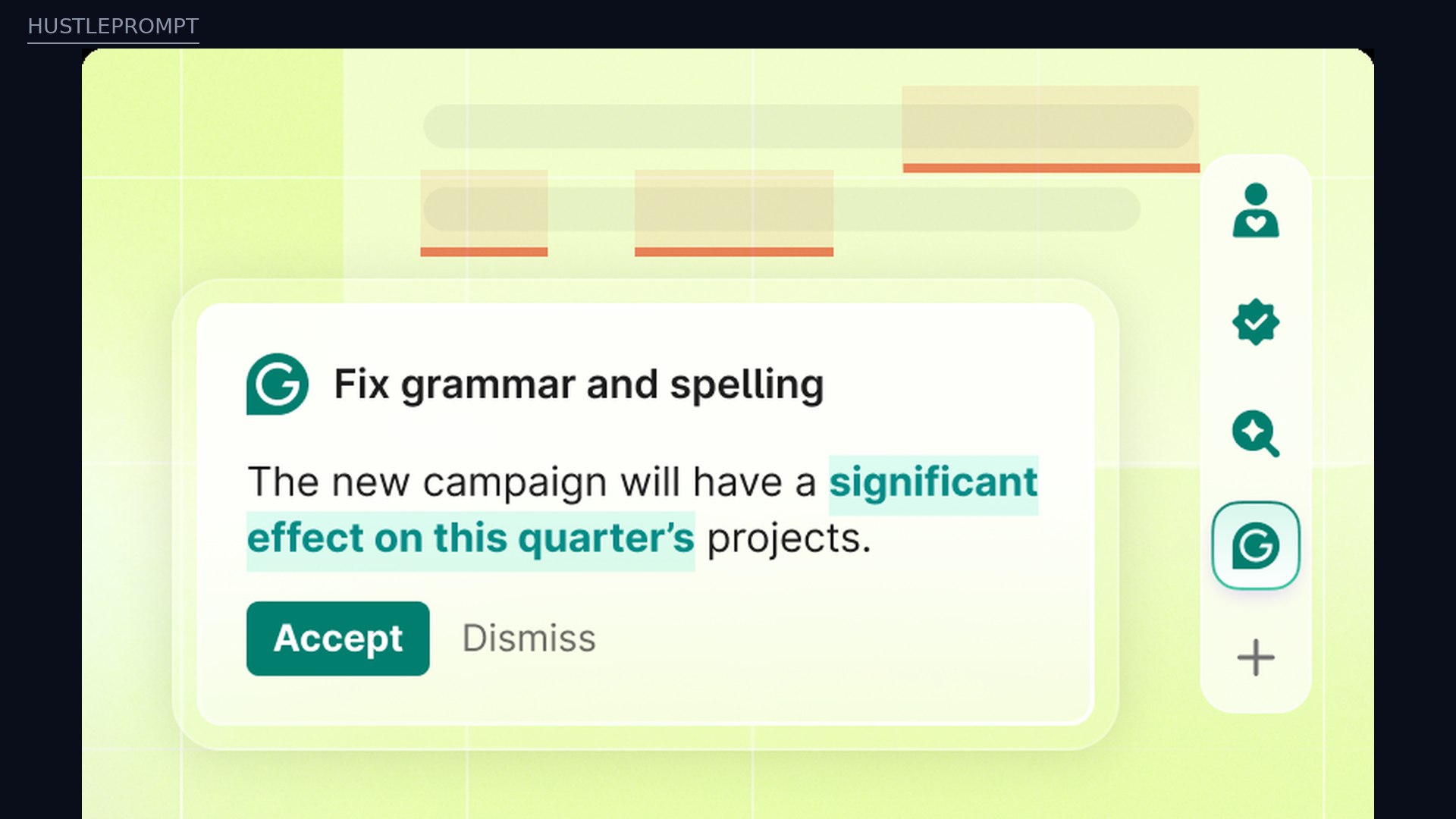
Grammarly’s core job: fix grammar and spelling with one click, right where you write. Official Grammarly product screenshot from grammarly.com.
Full-sentence rewrites and tone adjustment (Pro)
Pro rewrites whole sentences with one click. You highlight a clumsy sentence, Grammarly offers a cleaner version, and you accept or dismiss it. This is the single feature that justifies the price for working writers.
Tone adjustment works the same way. Grammarly reads your draft, tells you how it sounds — confident, friendly, formal, direct — and offers versions in a different tone. A blunt email to a client becomes a firm but polite one. A stiff cover letter loosens up.
Fluency suggestions polish awkward phrasing for non-native English writers. If English is your second language, this is where Pro pays for itself: it makes your writing sound like a native speaker wrote it.
AI prompts and text generation: 100 vs. 2,000 a month
Grammarly includes generative AI prompts on every plan. Free gives you 100 AI prompts a month. Pro raises that to 2,000 prompts per member a month, and Enterprise is unlimited.
Prompts generate text, brainstorm ideas, rewrite paragraphs, and summarize documents. The cap is the real limit on the free plan: 100 prompts last about a week for a daily writer, then you wait for the next month or upgrade.
Pro also includes unlimited personalized suggestions. Free still corrects your grammar without a cap, but the AI generation and the deeper style suggestions are rationed.
Plagiarism and AI-text detection (Pro)
Pro checks your text for accidental plagiarism against online sources, and it detects AI-generated text. Both matter for freelancers: clients now run their own AI detectors on delivered work, and an accidental match with a source text can cost you a contract.
The plagiarism check runs on demand from the editor. The AI detector flags passages that read as machine-written, so you can rewrite them before delivery. Neither feature exists on the free plan.

Tone suggestions rewrite a sentence to sound confident instead of hesitant. Official Grammarly product screenshot from grammarly.com.
Where Grammarly works
Grammarly follows you across devices. The browser extension covers Chrome, Safari, Firefox, and Edge, so it works in Gmail, Google Docs, LinkedIn, and almost any web app. Desktop apps cover Windows and Mac, and mobile apps cover iOS and Android.
The Google Docs and Microsoft Word integrations matter most for professional writers. You edit in the document your client already uses, with Grammarly’s sidebar at your side. No copy-paste round trip, no formatting lost.
Teams get one style guide and one brand tone on Pro, with team analytics and priority support. Enterprise adds unlimited guides and tones, custom roles, and security controls.
How to Set Up Grammarly and Fix Your First Document
The fastest path from zero to a clean document takes about ten minutes.
- Create a free account. Sign up at grammarly.com with email, Google, Facebook, or Apple. The free plan costs nothing and needs no card.
- Install it where you write. Add the browser extension, install the desktop app, and turn on Grammarly in Google Docs or Word. One account covers all of them.
- Set your writing goals. Tell Grammarly your audience, formality, tone, and intent. The suggestions change with the goals: a formal client email gets stricter advice than a casual post.
- Paste in a real document. Open something you already wrote — a proposal, an email, a blog draft — and watch the underlines appear. Click each suggestion to accept or dismiss it.
- Try a Pro feature before you pay. Start the free trial ($0 due today, with an email reminder two days before it ends) and test one full-sentence rewrite and one tone adjustment on real client copy. If those two features do not save you time in a week, cancel before the trial ends.
Grammarly Pricing 2026 (Verified)
Prices below are US list prices in dollars, read live on Grammarly’s official pricing page on November 23, 2026. The page shows Pro at $12 a month as its headline rate. The three billing terms come from Grammarly’s Help Center, as documented by independent trackers that read it in October and November 2026. Prices exclude tax. Confirm your price on the official page before subscribing.
Grammarly plans — November 2026 (US list prices)
“Write without spelling and grammar mistakes.” — Grammarly’s own promise for the Free plan, from its pricing page.
| Plan | Price | Billing | Key extras |
|---|---|---|---|
| Free | $0 | — | Spelling and grammar, tone detection, 100 AI prompts a month |
| Pro | $12/mo, $20/mo, or $30/mo | Billed annually ($144/yr) / quarterly ($60/qtr) / monthly ($360/yr) | Everything in Free, plus full-sentence rewrites, tone adjustment, fluency, unlimited personalized suggestions, plagiarism and AI-text detection, 2,000 AI prompts, 1 style guide, 1 brand tone, team analytics, priority support, up to 149 members |
| Enterprise | Custom | Contact sales, via Superhuman Go | Everything in Pro, plus proactive AI everywhere, unlimited prompts, unlimited style guides and brand tones, dedicated support, BYOK encryption, custom roles, data loss prevention, cost-center visibility |
Plan prices and features: Grammarly’s official pricing page (grammarly.com/pricing), read live November 23, 2026. Yearly totals are our arithmetic from the monthly rates, not printed totals.
Three pricing details matter more than the headline numbers:
- Monthly billing costs 2.5 times the annual rate. Pro is $12 a month billed annually ($144 a year) but $30 a month billed monthly ($360 a year). That is a $216 penalty for flexibility on the same product. Quarterly sits in the middle at $20 a month ($60 a quarter, $240 a year).
- The prompt cap is the real price. Free gives you 100 AI prompts a month; Pro gives you 2,000. If you use AI generation daily, Free runs out in about a week. If you only want corrections, the cap never matters.
- Pro is also the team plan now. The old Premium and Business plans merged into one Pro tier that covers up to 149 members, with all seats billed as one payment. Teams above 149 members move to Enterprise, which is a sales conversation.
Pro offers a free trial with $0 due today and an email reminder two days before the trial ends. The free plan costs nothing to start, and you can cancel anytime. Grammarly’s pricing page also notes it is trusted by over 40 million people and 50,000 organizations.

US list prices, per month: Free $0, Pro $12 billed annually, Pro $30 billed monthly, Enterprise custom. HustlePrompt illustration (not a Grammarly screenshot).
Grammarly by the Numbers
What the official pricing page actually says
Sources: Grammarly’s official pricing page (grammarly.com/pricing), read live November 23, 2026 (plans, prices, features, prompt caps, user counts). The $216 annual penalty is our arithmetic: $360 minus $144.
The 60-Second Decision
Should you pay for Grammarly?
Just fixing typos?
Stay on Free ($0). Spelling, grammar, and tone detection cover occasional emails and posts, and you never pay.
Writing in English for money?
Get Pro ($12/mo annual). Full-sentence rewrites, tone adjustment, and plagiarism checks are the tools that earn the fee back.
Writing in many languages?
Try LanguageTool Premium first. It covers 30+ languages and costs less per year than Grammarly Pro.
A team or a company?
Get Pro for up to 149 members with one style guide and brand tone, or talk to sales about Enterprise for SSO, data loss prevention, and unlimited guides.
Grammarly vs. the Alternatives
| Tool | Entry paid price | What you get for it | The catch |
|---|---|---|---|
| Grammarly Pro | $12/mo billed annually ($144/yr); $30/mo monthly | Full-sentence rewrites, tone adjustment, plagiarism and AI-text detection, 2,000 AI prompts, style guide, works everywhere | English only; monthly billing costs 2.5x the annual rate |
| LanguageTool Premium | €3.99/mo billed annually (€47.92/yr); €15.92/mo monthly | 30+ languages, 150,000 characters per field, unlimited AI paraphrasing, style guide, personal dictionary | Prices shown in euros with a limited-time 20% discount; weaker English tone tools than Grammarly |
| QuillBot Premium | $5.00/mo billed annually (58% off promo through Dec 6) | Paraphrasing in 9 unique modes, grammar fixes, summarizer up to 6,000 words, AI detector, 100 MB document saves | A paraphraser first, a grammar checker second; no quarterly option; price shown in local currency |
LanguageTool Premium is the value pick. At €3.99 a month billed annually (€47.92 a year, after a limited-time 20% discount shown on its pricing page on November 23, 2026), it costs less than a third of Grammarly Pro’s $144 a year. It checks 30+ languages, lets you paste 150,000 characters per field (against 2,000 on its free plan), and paraphrases without a daily cap. If you write in German, French, Spanish, or Portuguese — or you just want the cheapest serious checker — LanguageTool wins. Its English tone tools are not as polished as Grammarly’s, and its prices are in euros with VAT included.
QuillBot Premium is the paraphrasing specialist. At $5.00 a month billed annually (58% off, promotion running through December 6, 2026), it is the cheapest paid plan here. It rewrites sentences in several modes, summarizes documents up to 6,000 words, and includes an AI detector. The free plan paraphrases up to 125 words in two modes and fixes basic grammar. But QuillBot is a paraphraser first: its grammar checking is basic next to Grammarly, and its own pricing page (quillbot.com/pricing) returns a 404 — prices were read on its plan-details page instead. Choose it when your work is rewriting existing text, not when you need a full writing assistant.
Competitor figures are November 2026 pricing as shown live on November 23, 2026 — confirm them on the official sites before subscribing. LanguageTool prices are in euros, as shown to a visitor in Europe, and include VAT; Grammarly’s and QuillBot’s are in US dollars and exclude tax (QuillBot shows prices in the visitor’s local currency — the same figures appeared in euros to a European visitor). QuillBot’s monthly toggle showed the same $5.00 headline price, so treat the monthly rate as a promo display and check it at checkout.
Pros and Cons
| Pros | Cons |
|---|---|
| Works everywhere you write: browser, desktop, Google Docs, Word, mobile | English only — no serious support for other languages |
| Full-sentence rewrites and tone adjustment save real editing time | Monthly billing costs 2.5x the annual rate ($30 vs. $12) |
| A genuinely useful free plan: spelling, grammar, and tone for $0 | Free plan caps AI prompts at 100 a month — about a week for daily writers |
| Plagiarism and AI-text detection protect freelancers at delivery time | Plagiarism and AI detection are Pro-only; Free has neither |
| Style guide and brand tone keep a team writing in one voice | Pro allows only 1 style guide and 1 brand tone; more need Enterprise |
| Free trial with $0 due today and a reminder before it ends | AI suggestions can be wrong — you still need judgment on every accept |
Who Is Grammarly For?
- Freelance writers and editors: clean client copy is the product, and rewrites plus plagiarism checks are the insurance.
- Non-native English writers: fluency suggestions make your writing read as if a native speaker wrote it.
- Marketers and sales teams: tone adjustment keeps emails and proposals on-brand without a second pass.
- Students and job seekers: the free plan covers essays, resumes, and cover letters with zero cost.
- Small teams: one style guide and one brand tone keep everyone writing in the same voice.
It is not for people who write mainly in another language — LanguageTool covers 30+ languages for less money — or for anyone who only needs a spellchecker, which every browser and word processor already includes for free.
How Freelancers Actually Profit With Grammarly
Grammarly Pro at $12 a month is cheap enough that one small job covers a year of it. Four playbooks that work right now:
1. Proofreading and editing for non-native English clients
Offer editing to founders, researchers, and businesses whose first language is not English. Grammarly catches the mechanics and the fluency issues; you sell the judgment — structure, argument, and tone. Freelancers typically charge $30–$75 an hour for this work.
2. Proposal and email polish for agencies
Sell a polish pass on client proposals, cold emails, and sales pages. Tone adjustment turns a blunt draft into a confident one, and the client sees the difference in the reply rate. Price it per document or as a monthly retainer.
3. Content editing for bloggers and creators
Edit blog posts, newsletters, and video scripts for creators who write fast and publish often. Run the draft through Grammarly, fix the structure yourself, and deliver a clean file. Creators typically pay $50–$200 per article for a reliable editor.
4. Resume and cover-letter writing
Write resumes and cover letters for job seekers, with Grammarly keeping every line error-free and on-tone. One client a week covers Pro for the whole year, and the work is easy to package as a fixed-price service.
FAQ
How much does Grammarly cost?
Pro is $12 per member a month billed annually ($144 a year), $20 a month billed quarterly ($60 a quarter), or $30 a month billed monthly ($360 a year), in US dollars. It includes full-sentence rewrites, tone adjustment, fluency suggestions, unlimited personalized suggestions, plagiarism and AI-text detection, 2,000 AI prompts a month, one style guide, one brand tone, team analytics, and priority support. Prices exclude tax.
Is there a free plan for Grammarly?
Yes. The free plan costs $0 and covers spelling, grammar, and punctuation checks, tone detection, and 100 AI prompts a month. It is enough for occasional writing and for testing the product. Daily writers hit the 100-prompt cap in about a week.
What is the difference between Free and Pro?
Free fixes spelling, grammar, and punctuation and shows your tone. Pro adds full-sentence rewrites, tone adjustment, fluency suggestions, unlimited personalized suggestions, plagiarism and AI-text detection, 2,000 AI prompts a month instead of 100, a style guide, a brand tone, team analytics, and priority support.
Does Grammarly detect AI-generated text?
Yes, on Pro. Grammarly includes an AI-text detector that flags passages that read as machine-written, plus a plagiarism checker that compares your text against online sources. Both are Pro-only features.
Grammarly vs. LanguageTool — which should I pay for?
Grammarly Pro at $12 a month billed annually if you write in English for money and want the best rewrites, tone tools, and everywhere-apps. LanguageTool Premium at €3.99 a month billed annually if you write in other languages or want the cheapest serious checker — it covers 30+ languages and costs under a third of Grammarly’s annual price.
Does Grammarly work in Google Docs and Microsoft Word?
Yes. Grammarly works in Google Docs and Microsoft Word, in the browser extension for Chrome, Safari, Firefox, and Edge, in desktop apps for Windows and Mac, and in mobile apps for iOS and Android. One account covers all of them.
Is Grammarly worth $12 a month?
Yes, if you write in English for money every day — a freelancer, a marketer, or a non-native writer selling client work. The rewrites and tone tools save editing time on every document, and $144 a year is one small client job. No, if you only write the occasional email or you write mainly in another language: the free plan covers the first case, and LanguageTool covers the second for less money. Start on Free and upgrade the week your hundredth AI prompt runs out.
Watch: What Is Grammarly?
Grammarly’s own 95-second introduction to real-time writing suggestions on desktop, browser, and mobile. From Grammarly’s official YouTube channel (@Grammarly), in English.
Verdict: Is Grammarly Worth $12/Month?
Yes — Grammarly Pro at $12 a month billed annually is worth it for anyone who writes in English for money every day. No rival at this price combines full-sentence rewrites, tone adjustment, plagiarism and AI-text detection, and an assistant that works in every app you write in.
Start on Free if you only write sometimes — one real document will tell you whether the corrections are enough. Step up to Pro when the 100-prompt cap runs out, and never pay monthly: at $30 a month, the same product costs $216 more a year than the $144 annual plan.
Bottom line: at $144 a year billed annually, Grammarly pays for itself with a single proofreading job or a single week of saved editing. Just count your AI prompts and your languages before you pick a plan, because those two numbers decide everything.
Sources: Grammarly’s official pricing page (grammarly.com/pricing), read live November 23, 2026 (plans, prices, billing, features, prompt caps, user counts, Enterprise via Superhuman Go); Grammarly’s Help Center billing terms, as documented by independent trackers reading it in October–November 2026 ($12 annual / $20 quarterly / $30 monthly); Grammarly’s official YouTube channel @Grammarly (“What Is Grammarly?”, 95 seconds); LanguageTool’s pricing page (languagetool.org/pricing), read live November 23, 2026 (Premium prices in euros, free-plan limits, 14-day money-back guarantee); QuillBot’s plan-details page (quillbot.com/premium), read live November 23, 2026 (Premium $5.00 a month billed annually, 9 unique paraphrasing modes, free-plan limits, 14-day money-back guarantee; quillbot.com/pricing returns 404). Prices change — confirm on the official sites before subscribing.