
Runway’s flagship video model costs 12 credits per second. That single number matters more than the $12 monthly price on the pricing page, because it turns every plan into a stopwatch: Standard buys about 52 seconds of Gen-4.5 video a month, Pro buys about 187, and Max buys about 791.
Runway is not a novelty clip generator. It is a filmmaker’s toolkit that turns a still image into a moving shot, keeps a character consistent across scenes, and edits real footage by typed instruction. The question is whether its credit economy fits the way you actually work.
This review breaks down the verified 2026 pricing, what Gen-4.5 and Aleph really do, how Runway compares with Kling and Google’s Veo, and whether Standard at $12 a month is worth it for freelancers and creators.
What Is Runway and How Does It Work?
Runway is an AI research company and creative platform that builds generative models for video, images, and audio. Its current flagship is Gen-4.5, a video model released on December 1, 2025, that generates clips from text or from an image.
Think of Runway as three tools in one account. Generation creates new clips from a prompt or a starting image. References keep a character, object, or location consistent across shots. Aleph edits video you already shot: change the weather, remove an object, or restyle a scene without reshooting it.
That combination is what separates Runway from one-off clip apps. Most rivals make a pretty five-second shot. Runway tries to make the next five shots match it, which is the actual hard problem in AI video.
Key Features: What Runway Actually Does in 2026
Gen-4.5: text-to-video and image-to-video
Gen-4.5 is Runway’s state-of-the-art model for motion quality and prompt adherence. According to Runway’s own help documentation, it supports text-to-video and image-to-video, runs 2 to 10 seconds per generation, outputs at 720p by default, and runs at 24 or 25 frames per second.
The practical workflow is image-first: a strong first frame, one camera move, one action. Text-only prompts work, but a good starting image gives far more control.
Gen-4.5 requires a Standard plan or higher. The Free plan’s 125 credits are an introduction to Runway, not a trial of its flagship model, so budget accordingly.
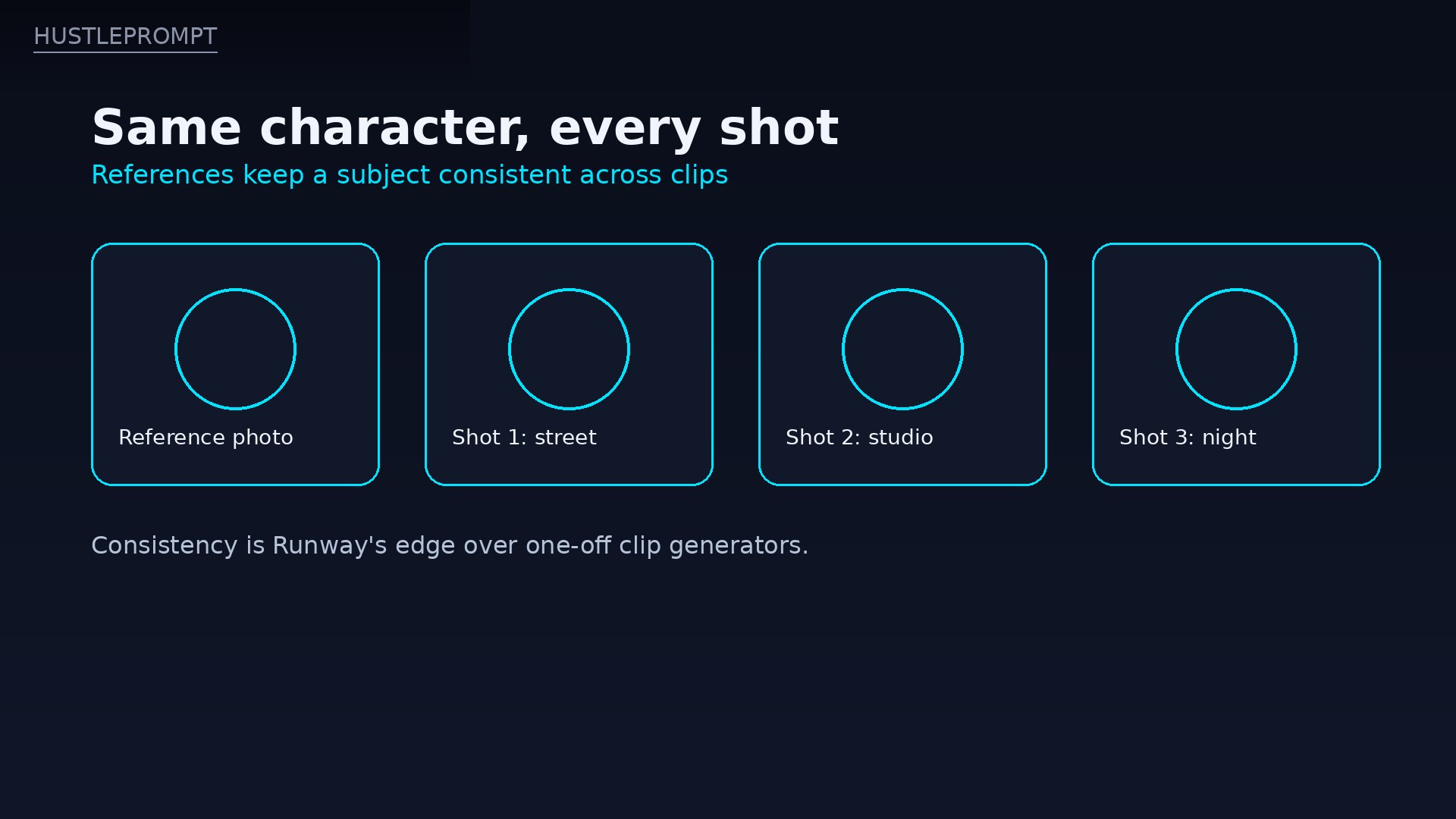
Same character, every shot: References keep a subject consistent across clips. HustlePrompt illustration (not a Runway screenshot).
References: consistency across shots
References let you feed Runway images of a character, object, location, or style, then generate new stills and clips that keep that subject recognizable. For a short film, an ad series, or a recurring social character, this is the feature that makes a project feel like one production instead of five random clips.
Aleph: edit real footage by prompt
Aleph, first released in July 2025 and succeeded by Aleph 2.0, edits existing video with plain-language instructions. Add rain to a scene, remove a passerby, change the time of day, or generate a new camera angle from the same clip.
Use edit verbs first — add, remove, change, replace, relight, restyle — and one precise change per generation.
Third-party models and editor integrations
Runway also hosts rival models, including Kling and Veo variants, so one credit balance buys more than Runway’s own models — at those models’ own credit rates.
Images and audio in the same account
Gen-4 Image generates stills that can feed video generations, and Runway generates music, voice, and sound effects. Audio will not replace a sound designer, but native sound on a clip saves a round trip to another tool for social and ad work.
How to Use Runway: The Workflow That Works
Runway rewards discipline. Random prompting burns credits fast, while a short loop keeps costs predictable.
- Lock the first frame. Generate or upload a still that already looks like the shot you want, including lighting and composition.
- Write one camera move and one action. A prompt like “slow dolly in, subject turns toward camera” beats a paragraph of adjectives.
- Draft cheap, finish expensive. Test motion on Gen-4 Turbo at 5 credits per second, then spend Gen-4.5 credits only on the keeper.
- Reuse references. Build a small reference set for recurring characters or products, and reuse it across every shot in the project.
- Edit, don’t regenerate. When a shot is almost right, send it to Aleph for one targeted change instead of rolling a new clip from scratch.
That loop is the whole skill. Runway is easy to open and expensive to improvise in, so the plan you make before generating matters more than the model you pick.
Runway Pricing 2026 (Verified)
Prices below are in US dollars. The plan figures come from Runway’s official pricing page as reported by multiple independent October 2026 snapshots in exact agreement; the per-second rates come from Runway’s own help documentation. Confirm on the official page before buying, because credit rates change.
Runway plans — October 2026
| Plan | Price | Credits | Gen-4.5 seconds / mo | Key notes |
|---|---|---|---|---|
| Free | $0 | 125, once | Gen-4.5 needs Standard+ | Watermarked output; no credit top-ups |
| Standard | $15/mo monthly $12/mo billed annually ($144/yr) |
625/mo | ~52 | No watermark; credits expire monthly |
| Pro | $35/mo monthly $28/mo billed annually ($336/yr) |
2,250/mo | ~187 | Unlimited Mode on supported models (slower) |
| Max | $95/mo monthly $76/mo billed annually ($912/yr) |
9,500/mo | ~791 | Unused credits roll over up to one month |
Team and Enterprise plans are quote-based. Purchased top-up credits cost $0.01 each (1,000 minimum) and never expire, per October 2026 pricing summaries.
Three pricing details matter more than the headline numbers:
- Seconds, not clips, are the budget. At 12 credits per second, a 10-second Gen-4.5 generation costs 120 credits. Standard’s 625 credits buy five such attempts before a single retake, which is why failed takes hurt.
- Rollover is a Max-only perk. Standard and Pro credits expire on your billing date. Only Max rolls unused credits forward, for up to one month, so uneven workloads waste money on lower tiers.
- Turbo is the cheap draft. Gen-4 Turbo costs 5 credits per second. Draft motion there, then spend full-rate credits on the final version, and your monthly seconds stretch roughly twice as far.
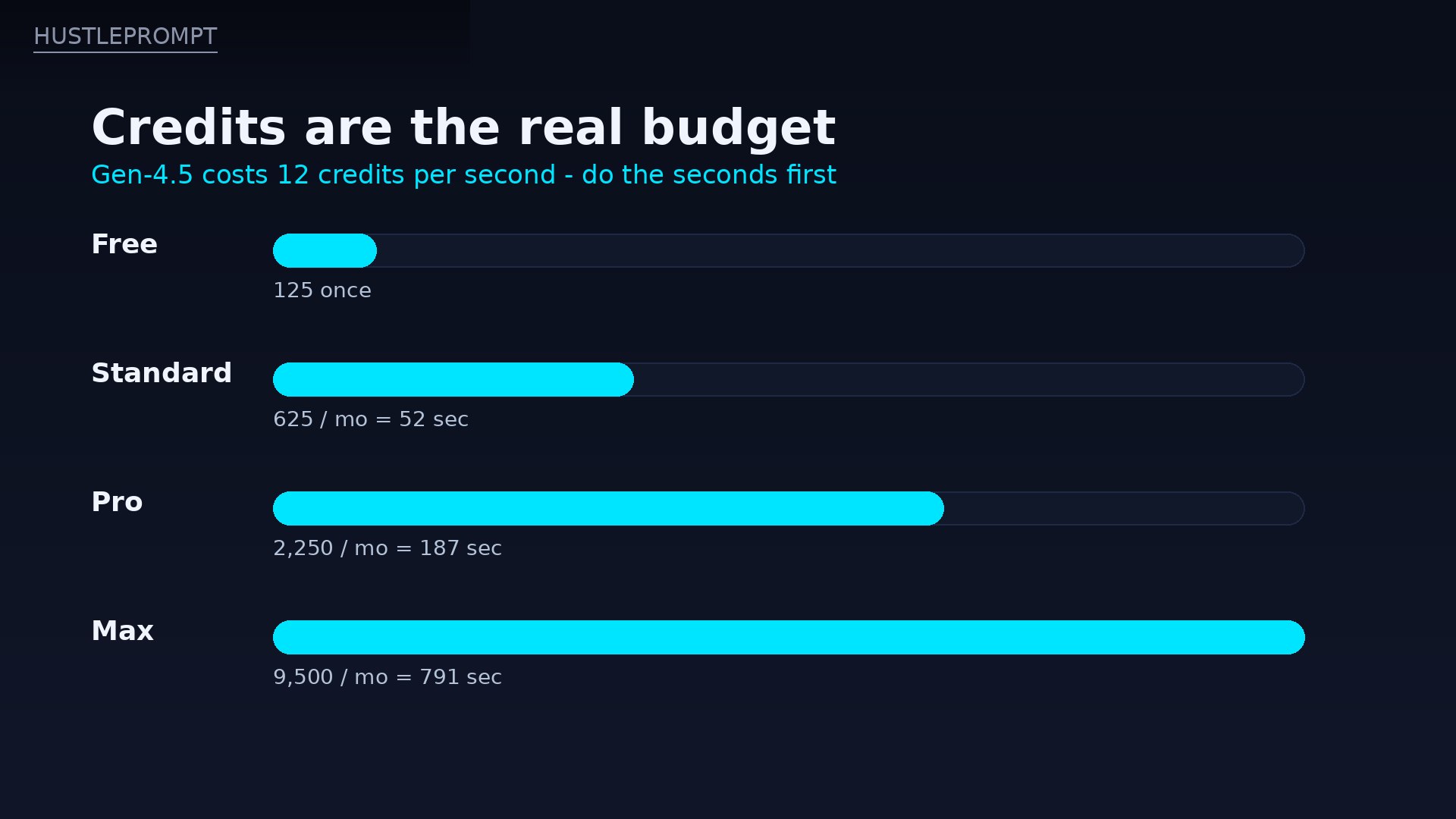
Credits are the real budget: Standard buys about 52 seconds of Gen-4.5 a month, Pro about 187, and Max about 791. HustlePrompt illustration (not a Runway screenshot).
Runway by the Numbers
What the specs actually say
Sources: Runway help documentation for Gen-4.5 (plan requirement, cost, durations, resolution, frame rate); October 2026 pricing snapshots for plan prices and credit allowances. Second counts are credits divided by 12, rounded down, before retakes.
The 60-Second Decision
Should you pay for Runway?
Just curious?
Stay on Free. 125 credits introduce the interface, but they do not unlock Gen-4.5.
A few clips a month?
Get Standard ($12–15/mo). It is enough for occasional social clips and client tests.
Video every week?
Get Pro ($28–35/mo). 187 Gen-4.5 seconds plus Unlimited Mode cover real production.
Need long or 4K video?
Look at Kling or Veo first. Runway clips top out at 10 seconds at 720p base.
Runway vs. the Alternatives
| Tool | Entry paid price | Clip length | The catch |
|---|---|---|---|
| Runway | Standard $12/mo annual ($144/yr), 625 credits | Gen-4.5: 2–10 sec at 720p | 52 Gen-4.5 seconds a month; credits expire below Max |
| Kling | Standard $8.80/mo renewal (660 credits); first month $6.99 | Up to 15 sec reported for current models | Free tier is watermarked, no commercial use; prices shifted with the Kling 4.0 relaunch |
| Google Veo 3.1 in Flow | Google AI Pro $19.99/mo, 1,000 Flow credits | 8 sec base clips, extendable in Flow | Only 10 Quality clips a month on Pro; video is one benefit inside a big bundle |
Kling is the value pick for realistic motion. Standard undercuts Runway on renewal price, with 1080p output and commercial use on paid plans. The trade-off is messier pricing: first-month discounts and a 2026 plan restructuring.
Google Veo 3.1 in Flow is the bundle pick. Google AI Pro at $19.99 a month buys 1,000 Flow credits: 50 Fast clips or 10 Quality clips, plus Gemini and storage. If you already pay for Google AI, Veo is cheapest. If you only want video, Runway’s focused toolkit justifies its own subscription.
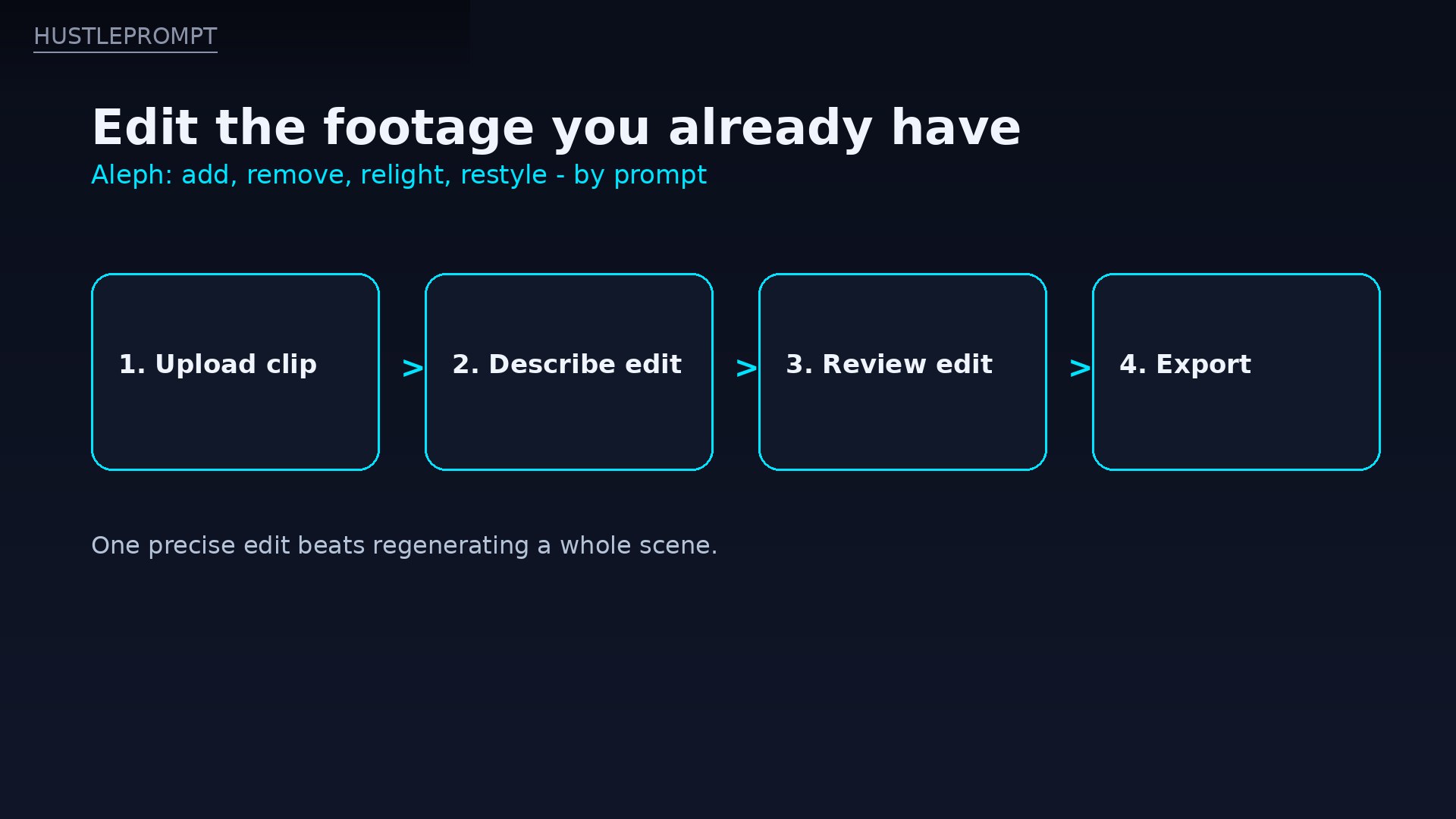
Edit, don’t regenerate: Aleph changes existing footage by prompt. HustlePrompt illustration (not a Runway screenshot).
Pros and Cons
| Pros | Cons |
|---|---|
| References keep characters and products consistent across shots | Standard buys only ~52 seconds of Gen-4.5 a month before retakes |
| Aleph edits real footage by prompt, saving reshoots | Clips cap at 10 seconds, at 720p base for Gen-4.5 |
| Turbo drafts at 5 credits per second stretch any plan | Standard and Pro credits expire monthly; rollover is Max-only |
| Third-party models and Premiere, After Effects, and DaVinci panels | Free plan is watermarked and does not unlock Gen-4.5 |
| Flat, predictable per-second pricing for Gen-4.5 | Third-party model rates inside Runway differ and add up fast |
| Top-up credits never expire at $0.01 each | 24–25 fps output can look less smooth than rivals for fast motion |
Who Is Runway For?
- Filmmakers and video editors: previsualization, reference shots, and Aleph fixes inside a professional edit.
- Freelancers and agencies: product spots, ad variations, and social clips where one consistent look matters.
- Creators and marketers: short-form video with a recurring character, product, or visual style.
- Small teams: storyboards that move, pitch visuals, and internal demos without a shoot day.
It is not for anyone who needs long, continuous video, 4K masters, or high daily volume on a tight budget. Kling or Veo will stretch further per dollar there.
How Freelancers Actually Profit With Runway
Runway at $12 a month is cheap enough that one small job covers the year. Four playbooks that work right now:
1. Product spots as a service
Animate a product image into three 5-second angles and charge $75–$250 per product set. References keep the product identical across angles.
2. Ad variations that test
Generate one strong concept, then use Aleph to change backgrounds, seasons, or lighting for five testable versions — testing the client buys, without five shoots.
3. Previsualization for real shoots
Sell a moving storyboard — consistent shots, camera moves, and mood — before locations and crews are booked. One job can pay for months of Pro.
4. Social clips with a recurring character
Build one character with References, then sell a weekly clip pack to a brand or creator. Consistency is the product: followers recognize the character.
FAQ
Is Runway free?
Yes, with hard limits. Free costs $0 and gives 125 credits once, with watermarked output. Gen-4.5 requires Standard or higher, so Free introduces the interface rather than the flagship model.
How much does Runway Standard cost?
Standard is $15 per month billed monthly, or $12 per month billed annually ($144 per year). It includes 625 monthly credits, watermark-free output, and access to Gen-4.5 and the wider model catalog.
How many seconds of video does Standard buy?
About 52 seconds of Gen-4.5, because 625 credits divided by 12 credits per second equals 52. That is before retakes, so plan on roughly five 10-second attempts per month on Standard.
Do Runway credits roll over?
Only on Max, for up to one month. Standard and Pro credits expire on your billing date. Purchased top-up credits at $0.01 each never expire, which makes them the safety valve for an uneven month.
What is Runway Aleph?
Aleph is Runway’s video-to-video editing model. It changes existing footage by prompt: add or remove objects, change lighting or style, generate new camera angles, or restyle a scene, without regenerating the whole clip.
Runway vs. Kling — which should I pay for?
Runway if your bottleneck is consistency, editing real footage, or working inside Premiere, After Effects, or DaVinci. Kling if your bottleneck is cost per second and longer clips, and you can live with its shifting 2026 pricing.
Is Runway worth $12 a month?
Yes, if you make video regularly and value consistency and editing over raw volume. Standard is a fair test price. If you only need a few clips a year, stay on Free or buy top-ups instead of a subscription you will forget.
Watch: Creating with Gen-4.5
Gen-4.5 guide video embedded in Runway’s own help documentation, covering text-to-video and image-to-video generation.
Verdict: Is Runway Worth $12/Month?
Yes — Standard at $12 a month billed annually is worth it for creators who actually make video. No rival at this price combines consistent characters, prompt-based editing of real footage, and professional editor integrations in one account.
Skip Pro unless you generate weekly, need the extra seconds, or want Unlimited Mode on supported models. Skip Max unless you generate at volume and need the one-month rollover.
Bottom line: at $144 a year, Runway Standard pays for itself with a single small client job. Just remember the real rule of this tool: count seconds before you subscribe, draft on Turbo, and never let a credit balance decide the quality of a clip you send to a client.
Sources: Runway help documentation for Gen-4.5 (Standard+ requirement, 12 credits per second, 2–10 seconds, 720p, 24/25 fps); multiple independent October 2026 snapshots of Runway’s official pricing page in exact agreement for plan prices and credit allowances; Kling membership-page summaries (October 2026) and Google Flow credit summaries (October 2026) for competitor figures. Prices change — confirm on the official sites before subscribing.