
Quarter of a million apps were built by first-timers in a single week — before Google removed the last gate. On October 13, the Play Store stopped being just a catalog and became a garage you build in. Here’s why that changes who gets to ship software, and how freelancers can get paid by it first.
What’s Trending: The Store Becomes Your Workshop
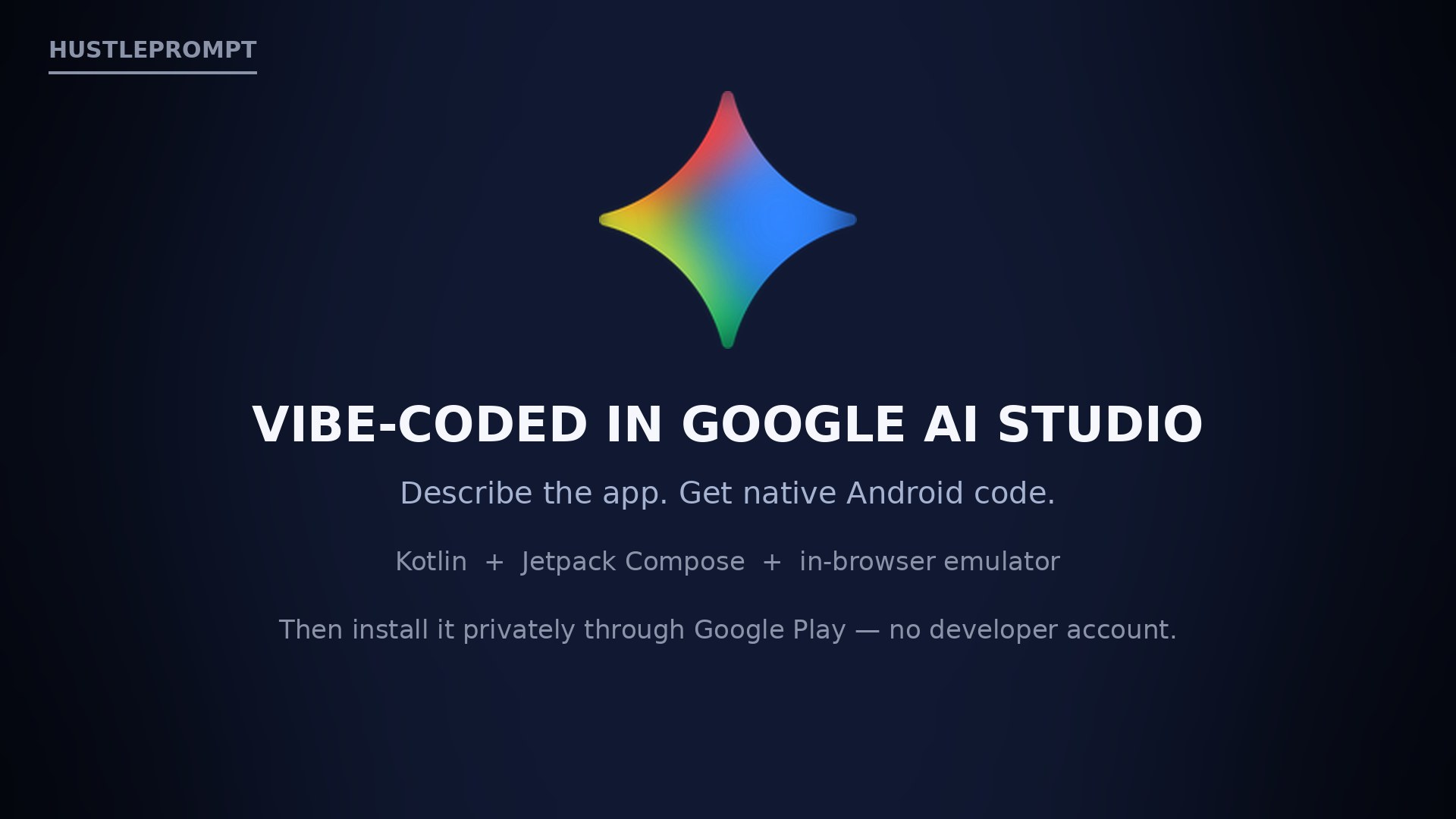
On October 13, Google’s VP of Google Play, Sam Bright, announced that you can describe an app in plain language inside Google AI Studio, have it write a native Android app, and launch it privately on your phone through Google Play — no developer account required. Google calls it a shift from “there’s an app for that” to “there’s an app for me”: creations stay “private, secure, and separate from the public store catalog,” never appearing in search results. Rolling out now in select markets, including the U.S., for users 18+.
The stat that matters: AI Studio lead Logan Kilpatrick said publicly in May 2026 that users created more than 250,000 Android apps in the first week after native app generation launched at Google I/O — and that “likely >99% of these folks never built an Android app before.” The figure comes from his X post, reported by multiple outlets — but it shows where demand was already pooling before Google removed the last gate.
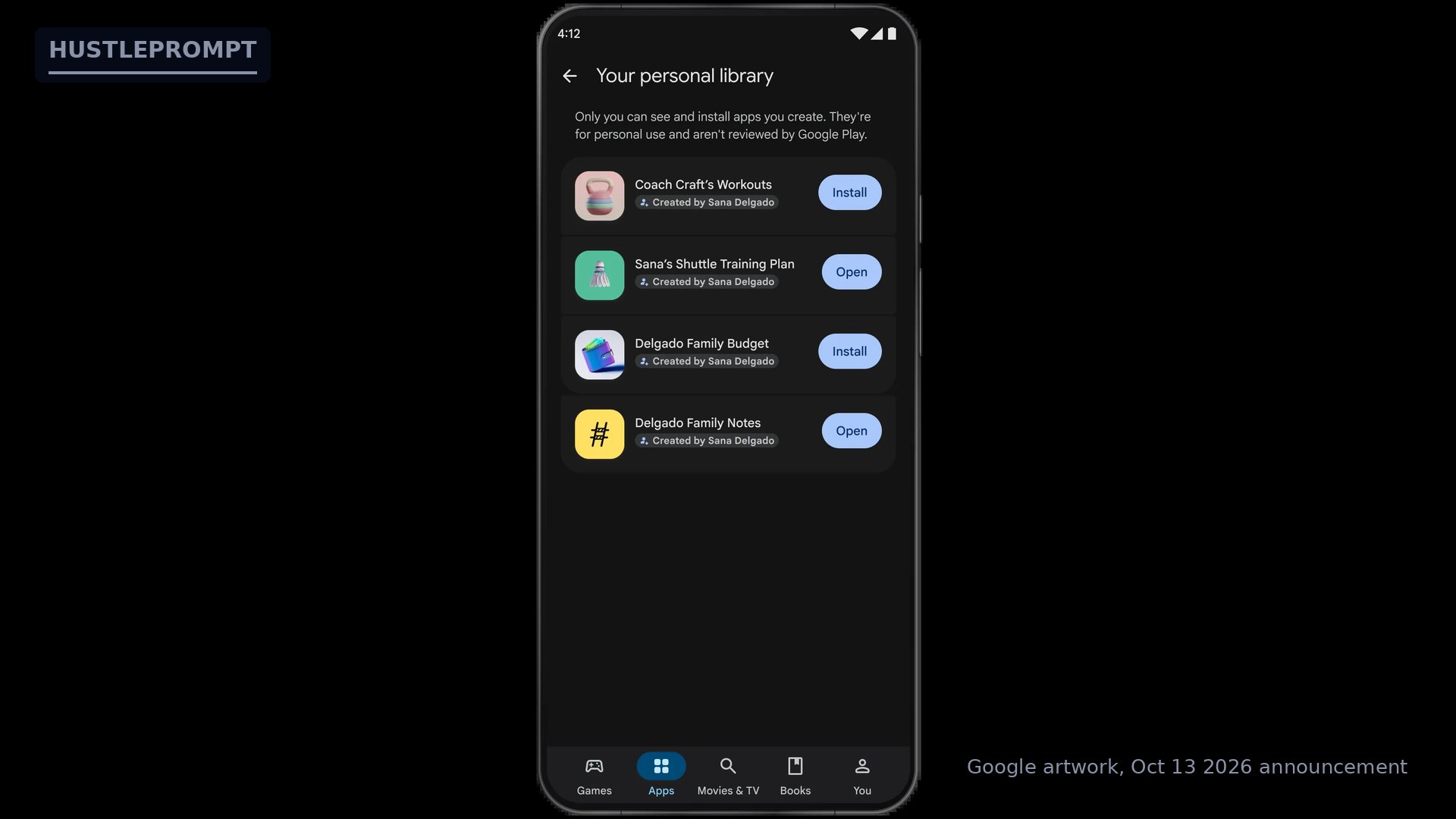
Google’s own preview of the “Your personal library” screen — note the top line: “Only you can see and install apps you create. They’re for personal use and aren’t reviewed by Google Play.” That sentence does a lot of quiet strategic work.
The Deep Shift: Distribution Was the Bottleneck
App creation became nearly free in 2024–25; getting code onto a real phone stayed awkward. The bottleneck moved from writing code to trusted distribution — and on October 13, Google moved that bottleneck inside its own store.
Before October 13, your homemade app had two bad options: plug the phone into a computer with Android debugging tools, or register a Play developer account and pay the $25 one-time fee for a testing track — all for an app only you’d ever open. Now there’s a third route: describe it in AI Studio, launch it privately through Play with a standard Google account. No cable, no console, no fee, no review queue.
| Install route | Developer account | Cost | Who it’s for |
|---|---|---|---|
| USB / debugging tools | No | $0 | Developers with a cable handy |
| Private testing track | Yes | $25 one-time | Developers testing pre-release builds |
| New: personal library via Play | No | $0 | Anyone 18+ in supported markets |
Every consumer platform is converging on the same idea: personal software — apps built for one household, one team, one routine. The store is evolving from a catalog you browse into a place where you run what you create: from “which app solves my problem?” to “why isn’t there an app shaped exactly like my problem?” — now answerable with a paragraph of plain English.
The “Sachet Software” Economy
A useful concept for what this unlocks: discardable software — code cheap enough to write for one use and throw away. A budget splitter for a weekend trip. A rotation planner for your rec league. A workout log that matches your exact routine. These apps were never going to pass a store review or justify $25 and a developer console — so they didn’t exist. Now they get a home inside the store itself, not a browser tab you’ll lose.
Two honest open questions, raised by independent coverage: what permissions a generated app can request, and how generated code gets screened before landing on a phone. Google says private apps aren’t reviewed — the on-screen text says so plainly.
From Idea to Phone: The New Flow
Solid boxes are live today (U.S., 18+). Dashed boxes are Google’s stated roadmap.
How to Profit: The Private-App Freelancer Playbook
Private distribution removes the store friction that made small client work uneconomical. Five concrete plays:
1. Custom private apps for local businesses — $1,000–$5,000 per build + retainer
Salons, gyms, contractors, and restaurants all need the same things: booking trackers, member lists, quote tools, loyalty reminders. Now you can deliver a working Android app the owner installs from their own Play library in minutes. Pick one niche, build a reusable AI Studio template, customize per client in a day or two, and charge $1,000–$5,000 plus $100–$300/month for updates. Zero store paperwork for client-internal tools.
2. Idea-to-MVP validation service — flat fee, one day
Founders are full of ideas and short on prototypes. Offer a flat fee: one call, one prompt-crafted working phone app, delivered the next day. The founder taps through their idea on a real phone instead of describing slides. If it survives contact with reality, upsell the graduation path (#4).
3. Niche app-template packs — productized income
Build template packs for specific professions: realtors (open-house sign-in), trainers (client workout tracker), landlords (rent reminders). Sell the pack + setup call as a product, not hours: “your own app, on your phone, this week.”
4. Graduate-to-store done-for-you service
Google says personal apps can graduate to a professional developer account, then face “the same Trust & Safety reviews and quality standards as every professional developer.” That review is a maze for first-timers — sell the package: account setup, compliance check, review prep. The announcement just created this job category.
5. Compliance-first vibe coding as a differentiator
Remember the open questions on permissions and screening. Sell the caution as a feature: build every private app with clean, minimal permissions and a written privacy note from day one, so it can graduate to the public catalog without rework. “Built to graduate” is a real differentiator.
What to Do This Week
- Try it yourself. If you’re in the U.S. and 18+, open AI Studio, describe one small app, and install it through Play. You can’t sell the workflow until you’ve felt it.
- Document your first build. Screen-record the prompt-to-phone flow. That’s your portfolio and your marketing.
- Pick one local niche and build a template app for it before pitching anyone.
- Write your “graduation checklist” — minimal permissions, privacy policy, account setup, review prep — and productize it.
- Watch the permissions story. How Google handles generated-app permissions will decide how seriously businesses take this. Be ready to explain it to clients.
Where This Is Heading: 3 Predictions
- The friends-and-family tier becomes the real distribution. “Coming months” sharing for a small circle turns personal software into local software — team apps, family apps, club apps. Watch how Google defines “small circle,” because that’s the next policy line.
- Other stores follow. Apple has no equivalent zero-account private route today. When a category this visible ships on Android, competitive pressure does the rest.
- A new job title appears: personal-app developer. Not an app agency — a one-person shop shipping private tools for local businesses. The $25 fee and the review queue used to filter these people out. The filter is gone.
Watch: The Announcement Explained
Walkthrough of the three steps — build in AI Studio, launch through Play, open on your phone — plus what stays private.
Keep Reading
- The AI OS Era: Watch Once, Automate Forever
- The AI Coding Trap: 30% More Code, Zero More Software
- The AI Orchestrator: Why Freelancers Now Earn 34% More
FAQ
What did Google announce on October 13, 2026?
Vibe-code an Android app in Google AI Studio, then launch it privately on your phone through Google Play with a standard Google account — no developer account. The apps never appear in the public store. Rolling out first in select markets, including the U.S., for users 18+.
Are private apps reviewed by Google?
No. Google’s own preview screen states: “Only you can see and install apps you create. They’re for personal use and aren’t reviewed by Google Play.” Full Trust & Safety review only applies if you graduate the app to public distribution.
How is this different from sideloading?
Sideloading means enabling unknown-source installs and moving files manually. The personal library installs apps exactly like any Play Store install — tap, done — with no cables and no warnings.
Can I share a personal app with friends?
Not yet. Sharing with “a close circle of friends and family” is coming in the following months. Today it’s owner-only.
What does going public cost later?
The standard Play developer registration is a $25 one-time fee, plus the same Trust & Safety review as any professional listing. Google says Play will help personal apps “graduate” to a professional developer account.
What are the risks of vibe-coded apps?
Two open questions from independent coverage: what permissions generated apps can request, and how generated code gets screened. Build with minimal permissions and a written privacy note from day one.