
Picture this: you’re screen-sharing with a client when a chat title you’d rather keep private slides into view. On October 20, 2026, OpenAI shipped the fix for exactly that moment — chatgpt locked chats, a feature that puts individual ChatGPT conversations behind a 4-digit PIN or your face.
Locked Chats let you keep selected conversations in your account while hiding them from regular history, pinned chats, and search. But there’s a catch most coverage glosses over: reset a forgotten PIN and every locked chat is gone forever — and not even OpenAI Support can bring them back.
What Locked Chats actually are
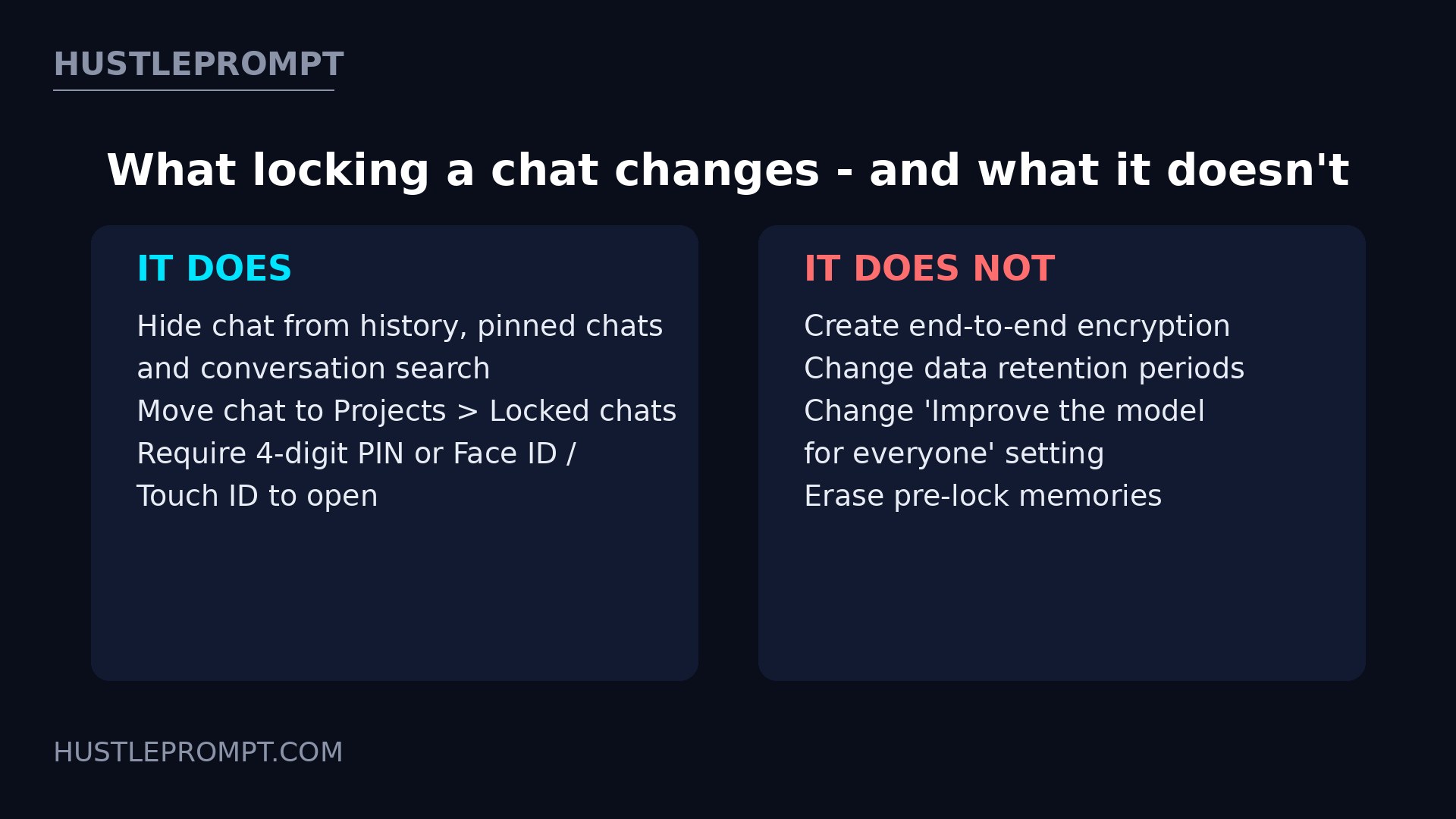
Locked Chats is an access lock, not a vault. Pick any eligible conversation, lock it, and it disappears from your sidebar, history, pinned chats, and search results. It moves to a dedicated section under Projects > Locked chats, and opening it requires your 4-digit account PIN.
On supported phones you can skip typing: Face ID or Touch ID on iOS, or your device’s own unlock method on Android. Device authentication is optional and per-device — it never replaces the PIN.
The feature is rolling out gradually. If you don’t see Lock chat in a chat’s ••• menu yet, update the app and check back in a few days.
How to lock a chat in 4 steps
You can also start a brand-new conversation inside the protected space: open Projects > Locked chats, authenticate, and type your first message. Access is temporary by design — on iOS and Android, chats re-lock after 1 minute away or in the background; on the web, refreshing or closing the tab ends access.
The memory rules are the interesting part
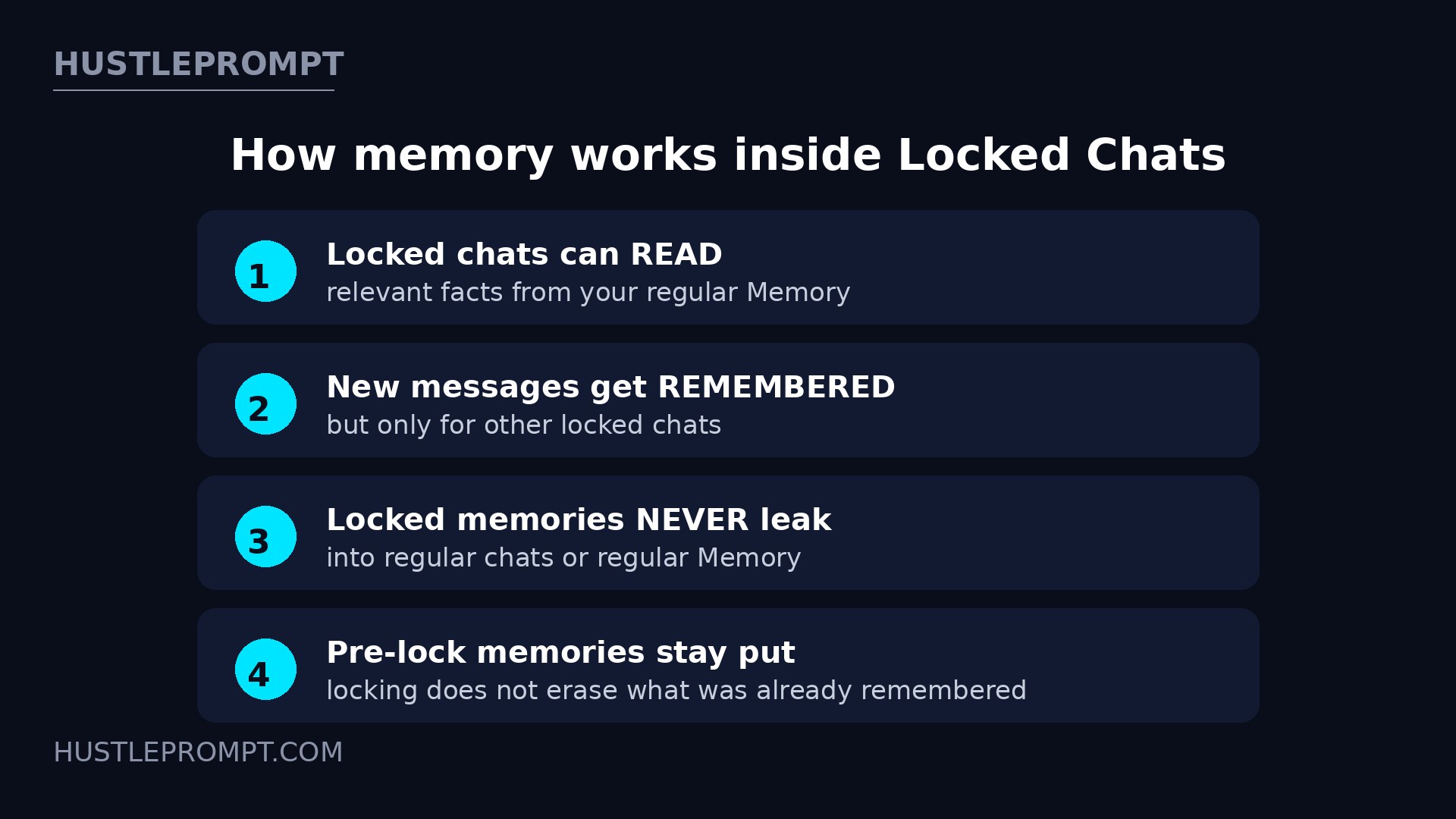
Locked Chats get their own separate memory system. This is the detail that matters most for power users — and the one most likely to surprise you:
In plain English: locked chats can see out but regular chats can’t see in. One warning: if ChatGPT already remembered something sensitive before you locked the conversation, locking won’t scrub that memory — review saved memories separately.
What locking a chat does NOT do
OpenAI is unusually blunt about the limits. From the official help article, locking a chat does not:
- Create end-to-end encryption or a separate encrypted vault.
- Change how long OpenAI retains the chat.
- Change your “Improve the model for everyone” setting — locked chats can still be used for model training if you have that on.
- Remove information ChatGPT already remembered before the lock.
- Override workspace policies, safety requirements, or legal and compliance obligations.
Two practical gotchas: locking a chat that already has a shared link does not delete the link — delete it separately. And anyone who can open a locked chat can still copy its contents.
The PIN reset trap: read this before you forget
This is the single most consequential detail in the whole feature. Forgetting your PIN deletes nothing by itself. But the moment you reset it:
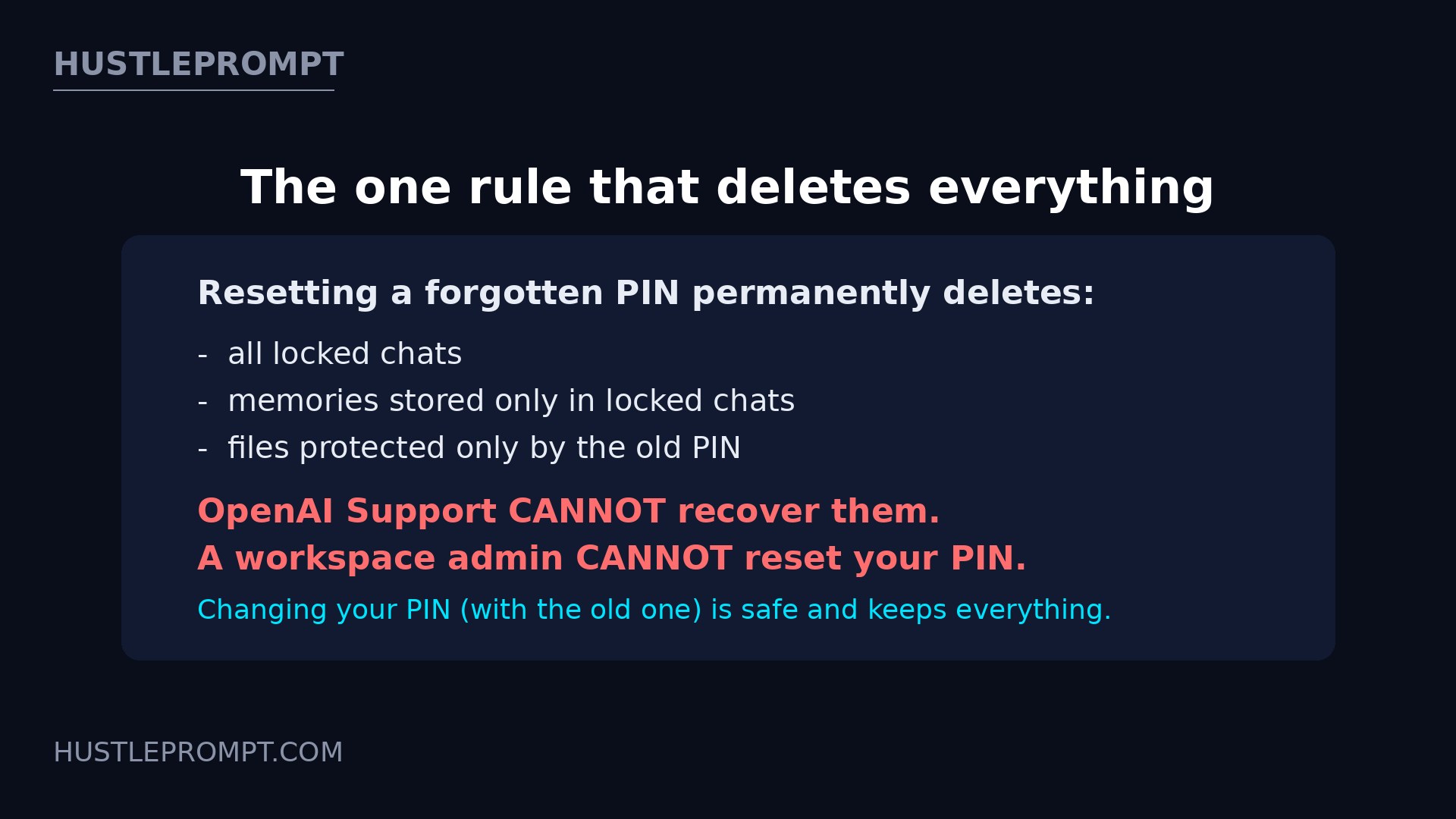
- All locked chats are permanently deleted.
- Remembered information stored only within locked chats is deleted.
- Files protected only by the old PIN are deleted.
- It cannot be undone, and OpenAI Support cannot recover the content.
- A workspace administrator cannot reset your PIN or unlock your chats for you.
Changing your PIN is completely different and safe: go to Settings > Security and login > Account PIN, enter your current PIN, and create a new one. Nothing is deleted. Save the PIN in a password manager today — after too many wrong attempts, ChatGPT temporarily blocks access until the retry period ends.
Who gets it and where it works
Chats you cannot lock
The Lock chat option simply won’t appear for some conversation types:
- Temporary chats and archived chats
- Group chats and chats created from a shared link
- Chats with scheduled tasks (delete them first, including paused ones)
- Chats containing meeting recordings
- Chats in the earlier Health experience (the current Health app is eligible)
- Chats associated with background tasks or with responses saved as project sources
- Codex conversations, including cloud Codex, and local Work conversations
Also note: you cannot archive, pin, move, or share a locked chat — permanently unlock it first if you need any of those actions.
How to profit: sell client-privacy hygiene
Freelancers share screens with clients, hand phones to family, and paste client-confidential material into ChatGPT daily. That combination is a sellable service. Here’s the playbook:
- Sell a “Private AI Protocol” ($49–$149 per client). A one-page document: which conversations get locked, which stay public, how the PIN is stored, and the pre-lock memory review checklist. Coaches, lawyers, and accountants will pay for a protocol they can show their own clients.
- Offer privacy setup as an add-on ($75–$150). When onboarding a client onto AI workflows, configure Locked Chats for them: create the PIN, lock the sensitive threads, enable Face ID, document the recovery plan.
- Run “AI confidentiality audits” for small teams ($200–$400). Map where a business pastes client data into ChatGPT, split it into locked vs. regular chats, and write the policy. The PIN-reset trap alone justifies the fee.
- Teach the memory boundary. Most users assume locking makes ChatGPT “forget.” The truth — locked chats can read regular Memory, and pre-lock memories survive — is exactly the nuance clients pay to understand.
Frequently asked questions
What are ChatGPT Locked Chats?
A feature that hides individual ChatGPT conversations behind a 4-digit account PIN (or Face ID / Touch ID / device unlock on mobile). Locked chats move to Projects > Locked chats and vanish from history, pinned chats, and search. Announced October 20, 2026.
Is locking a chat the same as end-to-end encryption?
No. OpenAI states Locked Chats create no end-to-end encryption or separate encrypted vault. It’s an access lock for your screen — retention, training settings, and legal obligations are unchanged.
What happens if I forget my PIN?
Forgetting it deletes nothing. But resetting the PIN permanently deletes all locked chats, their exclusive memories, and protected files. OpenAI Support cannot recover them, and a workspace admin cannot reset your PIN.
Can I use Face ID instead of typing the PIN?
Yes — enable Face ID or Touch ID in Account PIN settings on iOS, or device unlock on Android. It’s optional, per-device, and never replaces the PIN.
Do locked chats affect ChatGPT’s memory?
They get their own memory: locked chats can read relevant facts from regular Memory, and new messages can be remembered for other locked chats — but nothing leaks into regular chats. Pre-lock memories are not erased.
Which chats can’t be locked?
Temporary chats, archived chats, group chats, shared-link chats, chats with scheduled tasks or meeting recordings, Codex conversations, and chats in the earlier Health experience, among others.
Is it available on the free plan?
Yes — Free, Go, Plus, Pro, Business, Enterprise, and Edu are all listed. It’s rolling out gradually, so allow a few days for it to reach your account.
Keep Reading
Official sources: OpenAI Help Center: Using locked chats in ChatGPT and OpenAI: ChatGPT release notes (October 20, 2026).