
Sell AI Product Photo Services to Online Sellers
About 77% of shoppers say high-quality images and videos are important to their purchase decisions, according to Salsify’s 2025 consumer research as reported by LetsEnhance. That single number is the whole business case for AI product photo services: online sellers cannot sell what buyers cannot see clearly.
Thousands of Etsy, Shopify, and Amazon sellers take phone photos in bad light, against cluttered backgrounds, at the wrong size. Their products may be excellent, but their listings look amateur.
You can fix that without a studio or camera crew. This tutorial shows you how to turn AI photo tools into a paid service for online sellers.
Why Sellers Pay for Product Photos
Sellers do not buy pretty pictures. They buy listings that look trustworthy enough for a stranger to spend money on.
A buyer cannot touch or try the product. Photos are the only inspection they get, so strong photos must answer fast: what is it, what size is it, and how does it look up close?
What the Service Includes
A strong package covers a full listing set, not one edited image. Sellers want a set they can upload the same day.
- Clean main image: the product cut out on a pure white background, sized for the marketplace.
- Angle and detail shots: front, side, back, and close-ups of texture or key features.
- Lifestyle scene: the product in a realistic setting, such as a candle on a desk.
- Scale shot: the product beside a familiar object, so buyers can judge its size.
- Upscaled finals: sharp files that stay crisp when buyers zoom in.
- One revision round: background swaps and small fixes, without endless rework.
How AI Product Photo Tools Work
AI photo tools do three jobs that once took hours in a photo editor.
First, background removal detects the product and cuts it out. You get a clean cutout for white or any new background.
Second, AI scene generation places that cutout into a new setting, such as a bright kitchen counter, built around the unchanged product.
Third, image upscaling enlarges a small phone photo and sharpens detail, so buyers get a crisp zoom view.
The key skill is not pressing a button. It is judging the result: clean edges, true colors, and no invented details.
Evidence: Amazon Main Image Rules
Amazon Seller Central requires the main image to use a pure white background (RGB 255,255,255), show only the actual product, exclude text, graphics, and watermarks, fill 85% or more of the frame, and measure at least 1,000 pixels on the longest side to enable zoom. Secondary images may show lifestyle scenes and feature callouts. Sources: Amazon Seller Central: Product Image Requirements and Photoroom: Amazon Product Image Compliance.
The 6-Step Product Photo Workflow
Use the same steps for every order. A repeatable process keeps colors consistent and makes it easy to grow from one seller to ten.
Photos + marketplace
Clean background removal
Lifestyle + angles
Sharpen + resize
Compliance + honesty
Named files + guide
Step 1: Take a Clear Brief
Ask which marketplace each listing is for. Amazon, Etsy, and Shopify have different rules, and one set does not fit all three.
Ask for the seller’s best original photos, plus the real color, size, and materials. AI can improve a photo, but it cannot know an unseen product.
Step 2: Cut Out the Product Cleanly
Remove the background and inspect edges at full zoom. Look for halos, missing straps, and cropped corners.
Fix bad edges before moving on. A sloppy cutout ruins every scene built on it.
Step 3: Build the Scene Set
Create one clean white-background main image first. That is what Amazon requires, and it anchors the whole set.
Then add lifestyle scenes and detail shots. Keep the product identical across scenes: same color, shape, label, and proportions.
Step 4: Upscale and Correct
Upscale finals to at least 2,000 pixels on the longest side where allowed. That gives buyers a sharp zoom view.
Check colors against the seller’s original photo. A mug that looks cream online but arrives white will generate complaints.
Step 5: Run the Compliance Check
Check every image against marketplace rules before delivery. For Amazon: pure white main image, no text or watermarks on it, and the real product only.
Also check honesty: no added features, no changed materials, no misleading scale. If a scene changes how the product looks, do not use it.
Step 6: Deliver a Ready-to-Upload Set
Deliver files named by listing and slot, for example “Candle-01-Main.jpg.” Include a short note listing which image goes in each slot and any rule you applied.

Tools and Pricing Compared
| Tool / Plan | Price (reported) | Best For |
|---|---|---|
| Photoroom Pro | $12.99 / month (monthly billing) | Background removal, AI scenes, batch work |
| remove.bg subscription | $9 / month for 40 credits | Cutouts only, about $0.23 per image |
| Pebblely Lite | $9 / month for 30 images | AI lifestyle scenes, small budget |
Prices above come from 2026 secondary compilations of official pricing pages. Confirm the live price at checkout before quoting a client.
Evidence: Shoppers Judge by Photos First
Salsify’s 2025 research, as reported by LetsEnhance, found 77% of shoppers say high-quality images and videos are important to purchase decisions. Photoroom’s roundup cites eMarketer data that 60% of US digital shoppers insist on at least three or four images before buying, and Etsy surveys in which 90% call image quality “extremely important” or “very important.” Sources: LetsEnhance: Product Image Quality and Photoroom: How Images Drive Marketplace Conversion.
How to Profit: Pricing Your Service
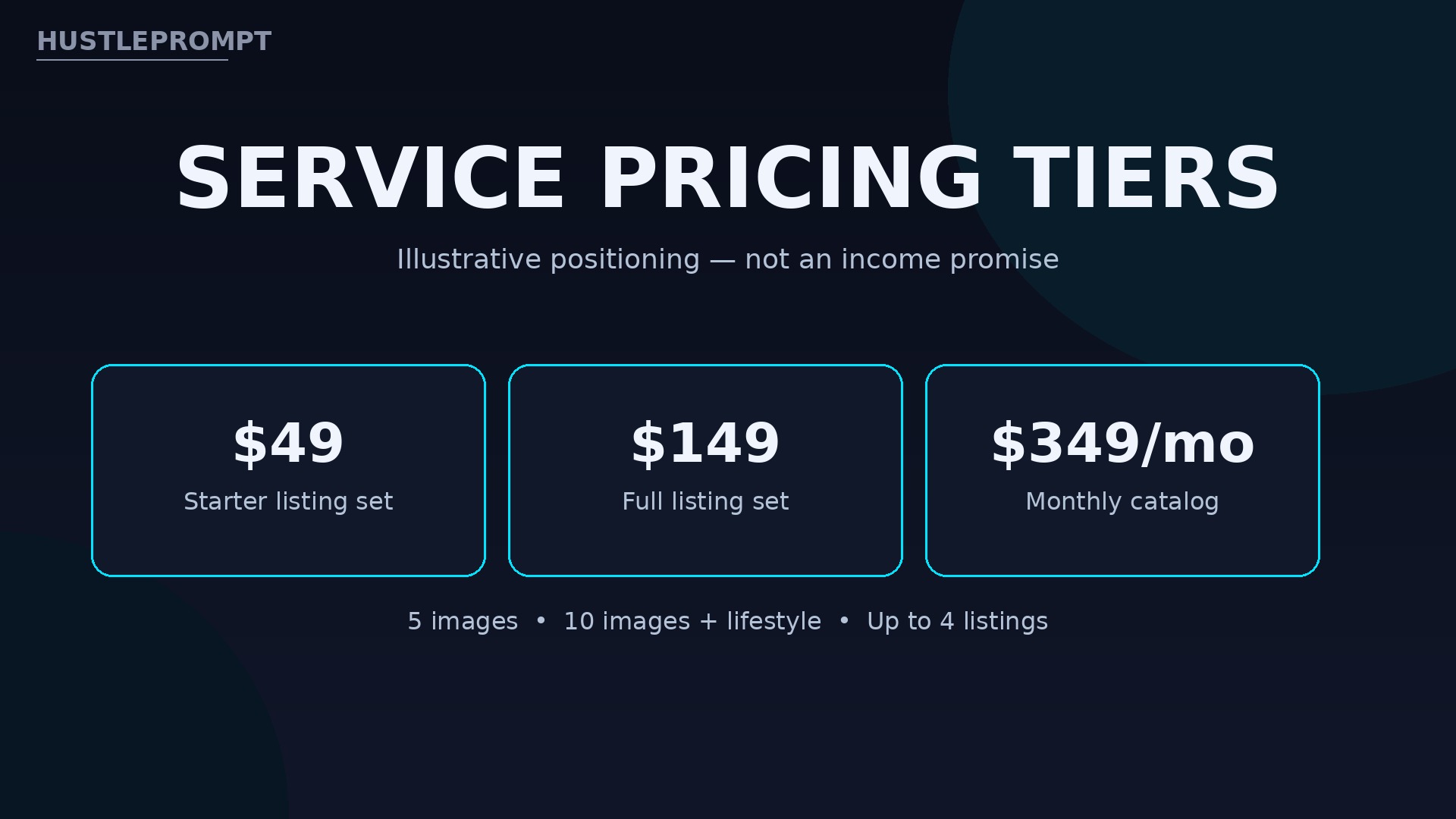
Price by listing set, not by hour. Sellers understand “$149 for a full listing set” far better than an hourly rate.
The prices below are illustrative positioning only. They are not an income promise, and your local market may support higher or lower rates.
- Starter listing set: $49 for 5 images — main image, two angles, one detail, one lifestyle scene.
- Full listing set: $149 for 10 images — full angles, details, scale shot, and three lifestyle scenes.
- Monthly catalog plan: $349 per month for up to 4 listings.
Math example: 3 x $149 = $447 gross for three full sets in a month, before tool costs and taxes.
Pitching and Landing Your First Client
Your first client is usually a seller whose listings you already visit. Look for shops with good products but dark, blurry, or single-photo listings.
Make a free before-and-after demo from their own public listing photo, and keep the message short. Offer a $49 starter set for one listing: one small paid order is easier to accept than a monthly plan.
Deliver fast, name files clearly, and ask for a testimonial and permission to show the before-and-after in your portfolio.
Honesty, Marketplace Rules, and Disclosure
AI scenes are where this business can go wrong fast. Treat honesty as non-negotiable.
Never invent features, change colors or materials, or show a product doing something it cannot do. Buyers who receive a different item leave bad reviews.
Follow each marketplace’s current rules, and check them again before every batch. Platforms update their AI disclosure rules regularly.
When a marketplace asks sellers to disclose AI-edited images, help your client disclose correctly. Tell clients which images were AI-edited, and keep the originals on file.

Watch the Video
See the core technique in action before your first order. The tutorial below walks through creating product photos with AI, from uploading a product image to generating new poses and scenes.
Video: How to Create Product Photos using AI – for eCommerce Stores — Website Learners’ tutorial walks through creating AI product photos for ecommerce stores, from uploading a product image to generating new poses and scenes — the core technique this service uses for sellers. (Website Learners)
Frequently Asked Questions
Do I need a camera or studio to start?
No. You start from the seller’s own photos. Good judgment about edges, color, and honesty matters more than camera gear.
Can one photo set work for Amazon, Etsy, and Shopify?
Not exactly. Build the set once, then adapt it: a pure white main image for Amazon, a styled hero for Etsy or Shopify, and shared angle shots across all three.
What if the seller’s original photos are terrible?
Be honest before you take the order. AI can clean up a decent phone photo, but it cannot rescue a blurry or tiny image without inventing detail.
How long does one listing set take to deliver?
A clean 10-image set often takes one to two working days, including revisions. Rush delivery costs extra.
Should I disclose AI-edited images to the seller?
Yes, always. Tell the seller which images were AI-edited, keep the originals, and follow the marketplace’s current disclosure rules.
Can I sell this service without experience?
Yes, if you practice first. Rebuild five listings as portfolio samples, learn one marketplace’s rules, and use those samples to win a paid trial.
Keep Reading
Related HustlePrompt tutorials:
- Sell AI Podcast Editing Services to Podcasters
- Sell AI Real Estate Listing Writing Services
- Sell AI Course Creation Services to Experts
Start with one seller, one listing, and one clean set. That first sharp before-and-after is the foundation of the service.